To make a multiplayer game in HTML5, you split the game in two. The browser client draws the world, plays sound and turns key presses and taps into input messages. A server owns the real game state: it receives inputs from every player, runs the rules at a fixed rate and broadcasts the result. The canvas and WebGL code is the same as in a single-player game; the networking, the server and the hosting are the new work, and they are most of it.
This guide covers the choices in the order you make them: the multiplayer model, the network API, the server architecture, the Node.js (or Python) stack, engines, and hosting. Browser support and library details were checked in October 2026.
Can HTML5 be used to create multiplayer games?
Yes. Every current browser ships three APIs a game can use to talk to a server or to other players:
| API | Runs over | Delivery | Browser support (October 2026) | Good for |
|---|---|---|---|---|
| WebSocket | TCP | Reliable and ordered | Baseline widely available, in all browsers since July 2015 | Almost every game: turn-based, rooms, io games |
| WebRTC data channel | SCTP over UDP | Configurable: unordered, no retransmits | Baseline widely available since January 2020 | Peer-to-peer play, UDP-like client to server |
| WebTransport | HTTP/3 (QUIC) | Reliable streams plus unreliable datagrams | Baseline 2026: Safari added it in Safari 26.4 in March 2026 | Fast action where an old position update is worthless |
WebSocket is the default. It is simple, works through almost every network and is supported by every server framework. Its weakness is that TCP delivers in order: if one packet is lost, everything behind it waits. In a card game nobody notices; in a shooter it shows up as a stutter. MDN also notes that WebSocket has no backpressure, so a client that receives faster than it can process will buffer until it runs out of memory.
WebTransport fixes both with unreliable datagrams and independent streams, and MDN suggests datagrams for exactly the "each update replaces the last" traffic games send. It needs an HTTP/3 server, and since it only reached every major browser in 2026, keep a WebSocket fallback for older devices.
Pick your multiplayer model first
The model decides how much server you need, so choose it before any code:
| Model | Examples | What the network has to do | Server work |
|---|---|---|---|
| Turn-based | Card, board, word and trivia games | Send moves, tolerate a second of delay | Small: validate moves, store state |
| Real-time rooms | Io games, party games, arena brawlers (2 to 50 players) | 10 to 30 state updates per second | An authoritative game loop per room |
| Fast action | Shooters, racing, fighting | Low latency, drop stale packets | Prediction, interpolation, lag compensation |
| Asynchronous | Leaderboards, ghost races, shared daily seeds | Plain HTTP requests | An API and a database, no game loop |
| Local | Two players on one screen | Nothing | None: read two gamepads |
| MMO | Persistent worlds with hundreds of players | Interest management, sharding | A whole backend team's work |
If you are new to networking, start with turn-based or small real-time rooms. Asynchronous features are the cheapest way to make a single-player game feel social, and local multiplayer needs only the Gamepad API.
The authoritative server: how to build an HTML5 game as server and client
The rule every multiplayer tutorial ends up at is: never trust the client. As Gabriel Gambetta puts it in his client-server game architecture series, the server is the only authority on the game state, and clients send inputs ("move left"), never results ("I am at x 400 and have full health"). Anything the client decides, a cheater can change in the browser's developer tools.
A minimal authoritative server in Node.js with the ws library looks like this. It clamps each input, moves every player at a fixed tick of 20 updates a second and broadcasts one snapshot:
import { WebSocketServer } from "ws";

const wss = new WebSocketServer({ port: 8080 });
const players = new Map(); // socket -> { x, y, dx, dy, seq }

wss.on("connection", (ws) => {
  players.set(ws, { x: 100, y: 100, dx: 0, dy: 0, seq: 0 });
  ws.on("message", (raw) => {
    let msg;
    try { msg = JSON.parse(String(raw)); } catch { return; }
    const p = players.get(ws);
    if (msg.t !== "input" || !p) return;
    p.dx = Math.sign(msg.dx) || 0; // clamp: a client can only ask, never decide
    p.dy = Math.sign(msg.dy) || 0;
    p.seq = msg.seq;
  });
  ws.on("close", () => players.delete(ws));
});

const TICK = 1 / 20, SPEED = 200;
setInterval(() => {
  for (const p of players.values()) { p.x += p.dx * SPEED * TICK; p.y += p.dy * SPEED * TICK; }
  const snapshot = JSON.stringify({ t: "state", players: [...players.values()] });
  for (const ws of players.keys()) ws.send(snapshot);
}, TICK * 1000);
On the client, the game loop sends input and draws the latest snapshot:
const ws = new WebSocket("wss://play.example.com");
let latest = null, seq = 0;
ws.onmessage = (e) => { latest = JSON.parse(e.data); };

function sendInput(dx, dy) {
  if (ws.readyState === WebSocket.OPEN) ws.send(JSON.stringify({ t: "input", seq: ++seq, dx, dy }));
}
That works on a local network and feels sluggish over the internet, because every key press waits a round trip. Three techniques close the gap, each explained in Gambetta's series:
- Client-side prediction: apply your own input immediately, then correct when the server's snapshot arrives. The
seqnumber tells the client which inputs the server has already applied. - Entity interpolation: draw other players slightly in the past, between the last two snapshots, so they move smoothly at 20 updates a second.
- Lag compensation: when a player fires, the server checks the hit against where targets were on that player's screen.
For turn-based games you need none of this. For fast action you need all three.
How to convert an HTML5 game to server side
Turning a single-player game into a multiplayer one is mostly a refactor:
- Separate the rules from the rendering. The simulation (positions, collisions, scoring) must run without the DOM, the canvas or the engine, so it can run in Node.js.
- Make it step on a fixed timestep and drive it only through inputs, never through
Date.now()or unseededMath.random(). - Run the same module on the server, and replace local input with network messages.
- Send snapshots or deltas back, and interpolate them on the client.
Our own games show what step 1 looks like. All 50 keep their rules in a src/sim/ folder of plain TypeScript, apart from the Phaser or Three.js scene, and the 3D racer Drift District goes further: a recorded input stream replays to the identical state, which is how its ghost cars work. Deterministic replay is also the foundation of lockstep and rollback netcode. That separation doesn't make them multiplayer games, and we don't sell them as such, but it is the shape a convertible codebase should have.
Node.js: making an HTML5 game with a Node server
Node.js is the most common server for HTML5 games for one practical reason: the client and server can share TypeScript, including the simulation module from the previous section. You can stay on raw ws, or let a framework handle rooms, reconnection and state sync:
| Server option | Language | Licence | What it gives you | Best for |
|---|---|---|---|---|
| ws | Node.js | MIT | A fast WebSocket server, nothing else | Learning, full control |
| Socket.IO | Node.js (also Python, Java, Go, Rust ports) | MIT | Rooms, broadcasting, acknowledgements, auto-reconnect, long-polling fallback, optional WebTransport | Turn-based and casual real-time games |
| Colyseus | Node.js, TypeScript | MIT | Authoritative rooms, binary delta state sync, matchmaking, reconnection | Real-time room games |
| geckos.io | Node.js | BSD-3-Clause | UDP-like client-server messages over WebRTC data channels | Fast action on a Node stack |
| Nakama | Go server; game logic in Go, Lua or TypeScript | Apache-2.0 | Accounts, matchmaker, real-time and turn-based matches, leaderboards, chat, storage | Games that need a full backend |
Two details catch people out. Socket.IO is not a WebSocket implementation: a plain WebSocket client cannot connect to a Socket.IO server, and the client and server versions must speak the same protocol. Colyseus sends state patches every 50 ms (20 per second) by default and runs its simulation at 60 steps per second, which are sensible starting values for any room game. Its client SDKs cover TypeScript, Unity, Godot, GameMaker, Defold, Construct and Haxe.
HTML5 games with Angular or React and Node
Angular and React are good at lobbies, menus, chat and account screens, and poor at running a game loop through their rendering cycle. Mount the canvas in a component and let the engine own it. In zone-based Angular apps, start the loop with NgZone.runOutsideAngular() so 60 frames a second don't trigger change detection; zoneless is the default from Angular v21, which removes that problem for new apps.
Build an io game with Flask and HTML5
Python works too. Flask-SocketIO runs a Socket.IO server inside Flask, and the browser uses the official Socket.IO JavaScript client (Flask-SocketIO 5.x pairs with JavaScript client 3.x and 4.x). Use the gevent async mode for WebSocket support, since its docs say eventlet is no longer actively maintained, and add a message queue such as Redis once you run more than one process. Keep the game loop in a background task at a fixed tick, exactly as in the Node example above.
Making an io game, step by step
Io games (browser arena games named after their .io domains) are the most common first multiplayer project: no accounts, instant join, one shared arena. A workable plan:
- One arena per server process. Cap players per arena and open a new one when it fills.
- A spatial grid on the server for collisions, so a 50-player arena doesn't test every pair.
- Interest management: send each player only the entities near their camera. This keeps bandwidth flat as the arena grows.
- A 20 to 30 Hz tick with client interpolation, and prediction for the local player.
- Bots to fill quiet arenas, so the first visitor never plays alone.
- Servers in the regions your players come from. No netcode hides a 250 ms round trip.
A turn-based example: an HTML5 multiplayer card game
Card games are the friendliest real multiplayer project, and the one place where a single rule matters more than latency: hidden information never leaves the server. The server shuffles, deals and sends each player only their own hand; a client that receives everyone's cards will be read by someone. The server also validates that each move is legal and that it is that player's turn, and keeps the game in a database so a dropped player can reconnect. Our free card game code is a single-player starting point for the rules and the table layout.
HTML5 multiplayer game engines and MMO engines
The client engines most HTML5 teams use, such as Phaser, PixiJS, Three.js and Babylon.js, handle rendering, input, audio and physics; none of them ships a game server. "HTML5 multiplayer game engine" in practice means a client engine plus one of the server options above; Colyseus and Nakama both provide JavaScript or TypeScript clients that work alongside any of them. Our HTML5 game engines comparison covers the client side.
There is no off-the-shelf HTML5 MMO or MMORPG engine that removes the server work, because the client is the easy part of an MMO. A persistent world needs accounts, a database, zones or shards, interest management, anti-cheat and someone on call when it breaks. Nakama gives you the accounts, storage and matchmaking, and Colyseus scales rooms across processes with a shared presence and driver, but the world simulation is still yours to write. Start with rooms of 8 to 50 players and grow from there.
Open-source multiplayer HTML5 games and source code
Reading working code is the fastest way to learn netcode:
- The Colyseus examples show authoritative rooms with real clients.
- Gambetta's series includes a live demo of prediction and interpolation you can step through.
- BrowserQuest, Mozilla's HTML5 multiplayer experiment, is archived (since January 2024) and dated, but still a readable small MMO: code under MPL 2.0, content under CC-BY-SA 3.0.
Check every licence before you reuse code commercially. Our guide to free and open-source HTML5 games explains what MIT, GPL and Creative Commons allow.
Multiplayer HTML5 game templates for sale
We sell 50 single-player games and no multiplayer games yet. The closest things in our catalog are games against computer opponents: Mini Royale drops you onto an island with 15 bots, Hex Kingdoms pits you against AI kingdoms on a hex map, and Card Combo Rogue is a single-player deckbuilder.
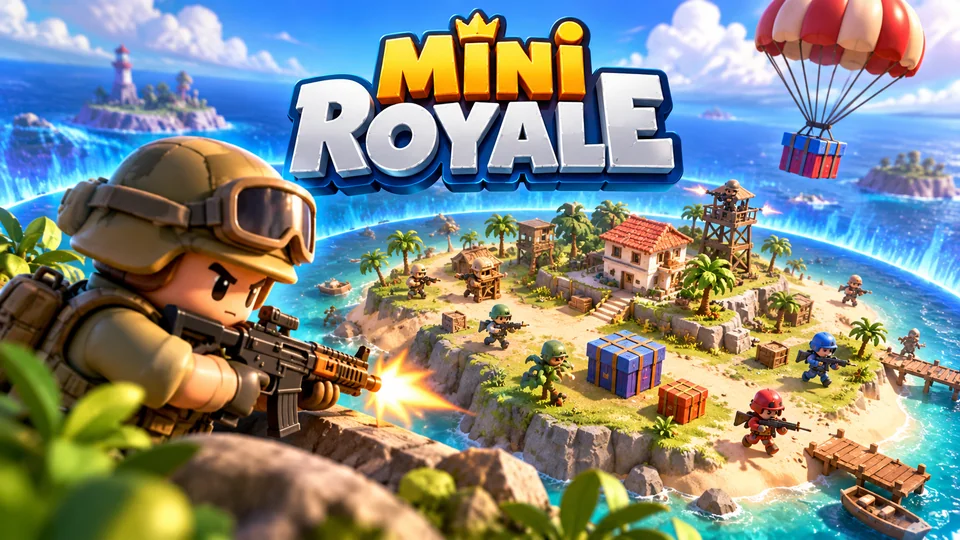
Mini Royale
Sixteen toy fighters drop onto a tiny island, grab simple gear and survive as the safe zone rapidly contracts.
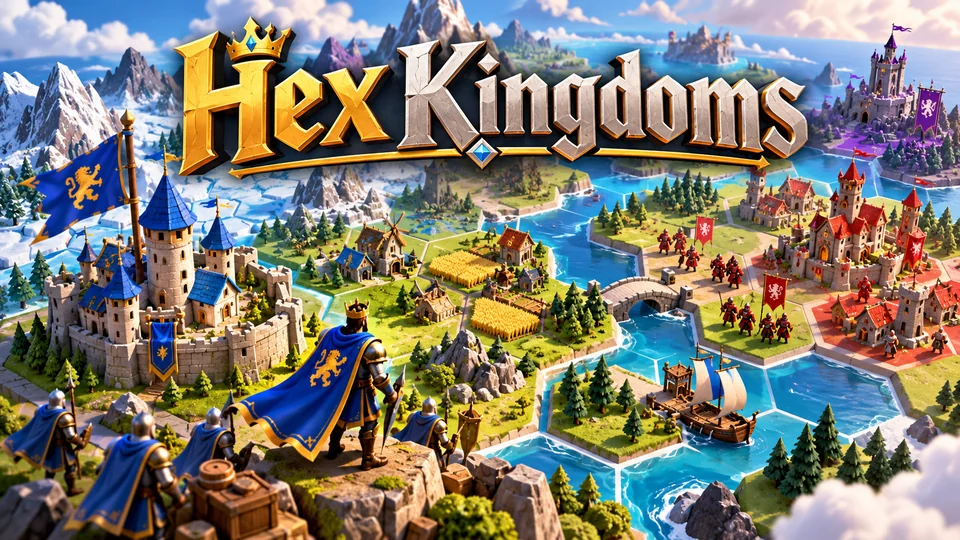
Hex Kingdoms
Expand across a compact hex map, gather resources, capture towns and outmaneuver AI kingdoms.
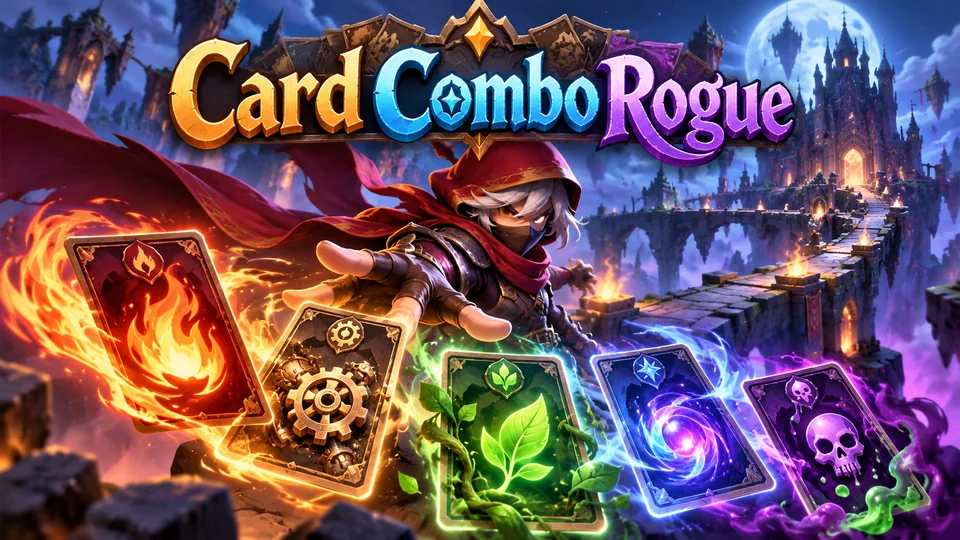
Card Combo Rogue
Build a temporary deck during each run and exploit tag-based synergies across fire, machine, nature, magic and poison cards.
If you need a multiplayer game commercially, suggest it on our public roadmap so others can vote for it, or send a brief for an exclusive game built only for you. When you evaluate multiplayer templates from anyone else, check that the server source ships with the client, which framework version it targets, who pays for and runs the servers, and whether the licence covers the server as well as the game.
Hosting a multiplayer HTML5 game
A multiplayer game is two deployments. The client is static files you can put on any static host or CDN, as our hosting guide explains. The game server is a process that must stay running, so static hosts can't run it. Your options, from most to least hands-on:
- A virtual server running Node.js under a process manager behind a reverse proxy. The Colyseus deployment docs recommend nginx and PM2 for self-hosting, with Docker as an alternative.
- Managed hosting for your framework: Colyseus Cloud, or Heroic Cloud for Nakama.
- Edge platforms: Cloudflare Durable Objects can act as WebSocket servers for a room, and with the Hibernation API they accrue no duration charges while idle.
Serve the server over TLS (wss://), because a page loaded over HTTPS can't open an insecure ws:// connection, and WebTransport requires HTTPS as well.
Frequently asked questions
Can I make a multiplayer game with Phaser?
Yes. Phaser draws the game and reads input; it has no networking, so you pair it with a server such as Colyseus, Socket.IO or raw WebSockets. Keep your rules in plain TypeScript modules so the server can run them too.
Is WebSocket fast enough for a real-time game?
For most browser games, yes: io games and arena games run on WebSockets at 20 to 30 updates a second. Lost packets stall later ones, so very fast games benefit from WebTransport datagrams or WebRTC data channels, with WebSocket kept as a fallback.
Do I need a server for a multiplayer HTML5 game?
For online play, yes. Even peer-to-peer WebRTC needs a signalling server to introduce players, plus a TURN relay for players behind strict firewalls. Same-screen multiplayer with two gamepads needs no server at all.
Can I host a multiplayer game on GitHub Pages or Netlify?
You can host the client there, since it is static files. The game server needs a long-running process, so it goes on a virtual server, a container platform, managed game hosting or an edge platform with WebSocket support.
Do you sell multiplayer HTML5 game source code?
Not yet. All 50 of our games are single-player. Vote for a multiplayer game on the roadmap, or send a brief for an exclusive game.
We make and sell HTML5 game source code; links to our games are marked as ours.