An HTML5 game website template gets you a design, but a game site that earns anything needs more: game pages with room for content, games you're allowed to run, hosting that loads them quickly, and a plan for SEO and money. This guide goes through all of it in the order you'll meet it, from choosing a template or portal script to the legal pages you need before launch. It's written for people starting a game portal, a brand or school site with games, or a developer site for their own games.
Decide what kind of game website you're building
The right template depends on the site. These are the four common types:
| Site type | What it is | Template you need | Where the games come from | How it earns |
|---|---|---|---|---|
| Arcade or portal | Dozens to thousands of games, categories, search | Portal script or generated site | Distribution feeds, licensed games | Display and in-game ads |
| Niche or brand site | A few games supporting a school, blog, shop or brand | Your existing site plus game pages | Licensed or commissioned games | Engagement, leads, sponsorship |
| Developer portfolio | Your own games, devlog, press kit | Simple static template | You made them | Visibility, sales elsewhere |
| Game store | Selling games or source code | E-commerce platform | You made or own them | Sales |
Most of this guide is about the first two, because that's where templates, licensing and SEO all matter at once.
HTML5 game website templates: your options
"Template" covers four different things, from a static page design to a complete portal with an admin panel. Here's what each gives you.
Free HTML5 game website templates
Free HTML/CSS templates give you a responsive design: header, grid of cards, footer. They're fine for a portfolio or a site with five games, and you can host them anywhere for free. HTML5 UP, for example, publishes its templates under Creative Commons Attribution 3.0, which allows commercial use as long as you credit the designer.
What they don't give you is a system. Every game page is a file you copy and edit by hand, there's no search, no categories, and nothing updates the home page when you add a game. Past about 20 games, that becomes the bottleneck. Whatever template you pick, check its licence: free doesn't always mean free for commercial use, and an attribution requirement means a visible credit link.
Premium game themes and HTML5 arcade templates
Marketplaces sell "games theme" HTML5 and CSS3 templates in gaming styles: dark backgrounds, neon accents, hero sliders. Most are design only: the screenshots show game pages, but the games are placeholder images. Before buying one, check that it includes a game page layout with room for a playable frame, that it's responsive, and whether it's static HTML or a theme for a CMS like WordPress.
HTML5 game portal templates and scripts
A portal script is a template plus software: an admin panel, categories, tags, search, game import and ad slots. The common routes in 2026:
- WordPress plus an arcade plugin. MyArcadePlugin turns WordPress into a game portal and imports games from distributors including GameDistribution, GamePix, GameMonetize and Famobi. There's a free Lite version and paid tiers.
- A distributor's own script. GameMonetize offers publishers a free arcade script with themes, available after registration, built around its own game catalog.
- Commercial PHP portal scripts from code marketplaces, which vary widely in quality and maintenance.
Scripts get you live fast. The cost is that you inherit their code: check when it was last updated, which PHP version it needs, and whether it can show games you host yourself, not only the distributor's catalog.
Build your own with a static site generator
For a portal of 10 to a few hundred games, we'd generate the site instead. Keep one data file with every game and let a static site generator (Astro, Eleventy, Hugo or a Next.js static export) build a page per game, category pages and a sitemap. The output is plain HTML you can host for free, it's fast by default, and every page can carry its own description.
[
  {
    "slug": "liquid-lab",
    "title": "Liquid Lab",
    "category": "puzzle",
    "orientation": ["portrait", "landscape"],
    "play": "/play/liquid-lab/",
    "summary": "Pour layered liquids between tubes until each holds one formula."
  }
]
Each of our games ships a game.json manifest with its title, orientation, languages, thumbnail paths and initial download size, so a generator can read most of these fields straight from the build.
The game page: an HTML5 game launcher template
Every game site needs the same page component: a launcher. It shows a cover image and a Play button, then loads the game only when someone clicks. That keeps the page fast (the game's download doesn't compete with your page) and gives you one place to pass settings to the game:
<div class="launcher" style="aspect-ratio:16/9; max-width:960px;">
  <button id="play" type="button">Play Liquid Lab</button>
</div>
<script>
  document.getElementById('play').addEventListener('click', (event) => {
    const frame = document.createElement('iframe');
    const lang = document.documentElement.lang || 'en';
    frame.src = `/play/liquid-lab/?lang=${lang}`;
    frame.title = 'Liquid Lab';
    frame.allow = 'fullscreen; autoplay; gamepad';
    frame.style.cssText = 'width:100%; height:100%; border:0;';
    event.currentTarget.replaceWith(frame);
  });
</script>
Our games accept host parameters such as lang and mute in the URL, so a French page can open the game in French without a code change. Our guide to embedding an HTML5 game covers sizing, sandboxing and platform-specific steps.
Game store and e-commerce templates
A free HTML5 template can't take payments on its own; static files have no checkout. To sell games, use a platform built for it: itch.io for selling to players, or a commerce platform (or a payment provider's hosted checkout) for selling downloads or licences from your own site. A "game store template" is then just the theme for that platform.
Flash game website templates
Old arcade templates were built around Flash .swf files, and they no longer work as sold. Adobe stopped supporting Flash Player on 31 December 2020 and blocked Flash content from 12 January 2021. If you own the rights to old Flash games, Ruffle, an open-source Flash emulator built with Rust and WebAssembly, can run many of them in the browser. For a new site, use an HTML5 template and HTML5 games; our guide on converting Flash games to HTML5 covers the rest.
Free game developer portfolio templates
If the site is for your own games, keep it simple: a responsive one-page template with a playable embed of your best game near the top, a short devlog, a press kit (logo, screenshots, a fact sheet), and a contact link. Host it free on GitHub Pages or Cloudflare and link your itch.io page. Recruiters and publishers look for playable work, so a game that runs in one click beats a gallery of screenshots.
Where to get games for your website
This is the decision that shapes everything else. There are four sources, and most sites end up mixing them.
| Source | Cost to you | Who serves the ads | What you control | Watch out for |
|---|---|---|---|---|
| Distribution feeds (GameDistribution, GamePix, GameMonetize) | No upfront cost | The distributor, with a revenue share | Little: games, ads and updates are theirs | The same games and descriptions appear on many other sites |
| Licensed games you host | A licence fee per game | You, or none at all | Hosting, branding, ads, updates | Licence scope: domains, products, reselling |
| Commissioned or exclusive games | A development fee | You | Everything | Time to build |
| Free and open-source games | Free | You | Depends on the licence | Non-commercial and copyleft licences |
Distribution feeds
Distributors let you embed their catalog for free. GameDistribution's publisher embeds, for example, put each game on your page in an iframe served by them, with ads served through their SDK. Terms are set in each distributor's publisher agreement, and the revenue splits are mostly not published, so read them before you build a site around one.
Feeds are the fastest way to fill a portal. Their weakness is that thousands of other sites show the same games with the same descriptions, which makes ranking hard (see the SEO section) and means you compete on everything except content.
Licensed games you host yourself
The other route is to license games and run them from your own hosting, so the ads, branding and player experience are yours, with no revenue share. This is what our catalog is for. Every game is a static build with no backend, plays on phones and desktops, and most ship in 6 languages. Our Extended licence lets one company run a game on up to 3 portal domains it owns, ad-funded or paid; the Standard licence covers one end product. Neither allows syndicating the games to third-party portals or reselling the source, and both are draft terms explained on the licensing page.
You pay once per game and licence, with no royalties; pricing lists current prices, and build-your-own bundles give volume discounts when you're licensing a starter set. Portal operators should read licensing for publishers, and brand, school or blog sites HTML5 games for websites.

Liquid Lab
Pour layered liquids between tubes until each vessel contains a single formula or valid compound.
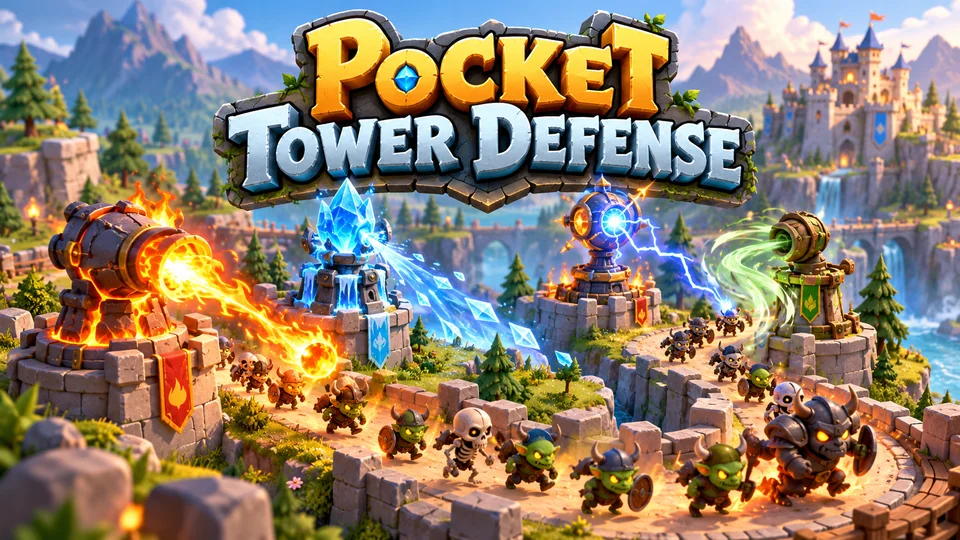
Pocket Tower Defense
Defend compact lanes with repositionable towers and elemental combinations.
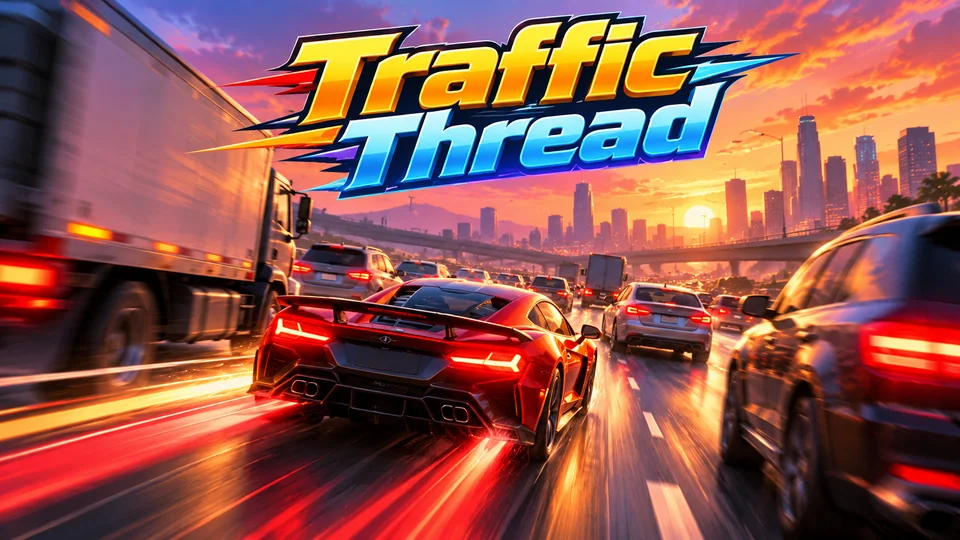
Traffic Thread
Weave through dense highway traffic; near misses fill boost and multiply score.
Commissioned and exclusive games
A game nobody else has is the strongest content a game site can own. Commissioning one from a studio costs more and takes weeks, but it's yours alone. We take a small number of exclusive game requests: sending a brief is free, you pay only if we accept it, and an accepted game is built only for you and never sold to anyone else.
Free and open-source games
Open-source games can fill gaps, but read every licence. MIT and similar licences allow commercial use with a credit; GPL games come with obligations to share source; Creative Commons Non-Commercial games generally can't go on a site that shows ads. Our guide to free and open-source HTML5 games covers where to find them and what each licence allows.
Hosting a game website
A game site is two kinds of hosting: the site itself and the game files. Both can be static. Put each game in its own folder (/play/liquid-lab/), serve them with compression and long cache times on hashed files, and use a CDN once traffic grows. HTML5 games are smaller than most people expect: ours download 300 to 750 KB to start (median about 560 KB).
Our guide on how to host HTML5 games compares free and paid hosts, including which free tiers allow ads, and the server settings that stop games from loading.
SEO for an HTML5 game portal
Search is where most new game sites fail, and Google's own rules explain why. Its spam policies name sites "dedicated to embedding or compiling content" from other sites "without substantial added value to the user" as scraping. A portal of feed games with the distributor's stock descriptions is exactly that.
What adds value on a game page:
- An original description: what the game is, how it plays, who it's for. Write it yourself after playing.
- Controls and tips for keyboard, mouse, touch and gamepad.
- Your own screenshots and, ideally, a short gameplay clip.
- Related games chosen by a person, not just "same category".
- Category pages with an introduction, not just a grid.
Technical basics matter too. Keep game pages fast by loading the game on click (the launcher above). Give every game its own URL, title and description, list them in a sitemap, and noindex thin pages such as tag combinations and sort orders. For structured data, Google's software app markup only accepts VideoGame when it's co-typed with another type such as WebApplication, and the rich result needs real ratings or reviews. Never invent them.
Fewer games with real pages beat thousands of thin ones. A portal that launches with 30 well-written game pages and adds a few a week is in a far better position than one that imports 10,000 games on day one.
Making money from a game website
The basics, in the order most sites add them:
- Display ads around the game, through an ad network such as AdSense, once the site has content and traffic.
- Ads inside the game. Google's H5 Games Ads shows interstitial and rewarded ads in HTML5 games; it's by application and needs an approved AdSense account. Feed games come with the distributor's ads instead.
- Sponsorships and direct deals with brands, once you have an audience in a niche.
- Paid access or memberships, for niches where players will pay to play without ads.
If you serve personalised ads to visitors in the EEA or the UK, Google has required a Google-certified consent management platform integrated with the IAB TCF since 16 January 2024, and in Switzerland since 31 July 2024 (Google's requirements). Our guides on making money with HTML5 games and HTML5 game ad networks go further.
Legal checklist for a game website
This isn't legal advice, but every game site should cover these before launch:
- A record of your rights to every game: the licence, the distributor agreement, or your own authorship. Keep the documents.
- No borrowed brands. Don't name pages or games after famous games or characters you don't own.
- A privacy policy and cookie consent that match what the site and its ad partners actually collect.
- Children. If the site is aimed at children under 13 in the US, the FTC's COPPA Rule limits what you can collect, including for ads.
- A takedown contact, so rights holders can reach you.
- Terms of use, especially if players create accounts.
How to make an HTML5 game site with Google Sites
Google Sites is the quickest free way to build a small games site, for a class, a club or a family:
- Create a site at sites.google.com and add a page per game.
- On each page, click Insert → Embed, paste the game's URL and resize the box. For a larger play area, use Pages → Add → Full page embed.
- Add a short description and controls under each game, then Publish.
The limits: Google Sites can't host the game files, so they have to live on a static host, and AdSense support for Google Sites isn't documented. Treat it as a showcase, not a portal you plan to monetize.
Launch checklist
- Choose the site type and a template, portal script or generator that fits it.
- Line up your first 20 to 30 games and file the rights to each one.
- Host the game files and test every game on a phone and a desktop.
- Write an original page for each game, plus category pages.
- Add analytics, a sitemap, privacy and cookie consent, and legal pages.
- Launch, then add games steadily and improve the pages that get traffic.
The guides hub has the rest of the publishing and business guides.
Frequently asked questions
Is there an HTML5 game portal with members-only access?
Yes. Some game sites put their games behind an account or subscription instead of ads, and you can build one with any CMS that supports memberships. The games have to be licensed for paid access: our Extended licence allows ad-funded or paid access on up to 3 portal domains your company owns.
Can I use free HTML5 game website templates commercially?
Often, but check each licence. HTML5 UP's templates, for example, allow commercial use under CC BY 3.0 if you credit the designer. Some free templates are personal-use only, and the games you put in them need their own licences.
Do I need a backend to run a game website?
Not to run the games. HTML5 games like ours are static files with no server code, and the site itself can be generated as static HTML. You need a backend, or a hosted service, only for accounts, comments, payments or a CMS.
How many games do I need to launch a game website?
Enough to fill your main categories with real pages, typically 20 to 30. Quality matters more than count: a few dozen well-described games rank better than thousands of imported pages with stock text.
Can I mix feed games and licensed games on the same site?
Usually, yes. Check the distributor's publisher agreement for rules on ads or exclusivity, and keep each licensed game within its licence's domains and products.
We make and sell HTML5 game source code; links to our games are marked as ours.