The best HTML5 game engine for mobile in 2026 is Phaser 4 for 2D games, and Three.js for 3D games that need to stay light. Both render with WebGL, which every current phone browser supports, and both produce small static builds that load quickly on mobile data. If you'd rather build in an editor and export native apps as well, Defold and Godot are the strongest free options.
We've shipped 50 HTML5 games that all play with touch on phones, 41 on Phaser 4.2.1 and 9 on Three.js r186. This guide covers what makes an engine good on mobile, how the main options compare on Android and iPhone, and how to turn a browser game into an app. Platform facts were checked on 25 October 2026. For the full field, including desktop-first engines, see our comparison of HTML5 game engines.
What makes an HTML5 game engine good on mobile
Most engines run on a phone. Far fewer run well there, and the gap comes from six things the engine either handles or leaves to you.
A batched GPU renderer
Phones have plenty of GPU and limited CPU. Engines that batch sprites into a few WebGL draw calls (Phaser and PixiJS, for example) keep frame times low even with hundreds of moving objects. Plain Canvas 2D is fine for small games but runs out of headroom sooner.
WebGPU is not a mobile baseline yet. Chrome on Android supports it from version 121, but only on Android 12 or later with Qualcomm or ARM GPUs; Safari supports it from iOS 26; Firefox for Android doesn't support it at all (web.dev). Any engine you ship on phones needs a WebGL path, which is why Three.js's WebGPURenderer falls back to WebGL 2 on its own.
A small download
Mobile players and game portals both punish slow loads. Phaser's full minified build is 345 KB with gzip, according to its README, and you can drop features you don't use. Godot and Unity web builds ship a WebAssembly runtime, which makes even an empty project much heavier. Across our catalog the initial download is 300 to 750 KB per game, with a median of about 560 KB.
Touch input that also works with a mouse
A mobile game needs taps, drags, swipes and often multi-touch, with no hover states. Engines that expose one pointer API for touch and mouse save you writing two input paths. Ours go further and also accept keyboard and gamepad, because the same build runs on desktops, tablets and phones.
Scaling and orientation
Screens range from small Android phones to tablets, in portrait and landscape. You need a scale mode (fit, resize or your own layout code) and a decision about orientation. Don't count on locking it: the Screen Orientation API's lock() works in Chrome and recent Firefox for Android, usually only in fullscreen, and Safari doesn't support it. Design for both orientations or show a "rotate your phone" prompt.
Audio that starts on the first tap
Browsers block sound until the player interacts with the page (MDN autoplay guide). A good engine unlocks audio on the first touch for you: Phaser's sound manager does it automatically and fires an unlocked event. With a bare renderer like PixiJS or Three.js you handle it yourself or add a sound library.
Pausing and resuming
Players switch apps mid-game constantly. The engine should pause the loop and audio when the page is hidden (Page Visibility API); Phaser emits hidden and visible events and pauses sound on blur by default. Your game should also save progress so a killed tab doesn't lose it. All our games save progress locally for this reason.
HTML5 mobile game engines compared
| Engine | Mobile browser | Android app | iOS app | Download weight | Best for |
|---|---|---|---|---|---|
| Phaser 4 (MIT) | Strong | Wrapper (Capacitor, TWA) | Wrapper (Capacitor) | Small | 2D casual, puzzle, arcade |
| PixiJS 8 (MIT) | Strong | Wrapper | Wrapper | Small | Custom 2D, interactive content |
| Three.js r186 (MIT) | Good with care | Wrapper | Wrapper | Small core | Light 3D |
| Babylon.js 9 / PlayCanvas 2 | Good with care | Wrapper | Wrapper | Medium | Richer 3D |
| Defold 1.14 (free) | Good | Native export | Native export | Small | 2D and 3D in an editor, Lua |
| Godot 4.7 (MIT) | Fair | Native export | Native export | Heavy on web | Editor-based games aimed at app stores first |
| Cocos Creator 3.8 | Good ("web-mobile" template) | Native export | Native export | Medium | 2D and 3D, mini-game platforms |
| Construct 3 | Good | Paid plans | Paid plans | Medium | No-code 2D |
| GDevelop 5 (MIT) | Good | Free (1 export a day) | Paid plans | Medium | No-code 2D and 3D |
| Unity 6 | Supported | Native export | Native export | Heavy on web | Native-first games with a web version |
"Download weight" and the mobile-browser ratings are our judgement from how each engine's web output behaves on phones, not a benchmark. "Wrapper" means you package the web build yourself, as described below.
Two limits worth knowing before you choose an editor engine: Godot's documentation says web exports on mobile are slower than native exports and that C# projects can't be exported to the web at all (Godot docs). Unity supports iOS Safari 15 and later and Chrome on Android for its web builds (Unity docs), but it is built for native apps first; see our guide to Unity and Unreal for HTML5.
Why Phaser is the best mobile HTML5 game framework for most games
Phaser 4 (4.2.1, July 2026) covers what a mobile 2D game needs without extra libraries: a batched WebGL renderer, pointer input that handles touch and mouse the same way, multi-touch, a scale manager, audio unlocking, scenes, tweens, physics and an asset loader. It's MIT-licensed, has TypeScript definitions in the package, and builds with Vite into static files any host can serve.
Phaser 4's renderer was rebuilt around render nodes and, according to the Phaser team, avoids unnecessary batch breaks on mobile. Its TilemapGPULayer draws a whole tilemap layer as one quad, which helps large maps on phones.
It's 2D only. For 3D on mobile, Three.js gives you the most control over what you ship; Babylon.js and PlayCanvas give you more out of the box at a larger download. If you want to learn Phaser, our Phaser tutorial builds a touch-friendly game from an empty folder.
Android: from HTML5 game engine to APK
An Android HTML5 game engine doesn't exist as such: you build a web game and then choose how players reach it.
- Play it in the browser. No store, no review, instant updates. This is how portals and most web game sites work.
- Trusted Web Activity (TWA). Your game stays a website (a progressive web app) and an Android app opens it full-screen in the player's browser; Chrome supports this from version 72. Google's Bubblewrap command-line tool generates the Android project from your web manifest. You prove you own the site with a Digital Asset Links file.
- A WebView wrapper such as Capacitor. Your game's files ship inside the app and run in the system WebView, and plugins give your code access to native features. Capacitor targets both Android and iOS.
- An engine with native export. Defold, Godot and Cocos Creator build native Android apps directly.
Whichever route you take, note that Google Play has required new apps to be published as an Android App Bundle rather than an APK since August 2021. An APK is still what you sideload for testing. Our guide to converting an HTML5 game to an Android app walks through each option.
iPhone and iOS: what to know
Testing on iPhone means testing Safari's WebKit engine, and it has a few rules that shape game design:
- No fullscreen on iPhone. The Fullscreen API works on iPad only, and MDN notes that even there an overlay button can't be hidden and a swipe down exits it. Design your layout for the visible area, safe areas included.
- No orientation lock in Safari. Support both orientations or prompt the player to rotate.
- WebGPU arrived in iOS 26. Older iPhones need WebGL, so keep a WebGL path.
- Sound starts on a tap, as on every mobile browser.
To ship an iOS app, wrap the web build with Capacitor (the most common route for a JavaScript engine) or use an engine with native iOS export such as Defold, Godot or Cocos Creator. An HTML5 iOS game engine in the strict sense is any engine whose web build behaves well in WebKit; Phaser, PixiJS and Three.js all do.
Open-source HTML5 game engines for mobile
If you want an open-source mobile HTML5 game engine with no fees, the strongest choices are:
- Phaser 4, PixiJS and Three.js (MIT): JavaScript and TypeScript, the lightest web builds.
- Godot (MIT): a full editor, with web and native exports.
- GDevelop (MIT): no-code, with web export; app builds go through its online services.
- Defold is free with no royalties under its own licence derived from Apache 2.0, and COCOS 4 went MIT in January 2026 but is still in alpha.
What 50 mobile-ready games taught us
Every game we sell plays in a phone browser, and these choices made the difference:
- Touch first, everything else too. All 50 games support touch, mouse, keyboard and gamepad from one build, so the same files work on a phone, a tablet with a keyboard and a desktop.
- Pick the orientation per game. Board-style puzzles such as Yarn Bloom and Gem Forge are portrait only; Liquid Lab plays in both portrait and landscape; most strategy and simulation games are landscape.
- Keep the first download small. Our games load 300 to 750 KB up front, with a median of about 560 KB. Our nine Three.js games are the smallest, at 300 to 382 KB.
- Save locally and let the host control the game. Progress saves on the device, and URL parameters such as
lang,muteandqualitylet a portal or app wrapper set language, sound and quality without code changes. - Test like a phone. We run end-to-end tests with Playwright on emulated Pixel 7 and iPhone 15 profiles as well as desktop Chromium, Firefox and WebKit. Emulation catches layout and input bugs early, but it isn't a real device, so do a final pass on real phones.
These three Phaser games show what that looks like in practice:

Liquid Lab
Pour layered liquids between tubes until each vessel contains a single formula or valid compound.

Yarn Bloom
Pull colored yarn strands from tangled objects and route them into matching spools to reveal knitted art.
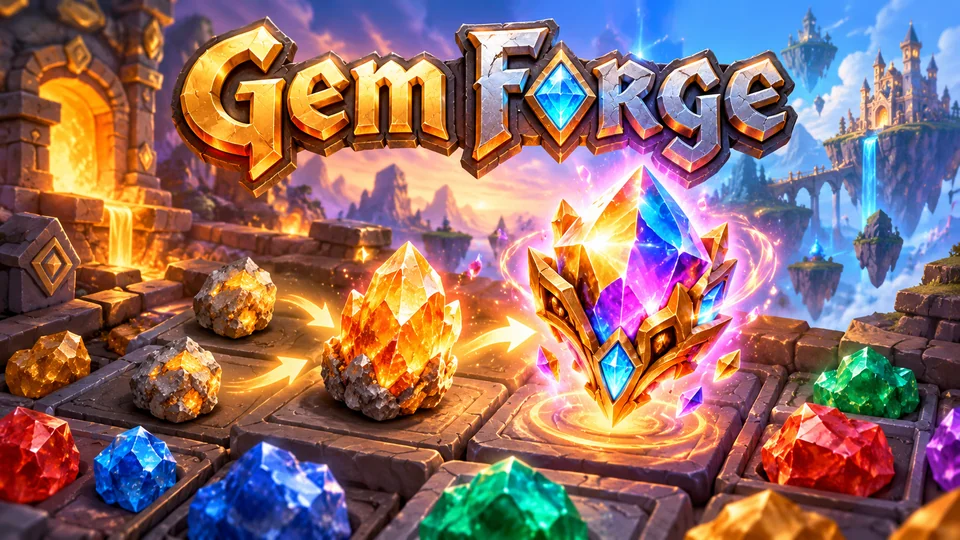
Gem Forge
Merge minerals into crystals, gemstones and magical artifacts that alter board behavior.
You can play them all in the browser, or browse every mobile-ready HTML5 game and our Phaser game source code.
How to choose a mobile HTML5 game engine
- 2D game, comfortable with code: Phaser 4.
- 2D with an unusual structure, or interactive content: PixiJS.
- 3D that must stay light: Three.js, with only the add-ons you need.
- You want an editor and native apps: Defold or Godot (GDScript, not C#, for the web).
- No code: Construct 3 or GDevelop; compare them in our guide to HTML5 game makers.
Then build the riskiest scene first and run it on the oldest phone you want to support. That test tells you more than any comparison table.
Frequently asked questions
Can HTML5 games run on an iPhone?
Yes. Any HTML5 game that renders with WebGL or Canvas 2D runs in Safari on iPhone. Plan for two iPhone limits: the Fullscreen API isn't available on iPhone, and the orientation can't be locked, so your layout must fit the visible screen in the orientations you support.
Can I turn an HTML5 game into an APK?
Yes. Wrap the build with a Trusted Web Activity (using Bubblewrap) or with Capacitor, or use an engine with native Android export such as Defold or Godot. For Google Play, new apps must be uploaded as an Android App Bundle; an APK is what you install for testing.
Is Phaser good for mobile games?
Yes. Phaser 4 is our first choice for 2D mobile web games: it batches sprites on WebGL, treats touch and mouse as one pointer system, unlocks audio on the first tap and handles scaling. All 41 of our Phaser 4.2.1 games play with touch on phones.
Which is the best open-source HTML5 game engine for mobile?
For code-first 2D, Phaser 4 (MIT). For 3D, Three.js (MIT). For an editor with native exports, Godot (MIT), keeping in mind that its web builds are heavier and C# projects can't target the web.
Do I need WebGPU for a mobile HTML5 game?
No. WebGL runs on every current phone browser and is enough for 2D and most light 3D. WebGPU isn't available in Firefox for Android or on many Android devices yet, so treat it as an optional fast path, never the only one.
We make and sell HTML5 game source code; links to our games are marked as ours.