This HTML5 mobile game tutorial covers the parts that decide whether a browser game feels at home on a phone. The game logic is the same as on desktop. What changes is input, screen shape, orientation, audio rules, performance headroom and the way you test. Every one of our 50 games supports touch, mouse, keyboard and gamepad, plays in portrait, landscape or both, and runs through Playwright end-to-end tests on emulated Pixel 7 and iPhone 15 profiles, so the advice here comes from shipping games, not from a checklist we found.
The steps apply to Android and iPhone alike. Where the two differ (fullscreen, orientation lock, vibration), we say so, with browser support as of October 2026. If you're starting from zero, read how to make an HTML5 game first; this guide assumes you have a game loop and want it to work on phones.
What changes when an HTML5 game runs on a phone
A desktop browser game quietly assumes a mouse, a wide window, a fast GPU and a tab that stays open. A phone breaks every one of those assumptions:
| Area | Desktop assumption | On a phone |
|---|---|---|
| Input | Mouse with hover, a keyboard | Fingers with no hover, several at once, thumbs covering the screen |
| Screen | A landscape window that rarely changes | Portrait or landscape, notches, browser bars that slide in and out |
| Pixels | Device pixel ratio of 1 or 2 | Ratios of 2 to 3 (Playwright's Pixel 7 profile is 2.625, its iPhone 15 profile is 3) |
| Audio | Plays after the first click | Blocked until a tap, and the player may be in silent mode |
| Performance | Desktop GPU on mains power | Mid-range GPU, battery saving, heat throttling after a few minutes |
| Lifecycle | The tab stays open | Calls, notifications and app switches can hide the page at any moment |
Each section below handles one row. Get these right and the same build works on desktop too, which is how our games work: the same build plays on desktop and phones.
Choose your tools: plain canvas, Phaser or Three.js
You can code a mobile game with HTML5 canvas and plain JavaScript. For a jam game or a learning project that's the fastest route, because there's nothing to install. Beyond that, an engine saves you from writing scaling, multi-touch input, sound and asset loading yourself.
| Option | Good for | What it handles on mobile |
|---|---|---|
| Plain canvas 2D | Small games, learning, single-file prototypes | Nothing: you write sizing, input and audio yourself |
| Phaser 4 | 2D games of any size | Scale modes, multi-pointer input, sound, WebGL rendering; 41 of our games use Phaser 4.2.1 |
| Three.js | 3D games | Rendering only: you own the loop, resolution, input and UI; 9 of our games use r186 |
Our free platformer code shows the plain-canvas route in one file. For a full comparison see HTML5 game engines and our guide to the best HTML5 game engine for mobile. One detail from our catalog: the 3D games aren't the heavy ones. Our nine Three.js games have initial downloads of 300 to 382 KB, smaller than any of our Phaser games. 3D doesn't have to mean a heavy download.
Set up the page for touch screens
Before any game code runs, the page itself must stop behaving like a web page. A drag on the canvas should move your character, not scroll the page, zoom it or open a text-selection menu.
<meta name="viewport" content="width=device-width, initial-scale=1, viewport-fit=cover">html, body { margin: 0; height: 100%; overflow: hidden; overscroll-behavior: none; }
#game {
position: fixed;
inset: 0; /* fill the visible viewport */
touch-action: none; /* no scrolling, pinch or double-tap zoom over the game */
user-select: none;
-webkit-user-select: none;
-webkit-touch-callout: none; /* no long-press callout on iOS */
}touch-action: none does the heavy lifting. Don't rely on user-scalable=no in the viewport tag: WebKit has ignored it since iOS 10 so that people can always zoom ordinary pages. The CSS property applies only to your game element, which is what you want. See MDN on touch-action.
viewport-fit=cover lets the game draw behind the notch and the home indicator. Keep anything the player must read or tap inside the safe area with env(safe-area-inset-*):
.hud {
  padding: env(safe-area-inset-top) env(safe-area-inset-right) 0 env(safe-area-inset-left);
}
Size the canvas for every screen
Screen sizing is the most common reason a mobile HTML5 game looks wrong: blurry on a sharp phone, cut off in landscape, or tiny on a tablet. You make three decisions:
- A logical resolution or a responsive layout. Either design for one size (say 720 × 1280) and scale it, or let the visible area change and lay out the HUD from the real width and height.
- A scale mode. Fit with letterboxing, fill and crop, or resize to the screen. Phaser's Scale Manager names these FIT, ENVELOP and RESIZE.
- A pixel ratio. The canvas buffer must be larger than its CSS size on high-density screens or everything looks soft.
const MAX_DPR = 2;
function resize() {
  const w = window.innerWidth, h = window.innerHeight;
  const dpr = Math.min(window.devicePixelRatio || 1, MAX_DPR);
  canvas.style.width = `${w}px`;
  canvas.style.height = `${h}px`;
  canvas.width = Math.round(w * dpr);   // drawing buffer in device pixels
  canvas.height = Math.round(h * dpr);
  ctx.setTransform(dpr, 0, 0, dpr, 0, 0); // keep drawing code in CSS pixels
  layout(w, h);                           // move the HUD and buttons for the new shape
}
window.addEventListener("resize", resize);
resize();
Why cap the ratio at 2? A phone with a ratio of 3 has 2.25 times as many pixels to fill as the same screen at 2, and in a moving game few players can see the difference. Fill rate is the first thing a mid-range GPU runs out of. Our full guide to HTML5 game resolution, scaling and fullscreen covers scale modes, letterboxing and how many pixels to design for.
Touch controls for HTML5 canvas games
Use Pointer Events. One set of listeners covers mouse, pen and touch, and every finger gets its own pointerId, so multi-touch comes free. Older tutorials use touchstart and touchmove; you don't need them any more.
const pointers = new Map(); // pointerId -> { x, y, startX, startY, t }

canvas.addEventListener("pointerdown", (e) => {
  canvas.setPointerCapture(e.pointerId);   // keep receiving moves if the finger leaves the canvas
  pointers.set(e.pointerId, { x: e.offsetX, y: e.offsetY, startX: e.offsetX, startY: e.offsetY, t: e.timeStamp });
});

canvas.addEventListener("pointermove", (e) => {
  const p = pointers.get(e.pointerId);
  if (p) { p.x = e.offsetX; p.y = e.offsetY; }
});

canvas.addEventListener("pointerup", (e) => {
  const p = pointers.get(e.pointerId);
  if (!p) return;
  pointers.delete(e.pointerId);
  const dist = Math.hypot(p.x - p.startX, p.y - p.startY);
  if (dist > 24 && e.timeStamp - p.t < 300) onSwipe(p.x - p.startX, p.y - p.startY);
  else if (dist < 10) onTap(p.x, p.y);
});

// A system gesture, a call or an alert can steal the finger: forget it, don't fire a tap.
canvas.addEventListener("pointercancel", (e) => pointers.delete(e.pointerId));
offsetX and offsetY are in CSS pixels, which matches the setTransform in the resize code, so input and drawing share one coordinate system. A few rules make touch controls feel right:
- Make hit areas bigger than the art. WCAG 2.2 sets 44 × 44 CSS pixels as its enhanced target size. A small icon can sit inside a larger invisible hit box.
- There is no hover. Anything a desktop player discovers by hovering needs a tap, a long press or a visible label.
- Fingers hide what they touch. Show feedback above the finger, and offset dragged pieces upward so the player can see where they'll land.
- Act on down, confirm on up. Game actions (jump, shoot) feel fastest on
pointerdown; menu buttons should fire onpointerupso a player can slide off to cancel.
Pick a control scheme that fits a thumb
| Scheme | Good for | Watch out for | Example |
|---|---|---|---|
| Tap | Puzzles, sorting, match games | Cells smaller than a fingertip | Arrow Grid Escape |
| Hold and release | One-button action, timing games | Players holding through a pause menu | Hook Hero Neon |
| Swipe | Lane changes, shooting, flicking | Swipes that start near screen edges trigger system gestures | Penalty Clash |
| Draw | Line and physics puzzles | Fingers hiding the start of the line | Bounce Architect |
| Drag | Merge games, placing pieces | Small targets, accidental drops | Merge and tycoon games |
| Virtual stick | Twin-stick and top-down action | Thumbs drifting off a fixed stick: let it follow the touch | Arena shooters |
| One thumb | Runners and flow games | Too many actions crammed onto one gesture | Rooftop Parkour |
Keyboard and gamepad still matter on mobile
Tablets with keyboard cases, Chromebooks and phones paired with a Bluetooth controller are all "mobile" too. The Gamepad API works in Chrome, Firefox and Safari (since version 10.1). The clean way to support everything is an input layer that turns raw events into actions such as jump, confirm or move, so game code never asks which device the player is holding. All our games share one input package and support touch, mouse, keyboard and gamepad.
HTML5 canvas mobile game UI design
Mobile game UI design is mostly about thumbs and small screens:
- Put actions where thumbs rest. In portrait, primary buttons go in the bottom third; scores and timers go at the top, where a glance is enough. In landscape, put controls in the two bottom corners.
- Respect the safe areas on every edge, and remember that the home indicator also eats swipes near the bottom edge.
- Keep text readable. Body text around 16 CSS pixels or larger, short labels, strong contrast. Players hold phones at arm's length on a bus.
- Use the DOM for menus, the canvas for the game. HTML menus get sharp text, accessibility, right-to-left layout and easy translation; the canvas draws the playfield and the in-game HUD. Most of our games ship in six languages, including Arabic with right-to-left layout, which is far simpler with HTML text than with text drawn on a canvas.
- Leave room for longer translations. A label that fits in English may run a third longer in German or French.
- Always show a pause button, and pause by yourself when the page is hidden (more on that below).
- Vibration is Android-only. The Vibration API works in Chrome on Android, isn't available in Safari, and is disabled in Firefox for Android. Treat it as a bonus, never as the only feedback.
Portrait, landscape and screen orientation
Decide which orientation each game needs before you design levels. Across our catalog, 27 games are landscape-only, 13 are portrait-only and 10 play both ways. Portrait suits one-handed casual play (merge, sorting, stacking); landscape suits action, management and 3D driving, where width shows more of the world.
You can't force an orientation on a phone's browser. screen.orientation.lock() isn't supported in Safari, so it does nothing on iPhone. Chrome on Android supports it, normally only while the page is fullscreen, and Firefox for Android added it in version 144. So plan for the player holding the phone the "wrong" way:
const portrait = window.matchMedia("(orientation: portrait)");
function checkOrientation() {
  const wrongWay = GAME_WANTS_LANDSCAPE && portrait.matches;
  rotateOverlay.hidden = !wrongWay;  // "Turn your phone sideways" panel
  if (wrongWay) pauseGame();
}
portrait.addEventListener("change", checkOrientation);
checkOrientation();
The friendlier option is to support both, at least for menus. Ten of our games play in both orientations, so the player never sees a rotate prompt. Installed web apps and app wrappers can declare an orientation in the manifest or the native project, which is one reason games get wrapped as apps (see the last section).
Fullscreen on Android and iPhone
On Android, Chrome hides its toolbar when you call requestFullscreen() from a tap, and fullscreen also lets you lock the orientation:
fullscreenButton.addEventListener("click", async () => {
  if (document.fullscreenElement || !document.fullscreenEnabled) return;
  try {
    await document.documentElement.requestFullscreen({ navigationUI: "hide" });
    await screen.orientation?.lock?.("landscape");
  } catch {
    // Not allowed here (iframe without allow="fullscreen", or no support): keep playing windowed.
  }
});
On iPhone there is no Fullscreen API for page elements. Safari supports it on iPad (unprefixed since Safari 16.4), but with an overlay button that can't be hidden and a swipe-down that exits, which MDN's compatibility notes call unsuitable for games. On iPhone, the ways to lose the browser bars are adding the game to the Home Screen as a web app, or wrapping it as an app. Hide your fullscreen button when document.fullscreenEnabled is false rather than showing a button that does nothing.
Make audio play on phones
Mobile browsers won't play sound until the player interacts with the page. An AudioContext created before that starts in the "suspended" state, and you call resume() inside a user gesture, as Chrome's autoplay policy explains. The catch on touch screens: per the HTML standard, pointerdown from a finger doesn't count as activation. pointerup and touchend do.
const audio = new AudioContext();

function unlockAudio() {
  if (audio.state === "suspended") audio.resume();
}
// Listen on every gesture type that counts as activation, and keep listening
// until the context is running: some first taps don't qualify.
for (const type of ["pointerup", "touchend", "keydown", "mousedown"]) {
  window.addEventListener(type, unlockAudio);
}

document.addEventListener("visibilitychange", () => {
  if (document.hidden) audio.suspend();
  else if (!gamePaused) audio.resume();
});
Other audio habits that save bug reports:
- Put a "Tap to play" start screen before the first sound, so the unlock and the first music cue happen together.
- Suspend audio when the page is hidden; a game that keeps playing music after the player switched apps gets uninstalled or closed fast.
- Use MP3 or AAC files for the widest support, and keep music streams short or loaded after the first level.
- Test with the ring/silent switch in both positions and with Bluetooth headphones connected.
- Give players a mute button. Our games also accept a
muteparameter in the URL, so a portal or a test run can start them silent.
Performance on mid-range phones
At 60 Hz you have 16.7 ms per frame for game logic, physics and drawing; on a 120 Hz screen, 8.3 ms. requestAnimationFrame follows the display's refresh rate, so move things by elapsed time, not by frames, or your game runs twice as fast on a 120 Hz phone.
| Problem | Symptom | Fix |
|---|---|---|
| Too many pixels | Smooth on a laptop, choppy on a phone | Cap the pixel ratio at 2, offer a low-quality mode that uses 1 |
| Overdraw | Slows down when effects stack up | Fewer full-screen transparent layers, smaller particle counts |
| Garbage collection | Regular hitches every few seconds | Pool bullets and particles, avoid creating objects every frame |
| Texture memory | Page reloads or crashes on older phones | Texture atlases, smaller images, load later levels on demand |
| DOM in the loop | Frame time spikes with a busy HUD | Update HTML text only when values change |
| Heat | Fine for two minutes, then slower | Test 10-minute sessions; cap frame rate in menus |
| Background work | Battery drain, audio after switching apps | Pause on visibilitychange; stop timers and audio |
Browsers pause requestAnimationFrame in hidden tabs (MDN), but setInterval timers and audio keep going unless you stop them, and the first frame after the player returns can report a huge delta. Clamp it, or the game jumps forward.
Download size counts as performance on a phone. Our games' initial downloads range from 300 to 750 KB, with a median of about 560 KB; anything not needed for the first minute loads later. A quality URL parameter lets a host force a lighter mode. Our guide to HTML5 game performance goes deeper into profiling and budgets.
Saves, offline play and installing as a PWA
Phones close tabs without warning, so save often and save small:
localStorageis enough for progress and settings. Wrap reads and writes intry/catch: private browsing and sandboxed iframes can block storage. Version the save format so an update can migrate old saves. All our games save progress locally.- Safari can delete script-writable storage after seven days of Safari use without a visit to the site. Web apps added to the Home Screen keep their own data, which is another reason to offer installation.
- A web app manifest plus a service worker that caches the build makes the game installable and playable offline. MDN's guide to making PWAs installable lists what's required. Chrome on Android offers an install prompt; on iPhone, players use Share, then Add to Home Screen.
- Puzzle players stare at the screen while thinking, and the phone dims. The Screen Wake Lock API keeps it on during play: it works in Chrome, in Firefox from version 126, and in Safari on iOS 18.4 and later, including Home Screen web apps. Release the lock when the game pauses.
Test on Android and iPhone
Test in two layers. Emulation catches most layout and input bugs quickly: Chrome DevTools' device mode, or Playwright device profiles in automated tests. We run end-to-end tests for every game with Playwright on desktop Chromium, Firefox and WebKit, plus emulated Pixel 7 and iPhone 15 profiles. That layer catches most layout, touch and pixel-ratio bugs early.
Emulation is not a phone, though. It doesn't reproduce GPU speed, heat, memory limits, the real browser bars, the silent switch or the way iOS handles audio. Before you launch, play on real devices:
- Android: enable USB debugging, connect the phone and open
chrome://inspect#devicesin desktop Chrome to get full DevTools (Chrome docs). - iPhone: turn on Web Inspector in Safari's advanced settings on the phone, connect it to a Mac, and inspect it from Safari's Develop menu (Apple docs).
On the device, check: a cheap Android phone and a recent iPhone; rotating mid-game; a notification or call arriving during a drag; locking the screen and coming back; switching apps with music playing; Low Power Mode; a slow mobile connection; and the game inside an iframe if a portal will embed it. Our guide to testing and debugging HTML5 games covers the tooling in detail.
Two worked examples: a mobile platformer and a night stealth game
Making a simple mobile platformer
A platformer is the classic first mobile HTML5 game, and the controls decide whether it's fun. Two layouts work on touch:
- Screen zones: the left part of the screen runs left or right, the right part jumps. Players don't have to find small buttons.
- Auto-run: the character runs by itself and a tap jumps, which suits portrait and one-handed play.
Because touch has no tactile edge, be generous with timing. Coyote time (a jump still counts for about a tenth of a second after leaving a ledge) and jump buffering (a tap just before landing still jumps) matter more on glass than on a keyboard. Here is the zone layout, reading the pointers map from the touch section:
function readTouchControls(width) {
  const input = { left: false, right: false, jump: false };
  for (const p of pointers.values()) {
    if (p.x > width * 0.6) input.jump = true;        // right 40% of the screen: jump
    else if (p.x < width * 0.15) input.left = true;  // far left strip: run left
    else if (p.x < width * 0.3) input.right = true;  // next strip: run right
  }
  return input;
}
In landscape the player sees further ahead, which helps; in portrait, zoom the camera out or design vertical levels. Our free platformer game code is a complete single-file starting point.
A night stealth game on a phone
Stealth mechanics translate to touch better than you might expect. Tap-to-move with pathfinding replaces a fiddly stick; holding a finger down can mean "sneak"; a detection meter that fills and pulses tells the player they've been seen, with a short vibration on Android as a bonus.
Darkness is the expensive part. A full-screen dark layer with light cones cut out of it is one extra full-screen pass every frame, so draw it at half resolution and let the browser scale it up:
// In resize(): dark.width = Math.ceil(w / 2); dark.height = Math.ceil(h / 2);
const d = dark.getContext("2d");
d.globalCompositeOperation = "source-over";
d.fillStyle = "rgba(5, 8, 20, 0.92)";
d.fillRect(0, 0, dark.width, dark.height);
d.globalCompositeOperation = "destination-out";   // cut holes where lights shine
for (const l of lights) {
  const g = d.createRadialGradient(l.x / 2, l.y / 2, 0, l.x / 2, l.y / 2, l.r / 2);
  g.addColorStop(0, "rgba(0, 0, 0, 1)");
  g.addColorStop(1, "rgba(0, 0, 0, 0)");
  d.fillStyle = g;
  d.fillRect(l.x / 2 - l.r / 2, l.y / 2 - l.r / 2, l.r, l.r);
}
ctx.drawImage(dark, 0, 0, w, h);
Test night scenes outdoors. A dark game that reads well on a monitor can be unplayable on a phone in daylight, so outline the player, guards and exits, and keep a floor on how dark the darkest area gets.
From a mobile web game to an Android or iPhone app
The same build that runs in a phone browser can become an app. On Android you can wrap it as a Trusted Web Activity or with Capacitor or Cordova and publish to Google Play. On iPhone, a WebView wrapper can go to the App Store, though Apple expects more than a repackaged website. Electron or Tauri take the same game to Windows, macOS and Linux. Our guide to turning an HTML5 game into an Android, iOS or desktop app walks through each route, with store rules checked in October 2026. To put the browser version online first, see how to host HTML5 games.
Mobile HTML5 game checklist
- Viewport tag with
viewport-fit=cover;touch-action: noneon the game element - Canvas sized to the screen, pixel ratio capped at 2, HUD inside the safe areas
- Pointer Events with
pointercancelhandled; hit areas of at least 44 × 44 CSS pixels - Keyboard and gamepad mapped to the same actions as touch
- A plan for both orientations: a second layout or a rotate prompt that pauses the game
- Fullscreen button on Android only when
document.fullscreenEnabledis true - Audio resumed on
pointerup,touchendorkeydown; suspended when hidden - Time-based movement; delta clamped after the page was hidden
- Pause, mute and quality settings the player can reach in one tap
- Saves wrapped in
try/catch, versioned, written often - Manifest, service worker and wake lock for installed play
- Tested in emulation on every change, and on a real Android phone and iPhone before launch
Start from a game that already works on phones
Getting every item on that list right takes weeks the first time. Each of our games is a buildable TypeScript project that already handles touch, scaling, orientation, audio and local saves, with tuning in JSON data files; most ship in six languages. Three that show the range: Liquid Lab, a water-sort puzzle that plays in portrait and landscape (520 KB); Traffic Thread, a Three.js endless driver with swipe controls (300 KB); and Merge Army Tactics, a portrait merge auto-battler (650 KB).

Liquid Lab
Pour layered liquids between tubes until each vessel contains a single formula or valid compound.

Traffic Thread
Weave through dense highway traffic; near misses fill boost and multiply score.
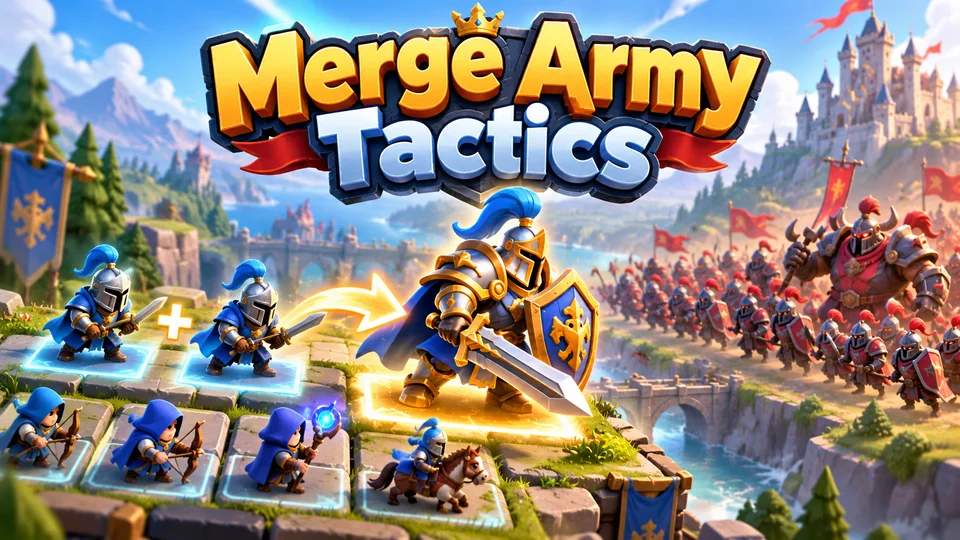
Merge Army Tactics
Merge identical units into stronger versions and arrange your formation before an automatic battle.
See every game that suits phones on our mobile HTML5 games page, or browse all 50 games. More guides on building and shipping are in the guides hub.
Frequently asked questions
Can you make mobile games with HTML5?
Yes. HTML5 games run in every modern mobile browser, and with touch input, proper scaling and audio handling they play like native casual games. The same build can also be wrapped as an Android, iOS or desktop app. All 50 of our games are HTML5 and support touch on phones.
How do I make an HTML5 game for Android?
Build a normal browser game, then apply the mobile steps in this guide: pointer events, a canvas sized to the screen and its pixel ratio, audio resumed on a tap, and testing in Chrome on a real Android phone over USB. To publish on Google Play, wrap it as a Trusted Web Activity or with Capacitor, as covered in our Android app guide.
How do I make HTML5 games for iPhone?
Same game, three extra checks: there's no Fullscreen API on iPhone, screen.orientation.lock() isn't supported, and audio only starts after a tap. Design for the browser bars (or Home Screen install), support the orientation the player chooses, and test in Safari on a real iPhone, since emulation doesn't reproduce its audio and memory behaviour.
Can I still build HTML5 games for Firefox OS?
No. Mozilla stopped developing Firefox OS for smartphones in 2016. Its open-source code lives on in KaiOS, a feature-phone system whose apps are also built with web technologies, so a small, keypad-friendly HTML5 game can be adapted for it. For phones in general, target Chrome on Android and Safari on iOS.
How big should an HTML5 mobile game download be?
As small as the first minute of play allows. Our games load 300 to 750 KB before the first screen, with a median around 560 KB, and fetch later content on demand. Compress images into atlases, start music after the first level and keep the first scene light.
Do I need an engine like Phaser for a mobile HTML5 game?
Not for a small game: plain canvas and a few hundred lines of JavaScript are enough, as our free code examples show. For a game with many scenes, sprites, sound and physics, an engine like Phaser handles scaling, multi-touch and audio for you, which is why 41 of our 50 games use it.
We make and sell HTML5 game source code; links to our games are marked as ours.