Leaf Leap is a Mario-style platformer: run right, jump the pits, stomp the beetles, collect sunstones and reach the flag, with every level a little longer and harder than the last. The platformer game's HTML5 code is one file with no engine, and this page is a simple HTML5 platform game tutorial built on it. It covers the parts every side-scroller needs: a tile map, gravity, collision, a camera and enemies.
How to run it
- Press Copy code above, or Download .html.
- Paste it into a new file called
platformer.htmlin any text editor. - Open the file in a browser. Nothing to install or build.
To try changes quickly, paste the code into the HTML game code runner, raise JUMP_SPEED or lower GRAVITY, and press Run.
How to make an HTML5 platform game: the code step by step
The script has eight parts: settings, the level generator, collision, the update step, the camera, drawing, the loop and input. The physics all live in update(), which runs 120 times a second.
1. Settings: the numbers behind the feel
Platformers live or die on how the jump feels, and that comes down to a handful of numbers. With a take-off speed of 680 and gravity of 2,000 world units per second squared, a full jump peaks at 680² / (2 × 2000) ≈ 116 units, or 3.6 tiles, and at full running speed it covers about 4 tiles of distance. The level generator relies on those two figures.
const TILE = 32;                 // world units per tile
const ROWS = 14;                 // level height in tiles
const MIN_COLS = 12;             // at least this many tiles always fit across the screen
const STEP = 1 / 120;            // fixed simulation step in seconds
const GRAVITY = 2000;            // world units per second squared
const RUN_SPEED = 200;           // top running speed, world units per second
const GROUND_ACCEL = 1800, AIR_ACCEL = 1100, FRICTION = 2400;
const JUMP_SPEED = 680;          // take-off speed: a full jump is about 3.6 tiles high
const MAX_FALL = 900;            // 7.5 units per step at most, far less than a tile: no tunnelling
const COYOTE_TIME = 0.1;         // you can still jump this long after running off an edge
const JUMP_BUFFER = 0.12;        // a jump pressed this long before landing still counts
2. Levels as a tile map
The level is a grid of characters, 14 rows high: # is ground, = is a brick ledge and a space is air. Tile maps are how most 2D platformers store levels, because they make collision a matter of looking up a grid cell instead of testing every block.
Instead of drawing the levels by hand, buildLevel() stitches random pieces together: flat runs of ground, steps up or down, pits, brick ledges with gems on top, and beetles. Each piece is sized against the jump, which is what keeps the random levels fair. Pits are at most 2 tiles wide on level 1, 3 on level 2 and 4 from level 4 on, and the far side of a pit is never more than one tile higher. A step up is at most 2 tiles. Levels also grow from 90 tiles long by 20 tiles per level.
  while (x < len - 14) {
    if (Math.random() < Math.min(0.4, 0.2 + level * 0.04)) {
      const gap = rnd(2, gapMax);
      x += gap;                                                         // a pit: these columns stay empty
      ground = Math.max(8, Math.min(12, ground + rnd(gap === 4 ? 0 : -1, 2)));  // land at most 1 tile higher
    } else ground = Math.max(8, Math.min(12, ground + rnd(-2, 2)));     // a step: at most 2 tiles up
    const run = rnd(4, 9);
    for (let i = 0; i < run; i++) fill(x + i, ground);
    if (run >= 6 && Math.random() < 0.45) {    // a brick ledge with gems on top; the last 2 columns stay clear for take-off
      for (let i = 1; i < run - 2; i++) { map[ground - 3][x + i] = "="; if (i % 2) gems.push(gem(x + i, ground - 4)); }
    } else for (let i = 1; i < run - 1; i += 2) gems.push(gem(x + i, ground - 2));
    if (run >= 5 && x > 12 && Math.random() < Math.min(0.75, 0.3 + level * 0.08)) enemies.push(beetle(x + Math.floor(run / 2), ground));
    x += run;
  }
Because of those limits, even a simple bot that only holds right and jumps at walls, pits and beetles can finish the first eight levels; it loses lives mostly to beetles, not to impossible jumps. If you'd rather design levels by hand, replace buildLevel() with an array of strings, one per row, and read map[y][x] the same way.
3. Scaling the level to any screen
resize() picks a scale so the 14 rows fill the window's height, unless that would show fewer than 12 columns. On a landscape monitor the level fills the screen; on a phone held upright, width is the limit, so the level sits at the top and the space below holds the touch buttons. Everything is drawn in world units through one setTransform call that also includes devicePixelRatio.
function resize() {
  const dpr = window.devicePixelRatio || 1;
  canvas.style.width = window.innerWidth + "px";
  canvas.style.height = window.innerHeight + "px";
  canvas.width = Math.round(window.innerWidth * dpr);
  canvas.height = Math.round(window.innerHeight * dpr);
  scale = Math.min(window.innerHeight / (ROWS * TILE), window.innerWidth / (MIN_COLS * TILE));
  viewW = window.innerWidth / scale;
  viewH = window.innerHeight / scale;
  draw();
}
4. Running and jumping
This is the part of any jump and run game that players notice first. Running accelerates toward the top speed, and on the ground the hero slides to a stop when you let go. Three small tricks make jumping feel fair:
- Coyote time: you can still jump for 0.1 seconds after running off an edge, so a late press over a pit still works.
- Jump buffering: a press up to 0.12 seconds before landing is remembered and fires on touchdown.
- Variable height: releasing the jump button while rising cuts the upward speed, so a tap gives a short hop and holding gives a full jump.
  // Run: accelerate toward the input; on the ground, slide to a stop when no key is held.
  const dir = (held("right") ? 1 : 0) - (held("left") ? 1 : 0);
  if (dir) { p.vx += dir * (p.onGround ? GROUND_ACCEL : AIR_ACCEL) * dt; p.face = dir; }
  else if (p.onGround) p.vx -= Math.sign(p.vx) * Math.min(Math.abs(p.vx), FRICTION * dt);
  p.vx = Math.max(-RUN_SPEED, Math.min(RUN_SPEED, p.vx));

  // Jump: buffered presses and coyote time make the controls forgiving.
  p.coyote = p.onGround ? COYOTE_TIME : p.coyote - dt;
  p.buffer -= dt;
  if (p.buffer > 0 && p.coyote > 0) { p.vy = -JUMP_SPEED; p.buffer = 0; p.coyote = 0; }
  if (!held("jump") && p.vy < -JUMP_SPEED * 0.45) p.vy = -JUMP_SPEED * 0.45;   // let go early: short hop
  p.vy = Math.min(MAX_FALL, p.vy + GRAVITY * dt);
5. Tile collision, one axis at a time
Collision is where most first platformers break: the hero sticks to walls, jitters on the floor or falls through it. The fix is to move along x first and resolve any overlap, then do the same along y. moveX() moves the box, finds the column its leading edge is now in, and checks every row the box covers. If any of those tiles is solid, it snaps the box flush against the tile.
function moveX(b, dx) {
  if (!dx) return false;
  b.x += dx;
  const top = Math.floor(b.y / TILE), bottom = Math.floor((b.y + b.h - 0.01) / TILE);
  const tx = Math.floor((dx > 0 ? b.x + b.w : b.x) / TILE);       // the column the leading edge is in
  for (let ty = top; ty <= bottom; ty++) {
    if (solid(tx, ty)) { b.x = dx > 0 ? tx * TILE - b.w : (tx + 1) * TILE; return true; }
  }
  return false;
}
moveY() is the mirror image and reports whether the box landed or bumped its head, which sets onGround. Two details keep it solid. The - 0.01 stops a box standing exactly on a tile edge from counting the tile below it as a wall. And because of the fixed step and MAX_FALL, nothing ever moves more than 7.5 units in one step, far less than a 32-unit tile, so even a long fall can't skip through a floor. MDN's article on 2D collision detection covers the rectangle test the code uses for enemies and gems.
6. Enemies: patrol and stomp
Beetles use the same moveX() and moveY() as the hero. They turn round when they hit a wall or when there's no floor ahead, so they patrol their own stretch of ground. Touching a beetle costs a life, unless you're falling and your feet are within 12 units of its top: then it's a stomp, worth 50 points, and you bounce off it.
  for (const e of enemies) {
    if (e.dead) { e.t -= dt; continue; }
    e.vy = Math.min(MAX_FALL, e.vy + GRAVITY * dt);
    if (moveX(e, e.vx * dt)) e.vx = -e.vx;                              // bumped a wall: turn round
    if (moveY(e, e.vy * dt)) e.vy = 0;
    const ahead = Math.floor((e.vx > 0 ? e.x + e.w + 2 : e.x - 2) / TILE);
    if (!solid(ahead, Math.floor((e.y + e.h + 2) / TILE))) e.vx = -e.vx;  // no floor ahead: turn round
    if (!overlap(p, e)) continue;
    if (p.vy > 0 && p.y + p.h - e.y < 12) { e.dead = true; e.t = 0.35; p.vy = -JUMP_SPEED * 0.7; score += 50; }   // stomp: bounce off
    else if (p.inv <= 0) hurt(p.x < e.x ? -1 : 1);
7. Side scrolling: the camera and parallax
A side-scroller is a normal game drawn through a moving window. The camera's camX eases toward a point that keeps the hero 40% of the way across the screen, so you see more of what's coming than what's behind, and it's clamped so it never shows past either end of the level. Drawing then shifts everything with ctx.translate(-camX, 0) and only draws the columns on screen, which keeps a 270-tile level as cheap as a short one.
Behind the level, two layers of hills move at 20% and 50% of the camera's speed. That difference in speed, parallax, is what gives a flat HTML5 canvas scrolling game a sense of depth:
function hills(par, base, amp, color) {
  ctx.fillStyle = color;
  ctx.beginPath();
  ctx.moveTo(0, ROWS * TILE);
  for (let x = 0; x <= viewW + 16; x += 16) {
    const wx = x + camX * par;                                          // parallax: far layers move less
    ctx.lineTo(x, base - amp * (0.6 + 0.4 * Math.sin(wx * 0.011) * Math.sin(wx * 0.004 + 2)));
  }
  ctx.lineTo(viewW + 16, ROWS * TILE);
  ctx.fill();
}
8. Lives, falls and the flag
You start with 3 lives. Falling into a pit costs one and puts you back on the last spot where you stood on solid ground with solid tiles on both sides. Reaching the flag adds 100 points per level and a life, up to 5, then builds the next level. A gem is worth 10 points.
Make it work on phones
On touch screens the game draws three buttons: left and right at the bottom left, jump at the bottom right. Each finger is tracked by its pointerId, so you can hold right and tap jump at the same time, and you can slide your thumb from one arrow to the other without lifting it. A tap anywhere else also jumps.
const pointers = new Map();           // pointerId → the button it holds, so several fingers work at once
canvas.addEventListener("pointerdown", (e) => {
  if (e.pointerType === "touch") touchUI = true;
  if (state !== "playing") { begin(); return; }
  const name = (touchUI && buttonAt(e.clientX, e.clientY)) || "jump";
  pointers.set(e.pointerId, name);
  press(name, true);
});
Because the scale keeps at least 12 tiles across, a phone held upright still shows enough of the level ahead, and the buttons sit below the level instead of covering it. For more on touch input and screen sizes, read our guide to HTML5 mobile game development.
Should you use a platform game engine?
For one file and one mechanic, no: everything above fits in under 400 lines. Once you want sprite animation, slopes, moving platforms, levels drawn in an editor, sound and scenes, an engine saves a lot of work. Phaser has arcade physics with tile collision built in and loads maps made in the free Tiled editor; its documentation covers both. Our guide to HTML5 game physics explains when simple tile collision is enough and when you need a full physics engine.
Ideas to extend it
- Add moving platforms: move a box each step and carry the player by the same distance when they stand on it.
- Add question blocks that release a gem when you bump them from below.
moveY()already reports head bumps. - Draw the hero from a sprite sheet with run, jump and fall frames, chosen from
vx,vyandonGround. - Add a timer and show the best time per level.
- Add jump and stomp sounds with the Web Audio API, started after the first input.
- Replace the generator with hand-made levels stored as arrays of strings.
From prototype to a game you can sell
This file is a good base for learning, a class project or a game jam. A platformer that players pay for needs much more around the same physics:
| This platformer file | A production HTML5 game | |
|---|---|---|
| Levels | Random, endless | Designed levels, worlds, secrets and a difficulty curve tuned by playtesting |
| Hero | One box with eyes | Animated character, abilities and upgrades |
| Art and audio | Shapes, no sound | Original art, animation, music and effects |
| Saves | Score lost on reload | Progress, collectibles and settings saved per player |
| Input | Keyboard, mouse and touch | Plus gamepad, remapping and assist options |
| Platforms | Desktop and phone browsers | Portal SDK hooks, ads, app wrappers, localisation |
| Code and docs | One script | A typed project with tests, level data files and a quick start |
| Licence | MIT | A commercial licence for your product |
We don't sell a platformer yet. If you want one in the catalog, suggest it on our roadmap and vote for it: if your idea ships, you get a free game credit. If you need one sooner, the exclusive game request lets you send a brief for a small original game built only for you; sending the brief is free and you pay only if we accept it.
The closest games we do sell are about movement and timing. Rooftop Parkour is a 3D flow runner with vaulting, sliding and wall-running, Hook Hero Neon is a one-button grappling game, and Ragdoll Rooftops is a physics distance game. Each ships as a buildable TypeScript project:

Rooftop Parkour
Maintain speed through a city by vaulting, jumping, sliding and wall-running across rooftops.

Hook Hero Neon
Tap and hold to grapple neon anchors, swing, release and chain momentum through glowing obstacle courses.
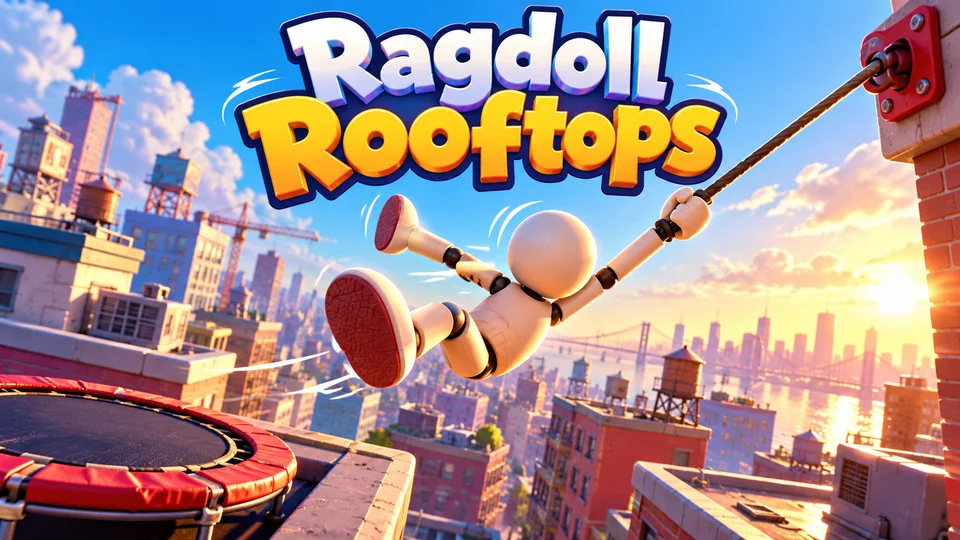
Ragdoll Rooftops
Launch and swing a floppy ragdoll across rooftops, grabbing anchors, bouncing on trampolines and flipping for style to travel as far as possible.
You can also browse all our action games, or try the endless runner tutorial for a one-button take on the same jump physics.
The complete code
One file, no libraries. Save it as platformer.html and open it in any browser. Free to use under the MIT license: copy it, change it, ship it.
<!doctype html>
<!-- SPDX-License-Identifier: MIT -->
<!-- Leaf Leap: a side-scrolling platformer in one HTML file. Free to use, change and ship (MIT license). -->
<html lang="en">
<head>
<meta charset="utf-8">
<meta name="viewport" content="width=device-width, initial-scale=1">
<title>Leaf Leap (HTML5 canvas platformer)</title>
<style>
  html, body { margin: 0; height: 100%; background: #241a33; color: #fff; font: 16px system-ui, sans-serif; overflow: hidden; touch-action: none; user-select: none; -webkit-user-select: none; }
  canvas { display: block; }
</style>
</head>
<body>
<canvas id="game"></canvas>
<script>
// ----- Settings -----
const TILE = 32;                 // world units per tile
const ROWS = 14;                 // level height in tiles
const MIN_COLS = 12;             // at least this many tiles always fit across the screen
const STEP = 1 / 120;            // fixed simulation step in seconds
const GRAVITY = 2000;            // world units per second squared
const RUN_SPEED = 200;           // top running speed, world units per second
const GROUND_ACCEL = 1800, AIR_ACCEL = 1100, FRICTION = 2400;
const JUMP_SPEED = 680;          // take-off speed: a full jump is about 3.6 tiles high
const MAX_FALL = 900;            // 7.5 units per step at most, far less than a tile: no tunnelling
const COYOTE_TIME = 0.1;         // you can still jump this long after running off an edge
const JUMP_BUFFER = 0.12;        // a jump pressed this long before landing still counts
const COLORS = { skyTop: "#6ec6ff", skyLow: "#d9f2ff", far: "#a9c9f0", near: "#86b6de", dirt: "#8a5a3b", grass: "#4cc35b", brick: "#c9733c", mortar: "#8f4a22",
  hero: "#2fd17a", beetle: "#7a3cff", gem: "#ffd23f", flag: "#ff4f6d", below: "#241a33", text: "#ffffff" };

const canvas = document.getElementById("game");
const ctx = canvas.getContext("2d");
let scale = 1, viewW = 0, viewH = 0;  // world-to-pixel scale and the visible area in world units
const sky = ctx.createLinearGradient(0, 0, 0, ROWS * TILE);   // in world units, so it never needs rebuilding
sky.addColorStop(0, COLORS.skyTop);
sky.addColorStop(1, COLORS.skyLow);

// ----- Game state -----
let map, enemies, gems, flagX, player, camX = 0, level, score, best = 0, lives, state, banner = 0, overAt = 0;
let touchUI = navigator.maxTouchPoints > 0;   // show on-screen buttons on touch devices
const keys = {}, pads = {};                   // keyboard and on-screen button state
const held = (k) => keys[k] || pads[k];

// ----- The level: a grid of characters. "#" ground, "=" bricks, " " air -----
// Built from random pieces whose sizes are checked against the jump, so every level can be finished.
function buildLevel() {
  const len = 70 + level * 20;
  map = Array.from({ length: ROWS }, () => new Array(len).fill(" "));
  enemies = []; gems = [];
  const fill = (x, top) => { for (let y = top; y < ROWS; y++) map[y][x] = "#"; };
  const rnd = (a, b) => a + Math.floor(Math.random() * (b - a + 1));   // whole number from a to b
  const gapMax = Math.min(4, 2 + Math.floor(level / 2));               // pits widen as levels go on
  let x = 0, ground = 11;                                               // ground = row of the top tile
  while (x < 8) fill(x++, ground);                                      // a safe runway to start
  while (x < len - 14) {
    if (Math.random() < Math.min(0.4, 0.2 + level * 0.04)) {
      const gap = rnd(2, gapMax);
      x += gap;                                                         // a pit: these columns stay empty
      ground = Math.max(8, Math.min(12, ground + rnd(gap === 4 ? 0 : -1, 2)));  // land at most 1 tile higher
    } else ground = Math.max(8, Math.min(12, ground + rnd(-2, 2)));     // a step: at most 2 tiles up
    const run = rnd(4, 9);
    for (let i = 0; i < run; i++) fill(x + i, ground);
    if (run >= 6 && Math.random() < 0.45) {    // a brick ledge with gems on top; the last 2 columns stay clear for take-off
      for (let i = 1; i < run - 2; i++) { map[ground - 3][x + i] = "="; if (i % 2) gems.push(gem(x + i, ground - 4)); }
    } else for (let i = 1; i < run - 1; i += 2) gems.push(gem(x + i, ground - 2));
    if (run >= 5 && x > 12 && Math.random() < Math.min(0.75, 0.3 + level * 0.08)) enemies.push(beetle(x + Math.floor(run / 2), ground));
    x += run;
  }
  while (x < len) fill(x++, ground);                                    // the final runway
  flagX = len - 6;
}

const gem = (tx, ty) => ({ x: tx * TILE + TILE / 2, y: ty * TILE + TILE / 2, got: false });
const beetle = (tx, ground) => ({ x: tx * TILE + 3, y: ground * TILE - 18, w: 26, h: 18, vx: -(40 + level * 6), vy: 0, dead: false, t: 0 });

function startLevel() {
  buildLevel();
  const start = { x: 2 * TILE + 5, y: 11 * TILE - 28 };
  player = { ...start, w: 22, h: 28, vx: 0, vy: 0, face: 1, onGround: false, coyote: 0, buffer: 0, inv: 1, safe: start };
  camX = 0;
}

function reset() {
  level = 1; score = 0; lives = 3;
  startLevel();
  state = "ready";                    // ready → playing → over
}

function begin() {
  if (state === "ready") state = "playing";
  else if (state === "over" && performance.now() - overAt > 600) { reset(); state = "playing"; }
}

// ----- Tile collision -----
// Outside the map: the sides are walls, above is open sky, below is a bottomless pit.
function solid(tx, ty) {
  if (tx < 0 || tx >= map[0].length) return true;
  if (ty < 0 || ty >= ROWS) return false;
  return map[ty][tx] !== " ";
}

// Move a box along x, then push it out of any tile it entered. Returns true if it hit a wall.
function moveX(b, dx) {
  if (!dx) return false;
  b.x += dx;
  const top = Math.floor(b.y / TILE), bottom = Math.floor((b.y + b.h - 0.01) / TILE);
  const tx = Math.floor((dx > 0 ? b.x + b.w : b.x) / TILE);       // the column the leading edge is in
  for (let ty = top; ty <= bottom; ty++) {
    if (solid(tx, ty)) { b.x = dx > 0 ? tx * TILE - b.w : (tx + 1) * TILE; return true; }
  }
  return false;
}

// The same along y. Returns 1 when the box lands on something, -1 when it bumps its head.
function moveY(b, dy) {
  if (!dy) return 0;
  b.y += dy;
  const left = Math.floor(b.x / TILE), right = Math.floor((b.x + b.w - 0.01) / TILE);
  const ty = Math.floor((dy > 0 ? b.y + b.h : b.y) / TILE);       // the row the leading edge is in
  for (let tx = left; tx <= right; tx++) {
    if (solid(tx, ty)) { b.y = dy > 0 ? ty * TILE - b.h : (ty + 1) * TILE; return dy > 0 ? 1 : -1; }
  }
  return 0;
}

const overlap = (a, b) => a.x < b.x + b.w && a.x + a.w > b.x && a.y < b.y + b.h && a.y + a.h > b.y;

// ----- One fixed step of the simulation -----
function update(dt) {
  if (banner > 0) { banner -= dt; if (banner <= 0) { level++; startLevel(); } return; }
  const p = player;
  // Run: accelerate toward the input; on the ground, slide to a stop when no key is held.
  const dir = (held("right") ? 1 : 0) - (held("left") ? 1 : 0);
  if (dir) { p.vx += dir * (p.onGround ? GROUND_ACCEL : AIR_ACCEL) * dt; p.face = dir; }
  else if (p.onGround) p.vx -= Math.sign(p.vx) * Math.min(Math.abs(p.vx), FRICTION * dt);
  p.vx = Math.max(-RUN_SPEED, Math.min(RUN_SPEED, p.vx));

  // Jump: buffered presses and coyote time make the controls forgiving.
  p.coyote = p.onGround ? COYOTE_TIME : p.coyote - dt;
  p.buffer -= dt;
  if (p.buffer > 0 && p.coyote > 0) { p.vy = -JUMP_SPEED; p.buffer = 0; p.coyote = 0; }
  if (!held("jump") && p.vy < -JUMP_SPEED * 0.45) p.vy = -JUMP_SPEED * 0.45;   // let go early: short hop
  p.vy = Math.min(MAX_FALL, p.vy + GRAVITY * dt);

  // One axis at a time, so a wall never stops a fall and the floor never stops a run.
  if (moveX(p, p.vx * dt)) p.vx = 0;
  const hitY = moveY(p, p.vy * dt);
  if (hitY) p.vy = 0;
  p.onGround = hitY === 1;
  p.inv -= dt;

  // Remember the last solid spot to respawn on after a fall.
  if (p.onGround) {
    const tx = Math.floor((p.x + p.w / 2) / TILE), ty = Math.floor((p.y + p.h + 1) / TILE);
    if (solid(tx - 1, ty) && solid(tx, ty) && solid(tx + 1, ty)) p.safe = { x: tx * TILE + (TILE - p.w) / 2, y: p.y };
  }

  for (const e of enemies) {
    if (e.dead) { e.t -= dt; continue; }
    e.vy = Math.min(MAX_FALL, e.vy + GRAVITY * dt);
    if (moveX(e, e.vx * dt)) e.vx = -e.vx;                              // bumped a wall: turn round
    if (moveY(e, e.vy * dt)) e.vy = 0;
    const ahead = Math.floor((e.vx > 0 ? e.x + e.w + 2 : e.x - 2) / TILE);
    if (!solid(ahead, Math.floor((e.y + e.h + 2) / TILE))) e.vx = -e.vx;  // no floor ahead: turn round
    if (!overlap(p, e)) continue;
    if (p.vy > 0 && p.y + p.h - e.y < 12) { e.dead = true; e.t = 0.35; p.vy = -JUMP_SPEED * 0.7; score += 50; }   // stomp: bounce off
    else if (p.inv <= 0) hurt(p.x < e.x ? -1 : 1);
  }
  enemies = enemies.filter((e) => !e.dead || e.t > 0);

  for (const g of gems) {
    if (!g.got && Math.abs(p.x + p.w / 2 - g.x) < 18 && Math.abs(p.y + p.h / 2 - g.y) < 22) { g.got = true; score += 10; }
  }
  if (state !== "playing") return;
  if (p.y > ROWS * TILE + 60) {                                         // fell into a pit
    if (--lives <= 0) return gameOver();
    Object.assign(p, { x: p.safe.x, y: p.safe.y, vx: 0, vy: 0, inv: 1.5 });
  }
  if (p.x + p.w / 2 > flagX * TILE + TILE / 2) { score += 100 * level; lives = Math.min(5, lives + 1); banner = 1.5; }   // the flag: +1 life

  // The camera keeps the hero 40% from the left and eases toward it.
  const target = Math.max(0, Math.min(map[0].length * TILE - viewW, p.x + p.w / 2 - viewW * 0.4));
  camX += (target - camX) * Math.min(1, dt * 10);
}

function hurt(side) {
  if (--lives <= 0) return gameOver();
  Object.assign(player, { inv: 2, vy: -350, vx: side * 160 });          // a small knock back and up
}

function gameOver() {
  state = "over";
  overAt = performance.now();
  best = Math.max(best, score);
}

// ----- Sizing: the level's 14 rows fill the height unless that would show fewer than 12 columns -----
function resize() {
  const dpr = window.devicePixelRatio || 1;
  canvas.style.width = window.innerWidth + "px";
  canvas.style.height = window.innerHeight + "px";
  canvas.width = Math.round(window.innerWidth * dpr);
  canvas.height = Math.round(window.innerHeight * dpr);
  scale = Math.min(window.innerHeight / (ROWS * TILE), window.innerWidth / (MIN_COLS * TILE));
  viewW = window.innerWidth / scale;
  viewH = window.innerHeight / scale;
  draw();
}

// ----- Drawing -----
function hills(par, base, amp, color) {
  ctx.fillStyle = color;
  ctx.beginPath();
  ctx.moveTo(0, ROWS * TILE);
  for (let x = 0; x <= viewW + 16; x += 16) {
    const wx = x + camX * par;                                          // parallax: far layers move less
    ctx.lineTo(x, base - amp * (0.6 + 0.4 * Math.sin(wx * 0.011) * Math.sin(wx * 0.004 + 2)));
  }
  ctx.lineTo(viewW + 16, ROWS * TILE);
  ctx.fill();
}

function draw() {
  const dpr = window.devicePixelRatio || 1, t = performance.now() / 1000;
  ctx.setTransform(dpr * scale, 0, 0, dpr * scale, 0, 0);             // world units, camera not applied yet
  ctx.fillStyle = sky;
  ctx.fillRect(0, 0, viewW, ROWS * TILE);
  ctx.fillStyle = COLORS.below;                                         // below the level on tall screens
  ctx.fillRect(0, ROWS * TILE, viewW, viewH);
  if (!map) return;
  hills(0.2, 300, 120, COLORS.far);
  hills(0.5, 370, 70, COLORS.near);

  ctx.translate(-camX, 0);                                              // from here on, level coordinates
  const c0 = Math.max(0, Math.floor(camX / TILE)), c1 = Math.min(map[0].length - 1, Math.ceil((camX + viewW) / TILE));
  for (let y = 0; y < ROWS; y++) for (let x = c0; x <= c1; x++) {        // pass 1: solid tiles
    if (map[y][x] === " ") continue;
    ctx.fillStyle = map[y][x] === "#" ? COLORS.dirt : COLORS.brick;
    ctx.fillRect(x * TILE, y * TILE, TILE + 0.5, map[y][x] === "#" ? TILE + 0.5 : TILE);   // +0.5 hides seams
  }
  for (let y = 0; y < ROWS; y++) for (let x = c0; x <= c1; x++) {        // pass 2: grass and mortar on top
    const ch = map[y][x], px = x * TILE, py = y * TILE;
    if (ch === "#" && (y === 0 || map[y - 1][x] === " ")) { ctx.fillStyle = COLORS.grass; ctx.fillRect(px, py, TILE + 0.5, 8); }
    if (ch !== "=") continue;
    ctx.fillStyle = COLORS.mortar;
    ctx.fillRect(px, py + 15, TILE + 0.5, 2);
    ctx.fillRect(px + (x % 2 ? 8 : 22), py, 2, 15);
    ctx.fillRect(px + (x % 2 ? 22 : 8), py + 17, 2, 15);
  }

  for (const g of gems) {
    if (g.got) continue;
    const s = Math.abs(Math.cos(t * 3 + g.x));                          // spin by squashing the width
    ctx.fillStyle = COLORS.gem;
    ctx.beginPath();
    ctx.moveTo(g.x, g.y - 9); ctx.lineTo(g.x + 7 * s, g.y); ctx.lineTo(g.x, g.y + 9); ctx.lineTo(g.x - 7 * s, g.y);
    ctx.fill();
  }

  let top = 0;
  while (top < ROWS && !solid(flagX, top)) top++;                       // the flag stands on the ground
  const fx = flagX * TILE + 14, fy = (top - 5) * TILE;
  ctx.fillStyle = "#eeeeee";
  ctx.fillRect(fx, fy, 4, 5 * TILE);
  ctx.fillStyle = COLORS.flag;
  ctx.beginPath(); ctx.moveTo(fx + 4, fy + 2); ctx.lineTo(fx + 32 + Math.sin(t * 6) * 3, fy + 14); ctx.lineTo(fx + 4, fy + 26); ctx.fill();

  for (const e of enemies) {
    ctx.fillStyle = COLORS.beetle;
    ctx.beginPath();
    if (e.dead) { ctx.ellipse(e.x + e.w / 2, e.y + e.h - 3, 15, 4, 0, 0, Math.PI * 2); ctx.fill(); continue; }   // squashed flat
    ctx.ellipse(e.x + e.w / 2, e.y + 9, 13, 9, 0, Math.PI, 0);                          // shell
    ctx.fill();
    const step = Math.sin(t * 18 + e.x * 0.1) * 2;                                      // little walking legs
    ctx.fillRect(e.x + 1, e.y + 8, e.w - 2, 4);
    ctx.fillRect(e.x + 4 + step, e.y + 12, 3, 6); ctx.fillRect(e.x + 12 - step, e.y + 12, 3, 6); ctx.fillRect(e.x + 20 + step, e.y + 12, 3, 6);
    ctx.fillStyle = "#ffffff";
    ctx.fillRect(e.vx < 0 ? e.x + 3 : e.x + e.w - 7, e.y + 4, 4, 4);                    // eye on the leading side
  }

  const p = player;
  if (state === "over" || p.inv <= 0 || Math.floor(t * 12) % 2) {
    const stretch = p.onGround ? 0 : Math.max(-3, Math.min(4, -p.vy / 120));         // stretch going up, squash coming down
    const w = p.w - stretch, h = p.h + stretch, x = p.x + (p.w - w) / 2, y = p.y + p.h - h;
    ctx.fillStyle = COLORS.hero;
    ctx.beginPath();
    if (ctx.roundRect) ctx.roundRect(x, y, w, h, 6); else ctx.rect(x, y, w, h);
    ctx.fill();
    const ex = x + w / 2 + p.face * 4;                                  // eyes look the way you run
    ctx.fillStyle = "#ffffff";
    ctx.fillRect(ex - 7, y + 7, 6, 8); ctx.fillRect(ex + 1, y + 7, 6, 8);
    ctx.fillStyle = "#17324d";
    ctx.fillRect(ex - 5 + p.face, y + 9, 3, 5); ctx.fillRect(ex + 3 + p.face, y + 9, 3, 5);
  }
  drawHud();
}

// Score bar, touch buttons and messages, in CSS pixels.
function drawHud() {
  const dpr = window.devicePixelRatio || 1, sw = window.innerWidth, sh = window.innerHeight, size = Math.min(sw, sh);
  ctx.setTransform(dpr, 0, 0, dpr, 0, 0);
  ctx.font = "700 16px system-ui, sans-serif";
  ctx.textBaseline = "middle";
  ctx.fillStyle = "rgba(20, 30, 60, 0.75)";
  ctx.textAlign = "left"; ctx.fillText(`Score ${score}`, 12, 20);
  ctx.textAlign = "center"; ctx.fillText(`Level ${level}`, sw / 2, 20);
  ctx.fillStyle = COLORS.flag;
  ctx.textAlign = "right"; ctx.fillText("♥".repeat(Math.max(0, lives)), sw - 12, 20);

  if (touchUI && state === "playing") {
    for (const b of buttons()) {
      ctx.fillStyle = pads[b.name] ? "rgba(255, 255, 255, 0.5)" : "rgba(255, 255, 255, 0.25)";
      ctx.beginPath(); ctx.arc(b.x, b.y, b.r, 0, Math.PI * 2); ctx.fill();
      ctx.fillStyle = "rgba(20, 30, 60, 0.8)";                          // an arrow: up for jump, else left or right
      const a = b.r * 0.4, d = b.name === "left" ? -1 : 1, up = b.name === "jump";
      ctx.beginPath();
      ctx.moveTo(b.x + (up ? 0 : a * d), b.y - (up ? a : 0));
      ctx.lineTo(b.x + (up ? a : -a * 0.6 * d), b.y + (up ? a * 0.6 : -a));
      ctx.lineTo(b.x - (up ? a : a * 0.6 * d), b.y + (up ? a * 0.6 : a));
      ctx.fill();
    }
  }

  const title = (text) => { ctx.fillStyle = COLORS.text; ctx.font = `800 ${Math.max(28, size * 0.08)}px system-ui, sans-serif`; ctx.fillText(text, sw / 2, sh * 0.36); };
  const lines = (list) => { ctx.font = `500 ${Math.max(14, size * 0.032)}px system-ui, sans-serif`; list.forEach((l, i) => ctx.fillText(l, sw / 2, sh * 0.36 + size * 0.1 + i * Math.max(22, size * 0.05))); };
  ctx.textAlign = "center";
  if (state !== "playing" || banner > 0) { ctx.fillStyle = "rgba(20, 16, 40, 0.6)"; ctx.fillRect(0, 40, sw, sh - 40); }
  if (banner > 0) { title(`Level ${level} clear`); lines([`Score ${score}`, "Get ready for a longer level"]); }
  else if (state === "ready") {
    title("Leaf Leap");
    lines(["Run right, jump the gaps, reach the flag", "Stomp beetles and grab the sunstones", "Arrows / WASD move, Space or Up jumps", "Hold jump to jump higher", "Press Space or tap to start"]);
  } else if (state === "over") {
    title("Game over");
    lines([`Level ${level} · Score ${score} · Best ${best}`, "Tap or press Space to play again"]);
  }
}

// ----- Main loop: fixed steps, smooth frames -----
let last = 0, acc = 0;
function loop(now) {
  const dt = Math.min(0.25, (now - last) / 1000);
  last = now;
  if (state === "playing") {
    acc += dt;
    while (acc >= STEP && state === "playing") { update(STEP); acc -= STEP; }
  }
  draw();
  requestAnimationFrame(loop);
}

// ----- Input: keyboard, on-screen buttons, and tap anywhere else to jump -----
function press(name, down) { pads[name] = down; if (name === "jump" && down) player.buffer = JUMP_BUFFER; }

const BIND = { ArrowLeft: "left", KeyA: "left", ArrowRight: "right", KeyD: "right", ArrowUp: "jump", KeyW: "jump", Space: "jump", KeyZ: "jump" };
window.addEventListener("keydown", (e) => {
  const k = BIND[e.code];
  if (k || e.code === "Enter" || e.code === "ArrowDown") e.preventDefault();
  if (k) keys[k] = true;
  if (state !== "playing") { if ((k === "jump" || e.code === "Enter") && !e.repeat) begin(); return; }
  if (k === "jump" && !e.repeat) player.buffer = JUMP_BUFFER;
});
window.addEventListener("keyup", (e) => { if (BIND[e.code]) keys[BIND[e.code]] = false; });

function buttons() {
  const sw = window.innerWidth, sh = window.innerHeight, r = Math.min(44, sw * 0.11);
  return [{ name: "left", x: r + 14, y: sh - r - 14, r }, { name: "right", x: r * 3 + 26, y: sh - r - 14, r }, { name: "jump", x: sw - r - 14, y: sh - r - 14, r }];
}
const buttonAt = (x, y) => (buttons().find((b) => Math.hypot(x - b.x, y - b.y) < b.r * 1.25) || {}).name;

const pointers = new Map();           // pointerId → the button it holds, so several fingers work at once
canvas.addEventListener("pointerdown", (e) => {
  if (e.pointerType === "touch") touchUI = true;
  if (state !== "playing") { begin(); return; }
  const name = (touchUI && buttonAt(e.clientX, e.clientY)) || "jump";
  pointers.set(e.pointerId, name);
  press(name, true);
});
canvas.addEventListener("pointermove", (e) => {
  const name = pointers.get(e.pointerId), now = buttonAt(e.clientX, e.clientY);
  // Sliding a thumb from one arrow to the other switches direction without lifting it.
  if ((name === "left" || name === "right") && (now === "left" || now === "right") && now !== name) {
    press(name, false); press(now, true); pointers.set(e.pointerId, now);
  }
});
const release = (e) => { const name = pointers.get(e.pointerId); if (name) { press(name, false); pointers.delete(e.pointerId); } };
canvas.addEventListener("pointerup", release);
canvas.addEventListener("pointercancel", release);
window.addEventListener("blur", () => { for (const k in keys) keys[k] = false; for (const k in pads) pads[k] = false; pointers.clear(); });

window.addEventListener("resize", resize);
reset();
resize();
requestAnimationFrame((t) => { last = t; loop(t); });
</script>
</body>
</html>
Frequently asked questions
Is this platformer code free to use?
Yes. The file is MIT-licensed: you can copy it, change it and use it in personal or commercial projects. Keep the licence line at the top of the file.
How do I make a Mario game in HTML5?
Use the same building blocks as this page: a tile map, gravity, axis-by-axis collision, a scrolling camera and stompable enemies. Give it your own name, characters and level designs, though. Mario and its characters belong to Nintendo, so fan games and open-source "Mario" clones you find online can't safely be published or sold. A Mario-style game with original art is fine.
Why does my platformer character fall through the floor?
Usually because it moves more than a tile in one frame. With a variable timestep, a slow frame multiplies the speed by a large dt. Use a fixed step, cap the fall speed below one tile per step, and resolve x and y separately, as this code does.
How do I put this platformer on my website?
Upload platformer.html to your web host and link to it, or show it inside a page with an <iframe>. Our guide to embedding an HTML5 game in a website covers WordPress, Wix and Google Sites.
How do I add sound or save progress?
For sound, create an AudioContext after the first key press or tap and play short tones in the jump and stomp code. To save the level reached, write it with localStorage.setItem when a level is cleared and read it in reset(), inside try/catch, because sandboxed frames like the player on this page block storage.
We make and sell HTML5 game source code; links to our games are marked as ours.