An HTML5 RPG is four systems working together: a world built from tiles, movement through that world, a battle system, and data (stats, items, quests, dialogue) that the game saves between sessions. Each one is simple on its own. This HTML5 RPG game tutorial shows each system with short JavaScript examples, starting with a dungeon you can draw on a canvas in 20 lines, then covers the engines worth using, roguelikes, and RPG Maker's web export.
If you haven't written a browser game before, start with our step-by-step guide on how to make an HTML5 game. It covers the canvas, the game loop and input, which this page assumes.
Best HTML5 RPG game engine for your project
There's no single best RPG engine for HTML5. The right choice depends on whether you want to write code and how much of the engine you want to own. These are the realistic options as of October 2026:
| Engine | How you work | Licence | Why pick it for an RPG |
|---|---|---|---|
| Phaser 4 + Tiled | JavaScript or TypeScript | MIT | Loads Tiled maps directly; scenes for overworld, battle and menus; large community |
| Excalibur + its Tiled plugin | TypeScript | BSD-2-Clause | Typed from the ground up, good for larger codebases |
| melonJS | JavaScript or TypeScript | MIT | Built-in Tiled support for orthogonal, isometric and hexagonal maps; ships an isometric RPG example |
| rot.js | JavaScript toolkit | BSD-3-Clause | Roguelikes: map generators, field of view, pathfinding, turn scheduling |
| RPG Maker MZ | Editor, events, JavaScript plugins | Commercial | Classic JRPGs with little or no code; deploys to web browsers |
| Godot 4 | Editor and GDScript | MIT | If you already use Godot; web export doesn't support C# |
Our default for a 2D RPG would be Phaser with maps made in Tiled: the engine handles rendering, input, cameras and scenes, and Tiled gives you a real level editor instead of maps typed by hand. Phaser 4 reads Tiled's orthogonal, isometric, hexagonal and staggered maps. If you'd rather design than program, RPG Maker MZ gets a traditional RPG playable fastest. Our HTML5 game engines guide compares the general-purpose engines in more depth.
How to make an RPG game in HTML5, system by system
A simple dungeon on an HTML5 canvas, with tiles
Start without an engine to see how little an RPG world needs. A map is a grid. Store it as rows of characters, turn it into an array, and draw each cell as a 32-pixel tile. Here # is a wall, . is floor, D is a door, @ is where the player starts and E is an enemy:
const MAP = [
  "############",
  "#....#.....#",
  "#.@..#..E..#",
  "#....D.....#",
  "############",
];
const TILE = 32;
const player = { x: 0, y: 0 };
const enemies = [];
const map = MAP.map((row, y) => [...row].map((ch, x) => {
  if (ch === "@") { player.x = x; player.y = y; return "."; }
  if (ch === "E") { enemies.push({ x, y, id: "slime" }); return "."; }
  return ch;
}));
const solid = (x, y) => map[y]?.[x] !== "." && map[y]?.[x] !== "D";

function drawMap(ctx) {
  for (let y = 0; y < map.length; y++) {
    for (let x = 0; x < map[y].length; x++) {
      ctx.fillStyle = map[y][x] === "#" ? "#3b3f58" : "#1c1f2e";
      ctx.fillRect(x * TILE, y * TILE, TILE, TILE);
    }
  }
}
Swap the coloured squares for images cut from a tileset with ctx.drawImage(tileset, sx, sy, 32, 32, x * TILE, y * TILE, 32, 32) and you have the look of a classic tile RPG. Our guide to HTML5 canvas games covers drawing and performance.
Grid movement and bumping into enemies
Classic RPGs and roguelikes move one tile per step. Movement is a check, not physics: is the target tile walkable, and is something standing there?
function tryMove(dx, dy) {
  const nx = player.x + dx, ny = player.y + dy;
  if (solid(nx, ny)) return;                     // walls block the move
  const foe = enemies.find((e) => e.x === nx && e.y === ny);
  if (foe) return startBattle(foe);              // bumping an enemy starts a fight
  player.x = nx; player.y = ny;
}
Call tryMove from your arrow-key and swipe handlers. To make steps look smooth, keep the logical position on the grid and slide the drawn sprite toward it over about 150 ms. For a top-down action RPG with free movement instead, use your engine's physics bodies and tile collision.
Tilemaps with Tiled and Phaser
Typing maps as strings stops working after the first few rooms. Tiled is a free map editor that exports JSON (format reference), and Phaser loads it directly. Mark wall tiles with a custom collides property in Tiled, then:
// in preload()
this.load.tilemapTiledJSON("dungeon", "maps/dungeon.json");
this.load.image("tiles", "maps/dungeon-tiles.png");

// in create()
const map = this.add.tilemap("dungeon");
const tileset = map.addTilesetImage("dungeon-tiles", "tiles"); // tileset name in Tiled, texture key
const floor = map.createLayer("Floor", tileset);
const walls = map.createLayer("Walls", tileset);
walls.setCollisionByProperty({ collides: true });
this.physics.add.collider(this.player, walls);
Two details trip people up: the first argument of addTilesetImage is the tileset's name inside Tiled, not the image key, and each createLayer name must match a Tiled layer exactly. Put spawn points, chests, doors and NPCs on an object layer and read them with map.getObjectLayer("Objects"), so level designers can place them without touching code. LDtk is a good alternative editor if you prefer its workflow.
How to make a turn-based battle game in HTML5
A turn-based battle is a state machine. The player chooses, the action resolves, the enemy acts, and the game checks for a win or a loss. Keep the rules in plain functions with no drawing code, so you can unit test them:
const battle = { state: "choose", hero: { hp: 30, atk: 7, def: 2, guard: false }, foe: { hp: 20, atk: 5, def: 1 } };

function damage(attacker, target) {
  return Math.max(1, attacker.atk - target.def + Math.floor(Math.random() * 3));
}

function heroAction(action) {
  if (battle.state !== "choose") return;
  if (action === "attack") battle.foe.hp -= damage(battle.hero, battle.foe);
  if (action === "defend") battle.hero.guard = true;
  battle.state = battle.foe.hp <= 0 ? "won" : "enemy";
}

function enemyTurn() {
  let dmg = damage(battle.foe, battle.hero);
  if (battle.hero.guard) dmg = Math.ceil(dmg / 2);
  battle.hero.guard = false;
  battle.hero.hp -= dmg;
  battle.state = battle.hero.hp <= 0 ? "lost" : "choose";
}
In your update loop, when the state is "enemy", wait about half a second before calling enemyTurn() so the player can read what happened. The menu buttons call heroAction("attack") or heroAction("defend"). From here you can grow it in steps: a party of heroes, turn order by a speed stat, skills that cost mana, status effects with a duration counter, and enemy AI that picks actions by weighing simple scores. In Phaser, give the battle its own scene and pass the enemy data in when you start it.
Stats, items, quests and dialogue as data
An RPG is mostly content, so keep content out of code. Enemies, items, skills and shops belong in JSON files that you can edit and balance without rebuilding logic:
[
  { "id": "slime", "name": "Slime", "hp": 20, "atk": 5, "def": 1, "xp": 4,
    "drops": [{ "item": "potion", "chance": 0.3 }] }
]
Quests are mostly flags: { "metHermit": true, "caveKeyFound": false }. Dialogue can be a small graph of nodes with choices that set flags, or a narrative language such as ink, whose JavaScript runtime inkjs plays its stories in the browser. We keep gameplay tuning in JSON in all 50 of our games for the same reason: balancing should never need a code change.
Saving progress
Save a plain object: the current map, the player's position, the party's stats and equipment, the inventory, the quest flags and a version number. Serialize it with JSON.stringify into localStorage, wrapped in try/catch because some browsers and embedded frames block storage. The version number lets a later update migrate old saves instead of breaking them. Offer more than one slot if your game is long.
How to code a roguelike game in HTML5
A roguelike is an RPG with procedurally generated levels, turn-based movement and permanent death. rot.js provides most of the hard parts: dungeon generators, field of view, lighting, A* pathfinding, a speed-based turn scheduler and a canvas display for ASCII or tile graphics. A random dungeon takes a few lines:
import * as ROT from "rot-js";

const display = new ROT.Display({ width: 60, height: 30 });
document.body.append(display.getContainer());

const map = {};
new ROT.Map.Digger(60, 30).create((x, y, wall) => {
  map[`${x},${y}`] = wall ? "#" : ".";
  display.draw(x, y, map[`${x},${y}`]);
});
The generator calls your function for every cell, with 1 for wall and 0 for floor. Add a player on a floor cell, use ROT.FOV.PreciseShadowcasting to reveal what they can see, and let ROT.Scheduler.Speed decide who moves next. Sound fits roguelikes well because every action is a discrete event: play a short Web Audio effect on each hit, pickup and door, started after the player's first key press so the browser allows it.
RPG Maker and HTML5
Making an HTML5 RPG with RPG Maker MZ
RPG Maker MZ (and the older MV) are JavaScript-based, and both can deploy for the web. In MZ, the Deployment option exports a package for web browsers that you upload to a web server. The official MZ help on system requirements lists HTML5 Canvas and the Web Audio API as requirements and says the game plays only in browsers that support WebGL. Plugins are JavaScript, so a developer can extend an MZ game with the same skills as any other HTML5 game.
How to upload RPG Maker VX Ace games to HTML5
VX Ace has no web deployment option. Its games run on a Windows runtime with Ruby scripts (RGSS3), which browsers can't execute. The practical route is to rebuild the game in MZ: recreate the maps and events in the new editor, scale tilesets and character sheets from VX Ace's 32-pixel tiles to MZ's 48-pixel tiles, and replace any Ruby scripts with JavaScript plugins. It's real work for a long game, so try the opening chapter first and check the result on a phone before committing.
HTML5 RPG game source code and open-source projects
Reading a finished RPG is a fast way to learn. When you pick an open-source project, check four things:
- The code licence and the art licence separately. They often differ. Mozilla's archived BrowserQuest, for example, publishes its code under MPL 2.0 and its content under CC-BY-SA 3.0, and the share-alike terms apply to any game that reuses that art.
- The engine version. Code written for Phaser 2 won't run on Phaser 4 without a port.
- Whether it builds. Install it and run it before you plan around it.
- How content is stored. Projects with maps and stats in data files are far easier to learn from and extend.
Our roundup of free and open-source HTML5 games lists projects worth reading.
We don't sell an RPG yet
None of our 50 games is an RPG. The closest are turn-based and run-based strategy games that share an RPG's systems: Hex Kingdoms (a turn-based hex strategy game with fog of war and AI kingdoms), Card Combo Rogue (a deckbuilding roguelite with relics, a branching map and bosses) and Island Survival Strategy (assign survivors to gather, build, explore and defend). Each ships as a full TypeScript project you can study and change.
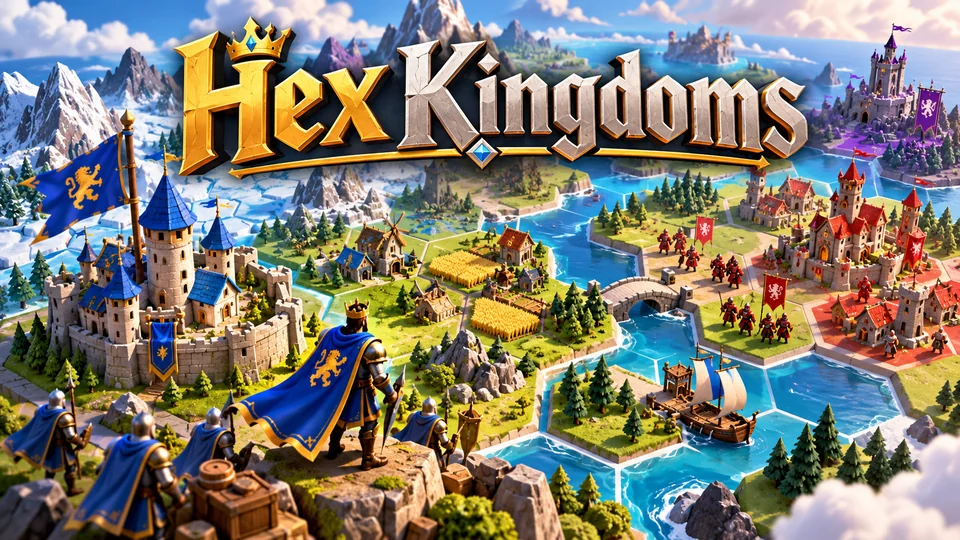
Hex Kingdoms
Expand across a compact hex map, gather resources, capture towns and outmaneuver AI kingdoms.
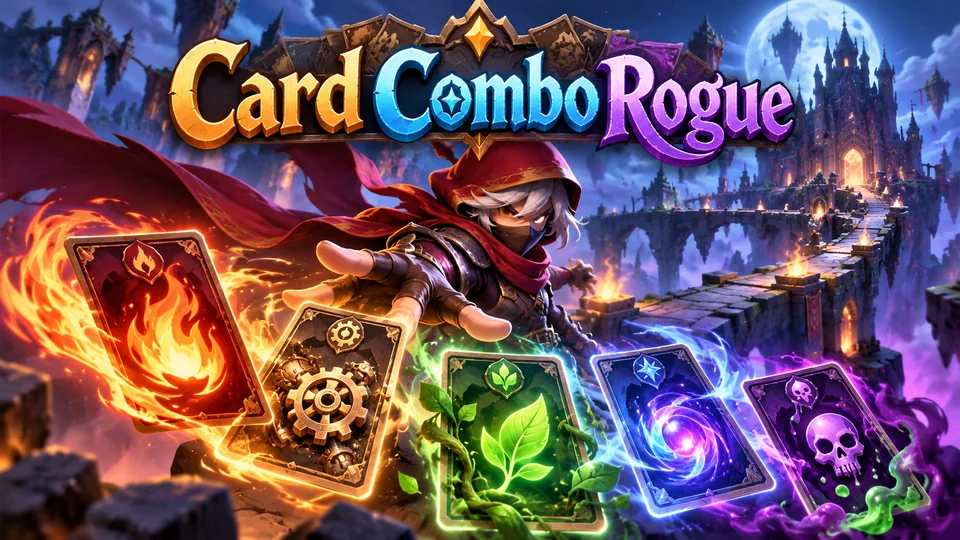
Card Combo Rogue
Build a temporary deck during each run and exploit tag-based synergies across fire, machine, nature, magic and poison cards.
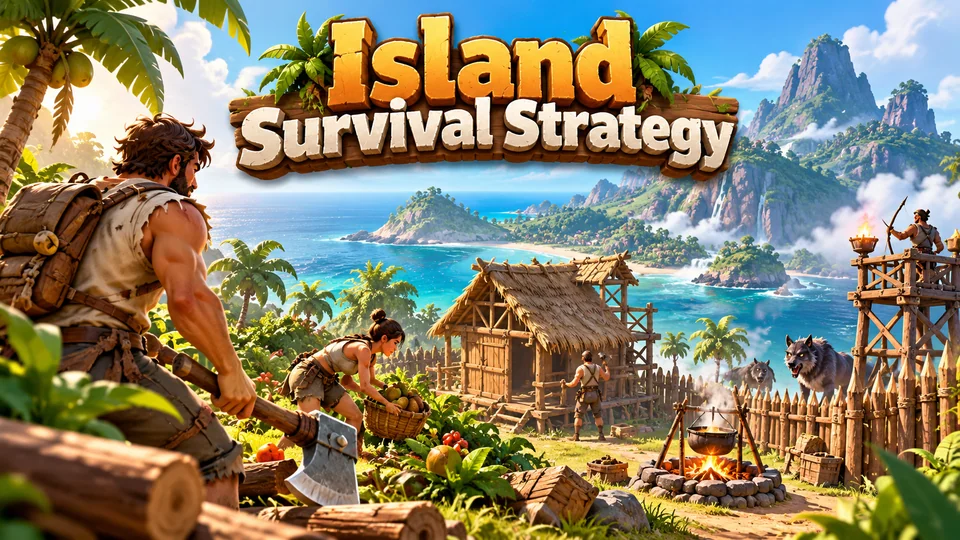
Island Survival Strategy
Assign a small group of survivors to gather food, build shelter, explore and defend an island.
See the rest in our HTML5 strategy games with source code. If you want an RPG in the catalog, suggest it on our public roadmap and vote for it: if your idea ships, you get a free game credit. For a small RPG built only for you, send a brief through exclusive game requests. Sending a brief is free, and you pay only if we accept it. To build a strategy layer of your own, read our HTML5 strategy game tutorial.
Frequently asked questions
What is the best HTML5 RPG game engine?
For a coded 2D RPG, Phaser with the Tiled map editor is a strong default: it loads Tiled maps, handles scenes, cameras and input, and is MIT-licensed. If you don't want to code, RPG Maker MZ deploys to web browsers. For roguelikes, add rot.js for map generation, field of view and turn order.
Can I make an HTML5 canvas RPG without an engine?
Yes. A tile grid, a loop, grid movement and a battle state machine are all plain JavaScript, as the examples on this page show. Without an engine you also write sprite animation, cameras, asset loading, audio and menus yourself, which is why most people switch to an engine once the game grows past a few maps.
How do I make an RPG load fast in the browser?
Load only what the first area needs, then load each new map and its tileset when the player approaches it. Compress images, reuse tilesets across maps and keep music streaming rather than decoded up front. Our own games start with an initial download of 300–750 KB; a content-heavy RPG should aim to keep its first screen in that range and load the rest as the player progresses.
Can I sell an RPG I make with HTML5?
Yes, if you own or have licensed everything in it. Check the licence of the engine, any plugins, tilesets, character art, fonts and music. MIT-licensed engines such as Phaser allow commercial use; asset packs and free art often have their own terms.
We make and sell HTML5 game source code; links to our games are marked as ours.