Sprint Bot is an endless runner in the style of the dinosaur game Chrome shows when you're offline: your robot runs on its own, you jump the crystals and duck under the drones, and the pace keeps rising until you crash. The runner game HTML5 code on this page is one file, and this tutorial explains how a runner works: why the world moves instead of the player, how obstacles are spaced so every run is fair, and how to turn it into a helicopter game.
How to run it
- Press Copy code above, or Download .html.
- Paste it into a new file called
endless-runner.htmlin any text editor. - Open the file in a browser. No server, library or build step is needed.
You can also paste the code into the HTML game code runner, change MAX_SPEED or JUMP_SPEED, and press Run to feel the difference.
How the runner game code works
The script is short: settings, state, obstacle spawning, collision, one update step, drawing and input. Most of the interesting decisions are in the numbers and in the spacing between obstacles.
1. Settings
A full jump is 820² / (2 × 2400), about 140 world units, which clears the tallest crystal (48 units) with room to spare. The running speed starts at 320 units a second, gains 9 every second and tops out at 760 after about 49 seconds.
const VIEW_W = 560, VIEW_H = 300;  // the screen always shows at least this many world units
const STEP = 1 / 120;              // fixed simulation step in seconds
const GRAVITY = 2400;              // world units per second squared
const JUMP_SPEED = 820;            // take-off speed: a full jump is 820² / (2 × 2400) ≈ 140 units high
const FAST_FALL = 3;               // gravity multiplier while holding duck in the air
const START_SPEED = 320;           // running speed in world units per second...
const SPEED_UP = 9;                // ...gaining this much every second...
const MAX_SPEED = 760;             // ...up to this
const PX = 80;                     // the runner stays at this x; the world moves instead
const MARGIN = 4;                  // hitboxes are 4 units smaller than the shapes: near misses feel fair
2. The runner stands still and the world moves
In an endless runner the player never actually travels. The robot stays at PX = 80, and every step the obstacles slide left by speed * dt. The distance covered, dist, drives everything else: the score is dist / 10, the hills scroll by a fraction of it for parallax, and the marks on the ground use dist % 40 so they loop forever without any objects to manage.
  // The world scrolls left; a new obstacle appears once the last one is far enough in.
  for (const o of obstacles) o.x -= speed * dt;
  obstacles = obstacles.filter((o) => o.x + o.w > -40);
  const lastOne = obstacles[obstacles.length - 1];
  if (lastOne ? lastOne.x + lastOne.w < W - nextGap : runTime > 1) spawn();
Obstacles that leave the screen are filtered out, so the array never holds more than a handful of items, however long you run.
3. Sizing: at least 560 by 300 units
The game picks a scale so the screen always shows at least 560 world units across and 300 down. The width matters most, because it sets how far ahead you can see: at top speed, an obstacle takes about 0.6 seconds to cross from the right edge to the robot. Heights are stored as alt, measured up from the ground, so the ground line can move when the window changes shape without moving anything else.
function resize() {
  const dpr = window.devicePixelRatio || 1;
  canvas.style.width = window.innerWidth + "px";
  canvas.style.height = window.innerHeight + "px";
  canvas.width = Math.round(window.innerWidth * dpr);
  canvas.height = Math.round(window.innerHeight * dpr);
  scale = Math.min(window.innerWidth / VIEW_W, window.innerHeight / VIEW_H);
  W = window.innerWidth / scale;
  H = window.innerHeight / scale;
  groundY = Math.min(H - 60, H / 2 + 110);
  draw();
}
4. Jumping, short hops and ducking
Pressing jump sets a 0.12-second buffer, so a press just before landing still works. Letting go early caps the upward speed, which turns a tap into a short hop and a hold into a full jump. Holding duck on the ground makes the robot low enough to pass under drones; holding it in the air triples gravity, so you can drop quickly onto the next stretch of ground.
  const r = runner;
  r.buffer -= dt;
  if (r.buffer > 0 && r.onGround) { r.vy = JUMP_SPEED; r.onGround = false; r.buffer = 0; }
  if (!holding("jump") && r.vy > JUMP_SPEED * 0.45) r.vy = JUMP_SPEED * 0.45;
  r.duck = holding("duck");
  r.vy -= GRAVITY * (r.duck && !r.onGround ? FAST_FALL : 1) * dt;
  r.alt += r.vy * dt;
  if (r.alt <= 0) { r.alt = 0; r.vy = 0; r.onGround = true; }
5. Spawning obstacles that are always fair
Random obstacles are only fun if every pattern can be beaten. spawn() adds either a cluster of one to three crystals (three only once the speed passes 420) or, after the first 1,500 units, a drone at head height. The drone chance starts at 20% and rises to 45%. The key line is the gap: the space before the next obstacle is at least speed * 0.7 + 140, so there's always at least 0.7 seconds plus a margin to land and react, at any speed. In testing, a scripted player that jumps every crystal and ducks every drone ran for two minutes without a crash, more than a minute of it at top speed, and the tightest gap was about one second.
function spawn() {
  if (dist > 1500 && Math.random() < Math.min(0.45, 0.2 + dist / 40000)) {
    obstacles.push({ kind: "drone", x: W + 20, w: 40, alt: 30, h: 24 });     // floats at head height
  } else {
    const n = 1 + Math.floor(Math.random() * (speed > 420 ? 3 : 2));         // clusters of 1 to 3 crystals
    obstacles.push({ kind: "spikes", x: W + 20, w: n * 22, alt: 0, h: 30 + Math.random() * 18 });
  }
  // The next gap grows with speed, so there is always time to land and react.
  nextGap = speed * (0.7 + Math.random() * 0.8) + 140;
}
6. Collision that forgives near misses
Every object is treated as a box, and each box is shrunk by 4 units before the overlap test, so clipping a corner doesn't end the run. Crystals are triangles, which fill only half their box, so they get 3 more units off each side. Standing, the robot is 30 by 44 units; ducking, it's 40 by 26, low enough to pass under a drone floating 30 units up.
// The runner's box: 30 x 44 standing, 40 x 26 ducking on the ground.
function runnerBox() {
  const low = runner.duck && runner.onGround;
  return { x: PX, w: low ? 40 : 30, alt: runner.alt, h: low ? 26 : 44 };
}

// Box against box, each shrunk by MARGIN. Crystals are triangles, so their box is trimmed 3 more at the sides.
function hits(a, b) {
  const side = b.kind === "spikes" ? MARGIN + 3 : MARGIN;
  return a.x + MARGIN < b.x + b.w - side && a.x + a.w - MARGIN > b.x + side &&
         a.alt + MARGIN < b.alt + b.h - MARGIN && a.alt + a.h - MARGIN > b.alt + MARGIN;
}
Tunnelling isn't a risk here: at top speed obstacles move about 6 units per fixed step, much less than the narrowest crystal.
7. The loop, the day-night cycle and game over
The loop runs update() in fixed steps of 1/120 of a second and draws once per frame, so the game plays the same at 60 Hz and 120 Hz. Drawing paints the sky, then a translucent night layer whose strength follows a cosine of the distance: about half a minute in, the sky darkens, and later it lightens again. A crash freezes the run, throws 30 sparks and shows the score; restarting is locked for half a second so a jump press meant for the game doesn't skip the result.
function loop(now) {
  const dt = Math.min(0.25, (now - last) / 1000);
  last = now;
  if (state === "playing") {
    acc += dt;
    while (acc >= STEP && state === "playing") { update(STEP); acc -= STEP; }
  }
  for (const s of sparks) { s.x += s.vx * dt; s.alt = Math.max(0, s.alt + s.vy * dt); s.vy -= GRAVITY * 0.5 * dt; s.t -= dt; }
  sparks = sparks.filter((s) => s.t > 0);
  draw();
  requestAnimationFrame(loop);
}
Dinosaur game code in HTML5
If you came looking for the dinosaur game's code, this is the same design: one button to jump, one to duck, ground obstacles and flying ones, a speed that climbs, a five-digit score with a high score next to it, and a switch between day and night. The Chrome version is Google's, with its own art, so don't copy its graphics or name. To make this file feel closer to it, use a monochrome palette, swap the robot for your own pixel-art character, and make SPEED_UP smaller for a slower build-up.
Turn it into an HTML5 helicopter game
The classic helicopter game is a runner with different controls: hold to rise, let go to fall, and avoid the floor, the ceiling and blocks in between. Four changes get you there:
- In
update(), replace the jump code withr.vy += (holding("jump") ? 1800 : -1200) * dt;and clampr.vybetween -400 and 400. - Remove the ground landing and end the run when
r.altgoes below 0 or above a ceiling, for exampleH - 100. - In
spawn(), add blocks at a randomaltbetween the floor and the ceiling instead of crystals and drones. - Narrow the tunnel slowly as
distgrows, by lowering the ceiling a few units every second.
Everything else, from the scrolling and the fair gaps to the hitboxes, the loop and the touch input, works unchanged.
Make it work on phones
The screen is split into two touch zones: press and hold the left 40% to duck, and tap anywhere else to jump, holding for a higher jump. Each finger is tracked by its pointerId, so you can duck with one thumb and jump with the other. A hint shows where the zones are for the first four seconds of each run on touch devices.
canvas.addEventListener("pointerdown", (e) => {
  if (e.pointerType === "touch") touchUI = true;
  if (state !== "playing") { begin(); return; }
  const k = e.clientX < window.innerWidth * 0.4 ? "duck" : "jump";
  pointers.set(e.pointerId, k);
  if (k === "jump") jump();
});
The view keeps 560 units across in portrait too, so a phone held upright sees as far ahead as a laptop; the extra height becomes sky and sand. For more on touch controls and screen sizes, read our guide to HTML5 mobile game development.
Ideas to extend it
- Add coins in arcs over the crystals, worth 10 points each, to reward well-timed jumps.
- Add pits in the ground that need a long jump, using the same fair-gap rule.
- Give the robot a double jump that recharges on landing.
- Add a shield power-up that absorbs one crash.
- Play a short blip on each jump and every 100 points with the Web Audio API, started after the first input as browsers require.
- Swap the shapes for sprites: see our guide to sprites and animation in HTML5 games.
From prototype to a game you can sell
This file is a good way to learn and a fine jam entry. A runner that players pay for, or that a portal accepts, needs a lot more:
| This runner file | A production HTML5 game | |
|---|---|---|
| Content | One endless track | Levels, an endless mode, daily runs and missions |
| Art and audio | Shapes, no sound | Original art, animation, music and effects |
| Progress | Best score lost on reload | Saves, unlocks, cosmetics and upgrades |
| Input | Keyboard, mouse and touch | Plus gamepad and assist options |
| Platforms | Desktop and phone browsers | Portal SDK hooks, ads, app wrappers, localisation |
| Quality | Checked by a test script | Unit tests and cross-browser end-to-end tests |
| Code and docs | One script | A typed project, data files for tuning, a quick start |
| Licence | MIT | A commercial licence for your product |
Our runner and arcade games fill that gap. Rooftop Parkour is a 3D flow runner where you vault, slide and wall-run across rooftops, with a campaign, an endless mode and ghost runs. Traffic Thread is an endless driving game where near misses fill a boost and multiply your score. Each game ships as a buildable TypeScript project with its tuning in JSON data files:
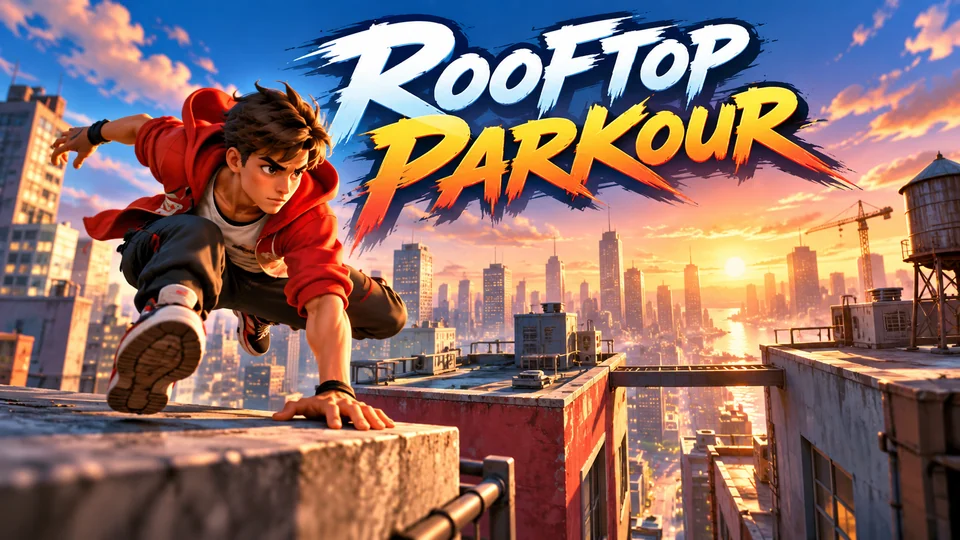
Rooftop Parkour
Maintain speed through a city by vaulting, jumping, sliding and wall-running across rooftops.
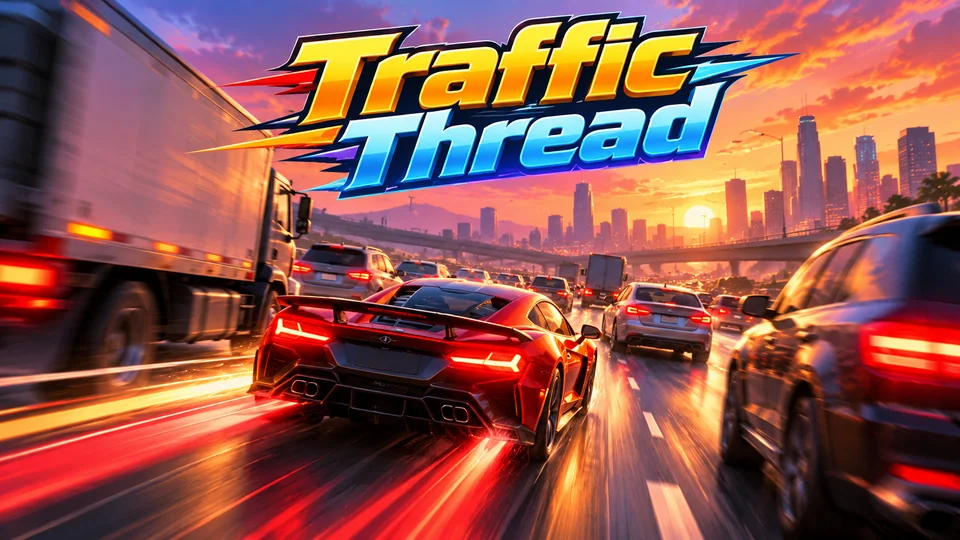
Traffic Thread
Weave through dense highway traffic; near misses fill boost and multiply score.
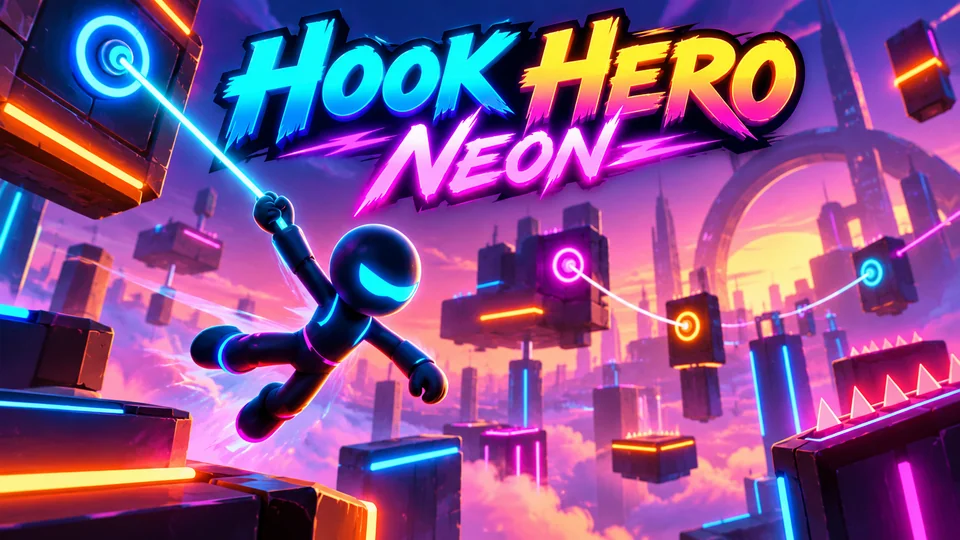
Hook Hero Neon
Tap and hold to grapple neon anchors, swing, release and chain momentum through glowing obstacle courses.
You can also browse all our action games, or try the platformer tutorial for tile collision and a scrolling camera.
The complete code
One file, no libraries. Save it as endless-runner.html and open it in any browser. Free to use under the MIT license: copy it, change it, ship it.
<!doctype html>
<!-- SPDX-License-Identifier: MIT -->
<!-- Sprint Bot: an endless runner in one HTML file. Free to use, change and ship (MIT license). -->
<html lang="en">
<head>
<meta charset="utf-8">
<meta name="viewport" content="width=device-width, initial-scale=1">
<title>Sprint Bot (HTML5 canvas endless runner)</title>
<style>
  html, body { margin: 0; height: 100%; background: #2a1f3d; color: #fff; font: 16px system-ui, sans-serif; overflow: hidden; touch-action: none; user-select: none; -webkit-user-select: none; }
  canvas { display: block; }
</style>
</head>
<body>
<canvas id="game"></canvas>
<script>
// ----- Settings -----
const VIEW_W = 560, VIEW_H = 300;  // the screen always shows at least this many world units
const STEP = 1 / 120;              // fixed simulation step in seconds
const GRAVITY = 2400;              // world units per second squared
const JUMP_SPEED = 820;            // take-off speed: a full jump is 820² / (2 × 2400) ≈ 140 units high
const FAST_FALL = 3;               // gravity multiplier while holding duck in the air
const START_SPEED = 320;           // running speed in world units per second...
const SPEED_UP = 9;                // ...gaining this much every second...
const MAX_SPEED = 760;             // ...up to this
const PX = 80;                     // the runner stays at this x; the world moves instead
const MARGIN = 4;                  // hitboxes are 4 units smaller than the shapes: near misses feel fair
const COLORS = { skyTop: "#ff9e6b", skyLow: "#ffe2b8", far: "#c77b8f", near: "#e0a072", sand: "#f1c27d", line: "#c98f4f",
  bot: "#3d4a6b", visor: "#5cf2ff", spike: "#2ec4b6", drone: "#e63e6d", text: "#2a1f3d" };

const canvas = document.getElementById("game");
const ctx = canvas.getContext("2d");
let scale = 1, W = VIEW_W, H = VIEW_H, groundY = 240;   // set by resize()

// ----- Game state -----
// Heights are measured up from the ground ("alt"), so resizing the window never moves anything.
let runner, obstacles, sparks, dist, speed, nextGap, runTime, score, best = 0, state, overAt = 0;

function reset() {
  runner = { alt: 0, vy: 0, onGround: true, duck: false, buffer: 0 };
  obstacles = []; sparks = [];
  dist = 0; speed = START_SPEED; nextGap = 0; runTime = 0; score = 0;
  state = "ready";                     // ready → playing → over
}

function begin() {
  if (state === "ready") state = "playing";
  else if (state === "over" && performance.now() - overAt > 500) { reset(); state = "playing"; }
}

// ----- Obstacles: crystals to jump, drones to duck under (or jump) -----
function spawn() {
  if (dist > 1500 && Math.random() < Math.min(0.45, 0.2 + dist / 40000)) {
    obstacles.push({ kind: "drone", x: W + 20, w: 40, alt: 30, h: 24 });     // floats at head height
  } else {
    const n = 1 + Math.floor(Math.random() * (speed > 420 ? 3 : 2));         // clusters of 1 to 3 crystals
    obstacles.push({ kind: "spikes", x: W + 20, w: n * 22, alt: 0, h: 30 + Math.random() * 18 });
  }
  // The next gap grows with speed, so there is always time to land and react.
  nextGap = speed * (0.7 + Math.random() * 0.8) + 140;
}

// The runner's box: 30 x 44 standing, 40 x 26 ducking on the ground.
function runnerBox() {
  const low = runner.duck && runner.onGround;
  return { x: PX, w: low ? 40 : 30, alt: runner.alt, h: low ? 26 : 44 };
}

// Box against box, each shrunk by MARGIN. Crystals are triangles, so their box is trimmed 3 more at the sides.
function hits(a, b) {
  const side = b.kind === "spikes" ? MARGIN + 3 : MARGIN;
  return a.x + MARGIN < b.x + b.w - side && a.x + a.w - MARGIN > b.x + side &&
         a.alt + MARGIN < b.alt + b.h - MARGIN && a.alt + a.h - MARGIN > b.alt + MARGIN;
}

// ----- One fixed step of the simulation -----
function update(dt) {
  runTime += dt;
  speed = Math.min(MAX_SPEED, speed + SPEED_UP * dt);
  dist += speed * dt;
  score = Math.floor(dist / 10);

  // Jump with a short buffer, cut the jump short on release, and drop fast while ducking in the air.
  const r = runner;
  r.buffer -= dt;
  if (r.buffer > 0 && r.onGround) { r.vy = JUMP_SPEED; r.onGround = false; r.buffer = 0; }
  if (!holding("jump") && r.vy > JUMP_SPEED * 0.45) r.vy = JUMP_SPEED * 0.45;
  r.duck = holding("duck");
  r.vy -= GRAVITY * (r.duck && !r.onGround ? FAST_FALL : 1) * dt;
  r.alt += r.vy * dt;
  if (r.alt <= 0) { r.alt = 0; r.vy = 0; r.onGround = true; }

  // The world scrolls left; a new obstacle appears once the last one is far enough in.
  for (const o of obstacles) o.x -= speed * dt;
  obstacles = obstacles.filter((o) => o.x + o.w > -40);
  const lastOne = obstacles[obstacles.length - 1];
  if (lastOne ? lastOne.x + lastOne.w < W - nextGap : runTime > 1) spawn();

  const box = runnerBox();
  if (obstacles.some((o) => hits(box, o))) crash();
}

function crash() {
  state = "over";
  overAt = performance.now();
  best = Math.max(best, score);
  for (let i = 0; i < 30; i++) {
    const a = Math.random() * Math.PI * 2, v = 60 + Math.random() * 240;
    sparks.push({ x: PX + 15, alt: runner.alt + 22, vx: Math.cos(a) * v, vy: Math.sin(a) * v, t: 0.8 });
  }
}

// ----- Sizing: at least 560 x 300 world units, ground placed so the action sits mid-screen -----
function resize() {
  const dpr = window.devicePixelRatio || 1;
  canvas.style.width = window.innerWidth + "px";
  canvas.style.height = window.innerHeight + "px";
  canvas.width = Math.round(window.innerWidth * dpr);
  canvas.height = Math.round(window.innerHeight * dpr);
  scale = Math.min(window.innerWidth / VIEW_W, window.innerHeight / VIEW_H);
  W = window.innerWidth / scale;
  H = window.innerHeight / scale;
  groundY = Math.min(H - 60, H / 2 + 110);
  draw();
}

// ----- Drawing -----
// A row of hills that scrolls at a fraction of the speed (parallax). Heights come from a fixed
// pseudo-random sequence, so the same hill always has the same shape.
function hills(par, spacing, height, color, round) {
  const off = dist * par;
  ctx.fillStyle = color;
  ctx.beginPath();
  ctx.moveTo(0, groundY);
  for (let i = Math.floor(off / spacing) - 1; i * spacing - off < W + spacing; i++) {
    const x = i * spacing - off, h = height * (0.5 + 0.5 * Math.abs(Math.sin(i * 12.9898)));
    ctx.lineTo(x, groundY);
    if (round) ctx.quadraticCurveTo(x + spacing / 2, groundY - h * 2, x + spacing, groundY);
    else { ctx.lineTo(x + spacing / 2, groundY - h); ctx.lineTo(x + spacing, groundY); }
  }
  ctx.lineTo(W, groundY);
  ctx.fill();
}

function drawRunner() {
  const r = runner, low = r.duck && r.onGround, y = groundY - r.alt;
  const step = r.onGround ? Math.sin(dist * 0.06) * 4 : -4;            // legs swing while running, tuck in the air
  ctx.fillStyle = COLORS.bot;
  if (low) {
    ctx.fillRect(PX, y - 26, 40, 18);                                   // flattened body
    ctx.fillRect(PX + 4, y - 8, 10, 8); ctx.fillRect(PX + 26, y - 8, 10, 8);
    ctx.fillStyle = COLORS.visor;
    ctx.fillRect(PX + 26, y - 22, 12, 6);
    return;
  }
  ctx.fillRect(PX, y - 44, 30, 30);                                     // body
  ctx.fillRect(PX + 4, y - 14 - Math.max(0, step), 8, 14);              // legs
  ctx.fillRect(PX + 18, y - 14 - Math.max(0, -step), 8, 14);
  ctx.fillRect(PX + 7, y - 54, 3, 10);                                  // antenna
  ctx.fillStyle = COLORS.visor;
  ctx.fillRect(PX + 14, y - 38, 14, 8);
  ctx.beginPath(); ctx.arc(PX + 8.5, y - 55, 3, 0, Math.PI * 2); ctx.fill();
}

function draw() {
  const dpr = window.devicePixelRatio || 1;
  ctx.setTransform(dpr * scale, 0, 0, dpr * scale, 0, 0);             // world units from here on
  const sky = ctx.createLinearGradient(0, 0, 0, groundY);
  sky.addColorStop(0, COLORS.skyTop);
  sky.addColorStop(1, COLORS.skyLow);
  ctx.fillStyle = sky;
  ctx.fillRect(0, 0, W, groundY);
  if (!runner) return;
  // Day turns to night and back every 24,000 units: darken the sky, not the action.
  const night = Math.max(0, -Math.cos(dist / 12000 * Math.PI));
  ctx.fillStyle = `rgba(30, 20, 70, ${night * 0.55})`;
  ctx.fillRect(0, 0, W, groundY);
  hills(0.1, 160, 90, COLORS.far, false);
  hills(0.35, 120, 40, COLORS.near, true);

  ctx.fillStyle = COLORS.sand;                                          // the ground and its moving marks
  ctx.fillRect(0, groundY, W, H - groundY);
  ctx.fillStyle = COLORS.line;
  ctx.fillRect(0, groundY, W, 3);
  for (let x = -(dist % 40); x < W; x += 40) ctx.fillRect(x, groundY + 12, 14, 3);
  for (let x = -(dist % 70); x < W; x += 70) ctx.fillRect(x + 30, groundY + 30, 6, 3);

  for (const o of obstacles) {
    const top = groundY - o.alt - o.h;
    if (o.kind === "spikes") {
      ctx.fillStyle = COLORS.spike;
      ctx.beginPath();
      for (let x = o.x; x < o.x + o.w - 1; x += 22) {                   // one crystal per 22 units
        ctx.moveTo(x, groundY); ctx.lineTo(x + 11, top); ctx.lineTo(x + 22, groundY);
      }
      ctx.fill();
    } else {
      ctx.fillStyle = COLORS.drone;
      ctx.beginPath(); ctx.ellipse(o.x + 20, top + 15, 20, 9, 0, 0, Math.PI * 2); ctx.fill();
      ctx.fillRect(o.x + (Math.floor(runTime * 20) % 2 ? 2 : 10), top, 28, 3);   // spinning rotor
      ctx.fillStyle = "#ffffff";
      ctx.fillRect(o.x + 6, top + 12, 6, 5);                            // eye, facing the runner
    }
  }
  if (state !== "over") drawRunner();
  for (const s of sparks) {
    ctx.globalAlpha = Math.max(0, s.t / 0.8);
    ctx.fillStyle = s.t > 0.5 ? COLORS.visor : COLORS.bot;
    ctx.fillRect(s.x - 3, groundY - s.alt - 3, 6, 6);
  }
  ctx.globalAlpha = 1;
  drawText(night);
}

// Score, hints and messages, in CSS pixels so text stays the same size on every screen.
function drawText(night) {
  const dpr = window.devicePixelRatio || 1, sw = window.innerWidth, sh = window.innerHeight, size = Math.min(sw, sh);
  ctx.setTransform(dpr, 0, 0, dpr, 0, 0);
  ctx.fillStyle = night > 0.5 ? "#ffffff" : COLORS.text;
  ctx.textBaseline = "middle";
  ctx.textAlign = "right";
  ctx.font = "700 16px ui-monospace, Menlo, Consolas, monospace";
  ctx.fillText(`HI ${String(best).padStart(5, "0")}  ${String(score).padStart(5, "0")}`, sw - 12, 20);
  ctx.textAlign = "center";
  if (state === "playing" && runTime < 4 && touchUI) {
    ctx.font = "600 14px system-ui, sans-serif";
    ctx.fillText("Hold here to duck", sw * 0.2, sh - 24);
    ctx.fillText("Tap here to jump", sw * 0.7, sh - 24);
  }
  if (state === "playing") return;
  ctx.fillStyle = "rgba(42, 31, 61, 0.55)";
  ctx.fillRect(0, 40, sw, sh - 40);
  ctx.fillStyle = "#ffffff";
  ctx.font = `800 ${Math.max(28, size * 0.08)}px system-ui, sans-serif`;
  ctx.fillText(state === "over" ? "Game over" : "Sprint Bot", sw / 2, sh * 0.3);
  const lines = state === "over"
    ? [`Score ${score} · Best ${best}`, "Tap or press Space to run again"]
    : ["Jump the crystals, duck under the drones", "Space or Up: jump (hold to go higher)", "Down: duck, or drop faster in the air", "Phone: tap to jump, hold the left side to duck", "Press Space or tap to start"];
  ctx.font = `500 ${Math.max(14, size * 0.032)}px system-ui, sans-serif`;
  lines.forEach((l, i) => ctx.fillText(l, sw / 2, sh * 0.3 + size * 0.1 + i * Math.max(22, size * 0.05)));
}

// ----- Main loop: fixed steps, smooth frames -----
let last = 0, acc = 0;
function loop(now) {
  const dt = Math.min(0.25, (now - last) / 1000);
  last = now;
  if (state === "playing") {
    acc += dt;
    while (acc >= STEP && state === "playing") { update(STEP); acc -= STEP; }
  }
  for (const s of sparks) { s.x += s.vx * dt; s.alt = Math.max(0, s.alt + s.vy * dt); s.vy -= GRAVITY * 0.5 * dt; s.t -= dt; }
  sparks = sparks.filter((s) => s.t > 0);
  draw();
  requestAnimationFrame(loop);
}

// ----- Input: keyboard, and two touch zones (left: duck, right: jump) -----
const keys = {}, pointers = new Map();
let touchUI = navigator.maxTouchPoints > 0;
const holding = (k) => keys[k] || [...pointers.values()].includes(k);
const jump = () => { runner.buffer = 0.12; };   // remembered for 0.12 s, so an early press still counts

const BIND = { Space: "jump", ArrowUp: "jump", KeyW: "jump", ArrowDown: "duck", KeyS: "duck" };
window.addEventListener("keydown", (e) => {
  const k = BIND[e.code];
  if (k || e.code === "Enter") e.preventDefault();
  if (k) keys[k] = true;
  if (state !== "playing") { if ((k === "jump" || e.code === "Enter") && !e.repeat) begin(); return; }
  if (k === "jump" && !e.repeat) jump();
});
window.addEventListener("keyup", (e) => { if (BIND[e.code]) keys[BIND[e.code]] = false; });

canvas.addEventListener("pointerdown", (e) => {
  if (e.pointerType === "touch") touchUI = true;
  if (state !== "playing") { begin(); return; }
  const k = e.clientX < window.innerWidth * 0.4 ? "duck" : "jump";
  pointers.set(e.pointerId, k);
  if (k === "jump") jump();
});
const release = (e) => pointers.delete(e.pointerId);
canvas.addEventListener("pointerup", release);
canvas.addEventListener("pointercancel", release);
window.addEventListener("blur", () => { for (const k in keys) keys[k] = false; pointers.clear(); });

window.addEventListener("resize", resize);
reset();
resize();
requestAnimationFrame((t) => { last = t; loop(t); });
</script>
</body>
</html>
Frequently asked questions
Is this runner game code free to use?
Yes. The file is MIT-licensed: you can copy it, change it and use it in personal or commercial projects. Keep the licence line at the top of the file.
How do I make the game easier or harder?
Change three numbers. SPEED_UP sets how fast the pace climbs, MAX_SPEED caps it, and the 0.7 in the nextGap line sets the shortest reaction time between obstacles. Raising 0.7 to 0.9 makes the game noticeably kinder.
How do I put this runner game on my website?
Upload endless-runner.html to your web host and link to it, or show it inside a page with an <iframe>. Our guide to embedding an HTML5 game in a website covers WordPress, Wix and Google Sites.
How do I keep the high score after a reload?
Save best with localStorage.setItem in crash() and read it once at startup. Wrap both calls in try/catch, because some browsers and sandboxed frames, like the player on this page, block storage.
Why use a fixed timestep in such a simple game?
Because jumps must feel the same everywhere. With a variable timestep, a slow frame changes how high the robot jumps and how far obstacles move between checks. Fixed steps of 1/120 of a second make every jump identical on a 60 Hz laptop and a 120 Hz phone.
We make and sell HTML5 game source code; links to our games are marked as ours.