A memory match game deals cards face down, lets the player turn two at a time and keeps the ones that match. The HTML5 memory game code on this page does that on a single canvas, with no library, and it already handles phones, high-DPI screens and keyboard players. Below, we take the file apart: how the deck is shuffled fairly, how a card "turns over" with one canvas transform, how pairs are checked and how the grid picks its own shape for any screen.
How to run it
Nothing to install and no server needed:
- Press Copy code above (or Download .html).
- Paste it into a new file called
memory-game.htmlwith any text editor. - Double-click the file. It opens in your browser, ready to play.
You can also paste the code into the HTML game code runner, change PAIRS to 10 and press Run to see a bigger board straight away.
How the code works
The game is one <canvas> and one script with six parts: settings, sizing, state, rules, the loop with its animation, and input. If you've read the Snake tutorial, the sizing and loop will look familiar; what's new here is the deck, the flip animation and a game that waits for the player instead of running on a clock.
1. Settings and symbols
The top of the script holds the numbers worth changing: how many pairs, how fast a card turns and how long a wrong pair stays visible. The card faces are data, not images. Each symbol pairs a shape with a colour, so a player with colour blindness can still match a red circle to a red circle by its shape.
// Each symbol is a shape plus a colour, so no two pairs differ by colour alone.
const SYMBOLS = [
  { shape: "circle", color: "#e63946" }, { shape: "square", color: "#1d6fd8" },
  { shape: "triangle", color: "#23913f" }, { shape: "diamond", color: "#8e44ad" },
  { shape: "star", color: "#d98a00" }, { shape: "hexagon", color: "#0d8f9c" },
  { shape: "cross", color: "#d6336c" }, { shape: "ring", color: "#4a5bd4" },
  { shape: "bars", color: "#6d4c41" }, { shape: "pentagon", color: "#2f6b2a" },
];
Triangles, diamonds, the pentagon, the hexagon and the star all come from one small polygon routine, so adding a new shape is often one entry in the POLYGONS table.
2. A grid that fits any screen
Sixteen cards could sit in a 4×4, 8×2 or 2×8 grid. Instead of hard-coding one, resize() tries every column count and keeps the one that gives the largest square cards for the current window. Layouts that leave empty slots get a 10% penalty, so the game only uses an uneven grid when it's clearly better. On a 900×675 laptop window you get 4×4 with 150-pixel cards; turn a phone sideways and it switches to six columns.
let fit = 0;
for (let c = 1; c <= n; c++) {     // try every column count, keep the best fit
  const r = Math.ceil(n / c);
  const s = Math.min((W - pad * 2) / c, (H - HUD - pad * 2) / r);
  const score = c * r === n ? s : s * 0.9;   // prefer grids without empty slots
  if (score > fit) { fit = score; size = s; cols = c; rows = r; }
}
As in every game on this site, the canvas buffer is scaled by devicePixelRatio, so the shapes stay sharp on a phone with a 3× screen.
3. Dealing a fair deck
The deck is an array with each symbol index in it twice. The shuffle is Fisher-Yates: walk backwards through the array and swap each card with a random card at or before it. Every order is equally likely. The popular shortcut deck.sort(() => Math.random() - 0.5) is not fair and can leave pairs bunched together more often than chance.
function deal() {
  const deck = [];
  for (let i = 0; i < PAIRS; i++) deck.push(i, i);
  shuffle(deck);
  cards = deck.map((sym) => ({ sym, up: false, done: false, turn: 0 }));
  open = []; moves = 0; found = 0; time = 0; peek = 0;
}
Each card stores four things: which symbol it shows, whether it's face up, whether it's already matched, and turn, a number from 0 to 1 that drives the flip animation.
4. Game state
The game is always ready, playing or over, and the overlay text comes from that one variable. Two small timers handle the waiting: peek keeps a wrong pair visible for 0.9 seconds, and endDelay holds back the results screen for a moment so the last pair can finish turning over (and so a quick double tap on the last card doesn't restart the game before you see your score).
5. The rules: flip and compare
All the matching logic lives in flip(). It ignores cards that are already up or matched, turns the new card over and, once two cards are open, counts a move and compares them.
function flip(i) {
  const card = cards[i];
  if (state !== "playing" || !card || card.up || card.done) return;
  if (open.length === 2) hideOpen();   // a third tap skips the wait after a miss
  card.up = true;
  open.push(i);
  if (open.length < 2) return;
  moves++;
  const [a, b] = open;
  if (cards[a].sym === cards[b].sym) {
    cards[a].done = cards[b].done = true;
    open = [];
    found++;
The line that calls hideOpen() early is a small detail that makes the game feel much better. Many memory games lock the board while a wrong pair is showing, which punishes fast players. Here, tapping a third card simply turns the wrong pair back and carries on.
6. The loop and the flip animation
requestAnimationFrame calls loop() every frame. The loop advances the timer, counts down peek, and moves each card's turn value towards its target: 1 for face up or matched, 0 for face down. Because the step is dt / FLIP_TIME, a flip takes 0.18 seconds on a 60 Hz screen and on a 120 Hz one.
for (const c of cards) {
  const target = c.up || c.done ? 1 : 0;
  const amount = dt / FLIP_TIME;
  c.turn = target > c.turn ? Math.min(target, c.turn + amount) : Math.max(target, c.turn - amount);
}
7. Drawing a card that turns over
There's no 3D here. A card that turns over is squashed horizontally to nothing, swaps its face at the halfway point and grows back. Math.cos(turn * Math.PI) goes from 1 to -1 as turn goes from 0 to 1, so its absolute value gives that squash. One ctx.scale(squash, 1) call applies it to the card, its border and the symbol together.
const squash = Math.max(0.02, Math.abs(Math.cos(c.turn * Math.PI)));
const faceUp = c.turn > 0.5;
ctx.save();
ctx.translate(x + s / 2, y + s / 2);
ctx.scale(squash, 1);
ctx.beginPath();
ctx.roundRect(-s / 2, -s / 2, s, s, s * 0.12);
Translating to the card's centre first means the symbol code can draw around (0, 0) without knowing where the card is. That is the most useful canvas habit in this HTML5 canvas matching game: draw things around their own origin, then move and scale the context.
8. Input: one tap, or arrows and Space
A tap or click is turned into a grid cell by subtracting the board offset and dividing by the cell size. Pointer events cover mouse, pen and touch with one listener.
const r = canvas.getBoundingClientRect();
const col = Math.floor((e.clientX - r.left - boardX) / size);
const row = Math.floor((e.clientY - r.top - boardY) / size);
if (col < 0 || col >= cols || row < 0) return;
const i = row * cols + col;
if (i < cards.length) { cursor = i; flip(i); }
Keyboard players move a yellow highlight with the arrow keys or WASD and turn a card with Space or Enter. The highlight only appears after a key press, so touch players never see a stray outline.
Make it work on phones
The phone work is mostly done by the grid fitting above: in portrait you get four columns of cards about 85 pixels wide on a 390-pixel screen, well above the 24-pixel minimum in the WCAG target size guidance. touch-action: none on the page stops a fast tap sequence from triggering double-tap zoom or scrolling. The game responds on pointerdown, the moment a finger touches a card, instead of waiting for the finger to lift as click does.
If you raise PAIRS for phones, check the smallest screen you support: 10 pairs gives a 4×5 grid in portrait, which is still comfortable. Our guide to HTML5 mobile game development covers orientation, safe areas and performance in more depth.
Use it as a memory game template for lessons
Because the faces are data, this file works as an HTML5 memory game template for teaching. Replace the shapes with text and you have a vocabulary or flashcard game: give each card a label and a pairId, draw the label instead of a symbol, and compare pairId instead of sym. A pair can then be a word and its translation, or a country and its capital. Teachers often want this for e-learning, and our guide to HTML5 educational games covers that use.
If you'd rather have players drag one card onto its partner than flip cards, that's a different interaction with the same data. Our drag-and-drop game tutorial shows the dragging, hit-testing and snap-back you'd need for a drag and drop matching game, and the quiz game covers question-and-answer formats.
Ideas to extend it
- Add difficulty levels: 6 pairs for easy, 8 for normal, 10 for hard, chosen on the start screen.
- Turn on a countdown instead of a stopwatch and end the game when it reaches zero.
- Show every card for two seconds at the start, then turn them all face down.
- Award a bonus for a streak of matches without a miss.
- Play a soft click on each flip and a chime on each match with the Web Audio API, started after the first tap as browsers require.
- Add a "triple match" mode where sets of three must be found.
From prototype to a game you can sell
This memory game source code is a solid base for learning, a classroom activity or a jam entry. A commercial puzzle game needs much more around the same matching loop:
| This memory match file | A production HTML5 game | |
|---|---|---|
| Content | One 16-card board | Levels, modes, daily challenges, progression |
| Art and sound | Canvas shapes, no audio | Original art, animation, music and effects |
| Saves | Best score lost on reload | Progress and settings saved on the device |
| Input | Touch, mouse and keyboard | Touch, mouse, keyboard and gamepad |
| Platforms | Desktop and phone browsers | Portal SDK hooks, ads, several languages |
| Quality | Tested by hand | Unit tests and cross-browser end-to-end tests |
| Code | One script | A typed TypeScript project with tuning in JSON data files |
| Licence | MIT, do anything | A commercial licence that covers your use (see licensing) |
Our games ship that way: each one is a buildable TypeScript project with its levels and tuning in data files, ready to reskin. These three are the closest to a matching game: Pixel Swarm sends matching swarms into coloured regions to reveal a picture, Glass Shelf Triple is a 3D triple-match built on Three.js, and Bakery Blast is a match puzzle where you decorate bakeries between boards.
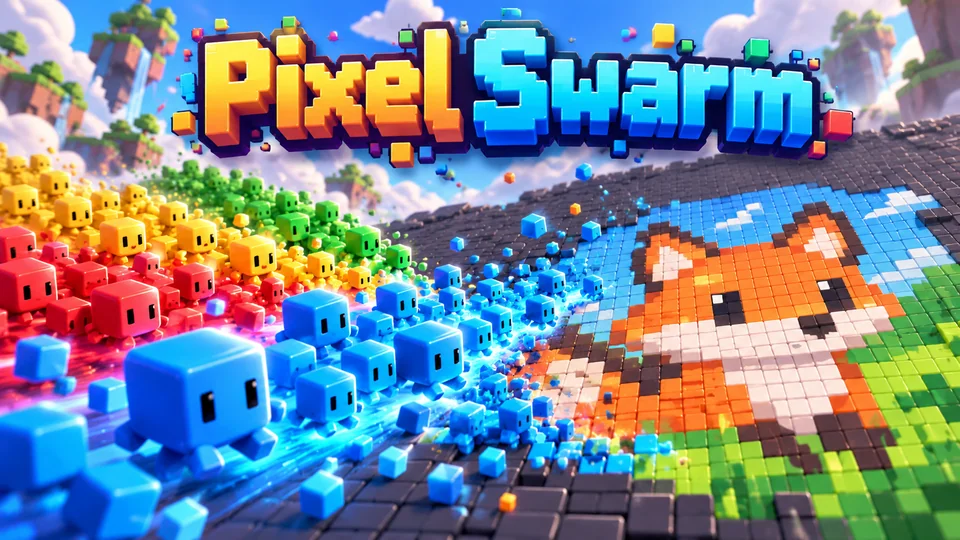
Pixel Swarm
Dispatch matching swarms into colored regions so they consume pixels and reveal a hidden illustration.
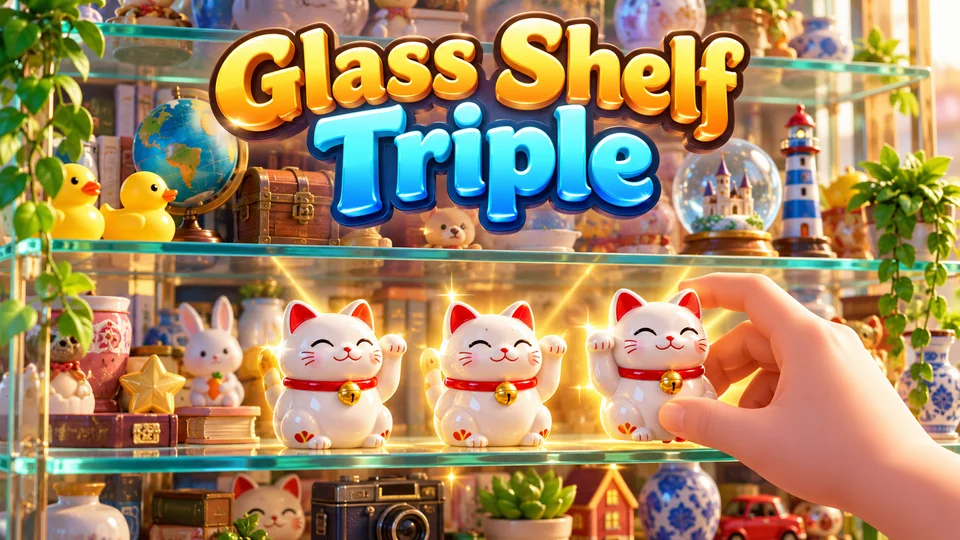
Glass Shelf Triple
Select three identical objects from a layered display cabinet; clearing front objects reveals deeper layers.
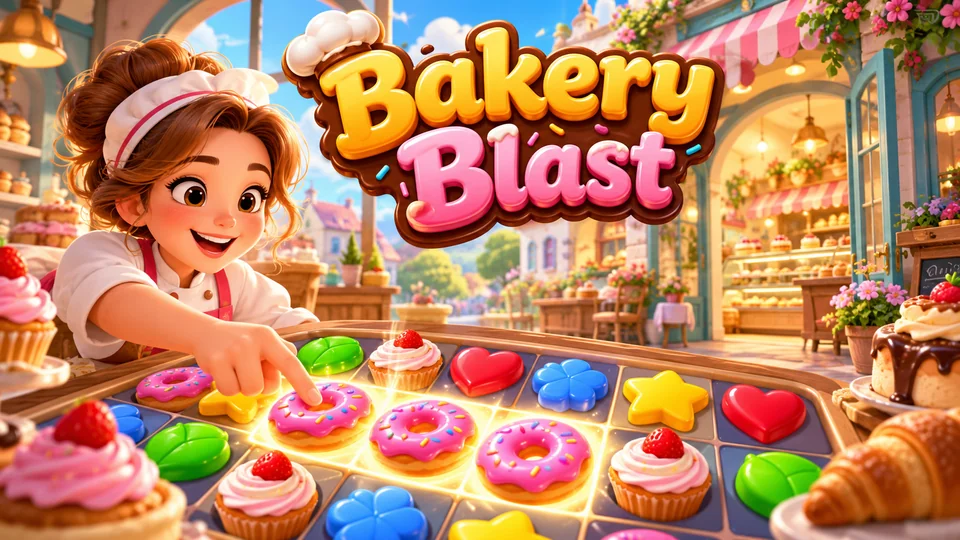
Bakery Blast
Complete fast matching boards to earn resources used to design and expand themed bakeries.
You can also browse all our puzzle games with source code or the full catalog.
The complete code
One file, no libraries. Save it as memory-game.html and open it in any browser. Free to use under the MIT license: copy it, change it, ship it.
<!doctype html>
<!-- SPDX-License-Identifier: MIT -->
<!-- Memory Match: a complete HTML5 canvas matching game in one file. Free to use, change and ship (MIT license). -->
<html lang="en">
<head>
<meta charset="utf-8">
<meta name="viewport" content="width=device-width, initial-scale=1">
<title>Memory Match (HTML5 canvas)</title>
<style>
  html, body { margin: 0; height: 100%; background: #10131c; color: #eef2ff; font: 16px system-ui, sans-serif; overflow: hidden; touch-action: none; }
  canvas { display: block; }
</style>
</head>
<body>
<canvas id="game"></canvas>
<script>
// ----- Settings -----
const PAIRS = 8;                     // pairs on the board (up to 10, one per symbol below)
const FLIP_TIME = 0.18;              // seconds for a card to turn over
const PEEK_TIME = 0.9;               // seconds a wrong pair stays face up
const COLORS = { bg: "#10131c", back: "#2b3a67", backEdge: "#5470c6", face: "#f4f1e8", found: "#d4f2da", text: "#eef2ff", dim: "#aab4d4", cursor: "#ffd166" };

// Each symbol is a shape plus a colour, so no two pairs differ by colour alone.
const SYMBOLS = [
  { shape: "circle", color: "#e63946" }, { shape: "square", color: "#1d6fd8" },
  { shape: "triangle", color: "#23913f" }, { shape: "diamond", color: "#8e44ad" },
  { shape: "star", color: "#d98a00" }, { shape: "hexagon", color: "#0d8f9c" },
  { shape: "cross", color: "#d6336c" }, { shape: "ring", color: "#4a5bd4" },
  { shape: "bars", color: "#6d4c41" }, { shape: "pentagon", color: "#2f6b2a" },
];
// Polygon shapes: [number of points, rotation, inner radius for stars].
const POLYGONS = { triangle: [3, -Math.PI / 2, 1], diamond: [4, 0, 1], pentagon: [5, -Math.PI / 2, 1], hexagon: [6, 0, 1], star: [10, -Math.PI / 2, 0.45] };

const canvas = document.getElementById("game");
const ctx = canvas.getContext("2d");
const HUD = 48;                      // height of the score bar at the top
let W = 0, H = 0, cols = 4, rows = 4, size = 80, gap = 8, boardX = 0, boardY = 0;

// ----- Sizing: fill the window, pick the grid shape that gives the biggest cards -----
function resize() {
  const dpr = window.devicePixelRatio || 1;
  W = window.innerWidth; H = window.innerHeight;
  canvas.style.width = W + "px";
  canvas.style.height = H + "px";
  canvas.width = Math.round(W * dpr);
  canvas.height = Math.round(H * dpr);
  ctx.setTransform(dpr, 0, 0, dpr, 0, 0);
  const n = PAIRS * 2, pad = 12;
  let fit = 0;
  for (let c = 1; c <= n; c++) {     // try every column count, keep the best fit
    const r = Math.ceil(n / c);
    const s = Math.min((W - pad * 2) / c, (H - HUD - pad * 2) / r);
    const score = c * r === n ? s : s * 0.9;   // prefer grids without empty slots
    if (score > fit) { fit = score; size = s; cols = c; rows = r; }
  }
  size = Math.floor(Math.min(size, 170));
  gap = Math.max(4, Math.round(size * 0.08));
  boardX = Math.round((W - cols * size) / 2);
  boardY = Math.round(HUD + (H - HUD - rows * size) / 2);
  draw();
}

// ----- Game state -----
let cards = [], open = [], moves = 0, found = 0, time = 0, best = null, peek = 0;
let state = "ready";                 // ready → playing → over
let endDelay = 0;                    // short pause before the results show
let cursor = 0, showCursor = false, last = 0;

function deal() {
  const deck = [];
  for (let i = 0; i < PAIRS; i++) deck.push(i, i);
  shuffle(deck);
  cards = deck.map((sym) => ({ sym, up: false, done: false, turn: 0 }));
  open = []; moves = 0; found = 0; time = 0; peek = 0;
}

// Fisher-Yates shuffle: every order of the deck is equally likely.
function shuffle(a) {
  for (let i = a.length - 1; i > 0; i--) {
    const j = Math.floor(Math.random() * (i + 1));
    [a[i], a[j]] = [a[j], a[i]];
  }
}

function start() {
  if (endDelay > 0) return;            // ignore a quick extra tap on the last pair
  if (state === "over") deal();
  state = "playing";
}

// ----- Rules: turn a card, compare pairs -----
function flip(i) {
  const card = cards[i];
  if (state !== "playing" || !card || card.up || card.done) return;
  if (open.length === 2) hideOpen();   // a third tap skips the wait after a miss
  card.up = true;
  open.push(i);
  if (open.length < 2) return;
  moves++;
  const [a, b] = open;
  if (cards[a].sym === cards[b].sym) {
    cards[a].done = cards[b].done = true;
    open = [];
    found++;
    if (found === PAIRS) {
      state = "over";
      endDelay = 0.8;
      best = best === null ? moves : Math.min(best, moves);
    }
  } else {
    peek = PEEK_TIME;                  // leave the wrong pair up for a moment
  }
}

function hideOpen() {
  open.forEach((i) => { cards[i].up = false; });
  open = [];
  peek = 0;
}

// ----- Main loop: timers and flip animation, time-based -----
function loop(now) {
  const dt = Math.min(0.1, (now - last) / 1000);
  last = now;
  if (state === "playing") {
    time += dt;
    if (peek > 0) { peek -= dt; if (peek <= 0) hideOpen(); }
  }
  endDelay = Math.max(0, endDelay - dt);
  // Move each card's turn value towards 1 (face up) or 0 (face down).
  for (const c of cards) {
    const target = c.up || c.done ? 1 : 0;
    const amount = dt / FLIP_TIME;
    c.turn = target > c.turn ? Math.min(target, c.turn + amount) : Math.max(target, c.turn - amount);
  }
  draw();
  requestAnimationFrame(loop);
}

// ----- Drawing -----
function drawSymbol(sym, r) {
  ctx.fillStyle = sym.color;
  ctx.strokeStyle = sym.color;
  ctx.beginPath();
  if (sym.shape === "circle") ctx.arc(0, 0, r, 0, Math.PI * 2);
  else if (sym.shape === "square") ctx.rect(-r * 0.82, -r * 0.82, r * 1.64, r * 1.64);
  else if (sym.shape === "cross") { const t = r * 0.34; ctx.rect(-t, -r, t * 2, r * 2); ctx.rect(-r, -t, r * 2, t * 2); }
  else if (sym.shape === "bars") { for (const k of [-1, 0, 1]) ctx.rect(-r, k * r * 0.66 - r * 0.2, r * 2, r * 0.4); }
  else if (sym.shape === "ring") { ctx.lineWidth = r * 0.36; ctx.arc(0, 0, r * 0.8, 0, Math.PI * 2); ctx.stroke(); return; }
  else {
    const [points, rot, inner] = POLYGONS[sym.shape];
    for (let i = 0; i < points; i++) {
      const a = rot + (i * Math.PI * 2) / points, rr = i % 2 ? r * inner : r;
      ctx.lineTo(Math.cos(a) * rr, Math.sin(a) * rr);
    }
    ctx.closePath();
  }
  ctx.fill();
}

function drawCard(i) {
  const c = cards[i];
  const s = size - gap;
  const x = boardX + (i % cols) * size + gap / 2, y = boardY + Math.floor(i / cols) * size + gap / 2;
  // Turning over: squash the card to nothing, swap sides at the halfway point, grow back.
  const squash = Math.max(0.02, Math.abs(Math.cos(c.turn * Math.PI)));
  const faceUp = c.turn > 0.5;
  ctx.save();
  ctx.translate(x + s / 2, y + s / 2);
  ctx.scale(squash, 1);
  ctx.beginPath();
  ctx.roundRect(-s / 2, -s / 2, s, s, s * 0.12);
  ctx.fillStyle = faceUp ? (c.done ? COLORS.found : COLORS.face) : COLORS.back;
  ctx.fill();
  if (faceUp) drawSymbol(SYMBOLS[c.sym], s * 0.3);
  else {
    ctx.strokeStyle = COLORS.backEdge;
    ctx.lineWidth = Math.max(2, s * 0.04);
    ctx.beginPath();
    ctx.roundRect(-s * 0.34, -s * 0.34, s * 0.68, s * 0.68, s * 0.08);
    ctx.stroke();
  }
  ctx.restore();
  if (showCursor && i === cursor && state === "playing") {
    ctx.strokeStyle = COLORS.cursor;
    ctx.lineWidth = 3;
    ctx.beginPath();
    ctx.roundRect(x - 3, y - 3, s + 6, s + 6, s * 0.14);
    ctx.stroke();
  }
}

const clock = (t) => `${Math.floor(t / 60)}:${String(Math.floor(t % 60)).padStart(2, "0")}`;

function draw() {
  ctx.fillStyle = COLORS.bg;
  ctx.fillRect(0, 0, W, H);
  for (let i = 0; i < cards.length; i++) drawCard(i);

  const font = Math.round(Math.min(18, Math.max(13, W / 26)));
  ctx.fillStyle = COLORS.text;
  ctx.font = `600 ${font}px system-ui, sans-serif`;
  ctx.textBaseline = "middle";
  ctx.textAlign = "left";
  ctx.fillText(`Moves ${moves}`, 12, HUD / 2);
  ctx.textAlign = "center";
  ctx.fillText(`Pairs ${found}/${PAIRS}`, W / 2, HUD / 2);
  ctx.textAlign = "right";
  ctx.fillText(clock(time), W - 12, HUD / 2);

  if (state === "playing" || endDelay > 0) return;
  ctx.fillStyle = "rgba(8, 10, 18, 0.72)";
  ctx.fillRect(0, HUD, W, H - HUD);
  const cy = HUD + (H - HUD) / 2, pw = Math.min(W - 24, 460);
  ctx.fillStyle = "#1c2236";             // a solid panel keeps the text readable over the cards
  ctx.beginPath();
  ctx.roundRect((W - pw) / 2, cy - font * 4.2, pw, font * 8.4, 14);
  ctx.fill();
  ctx.fillStyle = COLORS.text;
  ctx.textAlign = "center";
  ctx.font = `700 ${font * 1.8}px system-ui, sans-serif`;
  ctx.fillText(state === "over" ? "All pairs found!" : "Memory Match", W / 2, cy - font * 2.2);
  ctx.font = `500 ${font}px system-ui, sans-serif`;
  ctx.fillText(state === "over" ? `${moves} moves in ${clock(time)}` : `Find all ${PAIRS} pairs in as few moves as you can`, W / 2, cy - font * 0.2);
  ctx.fillStyle = COLORS.dim;
  if (best !== null) ctx.fillText(`Best: ${best} moves`, W / 2, cy + font * 1.4);
  ctx.fillText(state === "over" ? "Tap or press Space to play again" : "Tap or press Space to start", W / 2, cy + font * 3);
}

// ----- Input: tap or click a card; arrows/WASD and Space/Enter on a keyboard -----
canvas.addEventListener("pointerdown", (e) => {
  showCursor = false;                  // the keyboard highlight only shows for keyboard players
  if (state !== "playing") { start(); return; }
  const r = canvas.getBoundingClientRect();
  const col = Math.floor((e.clientX - r.left - boardX) / size);
  const row = Math.floor((e.clientY - r.top - boardY) / size);
  if (col < 0 || col >= cols || row < 0) return;
  const i = row * cols + col;
  if (i < cards.length) { cursor = i; flip(i); }
});

const MOVES = { ArrowLeft: [-1, 0], KeyA: [-1, 0], ArrowRight: [1, 0], KeyD: [1, 0], ArrowUp: [0, -1], KeyW: [0, -1], ArrowDown: [0, 1], KeyS: [0, 1] };
window.addEventListener("keydown", (e) => {
  const m = MOVES[e.code];
  if (m) {
    e.preventDefault();
    showCursor = true;
    const col = Math.min(cols - 1, Math.max(0, (cursor % cols) + m[0]));
    const row = Math.min(rows - 1, Math.max(0, Math.floor(cursor / cols) + m[1]));
    cursor = Math.min(cards.length - 1, row * cols + col);
  } else if (e.code === "Space" || e.code === "Enter") {
    e.preventDefault();
    if (state !== "playing") start();
    else { showCursor = true; flip(cursor); }
  }
});

window.addEventListener("resize", resize);
deal();
resize();
requestAnimationFrame((t) => { last = t; loop(t); });
</script>
</body>
</html>
Frequently asked questions
Is this memory game code free to use?
Yes. The file is MIT-licensed, so you can copy it, change it and use it in personal or commercial projects. Keep the licence line at the top of the file.
Can I use it as an HTML5 memory game template for a client or a course?
Yes. The MIT licence allows that. Change the SYMBOLS array and the COLORS object to rebrand it, or swap the shapes for text labels as described above. If you resell it, keep the copyright and licence notice with the code.
How do I put this memory game on my website?
Upload memory-game.html to your web host and link to it, or show it inside a page with an <iframe>. Our guide to embedding an HTML5 game in a website covers WordPress, Wix and Google Sites.
How do I keep the best score after a reload?
Save best with localStorage.setItem when a game ends and read it back before the first deal(). Wrap both calls in try/catch, because some browsers and sandboxed frames, like the player on this page, block storage.
Why use canvas instead of HTML elements for the cards?
Either works. Canvas keeps the flip animation and the whole board in one drawing function, which is easy to follow. HTML buttons with CSS 3D transforms give you keyboard focus and screen reader support with less work, so they suit lesson content. Our quiz game is built that way.
We make and sell HTML5 game source code; links to our games are marked as ours.