A falling-blocks game is the classic step up from Snake: the rules still fit on one line, but the code needs rotation, collision against a grid, timers and a fair random generator. This page gives you complete Tetris game HTML5 code for an original game called Block Drop, then explains it piece by piece. It plays like the classic, with its own name and colours, and runs on desktop and phones.
How to run it
There's nothing to install:
- Press Copy code above (or Download .html).
- Paste it into a new file, for example
block-drop.html. - Double-click the file to open it in your browser, then press Space or tap to start.
On a keyboard, the arrow keys (or A and D) move, Up, W or X turns clockwise, Z or Q turns the other way, Down drops faster, Space drops the piece instantly and P pauses. On a phone, drag to move, tap to turn and flick down to drop. You can also paste the code into the HTML game code runner and try different settings.
How the code works
This HTML5 Tetris game tutorial follows the script from top to bottom. It's plain JavaScript drawing on a canvas, in about 350 lines, and almost everything is built on one idea: the board is a grid, and one function, collides(), answers "would the piece fit here?".
1. Pieces are data
Each of the seven pieces is a small square grid of 1s and 0s plus a colour. Square grids matter: a 3 × 3 or 4 × 4 grid can turn a quarter turn in place, so the piece spins around a sensible centre instead of drifting across the board.
const SHAPES = {
  I: { color: "#ff6b6b", cells: [[0, 0, 0, 0], [1, 1, 1, 1], [0, 0, 0, 0], [0, 0, 0, 0]] },
  O: { color: "#4ecdc4", cells: [[1, 1], [1, 1]] },
  T: { color: "#ffd93d", cells: [[0, 1, 0], [1, 1, 1], [0, 0, 0]] },
  S: { color: "#a78bfa", cells: [[0, 1, 1], [1, 1, 0], [0, 0, 0]] },
  Z: { color: "#5eb1ff", cells: [[1, 1, 0], [0, 1, 1], [0, 0, 0]] },
  J: { color: "#ff9f43", cells: [[1, 0, 0], [1, 1, 1], [0, 0, 0]] },
  L: { color: "#7bd88f", cells: [[0, 0, 1], [1, 1, 1], [0, 0, 0]] },
};
The board is an array of 20 rows, each an array of 10 cells holding null (empty) or the colour of a settled block. The falling piece is separate: its type, its current grid and its x and y in board cells. The game is in one of four states: ready, playing, paused or over.
2. Sizing a grid game
resize() picks the largest whole-pixel cell size that fits the 10 × 20 well plus a five-cell side panel for the next piece and the score. Whole pixels keep the grid lines crisp, and the canvas buffer is scaled by the device pixel ratio so blocks stay sharp on phones. On a 390 × 640 phone each cell is 26 pixels; on a 900 × 675 window it's 32.
3. One collision function for everything
collides() takes a grid of cells and a position and reports whether any filled cell would land outside the well or on a settled block. Moving, turning, gravity, the ghost piece, hard drops and the game over check all call it. Rows above the top (y < 0) are allowed, so a piece that has just appeared can still turn.
function collides(cells, px, py) {
  for (let y = 0; y < cells.length; y++) {
    for (let x = 0; x < cells.length; x++) {
      if (!cells[y][x]) continue;
      const bx = px + x, by = py + y;
      if (bx < 0 || bx >= COLS || by >= ROWS) return true;
      if (by >= 0 && board[by][bx]) return true;
    }
  }
  return false;
}
Every move follows the same pattern: work out the new position, ask collides(), and only apply the move if the answer is no. The piece never ends up inside a wall, so there's nothing to undo.
4. Turning pieces, with wall kicks
rotate() builds a new grid where each cell comes from its rotated position in the old one. Turning a piece that sits against a wall, or next to other blocks, often doesn't fit straight away. Instead of refusing the turn, tryRotate() tries a few small nudges, one cell left or right, one cell up, then two cells sideways, and uses the first one that fits. These nudges are known as wall kicks, and without them the long I piece is almost impossible to turn near the edges.
// Turning next to a wall or another block: if the turned piece doesn't fit, try nudging it
// one or two cells sideways, or one cell up. These nudges are usually called "wall kicks".
function tryRotate(dir) {
  const turned = rotate(piece.cells, dir);
  for (const [kx, ky] of [[0, 0], [-1, 0], [1, 0], [0, -1], [-2, 0], [2, 0]]) {
    if (!collides(turned, piece.x + kx, piece.y + ky)) {
      piece.cells = turned;
      piece.x += kx;
      piece.y += ky;
      moved();
      return;
    }
  }
}
Modern versions of the classic use a larger table of kicks for each piece and each turn. This short list handles the common cases and is easy to read; swap in a bigger table if you want advanced moves to behave exactly like those games. The moved() call restarts the lock timer, covered next.
5. A fair random generator: the bag
Picking each piece with plain Math.random() can hand a player five S pieces in a row, or no I piece for 40 turns. Block Drop uses a "bag": it shuffles all seven pieces with a Fisher-Yates shuffle and deals them out one by one, then refills the bag. You never wait more than 12 pieces for any shape.
function takeFromBag() {
  if (!bag.length) {
    bag = Object.keys(SHAPES);
    for (let i = bag.length - 1; i > 0; i--) { const j = Math.floor(Math.random() * (i + 1)); [bag[i], bag[j]] = [bag[j], bag[i]]; }
  }
  return bag.pop();
}
6. Gravity, soft drop and lock delay
requestAnimationFrame drives the loop, and update(dt) receives the time since the last frame in seconds. Gravity is a timer: when fallTimer passes the current interval, the piece drops one row. The interval starts at 0.8 seconds and gets 15% shorter each level, down to 0.05. Holding Down shortens it to 0.04 seconds and scores a point per row.
function update(dt) {
  if (heldDir) {
    dasTimer += dt;
    while (dasTimer >= DAS) { tryMove(heldDir, 0); dasTimer -= ARR; }
  }
  if (grounded()) {
    fallTimer = 0;
    lockTimer += dt;
    if (lockTimer >= LOCK_DELAY) lock();
    return;
  }
  const interval = softDrop ? Math.min(SOFT_DROP, gravity()) : gravity();
  fallTimer += dt;
  while (fallTimer >= interval && state === "playing" && !grounded()) {
    fallTimer -= interval;
    tryMove(0, 1);
    if (softDrop) score += 1;
  }
}
Two details make the game feel right. Lock delay: a piece that lands doesn't freeze at once. You get half a second to slide it under an overhang or turn it, and each successful move restarts that half second, up to 15 times per row so nobody can stall forever. Held keys: the browser's own key repeat waits too long, so the code ignores repeated keydown events and runs its own timer: a held arrow moves once, waits 0.17 seconds, then moves every 0.05 seconds.
7. Clearing lines and scoring
When a piece locks, its cells are copied into the board, then clearLines() scans from the bottom up. A full row is removed with splice and an empty row is added at the top with unshift, which shifts everything above down by one in a single step.
function clearLines() {
  let cleared = 0;
  for (let y = ROWS - 1; y >= 0; y--) {
    if (board[y].every(Boolean)) {
      board.splice(y, 1);                      // remove the full row...
      board.unshift(Array(COLS).fill(null));   // ...and add an empty one at the top
      cleared++;
      y++;                                     // check the same row index again: it now holds the row above
    }
  }
  if (!cleared) return;
  score += LINE_POINTS[cleared] * level;
  lines += cleared;
  level = Math.floor(lines / 10) + 1;          // a new level every 10 rows
}
The y++ is the easy line to forget. After a row is removed, the row that was above it now has the same index, and if you move on without checking it again, two full rows stacked together only clear one at a time. Scores follow a common pattern: 100, 300, 500 or 800 points for one to four rows at once, times the level, so clearing four rows together is worth twice as much as four singles.
8. Drawing the board, ghost and preview
draw() paints the well and its grid, the settled blocks, then the falling piece. Each block is a coloured square with a light top edge and a dark bottom edge, which reads as 3D at any size. Before the piece, the code draws a faint "ghost" copy where it would land, using dropDistance(), which is just collides() in a loop. The side panel shows the next piece at 80% size, then the score, lines, level and best score.
9. Game over
Two situations end the game: a new piece appears on top of settled blocks (no room to spawn), or a piece locks with a block above the top row. Both call gameOver(), which records the best score for the session and stores the time, so a tap in the next 0.6 seconds doesn't restart by accident.
Make it work on phones
A falling-blocks game needs more than one gesture, so the touch controls are built from three moves on top of pointer events: drag sideways to move one column for every cell width your finger travels, drag down to drop faster, tap to turn, and flick down quickly to drop at once. The same code works with a mouse.
canvas.addEventListener("pointermove", (e) => {
  if (!touch || state !== "playing") return;
  while (e.clientX - touch.x >= cell) { tryMove(1, 0); touch.x += cell; touch.moved = true; }
  while (touch.x - e.clientX >= cell) { tryMove(-1, 0); touch.x -= cell; touch.moved = true; }
  while (e.clientY - touch.y >= cell) { if (tryMove(0, 1)) score += 1; touch.y += cell; touch.moved = true; }
});
canvas.addEventListener("pointerup", (e) => {
  if (!touch || state !== "playing") { touch = null; return; }
  const dx = e.clientX - touch.startX, dy = e.clientY - touch.startY, ms = performance.now() - touch.time;
  if (dy > cell * 2 && ms < 250 && dy > Math.abs(dx) * 2) hardDrop();   // quick flick down
  else if (!touch.moved && ms < 300) tryRotate(1);                     // short tap
  touch = null;
});
Tying drag distance to the cell size means one column per cell width on every screen. touch-action: none in the CSS stops the page from scrolling under your finger, and the game pauses itself when the window loses focus, for example when a notification pulls the player away. The layout is portrait by nature, which suits phones held upright. For more on touch controls and screen sizes, see our guide to HTML5 mobile game development.
Ideas to extend it
- Add a hold slot: press C to swap the current piece with a stored one, once per piece.
- Show three or five upcoming pieces instead of one.
- Animate line clears: flash the full rows for 0.2 seconds before removing them.
- Detect T-spins and award bonus points for them.
- Add a 40-line sprint mode with a timer, or a 2-minute score attack.
- Play a sound on each lock and a rising chord on line clears with the Web Audio API.
- Add on-screen buttons for players who prefer them to gestures.
From prototype to a game you can sell
This file is a strong way to learn grid logic, and a good base for a class project or a jam. A puzzle game that players pay for, or that a portal will accept, needs much more around the same core:
| This Block Drop file | A production HTML5 game | |
|---|---|---|
| Content | One endless mode | Modes, goals, progression, daily challenges |
| Art and sound | Shaded squares, no audio | Original art, animation, music and effects |
| Identity | A generic name and look | An original theme and name you can register |
| Saves | Best score lost on reload | Progress and settings saved on the device |
| Input | Keyboard, mouse and touch gestures | Touch, mouse, keyboard and gamepad, tested on each |
| Platforms | Desktop and phone browsers | Portal SDK hooks, ads, languages, app wrappers |
| Quality | Tested by hand and in a sandbox | Unit tests and cross-browser end-to-end tests |
| Licence | MIT, do anything | A commercial licence that covers your use |
We don't sell a falling-blocks game. Our closest games are puzzles about placing pieces to clear a board: Hexa Garden Stack (hex stacks that merge into flowers), Glass Shelf Triple (a 3D triple-match on layered shelves) and Neon Conveyor Sort (routing packages to matching bays). Each ships as a TypeScript project with levels and tuning in JSON data files and a README that covers install, build, test and deploy.
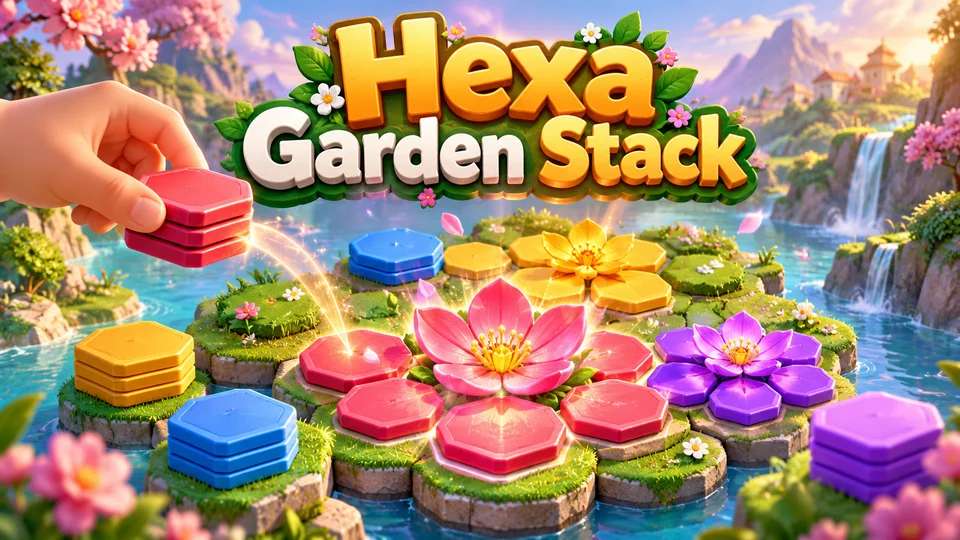
Hexa Garden Stack
Place colored hex stacks so matching petals consolidate and bloom into complete flowers.
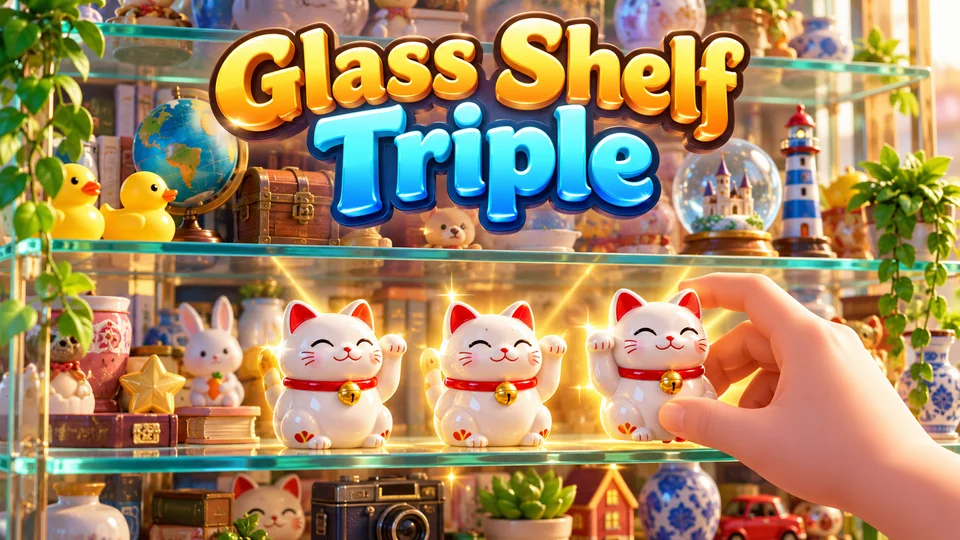
Glass Shelf Triple
Select three identical objects from a layered display cabinet; clearing front objects reveals deeper layers.
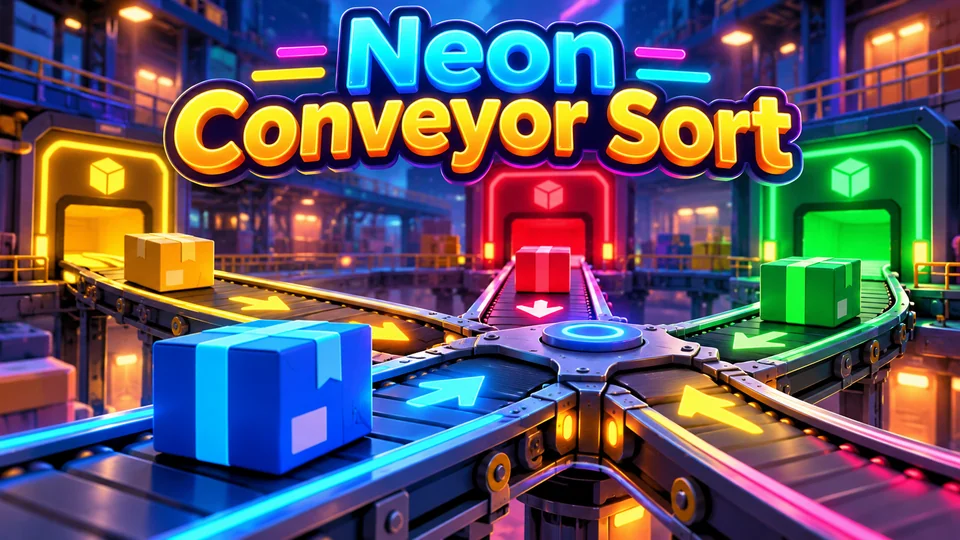
Neon Conveyor Sort
Route moving packages through junctions so each reaches its matching bay.
You can also browse all our HTML5 games with source code, or try the 2048 game code for another grid puzzle with a much smaller rule set.
The complete code
One file, no libraries. Save it as tetris.html and open it in any browser. Free to use under the MIT license: copy it, change it, ship it.
<!doctype html>
<!-- SPDX-License-Identifier: MIT -->
<!-- Block Drop: a falling-blocks puzzle game in one HTML5 canvas file. Free to use, change and ship (MIT license). -->
<html lang="en">
<head>
<meta charset="utf-8">
<meta name="viewport" content="width=device-width, initial-scale=1">
<title>Block Drop (HTML5 canvas falling-blocks game)</title>
<style>
  html, body { margin: 0; height: 100%; background: #0a0e18; overflow: hidden; touch-action: none; }
  canvas { display: block; }
</style>
</head>
<body>
<canvas id="game"></canvas>
<script>
// ----- Settings -----
const COLS = 10, ROWS = 20;             // the well, in cells
const PANEL = 5;                        // side panel width, in cells
const LOCK_DELAY = 0.5;                 // seconds a landed piece can still slide or turn...
const MAX_LOCK_RESETS = 15;             // ...but only this many times per row, so it can't stall forever
const DAS = 0.17, ARR = 0.05;           // hold left/right: wait 0.17 s, then move every 0.05 s
const SOFT_DROP = 0.04;                 // seconds per row while ↓ is held
const LINE_POINTS = [0, 100, 300, 500, 800];   // 1, 2, 3 or 4 rows at once, times the level
// Seven pieces, each in a square grid so it can turn in place. Colours are this game's own.
const SHAPES = {
  I: { color: "#ff6b6b", cells: [[0, 0, 0, 0], [1, 1, 1, 1], [0, 0, 0, 0], [0, 0, 0, 0]] },
  O: { color: "#4ecdc4", cells: [[1, 1], [1, 1]] },
  T: { color: "#ffd93d", cells: [[0, 1, 0], [1, 1, 1], [0, 0, 0]] },
  S: { color: "#a78bfa", cells: [[0, 1, 1], [1, 1, 0], [0, 0, 0]] },
  Z: { color: "#5eb1ff", cells: [[1, 1, 0], [0, 1, 1], [0, 0, 0]] },
  J: { color: "#ff9f43", cells: [[1, 0, 0], [1, 1, 1], [0, 0, 0]] },
  L: { color: "#7bd88f", cells: [[0, 0, 1], [1, 1, 1], [0, 0, 0]] },
};
const COLORS = { bg: "#0a0e18", well: "#121a2b", grid: "#18223a", text: "#e8edff", dim: "#8c97b8" };

const canvas = document.getElementById("game");
const ctx = canvas.getContext("2d");
let cell = 24, boardX = 0, boardY = 0;  // set by resize()

// ----- Sizing: the largest whole-pixel cell that fits the well and panel, sharp on high-DPI -----
function resize() {
  const dpr = window.devicePixelRatio || 1;
  const W = window.innerWidth, H = window.innerHeight;
  canvas.style.width = W + "px";
  canvas.style.height = H + "px";
  canvas.width = Math.round(W * dpr);
  canvas.height = Math.round(H * dpr);
  ctx.setTransform(dpr, 0, 0, dpr, 0, 0);
  cell = Math.max(10, Math.floor(Math.min(W / (COLS + PANEL), (H - 16) / ROWS)));
  boardX = Math.floor((W - cell * (COLS + PANEL)) / 2);
  boardY = Math.floor((H - cell * ROWS) / 2);
}

// ----- Game state -----
let board, piece, nextType, bag, score, lines, level, best = 0, state, endedAt = 0, last = 0;
let fallTimer = 0, lockTimer = 0, lockResets = 0;
let heldDir = 0, dasTimer = 0, softDrop = false;   // keyboard state

function reset() {
  board = Array.from({ length: ROWS }, () => Array(COLS).fill(null));   // null = empty, or a colour
  score = 0; lines = 0; level = 1;
  bag = [];
  nextType = takeFromBag();
  spawn();
  state = "ready";                      // ready → playing ⇄ paused → over
}

// The "bag": shuffle all seven pieces and deal them out, so you never wait long for any piece.
function takeFromBag() {
  if (!bag.length) {
    bag = Object.keys(SHAPES);
    for (let i = bag.length - 1; i > 0; i--) { const j = Math.floor(Math.random() * (i + 1)); [bag[i], bag[j]] = [bag[j], bag[i]]; }
  }
  return bag.pop();
}

function spawn() {
  const type = nextType;
  nextType = takeFromBag();
  const cells = SHAPES[type].cells;
  const top = cells.findIndex((row) => row.some(Boolean));   // skip empty rows so it appears at the top
  piece = { type, cells, x: Math.floor((COLS - cells.length) / 2), y: -top, lowest: -top };
  fallTimer = 0; lockTimer = 0; lockResets = 0;
  if (collides(piece.cells, piece.x, piece.y)) gameOver();   // no room for the new piece
}

// True if the cells, placed at (px, py), leave the well or overlap a settled block.
// Rows above the well (y < 0) are allowed, so pieces can turn right after they appear.
function collides(cells, px, py) {
  for (let y = 0; y < cells.length; y++) {
    for (let x = 0; x < cells.length; x++) {
      if (!cells[y][x]) continue;
      const bx = px + x, by = py + y;
      if (bx < 0 || bx >= COLS || by >= ROWS) return true;
      if (by >= 0 && board[by][bx]) return true;
    }
  }
  return false;
}

// Turn a square grid a quarter turn: dir 1 = clockwise, -1 = anticlockwise.
function rotate(cells, dir) {
  const n = cells.length;
  return cells.map((row, y) => row.map((_, x) => (dir > 0 ? cells[n - 1 - x][y] : cells[x][n - 1 - y])));
}

const grounded = () => collides(piece.cells, piece.x, piece.y + 1);

// A successful move or turn on the ground restarts the lock timer (a limited number of times).
function moved() {
  if (grounded() && lockResets < MAX_LOCK_RESETS) { lockTimer = 0; lockResets++; }
}

function tryMove(dx, dy) {
  if (collides(piece.cells, piece.x + dx, piece.y + dy)) return false;
  piece.x += dx;
  piece.y += dy;
  if (piece.y > piece.lowest) { piece.lowest = piece.y; lockResets = 0; }   // a new lowest row earns fresh resets
  moved();
  return true;
}

// Turning next to a wall or another block: if the turned piece doesn't fit, try nudging it
// one or two cells sideways, or one cell up. These nudges are usually called "wall kicks".
function tryRotate(dir) {
  const turned = rotate(piece.cells, dir);
  for (const [kx, ky] of [[0, 0], [-1, 0], [1, 0], [0, -1], [-2, 0], [2, 0]]) {
    if (!collides(turned, piece.x + kx, piece.y + ky)) {
      piece.cells = turned;
      piece.x += kx;
      piece.y += ky;
      moved();
      return;
    }
  }
}

const dropDistance = () => { let d = 0; while (!collides(piece.cells, piece.x, piece.y + d + 1)) d++; return d; };

function hardDrop() {
  const d = dropDistance();
  piece.y += d;
  score += d * 2;
  lock();
}

// Copy the piece into the board, clear full rows, then bring in the next piece.
function lock() {
  const color = SHAPES[piece.type].color;
  for (let y = 0; y < piece.cells.length; y++) {
    for (let x = 0; x < piece.cells.length; x++) {
      if (!piece.cells[y][x]) continue;
      if (piece.y + y < 0) { gameOver(); return; }   // locked above the top: the stack is too high
      board[piece.y + y][piece.x + x] = color;
    }
  }
  clearLines();
  spawn();
}

function clearLines() {
  let cleared = 0;
  for (let y = ROWS - 1; y >= 0; y--) {
    if (board[y].every(Boolean)) {
      board.splice(y, 1);                      // remove the full row...
      board.unshift(Array(COLS).fill(null));   // ...and add an empty one at the top
      cleared++;
      y++;                                     // check the same row index again: it now holds the row above
    }
  }
  if (!cleared) return;
  score += LINE_POINTS[cleared] * level;
  lines += cleared;
  level = Math.floor(lines / 10) + 1;          // a new level every 10 rows
}

function gameOver() {
  state = "over";
  best = Math.max(best, score);
  endedAt = performance.now();
}

// Seconds per row: 0.8 at level 1, 15% faster each level, never under 0.05.
const gravity = () => Math.max(0.05, 0.8 * Math.pow(0.85, level - 1));

// ----- Update: gravity, lock delay and held keys, all measured in seconds -----
function update(dt) {
  if (heldDir) {
    dasTimer += dt;
    while (dasTimer >= DAS) { tryMove(heldDir, 0); dasTimer -= ARR; }
  }
  if (grounded()) {
    fallTimer = 0;
    lockTimer += dt;
    if (lockTimer >= LOCK_DELAY) lock();
    return;
  }
  const interval = softDrop ? Math.min(SOFT_DROP, gravity()) : gravity();
  fallTimer += dt;
  while (fallTimer >= interval && state === "playing" && !grounded()) {
    fallTimer -= interval;
    tryMove(0, 1);
    if (softDrop) score += 1;
  }
}

// ----- Drawing -----
function block(x, y, color, size = cell) {
  ctx.fillStyle = color;
  ctx.fillRect(x + 1, y + 1, size - 2, size - 2);
  ctx.fillStyle = "rgba(255, 255, 255, 0.28)";              // light top edge
  ctx.fillRect(x + 1, y + 1, size - 2, Math.max(2, size * 0.14));
  ctx.fillStyle = "rgba(0, 0, 0, 0.22)";                    // dark bottom edge
  ctx.fillRect(x + 1, y + size - 1 - Math.max(2, size * 0.14), size - 2, Math.max(2, size * 0.14));
}

function drawCells(cells, px, py, color, size = cell, ox = boardX, oy = boardY) {
  cells.forEach((row, y) => row.forEach((v, x) => {
    if (v && py + y >= 0) block(ox + (px + x) * size, oy + (py + y) * size, color, size);
  }));
}

function text(str, x, y, size, color, weight = 600) {
  ctx.font = `${weight} ${Math.round(size)}px system-ui, sans-serif`;
  ctx.fillStyle = color;
  ctx.fillText(str, x, y);
}

function draw() {
  const W = window.innerWidth, H = window.innerHeight;
  ctx.fillStyle = COLORS.bg;
  ctx.fillRect(0, 0, W, H);
  ctx.fillStyle = COLORS.well;
  ctx.fillRect(boardX, boardY, COLS * cell, ROWS * cell);
  ctx.fillStyle = COLORS.grid;
  for (let x = 1; x < COLS; x++) ctx.fillRect(boardX + x * cell, boardY, 1, ROWS * cell);
  for (let y = 1; y < ROWS; y++) ctx.fillRect(boardX, boardY + y * cell, COLS * cell, 1);

  board.forEach((row, y) => row.forEach((color, x) => { if (color) block(boardX + x * cell, boardY + y * cell, color); }));
  if (state !== "over") {
    const color = SHAPES[piece.type].color;
    ctx.globalAlpha = 0.22;                                 // ghost: where the piece will land
    drawCells(piece.cells, piece.x, piece.y + dropDistance(), color);
    ctx.globalAlpha = 1;
    drawCells(piece.cells, piece.x, piece.y, color);
  }

  // Side panel: next piece, then the numbers.
  const px = boardX + COLS * cell + cell * 0.5, label = Math.max(11, cell * 0.42), value = Math.max(15, cell * 0.72);
  ctx.textAlign = "left";
  ctx.textBaseline = "alphabetic";
  text("NEXT", px, boardY + cell * 0.6, label, COLORS.dim, 700);
  const next = SHAPES[nextType], mini = Math.floor(cell * 0.8);
  drawCells(next.cells, 0, 0, next.color, mini, px + (cell * 4.5 - next.cells.length * mini) / 2, boardY + cell * 1.1);
  [["SCORE", score], ["LINES", lines], ["LEVEL", level], ["BEST", best]].forEach(([name, n], i) => {
    const y = boardY + cell * (5.6 + i * 2.3);
    text(name, px, y, label, COLORS.dim, 700);
    text(String(n), px, y + value * 1.15, value, COLORS.text, 800);
  });

  if (state === "playing") return;
  ctx.fillStyle = "rgba(5, 8, 16, 0.9)";
  ctx.fillRect(boardX, boardY, (COLS + PANEL) * cell, ROWS * cell);
  ctx.textAlign = "center";
  const cx = boardX + ((COLS + PANEL) * cell) / 2, cy = boardY + (ROWS * cell) / 2, size = Math.max(13, cell * 0.55);
  if (state === "paused") {
    text("Paused", cx, cy, cell * 1.3, COLORS.text, 800);
    text("Tap or press P to resume", cx, cy + cell * 1.4, size, SHAPES.T.color, 700);
    return;
  }
  text(state === "over" ? "Game over" : "Block Drop", cx, cy - cell * 4, cell * 1.3, COLORS.text, 800);
  const info = state === "over"
    ? [`Score ${score}`, `Best ${best}`]
    : ["Fill a row to clear it", "Keys: ← → move, ↑ turn, ↓ faster", "Space drops, P pauses", "Touch: drag, tap to turn, flick down"];
  info.forEach((t, i) => text(t, cx, cy - cell * 2.2 + i * size * 1.6, size, COLORS.text, 500));
  const hintY = cy - cell * 2.2 + info.length * size * 1.6 + size * 1.2;
  text(state === "over" ? "Tap or press Space to play again" : "Tap or press Space to start", cx, hintY, size, SHAPES.T.color, 700);
}

// ----- Main loop -----
function loop(now) {
  const dt = Math.min(0.1, (now - last) / 1000);
  last = now;
  if (state === "playing") update(dt);
  draw();
  requestAnimationFrame(loop);
}

// Space, Enter, a tap or P: start, resume or play again.
function action() {
  if (state === "over" && performance.now() - endedAt < 600) return;   // ignore a stray press right after the end
  if (state === "over") reset();
  state = "playing";
}

// ----- Input: keyboard -----
const KEYS = ["ArrowLeft", "ArrowRight", "ArrowUp", "ArrowDown", "KeyA", "KeyD", "KeyW", "KeyS", "KeyX", "KeyZ", "KeyQ", "Space", "Enter", "KeyP", "Escape"];
window.addEventListener("keydown", (e) => {
  const k = e.code;
  if (!KEYS.includes(k)) return;
  e.preventDefault();
  if (state !== "playing") {
    if (k === "Space" || k === "Enter" || (state === "paused" && (k === "KeyP" || k === "Escape"))) action();
    return;
  }
  if (e.repeat) return;                 // held keys repeat through dasTimer, not the browser
  if (k === "ArrowLeft" || k === "KeyA") { heldDir = -1; dasTimer = 0; tryMove(-1, 0); }
  else if (k === "ArrowRight" || k === "KeyD") { heldDir = 1; dasTimer = 0; tryMove(1, 0); }
  else if (k === "ArrowUp" || k === "KeyW" || k === "KeyX") tryRotate(1);
  else if (k === "KeyZ" || k === "KeyQ") tryRotate(-1);
  else if (k === "ArrowDown" || k === "KeyS") softDrop = true;
  else if (k === "Space") hardDrop();
  else if (k === "KeyP" || k === "Escape") state = "paused";
});
window.addEventListener("keyup", (e) => {
  if ((e.code === "ArrowLeft" || e.code === "KeyA") && heldDir === -1) heldDir = 0;
  if ((e.code === "ArrowRight" || e.code === "KeyD") && heldDir === 1) heldDir = 0;
  if (e.code === "ArrowDown" || e.code === "KeyS") softDrop = false;
});
window.addEventListener("blur", () => {     // pause when the player clicks away
  heldDir = 0; softDrop = false;
  if (state === "playing") state = "paused";
});

// ----- Input: touch and mouse gestures -----
// Drag sideways one cell width per column, drag down to drop faster, tap to turn, flick down to drop.
let touch = null;
canvas.addEventListener("pointerdown", (e) => {
  if (state !== "playing") { action(); return; }
  touch = { x: e.clientX, y: e.clientY, startX: e.clientX, startY: e.clientY, time: performance.now(), moved: false };
});
canvas.addEventListener("pointermove", (e) => {
  if (!touch || state !== "playing") return;
  while (e.clientX - touch.x >= cell) { tryMove(1, 0); touch.x += cell; touch.moved = true; }
  while (touch.x - e.clientX >= cell) { tryMove(-1, 0); touch.x -= cell; touch.moved = true; }
  while (e.clientY - touch.y >= cell) { if (tryMove(0, 1)) score += 1; touch.y += cell; touch.moved = true; }
});
canvas.addEventListener("pointerup", (e) => {
  if (!touch || state !== "playing") { touch = null; return; }
  const dx = e.clientX - touch.startX, dy = e.clientY - touch.startY, ms = performance.now() - touch.time;
  if (dy > cell * 2 && ms < 250 && dy > Math.abs(dx) * 2) hardDrop();   // quick flick down
  else if (!touch.moved && ms < 300) tryRotate(1);                     // short tap
  touch = null;
});

window.addEventListener("resize", resize);
reset();
resize();
requestAnimationFrame((t) => { last = t; loop(t); });
</script>
</body>
</html>
Frequently asked questions
Can I publish this game and call it Tetris?
No. The code is yours to use under the MIT license, but Tetris is a trademark of The Tetris Company, and in 2012 a US court found that a clone copying the game's look too closely infringed its copyright (Tetris Holding v. Xio Interactive). That's why this game is called Block Drop and uses its own colours. Give your version an original name, theme and visual style.
Is this falling-blocks code free for commercial use?
Yes. The file is MIT-licensed: copy it, change it and use it in personal or commercial projects, as long as you keep the licence line at the top of the file.
How do I put this game on my website?
Upload the .html file to your web host and link to it, or show it inside a page with an <iframe>. The game fills whatever frame it's in. Our guide to embedding an HTML5 game in a website covers WordPress, Wix and Google Sites.
How do I add sound and a high score that survives a reload?
For sound, create an AudioContext the first time the player taps or presses a key (browsers block audio before that) and play short tones in lock() and clearLines(). For the high score, save best with localStorage.setItem in gameOver() and read it when the page loads, inside try/catch, because some browsers and sandboxed frames (like the player on this page) block storage.
Why use timers in seconds instead of setInterval?
setInterval keeps running when the tab is hidden and drifts under load, and you'd need several of them for gravity, lock delay and key repeat. Measuring everything in seconds inside one requestAnimationFrame loop keeps the game at the same speed on 60 Hz and 120 Hz screens and stops it cleanly in a background tab.
We make and sell HTML5 game source code; links to our games are marked as ours.