Breakout is the game where a bouncing ball breaks a wall of bricks, and it's the natural next step after Pong: the same ball, plus dozens of targets, levels and lives. The game on this page, Brick Burst, is a complete brick breaker you can play with a mouse, a finger or the keyboard. Below, we walk through the breakout game HTML5 code step by step: how the field scales to any screen, how the ball bounces off walls and the paddle, and how a circle-versus-rectangle test decides which side of a brick the ball hit.
How to run it
You need a text editor and a browser, nothing else:
- Press Copy code above (or Download .html).
- Paste it into a new file called
breakout.html. - Double-click the file. Click, tap or press Space to launch the ball.
You can also paste the code into the HTML game code runner and change a setting, such as PADDLE_W or START_SPEED, to feel the difference straight away. Move the paddle with the mouse, by dragging a finger, or with the arrow keys or A and D. You have three lives, and clearing the wall takes you to a faster level.
How the code works
The whole HTML5 breakout game tutorial comes down to one <canvas> element and one script in seven parts: settings, sizing, state, the loop, the physics step, brick collisions and drawing. Everything is plain JavaScript and the Canvas 2D API, with no library.
1. Settings and the brick wall
The playfield is always 480 × 640 "field units", whatever the screen. Every size, speed and position below is in those units, which keeps the numbers readable and lets you change the layout without touching the rest of the code. The brick width is calculated from the field width, so changing COLS from 8 to 10 still fills the row exactly.
const W = 480, H = 640;
const HUD = 44;                          // score bar at the top of the field
const COLS = 8, ROWS = 6, GAP = 4, SIDE = 16, TOP = 84;   // brick wall layout
const BRICK_W = (W - SIDE * 2 - GAP * (COLS - 1)) / COLS, BRICK_H = 20;
const PADDLE_W = 84, PADDLE_H = 12, PADDLE_Y = H - 48, PADDLE_SPEED = 560;
const BALL_R = 7;
const START_SPEED = 320, LEVEL_SPEED = 25, MAX_SPEED = 620;   // field units per second
const MAX_ANGLE = 60 * Math.PI / 180;    // steepest bounce off the paddle edge
const LIVES = 3;
const STEP = 1 / 120;                    // 120 physics steps a second
2. One field size for every screen
Instead of resizing the game to the window, the code scales a fixed field to fit it, the same way a video player adds black bars. resize() makes the canvas fill the window at full device resolution and works out the largest scale that fits 480 × 640 inside it:
function resize() {
  const dpr = window.devicePixelRatio || 1;
  const sw = window.innerWidth, sh = window.innerHeight;
  canvas.style.width = sw + "px";
  canvas.style.height = sh + "px";
  canvas.width = Math.round(sw * dpr);
  canvas.height = Math.round(sh * dpr);
  const scale = Math.min(sw / W, sh / H);
  view = { scale, dpr, x: (sw - W * scale) / 2, y: (sh - H * scale) / 2 };
}
Then draw() applies that scale once with setTransform, and every shape after it is drawn in field units. The device pixel ratio is part of the scale, so the bricks have crisp edges on phones and high-DPI laptops:
  const s = view.scale * view.dpr;
  ctx.setTransform(s, 0, 0, s, view.x * view.dpr, view.y * view.dpr);
  ctx.fillStyle = COLORS.field;
  ctx.fillRect(0, 0, W, H);
  ctx.fillStyle = COLORS.hud;
  ctx.fillRect(0, 0, W, HUD);
3. State: bricks, levels and lives
Each brick is a plain object with a position, hit points, a colour and a points value. buildLevel() lays out six rows of eight. From level 2, the top rows need two hits (one extra row per level, up to three), and every level starts the ball 25 units per second faster. Top rows are worth more: 60 points for the top row down to 10 for the bottom, multiplied by the level number.
function buildLevel() {
  bricks = [];
  for (let row = 0; row < ROWS; row++) {
    for (let col = 0; col < COLS; col++) {
      bricks.push({
        x: SIDE + col * (BRICK_W + GAP), y: TOP + row * (BRICK_H + GAP),
        hp: row < Math.min(3, level - 1) ? 2 : 1,
        color: ROW_COLORS[row], points: (ROWS - row) * 10,
      });
    }
  }
  catchBall();
}
catchBall() parks the ball on the paddle with stuck: true. While it's stuck, the ball follows the paddle, so you can line up the first shot before launching it. The game itself has three states, ready, playing and over, and one action() function handles Space, Enter, clicks and taps for all of them: start, launch, or play again.
4. The loop, and why the ball can't tunnel
requestAnimationFrame calls the loop once per screen refresh, and the loop runs the physics in fixed steps of 1/120 of a second, exactly as in our Pong code. The fixed step does a second job here. At the top speed of 620 units per second, the ball moves at most 5.2 units per step, which is less than its 7-unit radius. A ball that can't move further than its own radius in one step can't jump over a 20-unit brick or a 12-unit paddle, so simple overlap tests are enough. If you raise MAX_SPEED a lot, raise the step rate with it.
5. The bouncing ball code: walls and paddle
Each step moves the ball by its velocity times the step time, then checks the walls. Setting the sign of the velocity, rather than flipping it, matters: if the ball is still touching a wall on the next step, flipping again would send it back into the wall, and it would wobble there forever.
  ball.x += ball.vx * dt;
  ball.y += ball.vy * dt;
  // Walls: left, right and the bottom of the score bar. Set the direction, don't just flip it,
  // so a ball that is still touching a wall next step can't get stuck flipping back and forth.
  if (ball.x < BALL_R) { ball.x = BALL_R; ball.vx = Math.abs(ball.vx); }
  if (ball.x > W - BALL_R) { ball.x = W - BALL_R; ball.vx = -Math.abs(ball.vx); }
  if (ball.y < HUD + BALL_R) { ball.y = HUD + BALL_R; ball.vy = Math.abs(ball.vy); }

  // Paddle: the further from the centre the ball lands, the steeper it leaves.
  const offset = (ball.x - paddleX) / (PADDLE_W / 2 + BALL_R);
  if (ball.vy > 0 && ball.y + BALL_R >= PADDLE_Y && ball.y < PADDLE_Y + PADDLE_H && Math.abs(offset) <= 1) {
    const angle = offset * MAX_ANGLE;
    ball.vx = Math.sin(angle) * ball.speed;
    ball.vy = -Math.cos(angle) * ball.speed;
    ball.y = PADDLE_Y - BALL_R;
  }
The paddle doesn't reflect the ball like a mirror. It throws the ball at an angle set by where it landed: straight up from the centre, up to 60 degrees from the ends. That gives the player control over where the ball goes, and because the angle never exceeds 60 degrees, the ball always climbs at least half its speed upwards and can't get stuck skimming sideways.
6. Brick collisions: circle against rectangle
Every HTML5 canvas ball game needs this test sooner or later. To check a circle against a rectangle, clamp the ball's centre to the rectangle's edges to find the nearest point on the brick, and compare the distance to that point with the radius. Squared distances avoid a square root.
function hitBricks() {
  for (const b of bricks) {
    if (!b.hp) continue;
    const nx = clamp(ball.x, b.x, b.x + BRICK_W), ny = clamp(ball.y, b.y, b.y + BRICK_H);   // nearest point on the brick
    const dx = ball.x - nx, dy = ball.y - ny;
    if (dx * dx + dy * dy > BALL_R * BALL_R) continue;
    // Bounce off the side the ball went in least deep: left/right flips vx, top/bottom flips vy.
    const cx = b.x + BRICK_W / 2, cy = b.y + BRICK_H / 2;
    const overlapX = BALL_R + BRICK_W / 2 - Math.abs(ball.x - cx);
    const overlapY = BALL_R + BRICK_H / 2 - Math.abs(ball.y - cy);
    if (overlapX < overlapY) ball.vx = ball.x < cx ? -Math.abs(ball.vx) : Math.abs(ball.vx);
    else ball.vy = ball.y < cy ? -Math.abs(ball.vy) : Math.abs(ball.vy);
The overlap comparison answers "which side did it hit?". If the ball is only slightly inside the brick horizontally but deep vertically, it came in from the left or right, so only vx changes. Otherwise it hit the top or bottom and vy changes. The loop stops after the first brick each step, which prevents a ball that touches two bricks at once from flipping twice and carrying on through both. Each brick also speeds the ball up by 1%, so long rallies get tense.
7. Losing a life and game over
When the ball falls below the field, you lose a life and the ball goes back on the paddle. At zero lives the state becomes over, the best score is updated, and action() ignores taps for 0.6 seconds so a tap meant for the paddle doesn't skip the result. Clearing the last brick calls buildLevel() with the next level number, so the game never runs out of levels.
8. Drawing
draw() clears the screen, applies the field transform, then paints the bricks (two-hit bricks get a white frame until their first hit), the paddle, the ball and the score bar with lives shown as dots. When the game is waiting, a dark layer and a few lines of text cover the field. Repainting everything each frame is simple and quick at this size.
Make it work on phones
The phone controls are built in. Pointer events handle mouse, pen and touch together, and touch-action: none in the CSS stops the page from scrolling while you drag:
canvas.addEventListener("pointerdown", (e) => { paddleX = clamp(pointerX(e), PADDLE_W / 2, W - PADDLE_W / 2); });
canvas.addEventListener("pointermove", (e) => {
  if (e.pointerType === "mouse" || e.buttons) paddleX = clamp(pointerX(e), PADDLE_W / 2, W - PADDLE_W / 2);
});
canvas.addEventListener("pointerup", () => { if (state !== "playing" || ball.stuck) action(); });
The paddle jumps to your finger and follows it while it's down; lifting your finger launches a parked ball, so you can aim first. A mouse moves the paddle without a click. The field is portrait-shaped, which suits phones held upright; on a 390 × 640 screen it scales to 390 × 520. For a landscape version, swap W and H and use fewer brick rows. Our guide to HTML5 mobile game development covers touch input and screen sizes in more depth.
Ideas to extend it
- Power-ups that fall from broken bricks: a wider paddle, a slower ball, or a second ball.
- Unbreakable steel bricks that the ball can only bounce off.
- Level layouts written as text, so you can design them without code (see below).
- A short burst of particles where each brick breaks.
- Sound effects with the Web Audio API: a pitch per brick row and a low tone when you lose a life.
- A pause key, and an automatic pause when the tab is hidden (
visibilitychange). - A paddle that shrinks a little each level.
Design levels as text
Hand-made levels are what separate a brick breaker from a tech demo. One easy format is an array of strings, one character per brick, which buildLevel() reads instead of filling every cell:
const LAYOUTS = [
  ["11111111", "12222221", "12.11.21", "12222221", "11111111"],
  ["2......2", ".2....2.", "..2112..", ".2....2.", "2......2"],
];
// In buildLevel(): const cell = LAYOUTS[(level - 1) % LAYOUTS.length][row]?.[col];
// Skip the brick when cell is "." or undefined; otherwise use hp: Number(cell).
From prototype to a game you can sell
This file is a good way to learn ball physics and a solid start for a class project or a jam game. A brick breaker that players pay for, or that a portal will accept, needs much more around the same bounce:
| This Breakout file | A production HTML5 game | |
|---|---|---|
| Content | One generated wall, repeated faster | Dozens of designed levels, bosses, power-ups, daily challenges |
| Art and sound | Coloured rectangles, no audio | Original art, animation, particles, music and effects |
| Saves | Nothing kept after a reload | Progress, unlocks and settings saved on the device |
| Input | Mouse, touch and keyboard | Touch, mouse, keyboard and gamepad, tested on each |
| Platforms | Desktop and phone browsers | Portal SDK hooks, ads, languages, app wrappers |
| Quality | Tested by hand and in a sandbox | Unit tests and cross-browser end-to-end tests |
| Code | One script | A typed project with tuning in data files and docs |
| Licence | MIT, do anything | A commercial licence that covers your use |
We don't sell a brick breaker, but three of our puzzle games are built around the same bounce-and-trajectory physics. Bounce Architect has you draw platforms that steer a ball that never stops bouncing; Cannon Courier and Slingshot Rescue are about aiming shots through obstacle courses. Each ships as a TypeScript project built on Phaser, with levels and tuning in JSON data files and a README that covers install, build, test and deploy.
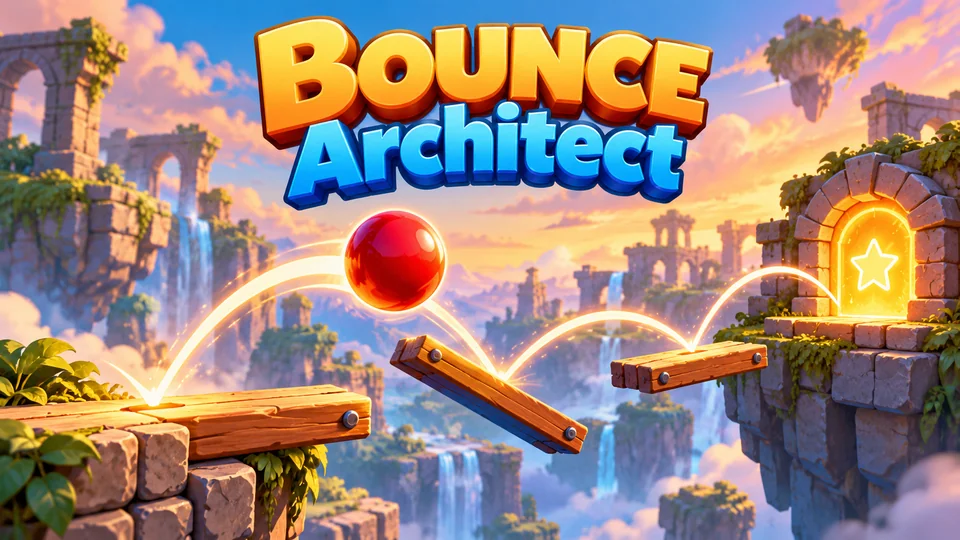
Bounce Architect
Draw a limited number of platforms that redirect a continuously bouncing ball to the exit.
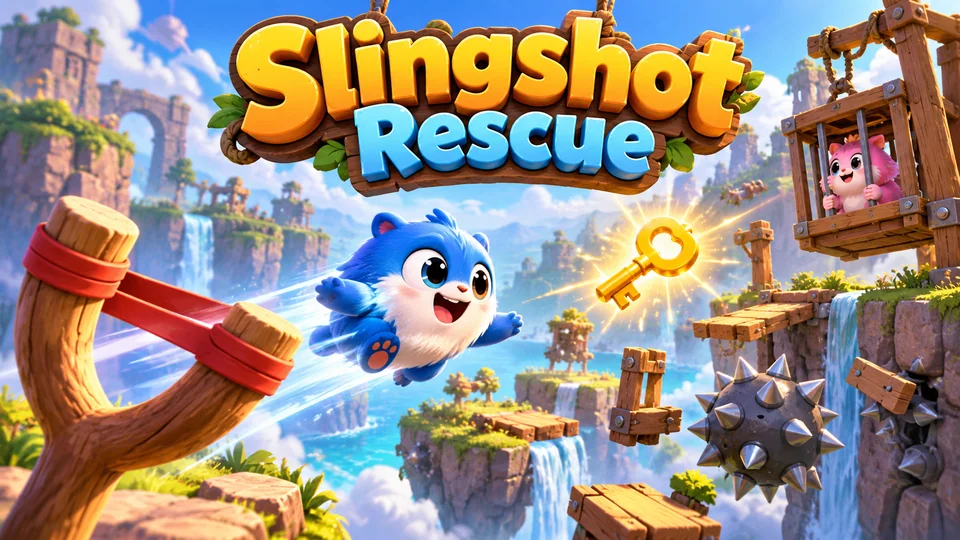
Slingshot Rescue
Launch cute rescue creatures through obstacle courses to collect keys and free trapped friends.
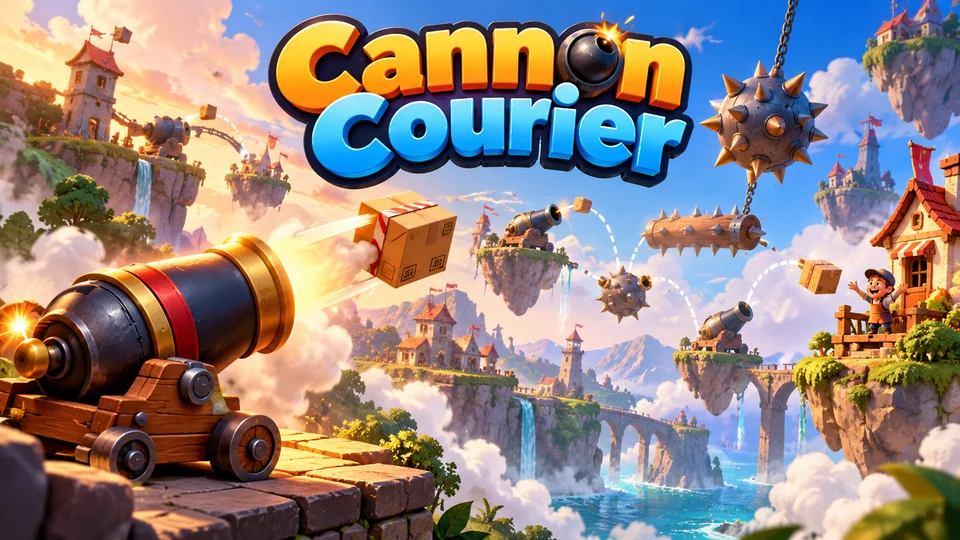
Cannon Courier
Fire parcels from cannon to cannon through moving hazards until every delivery reaches its customer.
You can also browse all our HTML5 games with source code, or go back to the free HTML game code collection for more tutorials like this one.
The complete code
One file, no libraries. Save it as breakout.html and open it in any browser. Free to use under the MIT license: copy it, change it, ship it.
<!doctype html>
<!-- SPDX-License-Identifier: MIT -->
<!-- Brick Burst: a Breakout-style brick breaker in one HTML5 canvas file. Free to use, change and ship (MIT license). -->
<html lang="en">
<head>
<meta charset="utf-8">
<meta name="viewport" content="width=device-width, initial-scale=1">
<title>Brick Burst (HTML5 canvas brick breaker)</title>
<style>
  html, body { margin: 0; height: 100%; background: #0b0e17; overflow: hidden; touch-action: none; }
  canvas { display: block; }
</style>
</head>
<body>
<canvas id="game"></canvas>
<script>
// ----- Settings (in field units: the playfield is always 480 × 640) -----
const W = 480, H = 640;
const HUD = 44;                          // score bar at the top of the field
const COLS = 8, ROWS = 6, GAP = 4, SIDE = 16, TOP = 84;   // brick wall layout
const BRICK_W = (W - SIDE * 2 - GAP * (COLS - 1)) / COLS, BRICK_H = 20;
const PADDLE_W = 84, PADDLE_H = 12, PADDLE_Y = H - 48, PADDLE_SPEED = 560;
const BALL_R = 7;
const START_SPEED = 320, LEVEL_SPEED = 25, MAX_SPEED = 620;   // field units per second
const MAX_ANGLE = 60 * Math.PI / 180;    // steepest bounce off the paddle edge
const LIVES = 3;
const STEP = 1 / 120;                    // 120 physics steps a second
const ROW_COLORS = ["#ff5d73", "#ff9f45", "#ffd166", "#5ee6a0", "#4cc9f0", "#9b8cff"];
const COLORS = { bg: "#0b0e17", field: "#121a2b", hud: "#0e1422", paddle: "#e8ecff", ball: "#ffffff", text: "#e8ecff", dim: "#8d97b5" };

const canvas = document.getElementById("game");
const ctx = canvas.getContext("2d");
let view = { scale: 1, x: 0, y: 0, dpr: 1 };

// ----- Sizing: scale the fixed field to fit the window (letterbox), sharp on high-DPI -----
function resize() {
  const dpr = window.devicePixelRatio || 1;
  const sw = window.innerWidth, sh = window.innerHeight;
  canvas.style.width = sw + "px";
  canvas.style.height = sh + "px";
  canvas.width = Math.round(sw * dpr);
  canvas.height = Math.round(sh * dpr);
  const scale = Math.min(sw / W, sh / H);
  view = { scale, dpr, x: (sw - W * scale) / 2, y: (sh - H * scale) / 2 };
}

// Screen position → field x, for mouse and touch control.
function pointerX(e) {
  const r = canvas.getBoundingClientRect();
  return (e.clientX - r.left - view.x) / view.scale;
}

const clamp = (n, lo, hi) => Math.max(lo, Math.min(hi, n));

// ----- Game state -----
let bricks, paddleX, ball, score, best = 0, lives, level, state, endedAt = 0, timer = 0, last = 0;
const held = new Set();

function reset() {
  score = 0;
  lives = LIVES;
  level = 1;
  paddleX = W / 2;
  buildLevel();
  state = "ready";                       // ready → playing → over
}

// A fresh wall. From level 2, the top rows take two hits (one more row each level, up to 3).
function buildLevel() {
  bricks = [];
  for (let row = 0; row < ROWS; row++) {
    for (let col = 0; col < COLS; col++) {
      bricks.push({
        x: SIDE + col * (BRICK_W + GAP), y: TOP + row * (BRICK_H + GAP),
        hp: row < Math.min(3, level - 1) ? 2 : 1,
        color: ROW_COLORS[row], points: (ROWS - row) * 10,
      });
    }
  }
  catchBall();
}

// Park the ball on the paddle until the player launches it.
function catchBall() {
  ball = { x: paddleX, y: PADDLE_Y - BALL_R - 1, vx: 0, vy: 0, speed: Math.min(MAX_SPEED, START_SPEED + (level - 1) * LEVEL_SPEED), stuck: true };
}

function launch() {
  const angle = (Math.random() * 2 - 1) * 0.4;   // a little off vertical, so no two serves match
  ball.vx = Math.sin(angle) * ball.speed;
  ball.vy = -Math.cos(angle) * ball.speed;
  ball.stuck = false;
}

// Space, Enter, a click or a tap: start, launch, or play again.
function action() {
  if (state === "over") {
    if (performance.now() - endedAt < 600) return;   // ignore a stray tap right after losing
    reset();
  }
  state = "playing";
  if (ball.stuck) launch();
}

// ----- One physics step -----
function step(dt) {
  const dir = (held.has("ArrowRight") || held.has("KeyD") ? 1 : 0) - (held.has("ArrowLeft") || held.has("KeyA") ? 1 : 0);
  paddleX = clamp(paddleX + dir * PADDLE_SPEED * dt, PADDLE_W / 2, W - PADDLE_W / 2);
  if (ball.stuck) { ball.x = paddleX; return; }

  ball.x += ball.vx * dt;
  ball.y += ball.vy * dt;
  // Walls: left, right and the bottom of the score bar. Set the direction, don't just flip it,
  // so a ball that is still touching a wall next step can't get stuck flipping back and forth.
  if (ball.x < BALL_R) { ball.x = BALL_R; ball.vx = Math.abs(ball.vx); }
  if (ball.x > W - BALL_R) { ball.x = W - BALL_R; ball.vx = -Math.abs(ball.vx); }
  if (ball.y < HUD + BALL_R) { ball.y = HUD + BALL_R; ball.vy = Math.abs(ball.vy); }

  // Paddle: the further from the centre the ball lands, the steeper it leaves.
  const offset = (ball.x - paddleX) / (PADDLE_W / 2 + BALL_R);
  if (ball.vy > 0 && ball.y + BALL_R >= PADDLE_Y && ball.y < PADDLE_Y + PADDLE_H && Math.abs(offset) <= 1) {
    const angle = offset * MAX_ANGLE;
    ball.vx = Math.sin(angle) * ball.speed;
    ball.vy = -Math.cos(angle) * ball.speed;
    ball.y = PADDLE_Y - BALL_R;
  }

  hitBricks();

  // Fell past the paddle: lose a life.
  if (ball.y > H + BALL_R) {
    lives--;
    if (lives <= 0) { state = "over"; best = Math.max(best, score); endedAt = performance.now(); }
    catchBall();
  }
}

// Circle-vs-rectangle test against every brick; the ball breaks at most one brick per step.
function hitBricks() {
  for (const b of bricks) {
    if (!b.hp) continue;
    const nx = clamp(ball.x, b.x, b.x + BRICK_W), ny = clamp(ball.y, b.y, b.y + BRICK_H);   // nearest point on the brick
    const dx = ball.x - nx, dy = ball.y - ny;
    if (dx * dx + dy * dy > BALL_R * BALL_R) continue;
    // Bounce off the side the ball went in least deep: left/right flips vx, top/bottom flips vy.
    const cx = b.x + BRICK_W / 2, cy = b.y + BRICK_H / 2;
    const overlapX = BALL_R + BRICK_W / 2 - Math.abs(ball.x - cx);
    const overlapY = BALL_R + BRICK_H / 2 - Math.abs(ball.y - cy);
    if (overlapX < overlapY) ball.vx = ball.x < cx ? -Math.abs(ball.vx) : Math.abs(ball.vx);
    else ball.vy = ball.y < cy ? -Math.abs(ball.vy) : Math.abs(ball.vy);
    b.hp--;
    if (!b.hp) score += b.points * level;
    // Each brick speeds the ball up by 1%, up to MAX_SPEED.
    const k = Math.min(MAX_SPEED, ball.speed * 1.01) / ball.speed;
    ball.speed *= k; ball.vx *= k; ball.vy *= k;
    if (bricks.every((brick) => !brick.hp)) { level++; buildLevel(); }
    return;
  }
}

// ----- Drawing (everything in field units; the transform does the scaling) -----
function text(str, x, y, size, color, weight = 600, align = "center") {
  ctx.font = `${weight} ${size}px system-ui, sans-serif`;
  ctx.fillStyle = color;
  ctx.textAlign = align;
  ctx.fillText(str, x, y);
}

function draw() {
  ctx.setTransform(view.dpr, 0, 0, view.dpr, 0, 0);
  ctx.fillStyle = COLORS.bg;
  ctx.fillRect(0, 0, canvas.width, canvas.height);
  const s = view.scale * view.dpr;
  ctx.setTransform(s, 0, 0, s, view.x * view.dpr, view.y * view.dpr);
  ctx.fillStyle = COLORS.field;
  ctx.fillRect(0, 0, W, H);
  ctx.fillStyle = COLORS.hud;
  ctx.fillRect(0, 0, W, HUD);

  for (const b of bricks) {
    if (!b.hp) continue;
    ctx.fillStyle = b.color;
    ctx.fillRect(b.x, b.y, BRICK_W, BRICK_H);
    if (b.hp > 1) {                      // tough bricks get a white frame until the first hit
      ctx.strokeStyle = "rgba(255, 255, 255, 0.85)";
      ctx.lineWidth = 2;
      ctx.strokeRect(b.x + 3, b.y + 3, BRICK_W - 6, BRICK_H - 6);
    }
  }
  ctx.fillStyle = COLORS.paddle;
  ctx.fillRect(paddleX - PADDLE_W / 2, PADDLE_Y, PADDLE_W, PADDLE_H);
  ctx.fillStyle = COLORS.ball;
  ctx.beginPath();
  ctx.arc(ball.stuck ? paddleX : ball.x, ball.y, BALL_R, 0, Math.PI * 2);
  ctx.fill();

  // Score bar: score on the left, level in the middle, one dot per life on the right.
  ctx.textBaseline = "middle";
  text(`Score ${score}`, 14, HUD / 2, 18, COLORS.text, 700, "left");
  text(`Level ${level}`, W / 2, HUD / 2, 18, COLORS.dim, 600);
  ctx.fillStyle = COLORS.paddle;
  for (let i = 0; i < lives; i++) { ctx.beginPath(); ctx.arc(W - 20 - i * 20, HUD / 2, 6, 0, Math.PI * 2); ctx.fill(); }

  if (state === "playing" && ball.stuck) {
    text(`Level ${level}`, W / 2, H * 0.6, 32, COLORS.text, 800);
    text("Tap or press Space to launch", W / 2, H * 0.6 + 40, 18, COLORS.text, 600);
  }
  if (state === "playing") return;
  ctx.fillStyle = "rgba(0, 0, 0, 0.7)";
  ctx.fillRect(0, HUD, W, H - HUD);
  const over = state === "over";
  text(over ? "Game over" : "Brick Burst", W / 2, H * 0.4, 46, COLORS.text, 800);
  text(over ? `Score ${score}   ·   Best ${best}` : "Clear every brick. Keep the ball up.", W / 2, H * 0.4 + 52, 19, COLORS.text, 500);
  text("Mouse, drag, or ← → / A D to move", W / 2, H * 0.4 + 88, 18, COLORS.dim, 500);
  text(over ? "Tap or press Space to play again" : "Tap or press Space to launch", W / 2, H * 0.4 + 136, 20, ROW_COLORS[2], 700);
}

// ----- Main loop: fixed physics steps, one drawing per frame -----
function loop(now) {
  const dt = Math.min(0.25, (now - last) / 1000);
  last = now;
  if (state === "playing") {
    timer += dt;
    while (timer >= STEP && state === "playing") { timer -= STEP; step(STEP); }
  }
  draw();
  requestAnimationFrame(loop);
}

// ----- Input: keyboard, mouse and touch -----
window.addEventListener("keydown", (e) => {
  if (["ArrowLeft", "ArrowRight", "KeyA", "KeyD"].includes(e.code)) { e.preventDefault(); held.add(e.code); }
  else if (["Space", "Enter", "ArrowUp", "KeyW"].includes(e.code)) { e.preventDefault(); action(); }
});
window.addEventListener("keyup", (e) => held.delete(e.code));
window.addEventListener("blur", () => held.clear());

// The paddle follows the mouse, or your finger while it's down. Releasing launches a parked ball.
canvas.addEventListener("pointerdown", (e) => { paddleX = clamp(pointerX(e), PADDLE_W / 2, W - PADDLE_W / 2); });
canvas.addEventListener("pointermove", (e) => {
  if (e.pointerType === "mouse" || e.buttons) paddleX = clamp(pointerX(e), PADDLE_W / 2, W - PADDLE_W / 2);
});
canvas.addEventListener("pointerup", () => { if (state !== "playing" || ball.stuck) action(); });

window.addEventListener("resize", resize);
reset();
resize();
requestAnimationFrame((t) => { last = t; loop(t); });
</script>
</body>
</html>
Frequently asked questions
Is this Breakout game code free for commercial use?
Yes. The file is MIT-licensed: you can copy it, change it and use it in personal or commercial projects as long as you keep the licence line at the top. "Breakout" itself is a trademark, which is why this game is called Brick Burst; give your version its own name as well.
Do I need a physics engine to make a bouncing ball game in HTML5?
No. A bouncing ball game needs only velocity, a fixed time step and the two collision tests on this page. A physics engine starts to pay off when objects stack, rotate, roll or join together, or when you want a framework like Phaser to handle sprites, sound and scenes as well. Our guide to HTML5 game physics compares the options.
How do I put this brick breaker on my website?
Upload breakout.html to your web host and link to it, or show it inside a page with an <iframe>. The field scales to whatever size the frame is. Our guide to embedding an HTML5 game in a website covers WordPress, Wix and Google Sites.
How do I add sound and a high score that survives a reload?
For sound, create an AudioContext inside action() (browsers only allow audio after a tap, click or key press) and play a short oscillator beep in hitBricks() and on the paddle. For the high score, save best with localStorage.setItem when the game ends and read it in reset(), inside try/catch, because some browsers and sandboxed frames (like the player on this page) block storage.
Why does the ball speed up during a level?
Each broken brick makes the ball 1% faster, up to MAX_SPEED, and each new level starts 25 units per second faster than the last. Set the 1.01 in hitBricks() to 1 if you'd rather keep a steady pace.
We make and sell HTML5 game source code; links to our games are marked as ours.