An HTML5 3D game is a JavaScript program that draws a 3D scene into a <canvas> element with the GPU, about 60 times a second, inside an ordinary web page. There's no plugin and no install: the player opens a link and plays, on a laptop or a phone. We sell nine 3D games built this way on Three.js r186, from a drift racer to a battle-royale-lite against bots, and this guide is what we learned making them: which engine to pick, how a minimal scene works, which genres suit the browser and how to keep 3D fast on phones. Engine versions and browser support were checked in October 2026.
Can HTML5 make 3D games?
Yes. HTML5 itself only describes the page, but every current browser gives JavaScript access to the GPU through WebGL 2, and most now also ship WebGPU, a newer API designed after Vulkan, Metal and Direct3D 12. A 3D engine written in JavaScript uploads meshes, textures and shaders to the GPU through one of those APIs and gets a rendered frame back in the canvas.
What that gives a browser game in 2026:
- Real-time lights, shadows, physically based materials and post-processing.
- Thousands of objects on screen through instancing, drawn in a handful of GPU calls.
- Physics engines compiled to WebAssembly, such as Rapier, running inside the page.
- Input from touch, mouse, keyboard and gamepads, plus pointer lock for mouse-look.
The limits are practical, not technical. Players leave if the first screen takes too long, low-end phones have little memory, and long sessions heat a phone until it slows itself down. A browser game also can't assume a fast GPU. Our 3D games have initial downloads of 300 to 382 KB and drop to a lighter quality tier on slow devices, which we describe in the section on phones below.
How browsers draw 3D: WebGL, WebGPU and the canvas
There are three ways to draw 3D objects in an HTML5 game, and only one of them scales to a full game:
| Approach | How it works | Good for | Limit |
|---|---|---|---|
| CSS 3D transforms | rotateY() and translateZ() on DOM elements | A spinning card, a cube menu, a few panels | Dozens of elements, no lighting, no depth sorting between objects |
| Canvas 2D with your own projection | Project 3D points to 2D yourself and draw polygons | Wireframes, starfields, retro raycasters, learning the math | Runs on the CPU and has no depth buffer |
| WebGL 2 or WebGPU | Upload meshes and shaders; the GPU draws with a depth buffer | Every real 3D game | You need an engine or a lot of code |
The canvas 2D route is worth ten minutes because it shows what every engine does underneath. A point in front of the camera lands on the screen after one division by its distance:
// Camera at the origin, looking down -z. fov is the vertical field of view in radians.
function project(p, width, height, fov = Math.PI / 3) {
  const f = height / 2 / Math.tan(fov / 2); // focal length in pixels
  const z = -p.z;                            // distance in front of the camera
  if (z <= 0.1) return null;                 // behind the camera: skip it
  return { x: width / 2 + (p.x * f) / z, y: height / 2 - (p.y * f) / z };
}
Project the eight corners of a cube, join them with lineTo and you have a wireframe HTML5 canvas 3D game in a few dozen lines. Fill the faces and you meet the first hard problem: which face is in front. Sorting polygons by distance works for one cube and fails for objects that intersect, and that's exactly what the GPU's depth buffer solves for free. So in practice, a 3D game in HTML5 means WebGL or WebGPU, usually through an engine.
WebGL 2 or WebGPU for a game?
| WebGL 2 | WebGPU | |
|---|---|---|
| Browser support, October 2026 | All current desktop and mobile browsers | Chrome and Edge 113+ on Windows, macOS and ChromeOS; Chrome 121+ on Android 12+ with Qualcomm or ARM GPUs; Safari 26 on macOS, iOS and iPadOS; Firefox 141+ on Windows and 145+ on Apple-silicon Macs with macOS 26 |
| Shader language | GLSL ES 3.0 | WGSL |
| Compute shaders | No | Yes |
| Engines that support it | Three.js, Babylon.js, PlayCanvas, Godot, Unity | Three.js, Babylon.js, PlayCanvas, Unity (opt-in) |
The support row follows web.dev's WebGPU status article, which still lists Firefox on Linux, Android and Intel Macs as in progress. The MDN WebGPU API reference covers the API itself.
For a game shipping today, WebGL 2 is the safe target because it reaches every player. WebGPU pays off when you need compute shaders (GPU particles, big crowds) or when the CPU cost of thousands of draw calls is your bottleneck. In Three.js you don't have to choose up front: WebGPURenderer uses WebGPU where it exists and falls back to a WebGL 2 backend where it doesn't. The catch is shaders. Built-in materials such as MeshStandardMaterial carry over automatically, but hand-written GLSL ShaderMaterials don't, so custom effects get rewritten in TSL, the node-based shading language that renderer uses. Our nine games use the classic WebGLRenderer.
The best HTML5 3D game engines in 2026
These are the engines and tools people actually ship 3D browser games with. Versions checked in October 2026: Three.js r186 (released 24 September 2026), Babylon.js 9.x (9.0 shipped in March 2026), PlayCanvas engine 2.x and Godot 4.7.
| Engine | What it is | License | Rendering | Physics | Best for |
|---|---|---|---|---|---|
| Three.js | Rendering library, code only | MIT | WebGL 2; WebGPU with WebGL 2 fallback | Bring your own (Rapier and others) | Custom games, small downloads, full control |
| Babylon.js | Full engine, code-first, with browser tools such as the Playground and Inspector | Apache 2.0 | WebGL 2 and WebGPU | Havok through the official plugin | Bigger 3D games that want more built in |
| PlayCanvas | Open-source engine plus a separate browser-based visual editor | Engine: MIT | WebGL 2 and WebGPU | ammo.js (a Bullet port), loaded only if you use it | Teams who want an editor without installing anything |
| Godot web export | Desktop editor that exports to the web | MIT | WebGL 2 only (Compatibility renderer) | Built in | Godot projects that target the web as one platform |
| Unity Web build | Desktop editor that exports to the web | Proprietary | WebGL 2 by default, WebGPU optional | Built in | Existing Unity teams and projects |
Three.js vs Babylon.js vs PlayCanvas
Three.js is a renderer, scene graph and set of loaders. It doesn't decide your game loop, physics, audio, UI or input, which is a cost for beginners and a freedom for everyone else. Because you only import what you use, a Three.js game can stay very small. It releases every two to three months and its API does move: the Clock class, used in countless tutorials, has been deprecated since r183 in favour of Timer.
Babylon.js is closer to a complete engine: physics through the Havok plugin, a GUI system, audio, a scene inspector and node-based editors for materials and particles. It suits bigger 3D projects where you'd otherwise assemble those pieces yourself. The Babylon.js 9.0 announcement lists clustered lighting that runs on both WebGPU and WebGL 2.
PlayCanvas gives you a collaborative visual editor that runs in the browser, on top of an MIT-licensed engine with an entity-component model. If your team thinks in scenes and inspectors, the way Unity users do, it's the most natural fit. Its physics uses ammo.js, which new projects leave out by default because it adds several hundred kilobytes, according to the PlayCanvas physics docs.
We chose Three.js for our 3D games because they are compact single-player games where we wanted control over the loop, deterministic simulations and small downloads. Our shared packages for input, audio, saves and UI fill in what Three.js leaves out. For a wider comparison that includes 2D engines, read our guide to HTML5 game engines.
Free and open-source HTML5 3D game engines
Three.js (MIT), Babylon.js (Apache 2.0), the PlayCanvas engine (MIT) and Godot (MIT) are all free and open source, and all allow commercial games. Read each license yourself, but none charges royalties. Unity is proprietary and has its own terms.
If your game is 2D, you still get the GPU: Phaser 4 and PixiJS v8 are 2D engines that render with WebGL, and PixiJS can also use WebGPU, which its renderer docs still label experimental. Our other 41 games are built on Phaser 4.2.1.
3D game makers that export to HTML5
If you'd rather work in an editor than in code, these tools export 3D games that run in a browser:
- PlayCanvas Editor: builds and publishes straight to the web, since the browser is its only target.
- Godot: exports with a web template. Godot 4 renders through WebGL 2 only, and C# projects can't be exported to the web yet, according to its web export docs. Since Godot 4.3 the default export is single-threaded, which avoids special server headers.
- Unity: the Web build target uses WebGL 2 by default and lets you add WebGPU. Check the build size against your players' connections. Our guide to Unity and Unreal for HTML5 covers the trade-offs.
- GDevelop: a no-code maker whose feature list includes 3D models next to 2D sprites, with export to the web.
What about the Blender game engine and HTML5? Blender's built-in game engine was removed in Blender 2.80, and its release notes point users to other engines. Today Blender's job in a web game is modelling and animation: its bundled glTF 2.0 exporter writes .glb files that Three.js, Babylon.js and PlayCanvas load directly. More no-code options are in our roundup of HTML5 game makers.
How to make a 3D HTML5 game with Three.js
Here is a complete first scene: a lit ground, a box you drive with the keyboard or by dragging on a touch screen, a chase camera, and a loop that runs at the same speed on a 60 Hz laptop and a 120 Hz phone. It is the skeleton every 3D game we build starts from, without the parts that make it a product.
1. Set up the project
Create a project with Vite and install Three.js:
npm create vite@latest my-3d-game -- --template vanilla
cd my-3d-game
npm install three
npm run dev
Replace index.html with a page whose only job is to make the canvas fill the screen and stop touch gestures from scrolling it:
<!doctype html>
<html lang="en">
  <head>
    <meta charset="utf-8" />
    <meta name="viewport" content="width=device-width, initial-scale=1" />
    <title>My 3D game</title>
    <style>html, body { margin: 0; height: 100%; overflow: hidden; } canvas { display: block; touch-action: none; }</style>
  </head>
  <body>
    <script type="module" src="/main.js"></script>
  </body>
</html>
2. Create the renderer, scene and camera
The renderer owns the canvas. Capping the pixel ratio at 2 matters more than any other line here: a phone with a device pixel ratio of 3 would otherwise render more than twice the pixels for a picture that looks almost the same.
import * as THREE from "three";

const renderer = new THREE.WebGLRenderer({ antialias: true, powerPreference: "high-performance" });
renderer.setPixelRatio(Math.min(window.devicePixelRatio, 2));
renderer.setSize(window.innerWidth, window.innerHeight);
renderer.shadowMap.enabled = true;
document.body.appendChild(renderer.domElement);

const scene = new THREE.Scene();
scene.background = new THREE.Color(0x87b5e8);
const camera = new THREE.PerspectiveCamera(60, window.innerWidth / window.innerHeight, 0.1, 200);
3. Add light, a ground and a player
A hemisphere light gives soft fill from the sky, and one directional light acts as the sun and casts shadows. Every mesh is a geometry plus a material.
scene.add(new THREE.HemisphereLight(0xffffff, 0x445566, 1.5));
const sun = new THREE.DirectionalLight(0xffffff, 2);
sun.position.set(5, 10, 4);
sun.castShadow = true;
scene.add(sun);

const ground = new THREE.Mesh(new THREE.PlaneGeometry(40, 40), new THREE.MeshStandardMaterial({ color: 0x6cbf59 }));
ground.rotation.x = -Math.PI / 2;
ground.receiveShadow = true;
scene.add(ground);

const player = new THREE.Mesh(new THREE.BoxGeometry(1, 1, 1), new THREE.MeshStandardMaterial({ color: 0xff7a3d }));
player.position.y = 0.5;
player.castShadow = true;
scene.add(player);
4. Read keyboard and touch input
Keys go into a set, so the loop can ask which ones are held. Pointer events cover mouse, pen and touch with one code path: dragging anywhere works like a virtual joystick.
const keys = new Set();
addEventListener("keydown", (e) => keys.add(e.code));
addEventListener("keyup", (e) => keys.delete(e.code));

const canvas = renderer.domElement;
let drag = null;
canvas.addEventListener("pointerdown", (e) => {
  drag = { x0: e.clientX, y0: e.clientY, dx: 0, dy: 0 };
  canvas.setPointerCapture(e.pointerId);
});
canvas.addEventListener("pointermove", (e) => {
  if (drag) { drag.dx = e.clientX - drag.x0; drag.dy = e.clientY - drag.y0; }
});
canvas.addEventListener("pointerup", () => { drag = null; });
5. Run the game loop
setAnimationLoop calls your function once per display frame. Movement is multiplied by the elapsed time, so speed doesn't depend on the refresh rate. Timer.connect(document) uses the Page Visibility API so the first frame after a tab switch doesn't report a huge time step, and the Math.min cap catches any other stall.
const timer = new THREE.Timer();
timer.connect(document);
const SPEED = 5; // world units per second
const clamp = (v) => Math.max(-1, Math.min(1, v));

renderer.setAnimationLoop((time) => {
  timer.update(time);
  const dt = Math.min(timer.getDelta(), 0.1);
  let x = (keys.has("ArrowRight") || keys.has("KeyD")) - (keys.has("ArrowLeft") || keys.has("KeyA"));
  let z = (keys.has("ArrowDown") || keys.has("KeyS")) - (keys.has("ArrowUp") || keys.has("KeyW"));
  if (drag) { x = clamp(drag.dx / 60); z = clamp(drag.dy / 60); }
  player.position.x += x * SPEED * dt;
  player.position.z += z * SPEED * dt;
  camera.position.set(player.position.x, 6, player.position.z + 10);
  camera.lookAt(player.position);
  renderer.render(scene, camera);
});
6. Handle resizing and rotation
Phones rotate and desktop windows resize. Update the camera's aspect ratio and the renderer's size together, or the picture stretches.
addEventListener("resize", () => {
  camera.aspect = window.innerWidth / window.innerHeight;
  camera.updateProjectionMatrix();
  renderer.setSize(window.innerWidth, window.innerHeight);
});
That's a working 3D HTML5 game skeleton in under 80 lines. The next steps are the same in every project: load models with GLTFLoader, add collisions or a physics engine (our HTML5 game physics guide compares them), then sound, menus, saves and a start screen. The Three.js manual covers each topic, and our guide on how to make an HTML5 game covers the structure around the scene.
Want to build a 3D HTML5 game from scratch without any library? It's a good way to learn and a slow way to ship: raw WebGL needs shader compilation, vertex buffers and your own matrix math before the first lit cube appears. MDN's WebGL tutorial walks through it.
HTML5 3D game examples by genre
Some genres suit the browser better than others. These are the ones we've built, plus the two people ask about most: first-person shooters and Minecraft-style cube worlds. Every one of our games has a playable demo on its product page, so you can judge the feel yourself.
3D racing games
Racing works well in a browser: short tracks, a chase camera and simple inputs (steer, throttle, brake, or a swipe). Four of our 3D games are racers. Drift District is about chaining slides through compact urban circuits, Tiny Rally changes grip on gravel, mud, snow, sand and tarmac, Traffic Thread is an endless highway weave where near misses fill your boost, and Delivery Dash 3D is about picking profitable routes through a small open city.
Drift District runs its world in Rapier, a physics engine compiled to WebAssembly. Traffic cones are light dynamic bodies that slide and spin when hit, traffic cars are kinematic bodies moved along their lanes every step, and the car's handling comes from an arcade vehicle model on top of the physics body. Rapier loads lazily: the menu never waits for it, and a race awaits it before building its world. All four racers are in our racing games category.
FPS and 3D shooter games
On desktop, an HTML5 3D FPS uses the Pointer Lock API, which hides the cursor and reports raw mouse movement for mouse-look. Three.js ships a PointerLockControls addon that wraps it. Hit detection is usually a raycast from the camera.
Phones have no mouse to lock, so a first-person shooter needs two virtual sticks, which many players find hard. That's why our 3D shooter, Mini Royale, uses a twin-stick camera above the action instead: sixteen toy fighters drop onto a small island, grab gear and survive while the safe zone shrinks, and the same controls work with touch, mouse and keyboard, or a gamepad. Our fighters are bots. Real multiplayer needs servers, which our guide to multiplayer HTML5 games explains.
Voxel "cube world" games like Minecraft
People often ask how to make a game like Minecraft using HTML5 and CSS3. CSS3 3D transforms can draw a few cubes, but not a world of thousands with lighting. You need WebGL, and you need to avoid one draw call per cube.
For a small world, InstancedMesh is the simplest answer: one geometry, one material, thousands of copies, one draw call. This builds a 32 × 32 hilly cube world:
const SIZE = 32;
const cubes = new THREE.InstancedMesh(
  new THREE.BoxGeometry(1, 1, 1),
  new THREE.MeshStandardMaterial({ color: 0x7fbf5f }),
  SIZE * SIZE * 4, // capacity: at most 4 blocks per column
);
const m = new THREE.Matrix4();
let n = 0;
for (let x = 0; x < SIZE; x++) {
  for (let z = 0; z < SIZE; z++) {
    const height = 1 + Math.floor(1.5 + Math.sin(x * 0.3) + Math.cos(z * 0.25)); // 0 to 4 blocks
    for (let y = 0; y < height; y++) {
      m.makeTranslation(x - SIZE / 2, y + 0.5, z - SIZE / 2);
      cubes.setMatrixAt(n++, m);
    }
  }
}
cubes.count = n;
scene.add(cubes);
Touch controls follow the same raycast idea as the shooter: a tap becomes a ray from the camera, and the hit tells you which instance was touched. To dig a block out, move the last instance into its slot and draw one fewer:
const ray = new THREE.Raycaster();
const ndc = new THREE.Vector2();
canvas.addEventListener("pointerup", (e) => {
  ndc.set((e.clientX / window.innerWidth) * 2 - 1, -(e.clientY / window.innerHeight) * 2 + 1);
  ray.setFromCamera(ndc, camera);
  const hit = ray.intersectObject(cubes)[0];
  if (!hit) return;
  cubes.getMatrixAt(cubes.count - 1, m);
  cubes.setMatrixAt(hit.instanceId, m);
  cubes.count -= 1;
  cubes.instanceMatrix.needsUpdate = true;
});
A real game keeps the blocks in typed arrays (one Uint8Array per chunk of, say, 16 × 16 × 16 blocks) and treats the meshes as a view of that data. Past a few tens of thousands of blocks, switch from instances to one mesh per chunk that contains only the faces touching air, and rebuild just the chunk that changed. On phones, keep the view distance short, map a drag to looking around, a tap to digging and a long press to placing, and add an on-screen jump button.
3D puzzle and casual games
Casual 3D is the easiest genre to make fast on phones, because the camera barely moves and the object count is small. Glass Shelf Triple is a triple-match game on a layered display cabinet, where clearing front objects reveals the ones behind; it draws its shelves of objects with instanced meshes. Shadow Fold asks you to turn and fold museum sculptures until each cast shadow fits its outline, a puzzle that only works in real 3D. Penalty Clash is a swipe-to-shoot football game where you also dive to save.

Drift District
Drift compact urban circuits, chain slides and earn reputation through style and speed.
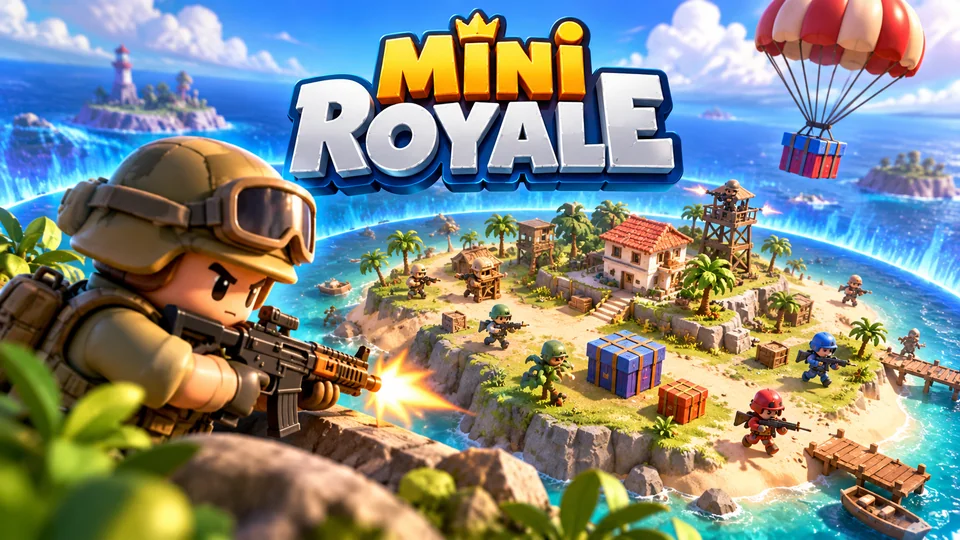
Mini Royale
Sixteen toy fighters drop onto a tiny island, grab simple gear and survive as the safe zone rapidly contracts.
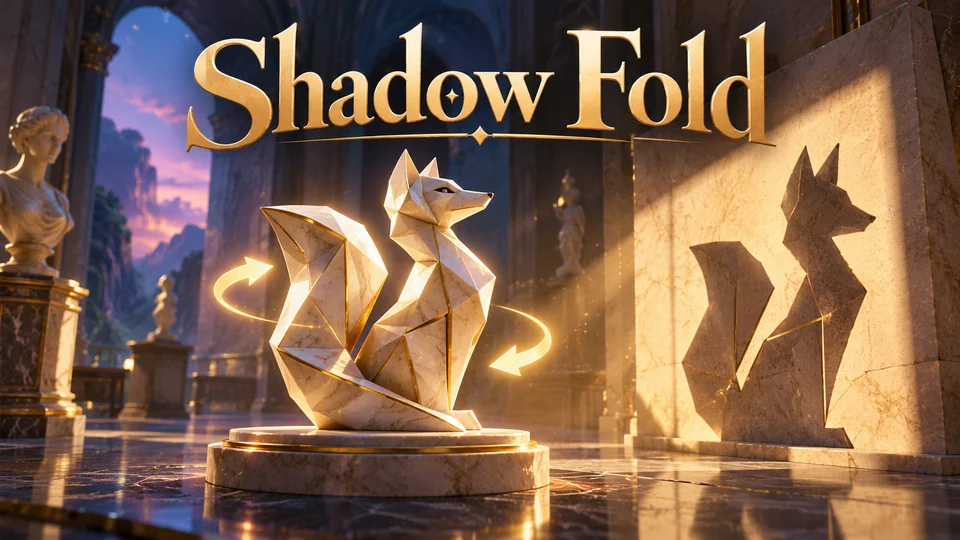
Shadow Fold
Turn and fold museum sculptures until every cast shadow fits its outline.
Making 3D HTML5 games run well on phones
A 3D game that runs at 60 fps on a laptop can crawl on a three-year-old Android phone. These are the measures that make the biggest difference, in the order we'd apply them:
- Cap the pixel ratio. Rendering cost grows with pixel count. Our games render at the device pixel ratio up to 2 on the high tier, and at three quarters of at most 1 on the low tier.
- Let quality pick itself. Our games start from a guess (2 GB of memory or less, or 2 CPU cores or less, means low quality), then measure the first 10 seconds of play. If the median frame takes longer than 21 ms, they switch to the low tier, which turns off shadows and renders fewer pixels. Antialiasing is only requested at startup on the high tier, because a WebGL context can't change it later. Players can still force a setting, and gameplay never depends on quality.
- Cut draw calls. Every separate mesh costs CPU time per frame. Use
InstancedMeshfor anything repeated (trees, cones, crowds, blocks), merge static scenery and share materials. - Keep the download small. Our nine Three.js games have initial downloads between 300 and 382 KB, because none of them loads a model or image file: meshes are built in code and textures are drawn at startup with Canvas 2D. If your art comes from Blender, export GLB with Draco or Meshopt geometry compression and KTX2 textures, which stay compressed in GPU memory; Three.js has
DRACOLoader,KTX2LoaderandGLTFLoader.setMeshoptDecoderfor them. - Load heavy parts late. Physics engines in WebAssembly, music and extra levels can load while the player reads the menu.
- Pause properly. Browsers throttle animation frames in hidden tabs, but your game should also pause its simulation and audio on the
visibilitychangeevent. - Test on slow hardware. Our automated tests run on emulated Pixel 7 and iPhone 15 profiles, which catch layout and input bugs. Emulation doesn't measure GPU speed or heat, so also try a real mid-range Android phone.
This is the stage-setup code our games share, here from Mini Royale. Two lines decide most of the GPU cost:
this.renderer = new THREE.WebGLRenderer({ antialias: quality === "high", powerPreference: "high-performance", alpha: false, stencil: false });
this.renderer.shadowMap.enabled = quality === "high";
// ...
const scale = this.quality === "low" ? Math.min(1, dpr) * 0.75 : Math.min(2, dpr);
this.renderer.setPixelRatio(scale);
There is more on touch controls, orientation and app wrappers in our guide to HTML5 mobile game development, and on profiling in HTML5 game performance.
From a 3D demo to a game people can play and buy
The scene above is a fine prototype. The distance between it and a game a portal will accept, or a client will pay for, is mostly everything around the renderer:
| First Three.js scene | A production 3D HTML5 game | |
|---|---|---|
| Input | Keyboard and one drag gesture | Touch, mouse, keyboard and gamepad, with remapping |
| Performance | One fixed setting | Quality tiers that adapt to the device |
| Content | One empty level | Campaign, daily challenges, progression |
| Saves | None | Progress and settings saved locally |
| Interface | None | Menus, HUD, pause, settings, localisation |
| Testing | By hand | Unit tests and cross-browser end-to-end tests |
| Code | One file | A typed project with tuning in data files and docs |
Our 3D games ship as TypeScript projects with Vite, unit tests and Playwright end-to-end tests, gameplay tuning in JSON data files and six languages, including right-to-left Arabic. Browse them on the Three.js engine page, or see all our games with full source code.
Frequently asked questions
Is Three.js a game engine?
Not quite. Three.js is a 3D rendering library with a scene graph, materials, loaders and helpers. It has no built-in physics, audio mixer, UI system or game loop rules, so you add those yourself or with other libraries. Babylon.js and PlayCanvas are closer to complete engines.
What is the best free HTML5 3D game engine?
It depends on how you like to work. Three.js gives you the most control and the smallest builds, Babylon.js includes the most features, and PlayCanvas has the best browser-based editor. All three are free, open source and allowed in commercial games.
Do I need WebGPU to make a 3D HTML5 game?
No. WebGL 2 runs in every current browser and is enough for most browser games, including all of ours. Use WebGPU when you need compute shaders or are limited by draw-call overhead, and prefer an engine that falls back to WebGL 2 for players whose browser lacks it.
Can HTML5 games use red-cyan anaglyph 3D?
Yes. Three.js ships an AnaglyphEffect addon that renders the scene once for each eye and combines the two images for red-cyan glasses, and a StereoEffect for side-by-side viewers. Both draw the scene twice, so budget for double the rendering cost.
Is there a PDF guide to HTML5 3D game development?
Online documentation is a better bet than a PDF, because 3D web APIs change quickly: a tutorial from a few years ago will use classes Three.js has since deprecated. Start with the Three.js manual or the Babylon.js documentation, which are updated with each release.
Can I sell a game made with Three.js?
Yes. Three.js is MIT-licensed, which allows commercial use as long as you keep its copyright notice. Our source packages carry those notices in a THIRD_PARTY_NOTICES.md file. If you buy one of our games, its own terms are on the licensing page.
We make and sell HTML5 game source code; links to our games are marked as ours.