An HTML5 game physics engine is a JavaScript or WebAssembly library that moves bodies under gravity, detects when they touch and pushes them apart in a believable way, many times a second. You need one for stacking, ragdolls, ropes, chains and launch-and-topple games. You usually don't for platformers, shooters and grid puzzles, where a few lines of collision code are simpler and more predictable. We've shipped a slingshot puzzle, a ragdoll distance game, a stacking game and several other physics games on Phaser 4, and this page covers both routes: collision code you write yourself, and the engines worth using in October 2026.
This guide belongs to our series on HTML5 canvas games, which covers the canvas and the game loop this code runs in.
Do you need a physics engine?
Pick the lightest tool that gives the feel you want:
| Your game | What you need |
|---|---|
| Platformer, runner, top-down shooter | Rectangle and circle collisions plus gravity you write, or Phaser's Arcade Physics |
| Grid puzzle, match-3, card game | No physics at all: rules on a grid |
| Pinball, breakout, mini golf | Circle-versus-shape collisions with bounce; an engine helps with complex tables |
| Stacking, ragdolls, ropes, toppling towers | A rigid-body engine with joints and stable stacking |
| 3D game with collisions | A 3D engine such as Rapier, or raycasts for simple cases |
Phaser's documentation describes its Arcade Physics as "a lightweight physics system that can only handle two different types of physics shapes: rectangles and circles" (Phaser physics concepts). That limit is a feature for a platformer: boxes that never rotate are what make jumping feel precise.
Make an easy HTML5 canvas game with 2D collision
Before choosing an engine, write the basics once. Three functions cover most 2D games: an overlap test for axis-aligned boxes, one for circles, and a resolver that pushes a moving box out of a wall.
// Axis-aligned boxes: { x, y, w, h } with x, y at the top-left corner.
function overlaps(a, b) {
  return a.x < b.x + b.w && a.x + a.w > b.x && a.y < b.y + b.h && a.y + a.h > b.y;
}

// Circles: { x, y, r } with x, y at the centre. Compare squared distances: no square root needed.
function circlesTouch(a, b) {
  const dx = b.x - a.x, dy = b.y - a.y, r = a.r + b.r;
  return dx * dx + dy * dy < r * r;
}

// Push the player out of a wall along the axis of smallest overlap.
function resolve(p, wall) {
  const left = p.x + p.w - wall.x, right = wall.x + wall.w - p.x;
  const up = p.y + p.h - wall.y, down = wall.y + wall.h - p.y;
  const min = Math.min(left, right, up, down);
  if (min === up) { p.y -= up; p.vy = 0; p.onGround = true; }
  else if (min === down) { p.y += down; p.vy = 0; }
  else if (min === left) { p.x -= left; p.vx = 0; }
  else { p.x += right; p.vx = 0; }
}
Run the physics at a fixed step, not once per frame. Phones refresh at 60, 90 or 120 Hz, and a jump that depends on the frame rate is a different jump on every device:
const STEP = 1 / 120; // seconds per physics step
const GRAVITY = 1800;  // pixels per second squared
let acc = 0, last = performance.now();

function update(dt) {
  player.vy += GRAVITY * dt;
  player.x += player.vx * dt;
  player.y += player.vy * dt;
  player.onGround = false;
  for (const wall of walls) if (overlaps(player, wall)) resolve(player, wall);
}

function frame(now) {
  acc += Math.min(0.25, (now - last) / 1000); // cap long pauses (tab switches)
  last = now;
  while (acc >= STEP) { update(STEP); acc -= STEP; }
  draw();
  requestAnimationFrame(frame);
}
requestAnimationFrame(frame);
That's enough for a platformer or a breakout clone. Our free platformer and breakout code pages build complete games on the same ideas, and MDN's 2D collision detection article adds the separating axis theorem for rotated shapes.
The classic bug at this stage is tunnelling: a fast object moves further than a wall's thickness in one step and passes straight through. Fix it with smaller steps for fast objects, thicker walls, or a swept test (cast a ray along the movement and stop at the first hit). Engines with continuous collision detection do the swept test for you.
HTML5 game physics engines compared
These are the libraries worth considering in October 2026. All are free and open source.
| Engine | 2D/3D | Built with | License | Strengths | Watch out for |
|---|---|---|---|---|---|
| Phaser Arcade Physics | 2D | JavaScript, inside Phaser | MIT | Very fast, simple, ideal for platformers | Rectangles and circles only, no rotation physics |
| Matter.js | 2D | JavaScript | MIT | Polygons, constraints, composites; bundled with Phaser | Phaser's own comparison rates its stacking stability weak, with no continuous collision detection |
| Planck.js | 2D | JavaScript/TypeScript rewrite of Box2D | MIT | Box2D's proven design and joints | Box2D-style units (metres, not pixels) |
| Phaser Box2D | 2D | JavaScript conversion of Box2D v3 | MIT | Stable stacking, continuous collision, motors, limits and springs on joints | A separate library, not a built-in Phaser physics system |
| Rapier | 2D and 3D | Rust compiled to WebAssembly | Apache 2.0 | Fast, documented cross-platform determinism | Loads asynchronously; the WASM adds download size |
| Havok in Babylon.js | 3D | WebAssembly | MIT (the @babylonjs/havok package) | Integrated as Babylon's Physics V2 | Made for Babylon.js |
| ammo.js in PlayCanvas | 3D | Bullet compiled to WebAssembly | zlib (Bullet) | Mature, full-featured | PlayCanvas notes it adds several hundred kilobytes |
The Matter.js row is worth reading twice. Matter is pleasant to use and is enough for many games, but the Phaser Box2D page compares it directly: stacking stability "Weak", no continuous collision detection, distance joints only. If your game is about tall stacks or fast projectiles, start with a Box2D-class engine or Rapier.
Game engines with physics built in
If you'd rather not wire a physics library to a renderer yourself, choose an engine that already did it. Phaser ships Arcade Physics and Matter.js, set with one line of game config. Babylon.js integrates Havok, PlayCanvas integrates ammo.js through its rigid body component, and Godot and Unity web exports carry their own physics. For 3D browser games in general, see our guide to 3D HTML5 games.
How to create a physics-based HTML5 game with Matter.js
This tutorial builds a tower of crates and a ball you launch by dragging back and releasing. It's the core of every launch-and-topple game. Install Matter.js with npm install matter-js and import it with import Matter from "matter-js".
1. Create the world
The engine holds the bodies, the renderer draws them (Matter's built-in renderer is meant for debugging, but it's fine for a first test), and the runner steps the engine every frame.
const { Engine, Render, Runner, Bodies, Body, Composite, Events } = Matter;

const engine = Engine.create();
const render = Render.create({
  element: document.body,
  engine,
  options: { width: 800, height: 450, wireframes: false },
});

const ground = Bodies.rectangle(400, 440, 800, 20, { isStatic: true });
const crates = [];
for (let row = 0; row < 6; row++) {
  for (let col = 0; col < 2; col++) crates.push(Bodies.rectangle(560 + col * 42, 410 - row * 42, 40, 40));
}
const ball = Bodies.circle(120, 300, 18, { density: 0.004, restitution: 0.3 });
Composite.add(engine.world, [ground, ...crates, ball]);

Render.run(render);
Runner.run(Runner.create(), engine);
2. Launch with a drag
Drag back from anywhere and release: the vector from release to press becomes the launch velocity. Pointer events make the same code work with a mouse and on a touch screen.
const HOME = { x: 120, y: 300 };
let start = null;
render.canvas.addEventListener("pointerdown", (e) => { start = { x: e.offsetX, y: e.offsetY }; });
render.canvas.addEventListener("pointerup", (e) => {
  if (!start) return;
  const pull = { x: start.x - e.offsetX, y: start.y - e.offsetY };
  Body.setPosition(ball, HOME);
  Body.setAngularVelocity(ball, 0);
  Body.setVelocity(ball, { x: pull.x * 0.12, y: pull.y * 0.12 });
  start = null;
});
3. React to collisions
Games are rules on top of physics. Matter reports every new contact, so you can play a sound, score a hit or break a crate when the impact is hard enough:
Events.on(engine, "collisionStart", (event) => {
  for (const { bodyA, bodyB } of event.pairs) {
    if (bodyA !== ball && bodyB !== ball) continue;
    const other = bodyA === ball ? bodyB : bodyA;
    if (crates.includes(other) && ball.speed > 8) Composite.remove(engine.world, other);
  }
});
From here, a real game draws its own sprites at each body's position and angle instead of using the debug renderer, adds a trajectory preview, a camera that follows the ball and levels loaded from data. In Phaser the same game is shorter, because physics: { default: "matter" } in the game config gives every scene a this.matter factory that creates bodies and sprites together.
Can a game like Angry Birds be developed in HTML5?
Yes, and it already was. Rovio's browser version of Angry Birds launched for Chrome at Google I/O in 2011. According to an InfoQ interview with Joel Webber, a co-creator of Google Web Toolkit, it was written in Java, compiled to JavaScript, and used a Box2D port for its physics. Browsers and JavaScript engines are far faster today, and every library in the table above can run a launch-and-topple game on a phone.
What separates a good slingshot game from a physics demo is mostly design:
- Materials: wood, stone, ice and glass need different density, friction and bounce, and the player must be able to read them at a glance.
- Damage: blocks break when the impact is hard enough, not on any touch, so you compare collision speed or impulse against a threshold.
- Settling: a level isn't over until the bodies stop moving, so turn on sleeping and wait for every body to rest.
- Fairness: the same shot should give the same result, or players feel cheated.
Our Slingshot Rescue takes the last point further. Its shot physics runs on integers: positions and velocities in fixed point (1 pixel = 256 units), one 240 Hz substep at a time, with angles from lookup tables. Ten materials, from soil and stone to jelly, ice and cloud, each have their own bounce and grip. A solver searches the same discrete grid of pull angles and power steps the player uses, so every stored solution can be reproduced by hand, and each level's par is the fewest shots that clear it.
Why our physics games run their rules in their own simulation
Here is the most useful thing we learned building these games: if the outcome of a level must be the same everywhere, don't let a general-purpose engine decide it.
JavaScript's Math.sin, Math.cos and Math.atan2 are "implementation-approximated" in the ECMAScript specification, so Chrome, Firefox and Safari can return slightly different values. A physics engine that uses them can drift apart between browsers after a few hundred steps. Rapier's determinism notes give the same warning about transcendental functions. For a sandbox that doesn't matter. For a puzzle with a proven solution, a daily challenge that everyone plays with the same seed, or a ghost replay, it does.
So in our physics games, the rules run in plain TypeScript simulations that use only operations JavaScript defines exactly:
- Stack & Balance has a compact rigid-body solver in the style of Box2D v2.4 (polygon contacts, warm starting, sleeping, a revolute joint for seesaws) that uses only addition, subtraction, multiplication, division and
Math.sqrt. Rotations are stored as a cosine and sine pair instead of an angle. The same inputs give bit-identical results in Chromium, Firefox, WebKit and Node. - Bounce Architect, Slingshot Rescue and Cannon Courier compute every outcome in integer arithmetic.
- Ragdoll Rooftops builds its ragdoll from 11 Verlet particles joined by rigid bones with joint limits, and uses its own polynomial sine and cosine instead of the browser's.
Matter.js still appears in these games, but only for things that don't affect the result: plates falling away in Screwscape Workshop, debris tumbling off rooftops, confetti. Cannon Courier uses Phaser's Arcade Physics the same way, for debris. In Cannon Courier, the solver, the trajectory preview and the renderer all step the same simulation code, which is what lets every level be checked automatically before it ships.

Slingshot Rescue
Launch cute rescue creatures through obstacle courses to collect keys and free trapped friends.
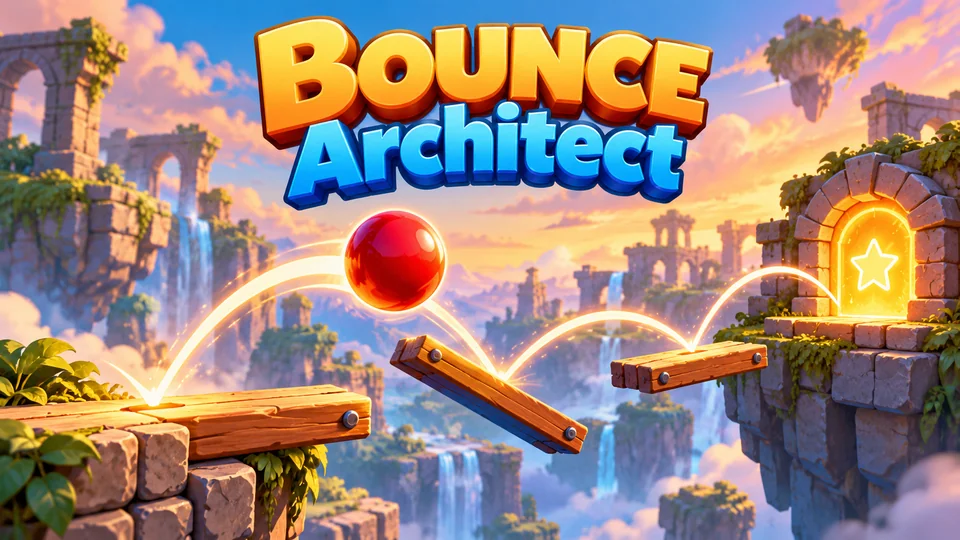
Bounce Architect
Draw a limited number of platforms that redirect a continuously bouncing ball to the exit.

Stack & Balance
Stack irregular everyday objects on constrained platforms without collapsing the structure.

Ragdoll Rooftops
Launch and swing a floppy ragdoll across rooftops, grabbing anchors, bouncing on trampolines and flipping for style to travel as far as possible.
You don't need this for every game. Use an engine for feel and juice; own the simulation, or pick one that documents determinism, when outcomes must be reproducible. More of our physics games are in the puzzle category and, for skill games like Ragdoll Rooftops and Hook Hero Neon, the action category.
Physics performance tips for phones
- Use simple shapes. Circles and boxes are cheapest. Approximate a detailed sprite with a few convex parts instead of tracing every pixel.
- Let bodies sleep. Bodies at rest stop costing time. Matter has an
enableSleepingoption, and Box2D-style engines and Rapier support sleeping too. - Remove what the player can't see. Debris that left the screen should leave the world too.
- Keep the step fixed. Variable steps make stacks jitter and jumps inconsistent.
- Load WASM engines early, but not first. Start loading Rapier while the menu shows, so the first level doesn't wait.
Our guide to HTML5 game performance covers profiling, and the guides on isometric games and sprites and animation cover the drawing side of the same games.
Frequently asked questions
Which physics engine does Phaser 4 use?
Phaser 4 includes two: Arcade Physics for fast rectangle and circle collisions, and a bundled version of Matter.js for full rigid bodies with polygons and constraints. You pick one in the game config. Phaser Box2D is a separate MIT-licensed library that you can add for Box2D v3 physics.
Is Matter.js good enough for a commercial game?
Yes, for many games: it handles polygons, constraints and collision events well, and it's built into Phaser. Its weak spots are tall stacks and very fast objects, because it has no continuous collision detection. For those, use Planck.js, Phaser Box2D or Rapier.
How do I stop fast objects passing through walls?
Take smaller physics steps for fast objects, make walls thicker than the distance an object moves in one step, or use a swept test that casts a ray along the movement. Engines with continuous collision detection, such as Phaser Box2D and Rapier, can handle it for you.
Can I use one physics engine for both 2D and 3D games?
Rapier comes closest: it has separate 2D and 3D packages with the same design and a similar API. Most other engines are either 2D (Matter.js, Planck.js, Box2D) or 3D (Havok, ammo.js).
We make and sell HTML5 game source code; links to our games are marked as ours.