Pong is two paddles, a ball and a score, which makes it the classic first HTML5 canvas game for learning collision and physics. The game on this page, Paddle Duel, is a complete Pong-style game you can play against the computer. Below, we walk through the pong game HTML5 code one part at a time: the fixed-step loop, the paddle bounce that lets you aim, a computer opponent that can lose, and a court that turns upright when you hold your phone in portrait.
How to run it
Nothing to install, no server and no library:
- Press Copy code above (or Download .html).
- Paste it into a new file called
pong.htmlwith any text editor. - Double-click the file. It opens in your browser, and a click or tap serves the first ball.
To experiment, paste the code into the HTML game code runner, change a number such as CPU_SPEED and press Run. Move your paddle with the mouse, by dragging a finger, or with the arrow keys and W/S. The first player to 7 points wins.
How the code works
If you've wondered how to make a Pong game in HTML5, the answer is smaller than most people expect. Everything happens on one <canvas> element, drawn with the Canvas 2D API, and one script with seven parts: settings, sizing, state, the loop, the physics step, the paddle bounce and drawing. This JavaScript tutorial follows them in that order.
1. Settings in court units, not pixels
The game never thinks in pixels. The court is always 600 units across and 800 units long, and every size and speed is measured in those units. Drawing converts units to pixels at the last moment, so the same numbers work on a 4K monitor and a small phone. All the tuning lives at the top of the script:
const COURT_W = 600;                 // along the paddles
const COURT_L = 800;                 // from the computer's back line (v = 0) to yours (v = 800)
const PADDLE_LEN = 110, PADDLE_THICK = 14, PADDLE_GAP = 30;   // size, and distance from the back line
const BALL_R = 9;
const SERVE_SPEED = 380;             // court units per second
const SPEED_UP = 1.06;               // the ball gets 6% faster on every paddle hit...
const MAX_SPEED = 950;               // ...up to this
const MAX_ANGLE = 50 * Math.PI / 180;   // the steepest return, off the very end of a paddle
const PLAYER_SPEED = 640;            // your paddle with the keyboard
const POINTER_SPEED = 1400;          // your paddle chasing the mouse or finger
const CPU_SPEED = 300;               // the computer can never move faster than this
const WIN_SCORE = 7;
Positions use two axes named after the court rather than the screen: u runs along the paddles and v runs from the computer's back line (0) to yours (800). That naming is what lets the court rotate in the next step.
2. A court that turns with the screen
A sideways court on a phone held upright would be tiny. resize() checks whether the window is taller than it is wide, picks an upright or sideways court to match, and scales it to the largest size that fits. It also sizes the canvas buffer by the device pixel ratio, so lines stay sharp on high-DPI screens.
function resize() {
  const dpr = window.devicePixelRatio || 1;
  const W = window.innerWidth, H = window.innerHeight;
  canvas.style.width = W + "px";
  canvas.style.height = H + "px";
  canvas.width = Math.round(W * dpr);
  canvas.height = Math.round(H * dpr);
  ctx.setTransform(dpr, 0, 0, dpr, 0, 0);
  const portrait = H > W;
  const cw = portrait ? COURT_W : COURT_L, ch = portrait ? COURT_L : COURT_W;
  const scale = Math.min(W / cw, H / ch);
  view = { portrait, scale, w: cw * scale, h: ch * scale, x: (W - cw * scale) / 2, y: (H - ch * scale) / 2 };
}
A small function, toScreen(u, v), then maps any court point to pixels: upright, u goes right and v goes down; sideways, u goes down and v goes left, so your paddle ends up on the left. The physics code never knows which way the court is facing. You can rotate a phone mid-rally and the ball carries on.
3. Game state and serving
Each paddle is a small object with a position, a score and a side: the direction the ball travels when it comes towards that paddle. Storing that one number lets the same bounce code serve both paddles. The game is in one of three states, ready, playing or over, and every serve parks the ball in the middle for 0.9 seconds before launching it.
function reset() {
  // side: which way the ball travels (along v) when it comes towards this paddle.
  you = { u: COURT_W / 2, v: COURT_L - PADDLE_GAP, side: 1, score: 0 };
  cpu = { u: COURT_W / 2, v: PADDLE_GAP, side: -1, score: 0 };
  serve(1);
  state = "ready";                   // ready → playing → over
}
4. The loop: 120 physics steps a second
requestAnimationFrame calls loop() once per screen refresh, which might be 60, 120 or 144 times a second. The physics shouldn't depend on that, so the loop collects elapsed time in timer and runs step() in fixed slices of 1/120 of a second. Drawing happens once per frame, whatever the number of steps.
function loop(now) {
  const dt = Math.min(0.25, (now - last) / 1000);
  last = now;
  if (state === "playing") {
    timer += dt;
    while (timer >= STEP && state === "playing") { timer -= STEP; step(STEP); }
  }
  draw();
  requestAnimationFrame(loop);
}
Small, fixed steps keep the ball's movement per step short (under 8 units even at top speed), which makes collisions predictable. The Math.min(0.25, …) cap stops a huge catch-up burst when you come back to a tab that was in the background.
5. Moving the paddles, and a computer you can beat
Keys move your paddle at a fixed speed. A mouse or finger sets a target instead, and the paddle chases it at up to 1,400 units a second, which feels instant without letting the paddle teleport. The computer is the interesting part: a perfect opponent is no fun, so it has three handicaps. It can't move faster than CPU_SPEED, it only follows the ball while the ball is coming its way, and it aims at the ball plus a random error.
  const keyDir = (["ArrowDown", "ArrowRight", "KeyS", "KeyD"].some((k) => held.has(k)) ? 1 : 0)
    - (["ArrowUp", "ArrowLeft", "KeyW", "KeyA"].some((k) => held.has(k)) ? 1 : 0);
  if (keyDir) pointerU = null;
  if (pointerU !== null) you.u += clamp(pointerU - you.u, -POINTER_SPEED * dt, POINTER_SPEED * dt);
  else you.u += keyDir * PLAYER_SPEED * dt;
  // The computer chases the ball (plus a small aiming error) only while it's coming its way.
  const target = ball.vv < 0 ? ball.u + cpuAim : COURT_W / 2;
  cpu.u += clamp(target - cpu.u, -CPU_SPEED * dt, CPU_SPEED * dt);
  for (const p of [you, cpu]) p.u = clamp(p.u, PADDLE_LEN / 2, COURT_W - PADDLE_LEN / 2);
The aiming error grows as the ball speeds up, so slow rallies are safe for the computer and fast ones end in mistakes. To make the game harder, raise CPU_SPEED to 380; for younger players, drop it to 240.
6. The bounce: aim with the paddle edge, no tunnelling
A common bug in HTML5 canvas ball games is tunnelling: a fast ball moves past a thin paddle between two frames and never "touches" it. This code doesn't test whether the ball overlaps the paddle. It tests whether the front of the ball crossed the paddle's face during the last step, then works out exactly where along the paddle it arrived.
function bounce(p, prevU, prevV) {
  if (ball.vv * p.side <= 0) return;                     // moving away from this paddle
  const face = p.v - p.side * PADDLE_THICK / 2;          // the side of the paddle facing the court
  const before = (prevV + p.side * BALL_R - face) * p.side;
  const after = (ball.v + p.side * BALL_R - face) * p.side;
  if (before > 0 || after < 0) return;                   // the ball didn't reach the face this step
  const t = before === after ? 0 : before / (before - after);
  const hitU = prevU + (ball.u - prevU) * t;             // where along the paddle it arrived
  const offset = (hitU - p.u) / (PADDLE_LEN / 2 + BALL_R);   // -1 at one end, 0 centre, 1 the other end
  if (Math.abs(offset) > 1) return;                      // missed the paddle
  // Hit near the end for a steep return. Every hit makes the ball a little faster.
  const angle = offset * MAX_ANGLE;
  ball.speed = Math.min(MAX_SPEED, ball.speed * SPEED_UP);
  ball.vu = Math.sin(angle) * ball.speed;
  ball.vv = -p.side * Math.cos(angle) * ball.speed;
The offset is what makes Pong a game of skill. A centre hit sends the ball straight back; a hit on the very end sends it off at 50 degrees. Because the new direction comes from the hit position, not from reflecting the old direction, players can aim, and the ball can never end up moving almost sideways and bouncing between the walls forever. The side walls simply flip the ball's vu and push it back inside the court.
7. Scoring and game over
When the ball passes a back line, point() adds to the scorer's total, serves towards the player who lost the point and ends the game at 7. The time of the last point is stored in endedAt, and start() ignores taps for 0.6 seconds afterwards, so a tap that was meant for the paddle doesn't skip the result screen.
function point(scorer) {
  scorer.score++;
  serve(scorer === you ? -1 : 1);    // serve towards whoever lost the point
  if (scorer.score >= WIN_SCORE) { state = "over"; endedAt = performance.now(); }
}
8. Drawing
draw() repaints everything each frame: the court, a dashed centre line, faint scores in each half, the paddles and the ball. Paddles are drawn with courtRect(), which converts two opposite corners with toScreen() and fills the rectangle between them, so one call works whichever way the court is turned. Text goes through a tiny text() helper in screen pixels, so it is never drawn sideways.
Make it work on phones
The phone version needs no extra code path. Pointer events cover mouse, pen and touch with the same listeners, and touch-action: none in the CSS stops the page from scrolling or zooming while you drag. The paddle follows your finger along the court's u axis, which is horizontal when the court is upright:
canvas.addEventListener("pointerdown", (e) => {
  pointerU = pointerToU(e);
  if (state !== "playing") start();
});
canvas.addEventListener("pointermove", (e) => { pointerU = pointerToU(e); });
Two details matter on small screens. First, the rotating court keeps the paddles large in portrait: on a 390 × 640 phone the court is 390 pixels wide instead of about 290. Second, your thumb covers the paddle while you drag; if players complain, add an offset so the paddle sits slightly to one side of the touch point. Our guide to HTML5 mobile game development covers screen sizes and touch input in more depth.
Ideas to extend it
- Add a two-player mode: W/S for the left paddle, arrow keys for the right, and on phones split the screen in half and track each finger by
pointerId. - Add spin: store how fast the paddle was moving at impact and add a little of it to
vu. - Turn it into a ping pong (table tennis) game: draw a table and a net, and require one bounce on each side before a return.
- Add a difficulty menu that sets
CPU_SPEEDto 240, 300 or 380. - Add multiball: after 10 hits in a rally, serve a second ball.
- Pause automatically when the tab is hidden, using the
visibilitychangeevent. - Add a short screen shake and a particle burst when a point is scored.
Adding sound effects
A ping pong game feels flat without a "pock" on every hit. You don't need audio files: the Web Audio API can make a short beep from an oscillator. Browsers only allow audio after the player interacts with the page, so create the context inside start(), which always runs from a tap, click or key press.
let audio = null;                    // in start(), add: audio ??= new AudioContext();
function beep(freq, length = 0.06) {
  if (!audio) return;
  const osc = audio.createOscillator(), gain = audio.createGain();
  osc.frequency.value = freq;
  gain.gain.setValueAtTime(0.15, audio.currentTime);
  gain.gain.exponentialRampToValueAtTime(0.001, audio.currentTime + length);
  osc.connect(gain).connect(audio.destination);
  osc.start();
  osc.stop(audio.currentTime + length);
}
Call beep(440) at the end of bounce(), beep(330) on a wall hit and beep(160, 0.3) in point().
From prototype to a game you can sell
This file is a solid way to learn ball physics and a good base for a class project or a jam entry. A game that players pay for, or that a portal will accept, needs a lot more around the same rally:
| This Pong file | A production HTML5 game | |
|---|---|---|
| Content | One match against one opponent | Modes, opponents with personalities, progression, daily challenges |
| Art and sound | Rectangles and a circle, no audio | Original art, animation, music and effects |
| Saves | Nothing is kept after a reload | Progress and settings saved on the player's device |
| Input | Mouse, touch and keyboard | Touch, mouse, keyboard and gamepad, with remappable controls |
| Platforms | Desktop and phone browsers | Portal SDK hooks, ad breaks, languages, app wrappers |
| Quality | Tested by hand and in a sandbox | Unit tests and cross-browser end-to-end tests |
| Code | One script | A typed project, tuning in data files, docs |
| Licence | MIT, do anything | A commercial licence that covers your use |
We don't sell a paddle game. Our games are 50 single-player titles built with Phaser or Three.js, each shipped as a TypeScript project with its tuning in JSON data files, touch, mouse, keyboard and gamepad input, and a README that covers install, build, test and deploy. If you like the quick, skill-based rounds of Pong, these three are the closest in feel: a one-button grappling arcade game, a physics stacking game and a 3D penalty shootout.
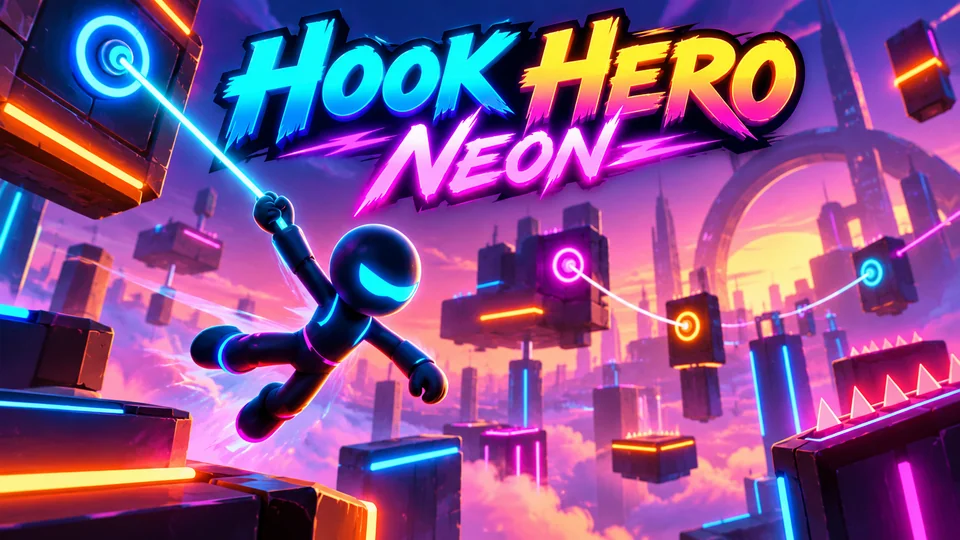
Hook Hero Neon
Tap and hold to grapple neon anchors, swing, release and chain momentum through glowing obstacle courses.
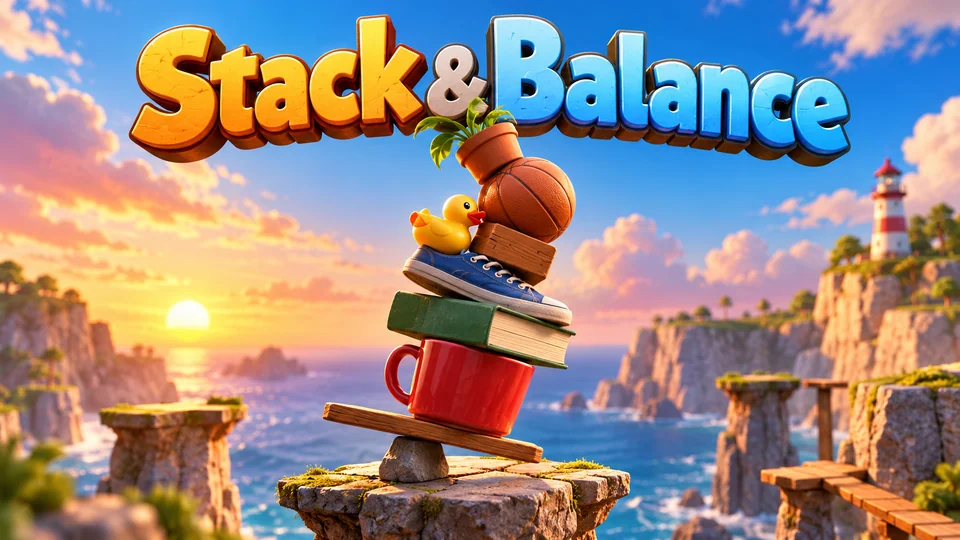
Stack & Balance
Stack irregular everyday objects on constrained platforms without collapsing the structure.
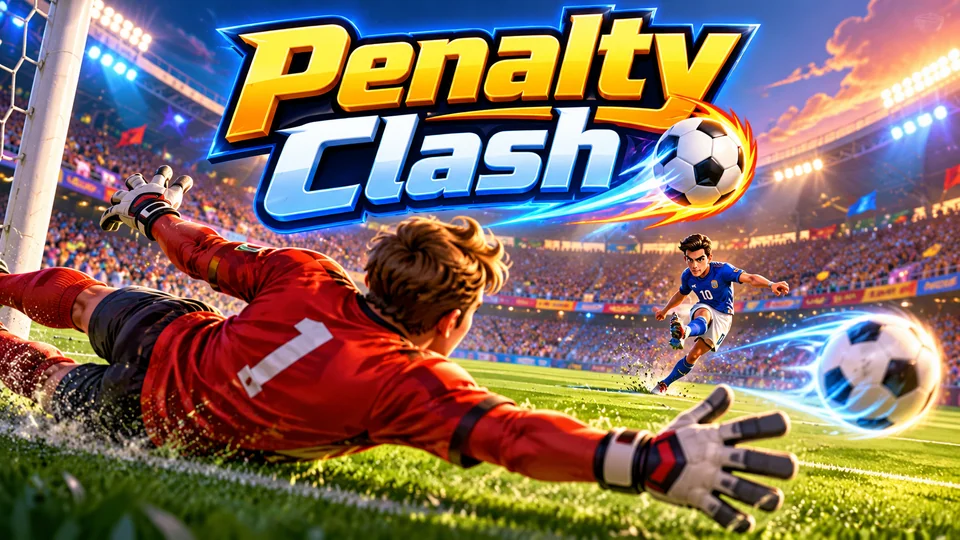
Penalty Clash
Fast tournament shootouts: swipe to shoot with power and curl, then read the taker and dive to save.
You can also browse all our HTML5 games with source code, or, if you need a polished paddle game nobody else has, send a brief for an exclusive game. Next on the code side, the Breakout game reuses this bounce logic with a wall of bricks.
The complete code
One file, no libraries. Save it as pong.html and open it in any browser. Free to use under the MIT license: copy it, change it, ship it.
<!doctype html>
<!-- SPDX-License-Identifier: MIT -->
<!-- Paddle Duel: a Pong-style HTML5 canvas game in one file. Free to use, change and ship (MIT license). -->
<html lang="en">
<head>
<meta charset="utf-8">
<meta name="viewport" content="width=device-width, initial-scale=1">
<title>Paddle Duel (HTML5 canvas Pong-style game)</title>
<style>
  html, body { margin: 0; height: 100%; background: #0a0d14; overflow: hidden; touch-action: none; }
  canvas { display: block; }
</style>
</head>
<body>
<canvas id="game"></canvas>
<script>
// ----- Settings (in court units: the court is always 600 across and 800 long) -----
const COURT_W = 600;                 // along the paddles
const COURT_L = 800;                 // from the computer's back line (v = 0) to yours (v = 800)
const PADDLE_LEN = 110, PADDLE_THICK = 14, PADDLE_GAP = 30;   // size, and distance from the back line
const BALL_R = 9;
const SERVE_SPEED = 380;             // court units per second
const SPEED_UP = 1.06;               // the ball gets 6% faster on every paddle hit...
const MAX_SPEED = 950;               // ...up to this
const MAX_ANGLE = 50 * Math.PI / 180;   // the steepest return, off the very end of a paddle
const PLAYER_SPEED = 640;            // your paddle with the keyboard
const POINTER_SPEED = 1400;          // your paddle chasing the mouse or finger
const CPU_SPEED = 300;               // the computer can never move faster than this
const WIN_SCORE = 7;
const STEP = 1 / 120;                // the physics runs 120 times a second
const COLORS = { bg: "#0a0d14", court: "#111827", line: "#2a3550", you: "#3ee6a8", cpu: "#ff6b9a", ball: "#f8fafc", text: "#e5ecff", score: "rgba(229, 236, 255, 0.12)" };

const canvas = document.getElementById("game");
const ctx = canvas.getContext("2d");
let view = { portrait: false, scale: 1, x: 0, y: 0, w: 0, h: 0 };

// ----- Sizing: fill the window, turn the court to fit the screen, stay sharp on high-DPI -----
// Landscape screens show the court sideways (you play on the left). Portrait screens show it
// upright (you play at the bottom). The game logic only knows court units and never changes.
function resize() {
  const dpr = window.devicePixelRatio || 1;
  const W = window.innerWidth, H = window.innerHeight;
  canvas.style.width = W + "px";
  canvas.style.height = H + "px";
  canvas.width = Math.round(W * dpr);
  canvas.height = Math.round(H * dpr);
  ctx.setTransform(dpr, 0, 0, dpr, 0, 0);
  const portrait = H > W;
  const cw = portrait ? COURT_W : COURT_L, ch = portrait ? COURT_L : COURT_W;
  const scale = Math.min(W / cw, H / ch);
  view = { portrait, scale, w: cw * scale, h: ch * scale, x: (W - cw * scale) / 2, y: (H - ch * scale) / 2 };
}

// Court point (u along the paddles, v between them) → screen pixels.
function toScreen(u, v) {
  return view.portrait
    ? { x: view.x + u * view.scale, y: view.y + v * view.scale }
    : { x: view.x + (COURT_L - v) * view.scale, y: view.y + u * view.scale };
}

// Screen pixels → position along the paddles, for mouse and touch control.
function pointerToU(e) {
  const r = canvas.getBoundingClientRect();
  return view.portrait ? (e.clientX - r.left - view.x) / view.scale : (e.clientY - r.top - view.y) / view.scale;
}

const clamp = (n, lo, hi) => Math.max(lo, Math.min(hi, n));

// ----- Game state -----
let you, cpu, ball, state, serveTimer, cpuAim = 0, endedAt = 0, timer = 0, last = 0;
let pointerU = null;                 // where the mouse or finger wants your paddle (court units)
const held = new Set();              // movement keys currently held down

function reset() {
  // side: which way the ball travels (along v) when it comes towards this paddle.
  you = { u: COURT_W / 2, v: COURT_L - PADDLE_GAP, side: 1, score: 0 };
  cpu = { u: COURT_W / 2, v: PADDLE_GAP, side: -1, score: 0 };
  serve(1);
  state = "ready";                   // ready → playing → over
}

// Park the ball in the middle; it launches towards `side` after a short pause.
function serve(side) {
  ball = { u: COURT_W / 2, v: COURT_L / 2, vu: 0, vv: 0, speed: SERVE_SPEED, side };
  serveTimer = 0.9;
}

function launch() {
  const angle = (Math.random() * 2 - 1) * 0.5;   // up to about 29 degrees off straight
  ball.vu = Math.sin(angle) * ball.speed;
  ball.vv = Math.cos(angle) * ball.speed * ball.side;
}

function start() {
  if (state === "over" && performance.now() - endedAt < 600) return;   // ignore a stray tap right after the end
  if (state === "over") reset();
  state = "playing";
}

// ----- One physics step -----
function step(dt) {
  // Your paddle: keys move it at a fixed speed; a pointer pulls it towards the pointer.
  const keyDir = (["ArrowDown", "ArrowRight", "KeyS", "KeyD"].some((k) => held.has(k)) ? 1 : 0)
    - (["ArrowUp", "ArrowLeft", "KeyW", "KeyA"].some((k) => held.has(k)) ? 1 : 0);
  if (keyDir) pointerU = null;
  if (pointerU !== null) you.u += clamp(pointerU - you.u, -POINTER_SPEED * dt, POINTER_SPEED * dt);
  else you.u += keyDir * PLAYER_SPEED * dt;
  // The computer chases the ball (plus a small aiming error) only while it's coming its way.
  const target = ball.vv < 0 ? ball.u + cpuAim : COURT_W / 2;
  cpu.u += clamp(target - cpu.u, -CPU_SPEED * dt, CPU_SPEED * dt);
  for (const p of [you, cpu]) p.u = clamp(p.u, PADDLE_LEN / 2, COURT_W - PADDLE_LEN / 2);

  if (serveTimer > 0) { serveTimer -= dt; if (serveTimer <= 0) launch(); return; }

  const prevU = ball.u, prevV = ball.v;
  ball.u += ball.vu * dt;
  ball.v += ball.vv * dt;
  // Side walls: push the ball back inside and send it the other way.
  if (ball.u < BALL_R) { ball.u = BALL_R; ball.vu = Math.abs(ball.vu); }
  if (ball.u > COURT_W - BALL_R) { ball.u = COURT_W - BALL_R; ball.vu = -Math.abs(ball.vu); }
  bounce(you, prevU, prevV);
  bounce(cpu, prevU, prevV);
  // Past a back line: a point for the other player.
  if (ball.v > COURT_L + BALL_R) point(cpu);
  else if (ball.v < -BALL_R) point(you);
}

// Swept test: did the front of the ball cross the paddle's face during this step?
// Testing the crossing, not just the overlap, means a fast ball can't skip through a paddle.
function bounce(p, prevU, prevV) {
  if (ball.vv * p.side <= 0) return;                     // moving away from this paddle
  const face = p.v - p.side * PADDLE_THICK / 2;          // the side of the paddle facing the court
  const before = (prevV + p.side * BALL_R - face) * p.side;
  const after = (ball.v + p.side * BALL_R - face) * p.side;
  if (before > 0 || after < 0) return;                   // the ball didn't reach the face this step
  const t = before === after ? 0 : before / (before - after);
  const hitU = prevU + (ball.u - prevU) * t;             // where along the paddle it arrived
  const offset = (hitU - p.u) / (PADDLE_LEN / 2 + BALL_R);   // -1 at one end, 0 centre, 1 the other end
  if (Math.abs(offset) > 1) return;                      // missed the paddle
  // Hit near the end for a steep return. Every hit makes the ball a little faster.
  const angle = offset * MAX_ANGLE;
  ball.speed = Math.min(MAX_SPEED, ball.speed * SPEED_UP);
  ball.vu = Math.sin(angle) * ball.speed;
  ball.vv = -p.side * Math.cos(angle) * ball.speed;
  ball.u = hitU;
  ball.v = face - p.side * BALL_R;
  // Give the computer a new aiming error. It grows as the ball speeds up, so long rallies
  // end with the occasional miss instead of going on forever.
  const rush = (ball.speed - SERVE_SPEED) / (MAX_SPEED - SERVE_SPEED);   // 0 … 1
  if (p === you) cpuAim = (Math.random() * 2 - 1) * PADDLE_LEN * (0.35 + 0.35 * rush);
}

function point(scorer) {
  scorer.score++;
  serve(scorer === you ? -1 : 1);    // serve towards whoever lost the point
  if (scorer.score >= WIN_SCORE) { state = "over"; endedAt = performance.now(); }
}

// ----- Drawing -----
// Fills a court-space box (centre u, v and half sizes) on screen, whichever way the court is turned.
function courtRect(u, v, halfU, halfV, color) {
  const a = toScreen(u - halfU, v - halfV), b = toScreen(u + halfU, v + halfV);
  ctx.fillStyle = color;
  ctx.fillRect(Math.min(a.x, b.x), Math.min(a.y, b.y), Math.abs(b.x - a.x), Math.abs(b.y - a.y));
}

function text(str, x, y, size, color, weight = 600) {
  ctx.font = `${weight} ${size}px system-ui, sans-serif`;
  ctx.fillStyle = color;
  ctx.fillText(str, x, y);
}

function draw() {
  const s = view.scale;
  ctx.fillStyle = COLORS.bg;
  ctx.fillRect(0, 0, canvas.width, canvas.height);
  courtRect(COURT_W / 2, COURT_L / 2, COURT_W / 2, COURT_L / 2, COLORS.court);
  for (let u = 15; u < COURT_W; u += 40) courtRect(u, COURT_L / 2, 10, 2, COLORS.line);   // dashed centre line

  // Big faint scores in each half during play, with a label so you know which end is yours.
  ctx.textAlign = "center";
  ctx.textBaseline = "middle";
  const big = Math.round(130 * s), small = Math.max(12, Math.round(22 * s));
  const sides = state === "playing" ? [[cpu, "CPU", COLORS.cpu], [you, "YOU", COLORS.you]] : [];
  for (const [p, label, color] of sides) {
    const c = toScreen(COURT_W / 2, p === cpu ? COURT_L * 0.27 : COURT_L * 0.73);
    text(String(p.score), c.x, c.y, big, COLORS.score, 800);
    text(label, c.x, c.y + big * 0.62, small, color, 700);
  }

  courtRect(you.u, you.v, PADDLE_LEN / 2, PADDLE_THICK / 2, COLORS.you);
  courtRect(cpu.u, cpu.v, PADDLE_LEN / 2, PADDLE_THICK / 2, COLORS.cpu);
  if (state === "playing") {
    const b = toScreen(ball.u, ball.v);
    ctx.fillStyle = COLORS.ball;
    ctx.beginPath();
    ctx.arc(b.x, b.y, BALL_R * s, 0, Math.PI * 2);
    ctx.fill();
    return;
  }

  // Start and game over screens: a dark layer over the court and a few lines of text.
  ctx.fillStyle = "rgba(0, 0, 0, 0.75)";
  ctx.fillRect(view.x, view.y, view.w, view.h);
  const cx = view.x + view.w / 2, cy = view.y + view.h / 2;
  const unit = Math.min(view.w, view.h) / 600;            // 1 on a full-size court
  const line = Math.max(14, 22 * unit);
  const title = state === "ready" ? "Paddle Duel" : you.score > cpu.score ? "You win!" : "CPU wins";
  text(title, cx, cy - 80 * unit, Math.max(28, 56 * unit), COLORS.text, 800);
  if (state === "over") text(`${you.score} – ${cpu.score}`, cx, cy - 22 * unit, Math.max(18, 32 * unit), COLORS.text, 700);
  else text(`First to ${WIN_SCORE} points wins`, cx, cy - 22 * unit, line, COLORS.text, 500);
  text(view.portrait ? "You: green paddle, bottom" : "You: green paddle, left", cx, cy + 22 * unit, line, COLORS.you, 600);
  text(view.portrait ? "Drag, or ← → / A D" : "Mouse, drag, or ↑ ↓ / W S", cx, cy + 56 * unit, line, COLORS.text, 500);
  text(state === "over" ? "Tap or press Space to play again" : "Tap or press Space to serve", cx, cy + 100 * unit, line, COLORS.text, 700);
}

// ----- Main loop: fixed physics steps, one drawing per frame -----
function loop(now) {
  const dt = Math.min(0.25, (now - last) / 1000);
  last = now;
  if (state === "playing") {
    timer += dt;
    while (timer >= STEP && state === "playing") { timer -= STEP; step(STEP); }
  }
  draw();
  requestAnimationFrame(loop);
}

// ----- Input: keyboard, mouse and touch -----
const MOVE_KEYS = ["ArrowUp", "ArrowDown", "ArrowLeft", "ArrowRight", "KeyW", "KeyS", "KeyA", "KeyD"];
window.addEventListener("keydown", (e) => {
  if (MOVE_KEYS.includes(e.code)) { e.preventDefault(); held.add(e.code); }
  else if ((e.code === "Space" || e.code === "Enter") && state !== "playing") { e.preventDefault(); start(); }
});
window.addEventListener("keyup", (e) => held.delete(e.code));
window.addEventListener("blur", () => held.clear());   // don't keep moving after the window loses focus

canvas.addEventListener("pointerdown", (e) => {
  pointerU = pointerToU(e);
  if (state !== "playing") start();
});
canvas.addEventListener("pointermove", (e) => { pointerU = pointerToU(e); });

window.addEventListener("resize", resize);
reset();
resize();
requestAnimationFrame((t) => { last = t; loop(t); });
</script>
</body>
</html>
Frequently asked questions
Is this Pong game code free for commercial use?
Yes. The file is MIT-licensed, so you can copy it, change it and use it in personal or commercial projects, as long as you keep the licence line at the top. The code is free, but the name "Pong" is a trademark, which is why this game is called Paddle Duel. Give your version its own name too.
How do I put this Pong game on my website?
Upload pong.html to your web host and link to it, or show it inside a page with an <iframe>. The game resizes to whatever frame you give it. Our guide to embedding an HTML5 game in a website covers WordPress, Wix and Google Sites.
How do I add sound to the ping pong game?
Use the Web Audio API to play a short oscillator beep on each paddle hit, wall hit and point, as shown in "Adding sound effects" above. Create the AudioContext in start(), because browsers block audio until the player has tapped, clicked or pressed a key. The sandboxed player on this page may stay silent, so test sound with the file opened directly.
Can two people play on one keyboard?
Yes, with a small change. Replace the two lines in step() that move the computer paddle with a copy of your own paddle's keyboard code, reading W and S for one player and the arrow keys for the other. Then remove those keys from your own paddle's list so each player controls only one side.
How do I keep a high score or a win streak?
Add a wins counter that goes up in point() when you reach 7, and draw it on the game over screen. To keep it after a reload, save it with localStorage.setItem and read it when the page loads, wrapped in try/catch, because some browsers and sandboxed frames (like the player on this page) block storage.
We make and sell HTML5 game source code; links to our games are marked as ours.