A clicker game looks trivial: you tap, a number goes up. The fun comes from the economy around the tap, and that economy is what this HTML5 clicker game code teaches. Bolt Workshop has a tap target, six upgrades with prices that grow on every purchase, income that keeps flowing while you do nothing, readable big numbers and a prestige reset. Each of those is a pattern every idle or incremental game uses, so this page doubles as an HTML5 idle game tutorial.
How to run it
Nothing to install and no server needed:
- Press Copy code above, or Download .html.
- Paste it into an empty file named
clicker-game.htmlin any text editor. - Open the file in Chrome, Firefox, Safari or Edge.
To experiment without saving files, paste the code into the HTML game code runner, change a price in the UPGRADES table and press Run.
How the HTML5 clicker game code works
The script has seven parts: the economy table, sizing, state, the rules for earning and buying, number formatting, drawing and the loop. Only the loop knows about time, and only recalc() knows how income is calculated, which keeps the balance of the game easy to change.
1. The economy is one table
Every number that decides how the game feels sits at the top. An upgrade is either a click upgrade, which adds bolts per tap, or an auto upgrade, which adds bolts per second. base is the first price, growth is how much the price multiplies with each purchase and power is what one copy adds.
const GOAL = 1e6;                    // bolts to earn in one run to launch the rocket
const STAR_BONUS = 0.5;              // each launch adds +50% to everything you make
const UPGRADES = [
  // "click" upgrades add bolts per tap; "auto" upgrades add bolts per second.
  { name: "Sharper Wrench", kind: "click", base: 10,    growth: 1.5,  power: 1 },
  { name: "Apprentice",     kind: "auto",  base: 10,    growth: 1.15, power: 1 },
  { name: "Workbench",      kind: "auto",  base: 60,    growth: 1.15, power: 6 },
  { name: "Assembly Line",  kind: "auto",  base: 600,   growth: 1.15, power: 35 },
  { name: "Robot Arm",      kind: "auto",  base: 6500,  growth: 1.15, power: 200 },
  { name: "Smart Factory",  kind: "auto",  base: 70000, growth: 1.15, power: 1200 },
];
Notice the pattern in the auto upgrades: each tier costs roughly ten times the one before and pays back its price in 10 to 60 seconds. Balancing an idle game mostly means adjusting that payback time. We tuned these values with a small script that played the game greedily, clicking four times a second: the first rocket takes about five and a half minutes, the second under four.
2. Rising prices and income
The price of the next copy is base × growth^owned. With a growth of 1.15, the tenth Apprentice costs about three and a half times the first, and the twentieth about fourteen times. That exponential curve is what stops one upgrade from being the answer forever and pushes the player towards the next tier.
const cost = (i) => Math.ceil(UPGRADES[i].base * Math.pow(UPGRADES[i].growth, owned[i]));
const bonus = () => 1 + stars * STAR_BONUS;

// Recompute income from what you own. Called after every purchase, never every frame.
function recalc() {
  perTap = 1; perSec = 0;
  UPGRADES.forEach((u, i) => {
    if (u.kind === "click") perTap += u.power * owned[i];
    else perSec += u.power * owned[i];
  });
  perTap *= bonus(); perSec *= bonus();
}

function earn(amount) { bolts += amount; earned += amount; }
The game tracks two totals. bolts is what you can spend; earned is everything made this run and never goes down. The goal and the "???" reveals use earned, so buying an upgrade never pushes you further from the rocket.
3. How to make an idle game in HTML5: pay for elapsed time
This is the part that turns a clicker into an idle game. A beginner's version adds income once per frame, so a 120 Hz phone earns twice as fast as a 60 Hz laptop. This loop multiplies income by dt, the real seconds since the last frame, from the timestamp requestAnimationFrame passes in.
function loop(now) {
  // Idle games pay for real time, so the cap is generous: a tab left in the background
  // for up to an hour gets the full income when it comes back.
  const dt = Math.min(3600, (now - last) / 1000);
  last = now;
  if (state === "playing") {
    earn(perSec * dt);
    runTime += dt;
    UPGRADES.forEach((u, i) => { if (earned >= u.base * 0.5) seen[i] = true; });
    if (earned >= GOAL) launch();
  }
Browsers pause animation frames in background tabs. Action games cap dt at a fraction of a second so nothing jumps when you come back; an idle game does the opposite and pays the whole gap, because "it kept working while I was away" is the point of the genre. Animations such as the spinning gear and the floating numbers use a separate step capped at 0.05 seconds, so they never jump either way.
4. Tapping and buying
A tap adds perTap, starts a small bounce on the gear and spawns a floating "+N". Buying checks the price, subtracts it and calls recalc(). If you can't afford it, the row blinks red instead of doing nothing, which tells a new player why the tap didn't work.
function tapGear(x, y) {
  if (state === "launched") { if (performance.now() - endedAt > 900) newRun(); return; }
  if (state === "ready") state = "playing";
  earn(perTap);
  pulse = 1;
  pops.push({ x: x + (Math.random() - 0.5) * 30, y, text: "+" + fmt(perTap), life: 1 });
}

function buy(i) {
  if (state !== "playing" || !seen[i]) return;
  const c = cost(i);
  if (bolts < c) { flash[i] = 0.3; return; }     // can't afford: blink the row red
  bolts -= c;
  owned[i]++;
  recalc();
}
The 900 ms wait on the launch screen is deliberate. Players tap fast in a clicker, and without the delay the last few taps of a run would skip straight past the results.
5. Formatting big numbers
Incremental games reach millions within minutes, and "1234567 bolts" is hard to read at a glance. fmt() divides by powers of 1,000, keeps three significant digits and adds a suffix, then trims trailing zeros so the goal shows as "1M" rather than "1.00M".
const SUFFIXES = ["", "K", "M", "B", "T", "Qa", "Qi"];
function fmt(n) {
  if (n < 1000) return String(n < 100 ? Math.round(n * 10) / 10 : Math.floor(n));
  const tier = Math.min(SUFFIXES.length - 1, Math.floor(Math.log10(n) / 3));
  const v = n / Math.pow(1000, tier);
  const digits = v < 10 ? v.toFixed(2) : v < 100 ? v.toFixed(1) : String(Math.floor(v));
  return digits.replace(/(\.\d*?)0+$/, "$1").replace(/\.$/, "") + SUFFIXES[tier]; // "1.50M" → "1.5M"
}
For a localised game, Intl.NumberFormat with notation: "compact" gives the same kind of output in the player's language. JavaScript numbers stay exact up to about 9 quadrillion and keep working (with rounding) up to 1.8e308, which is enough for most incremental games before you need a big-number library.
6. Prestige: a goal and a reason to start again
When earned reaches one million, the run ends and you get a star. Every star adds 50% to all income in the next run, so each rocket comes faster than the last. That's the prestige loop: a reset that feels like progress.
// Prestige: the run ends at the goal, you keep your stars and everything restarts faster.
function launch() {
  stars++;
  bestTime = bestTime ? Math.min(bestTime, runTime) : runTime;
  state = "launched";
  endedAt = performance.now();
}

function newRun() {
  bolts = 0; earned = 0; runTime = 0;
  owned = UPGRADES.map(() => 0);
  recalc();
  state = "playing";
}
The seen list is not reset, so upgrades you discovered stay named in later runs.
7. Sizing and drawing
resize() makes the canvas fill the window and multiplies its buffer by devicePixelRatio, so text stays sharp on phones. When the window is wider than tall, the gear sits on the left and the shop on the right; otherwise the gear goes on top. draw() repaints everything each frame: the counter bar, the gear (a polygon with four points per tooth), the shop rows and an overlay for the start and launch screens.
Make it work on phones
The game uses pointer events, so one handler covers mouse, pen and touch. A tap inside the gear earns; a tap on a row buys.
canvas.addEventListener("pointerdown", (e) => {
  const x = e.clientX, y = e.clientY;
  if (state !== "playing") { tapGear(gear.x, gear.y - gear.r * 0.6); return; }
  if (Math.hypot(x - gear.x, y - gear.y) <= gear.r * 1.05) tapGear(x, y);
  else { const i = rowAt(x, y); if (i >= 0) buy(i); }
});
touch-action: none and user-select: none in the CSS stop fast taps from zooming the page or selecting text, two problems that show up in clicker games long before any other genre. Shop rows are at least 40 pixels tall on a 390 × 640 screen, close to the size platform guidelines recommend for touch targets. On a keyboard, Space or Enter taps and the keys 1 to 6 buy; holding Space does nothing extra, because e.repeat is ignored. Our guide to HTML5 mobile game development covers touch targets and screen sizes in more depth.
Ideas to extend it
- Save
bolts,ownedandstarsplus a timestamp, then pay offline income on load from the difference withDate.now(). - Add a "buy 10" and a "buy max" button. The cost of n copies is a geometric series, so you can compute it without a loop.
- Spawn a golden bolt every minute or two that doubles income for 30 seconds when tapped.
- Award stars on a curve, such as the square root of
earned / GOAL, so pushing a run further pays more. - Add milestones: every 25 copies of an upgrade doubles its power.
- Play a short click sound with the Web Audio API, starting the audio context on the first tap.
From prototype to a game you can sell
This file shows the mechanics. A commercial idle game is mostly the content and systems around them:
| This clicker file | A production idle game | |
|---|---|---|
| Economy | One table in the script | Data files with dozens of upgrades, tuned and tested |
| Progress | Lost on reload | Saved locally, with offline income on return |
| Content | Six upgrades and one goal | Unlocks, collections, events, daily rewards |
| Art and audio | A drawn gear, no sound | Original art, animation, music and effects |
| Platforms | Desktop and phone browsers | Portal SDK hooks, ads, localisation, app wrappers |
| Quality | Played by hand | Unit and end-to-end tests across browsers |
| Licence | MIT | A commercial licence for your product |
Our games are built for that second column. Each one ships as a TypeScript project with its economy in JSON data files, so changing costs or income rates needs no code edits, and the buyer's package includes a quick start for building and deploying. Robot Factory is an idle automation game with offline progress, Dino Hatchery Merge combines merging with offline income, and Mini Mart Empire is an idle-friendly supermarket tycoon:
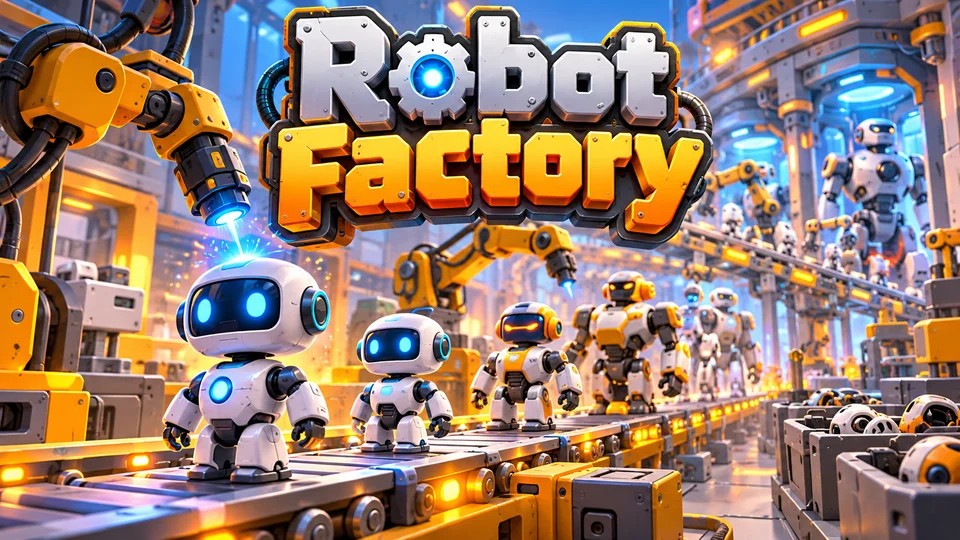
Robot Factory
Place and upgrade machines that manufacture increasingly advanced robots along production lines.
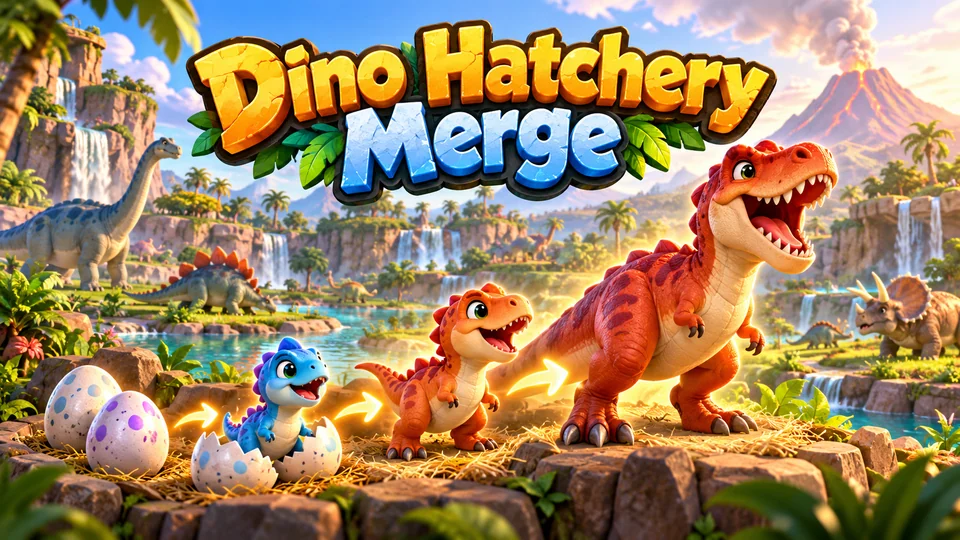
Dino Hatchery Merge
Merge eggs and juveniles into increasingly rare dinosaurs, then watch them populate habitats.
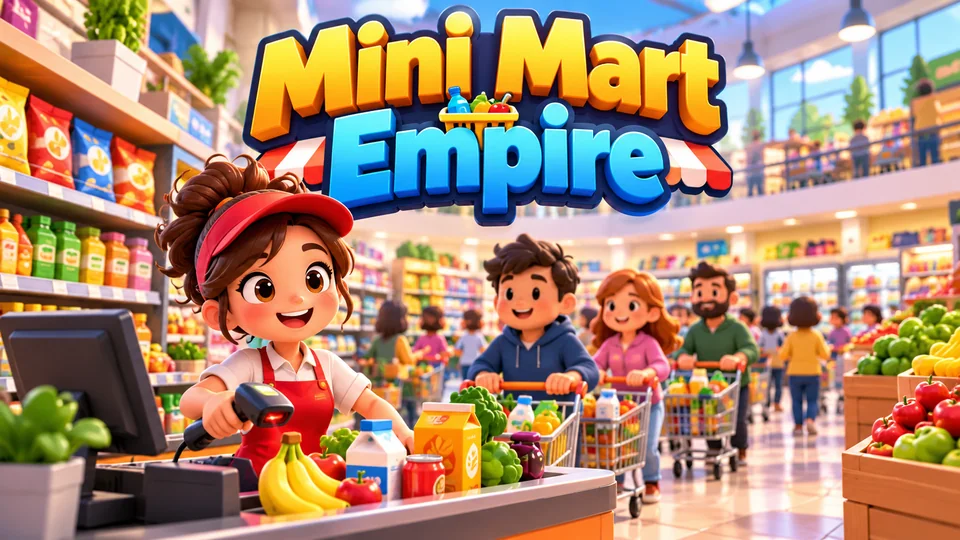
Mini Mart Empire
Start with one shelf and checkout, restock products, serve shoppers and expand into a busy supermarket.
For more management and tycoon games, see the simulation games. For other free projects, browse the HTML game code collection or try the 2048 game code, another short game built on numbers.
The complete code
One file, no libraries. Save it as clicker-game.html and open it in any browser. Free to use under the MIT license: copy it, change it, ship it.
<!doctype html>
<!-- SPDX-License-Identifier: MIT -->
<!-- Bolt Workshop: a complete clicker / idle game in one HTML file. Free to use, change and ship (MIT license). -->
<html lang="en">
<head>
<meta charset="utf-8">
<meta name="viewport" content="width=device-width, initial-scale=1">
<title>Bolt Workshop (HTML5 clicker game)</title>
<style>
  html, body { margin: 0; height: 100%; background: #15120e; color: #fff3df; font: 16px system-ui, sans-serif; overflow: hidden; touch-action: none; user-select: none; -webkit-user-select: none; }
  canvas { display: block; }
</style>
</head>
<body>
<canvas id="game"></canvas>
<script>
// ----- Settings: the whole economy lives in this table -----
const GOAL = 1e6;                    // bolts to earn in one run to launch the rocket
const STAR_BONUS = 0.5;              // each launch adds +50% to everything you make
const UPGRADES = [
  // "click" upgrades add bolts per tap; "auto" upgrades add bolts per second.
  { name: "Sharper Wrench", kind: "click", base: 10,    growth: 1.5,  power: 1 },
  { name: "Apprentice",     kind: "auto",  base: 10,    growth: 1.15, power: 1 },
  { name: "Workbench",      kind: "auto",  base: 60,    growth: 1.15, power: 6 },
  { name: "Assembly Line",  kind: "auto",  base: 600,   growth: 1.15, power: 35 },
  { name: "Robot Arm",      kind: "auto",  base: 6500,  growth: 1.15, power: 200 },
  { name: "Smart Factory",  kind: "auto",  base: 70000, growth: 1.15, power: 1200 },
];
const COLORS = { bg: "#15120e", panel: "#262019", panelOn: "#33291c", gold: "#f2a93b", dim: "#8a7a66", text: "#fff3df" };

const canvas = document.getElementById("game");
const ctx = canvas.getContext("2d");
const HUD = 78;                      // height of the counter bar at the top
let W = 0, H = 0, gear = { x: 0, y: 0, r: 40 }, rows = [];

// ----- Sizing: fill the window, gear and shop side by side (wide) or stacked (tall) -----
function resize() {
  const dpr = window.devicePixelRatio || 1;
  W = window.innerWidth; H = window.innerHeight;
  canvas.style.width = W + "px"; canvas.style.height = H + "px";
  canvas.width = Math.round(W * dpr); canvas.height = Math.round(H * dpr);
  ctx.setTransform(dpr, 0, 0, dpr, 0, 0);
  const wide = W > H, pad = 12;
  const area = wide ? { x: 0, y: HUD, w: W * 0.5, h: H - HUD } : { x: 0, y: HUD, w: W, h: (H - HUD) * 0.42 };
  gear = { x: area.x + area.w / 2, y: area.y + area.h / 2, r: Math.max(30, Math.min(area.w, area.h) * 0.36) };
  const shop = wide ? { x: W * 0.5, y: HUD, w: W * 0.5 - pad, h: H - HUD - pad }
                    : { x: pad, y: area.y + area.h, w: W - pad * 2, h: H - area.y - area.h - pad };
  const rowH = Math.min(70, shop.h / UPGRADES.length);
  const top = shop.y + (shop.h - rowH * UPGRADES.length) / 2;
  rows = UPGRADES.map((_, i) => ({ x: shop.x, y: top + i * rowH, w: shop.w, h: rowH - 6 }));
}

// ----- Game state -----
let bolts = 0;                       // what you can spend
let earned = 0;                      // everything earned this run (spending doesn't lower it)
let owned = UPGRADES.map(() => 0);   // how many of each upgrade you bought
let seen = UPGRADES.map((u, i) => i < 2); // upgrades stay "???" until you get close to affording one
let stars = 0, perTap = 1, perSec = 0, runTime = 0, bestTime = 0, endedAt = 0;
let state = "ready";                 // ready → playing → launched → playing …
let spin = 0, pulse = 0, hover = -1, flash = UPGRADES.map(() => 0), pops = [], last = 0;

const cost = (i) => Math.ceil(UPGRADES[i].base * Math.pow(UPGRADES[i].growth, owned[i]));
const bonus = () => 1 + stars * STAR_BONUS;

// Recompute income from what you own. Called after every purchase, never every frame.
function recalc() {
  perTap = 1; perSec = 0;
  UPGRADES.forEach((u, i) => {
    if (u.kind === "click") perTap += u.power * owned[i];
    else perSec += u.power * owned[i];
  });
  perTap *= bonus(); perSec *= bonus();
}

function earn(amount) { bolts += amount; earned += amount; }

function tapGear(x, y) {
  if (state === "launched") { if (performance.now() - endedAt > 900) newRun(); return; }
  if (state === "ready") state = "playing";
  earn(perTap);
  pulse = 1;
  pops.push({ x: x + (Math.random() - 0.5) * 30, y, text: "+" + fmt(perTap), life: 1 });
}

function buy(i) {
  if (state !== "playing" || !seen[i]) return;
  const c = cost(i);
  if (bolts < c) { flash[i] = 0.3; return; }     // can't afford: blink the row red
  bolts -= c;
  owned[i]++;
  recalc();
}

// Prestige: the run ends at the goal, you keep your stars and everything restarts faster.
function launch() {
  stars++;
  bestTime = bestTime ? Math.min(bestTime, runTime) : runTime;
  state = "launched";
  endedAt = performance.now();
}

function newRun() {
  bolts = 0; earned = 0; runTime = 0;
  owned = UPGRADES.map(() => 0);
  recalc();
  state = "playing";
}

// ----- Number formatting: 1234 → 1.23K, 5600000 → 5.6M -----
const SUFFIXES = ["", "K", "M", "B", "T", "Qa", "Qi"];
function fmt(n) {
  if (n < 1000) return String(n < 100 ? Math.round(n * 10) / 10 : Math.floor(n));
  const tier = Math.min(SUFFIXES.length - 1, Math.floor(Math.log10(n) / 3));
  const v = n / Math.pow(1000, tier);
  const digits = v < 10 ? v.toFixed(2) : v < 100 ? v.toFixed(1) : String(Math.floor(v));
  return digits.replace(/(\.\d*?)0+$/, "$1").replace(/\.$/, "") + SUFFIXES[tier]; // "1.50M" → "1.5M"
}
const clock = (s) => Math.floor(s / 60) + ":" + String(Math.floor(s % 60)).padStart(2, "0");

// ----- Drawing -----
function drawGear(x, y, r, angle) {
  const teeth = 12;
  ctx.beginPath();
  for (let i = 0; i < teeth * 4; i++) {
    // Four points per tooth: two on the outer rim, two on the inner rim.
    const a = angle + (i / (teeth * 4)) * Math.PI * 2;
    const rr = i % 4 < 2 ? r : r * 0.8;
    ctx.lineTo(x + Math.cos(a) * rr, y + Math.sin(a) * rr);
  }
  ctx.closePath();
  ctx.fillStyle = COLORS.gold; ctx.fill();
  ctx.lineWidth = Math.max(2, r * 0.04); ctx.strokeStyle = "#a8661a"; ctx.stroke();
  ctx.beginPath(); ctx.arc(x, y, r * 0.55, 0, Math.PI * 2); ctx.fillStyle = "#d48a24"; ctx.fill();
  ctx.beginPath(); ctx.arc(x, y, r * 0.22, 0, Math.PI * 2); ctx.fillStyle = COLORS.bg; ctx.fill();
}

function text(str, x, y, size, color, align = "left", weight = 600) {
  ctx.font = `${weight} ${size}px system-ui, sans-serif`;
  ctx.fillStyle = color; ctx.textAlign = align; ctx.textBaseline = "middle";
  ctx.fillText(str, x, y);
}

function draw() {
  ctx.fillStyle = COLORS.bg; ctx.fillRect(0, 0, W, H);

  // Counter bar: bolts, income, stars and progress towards the rocket.
  const big = Math.min(30, W / 13);
  text(`${fmt(Math.floor(bolts))} bolts`, W / 2, 24, big, COLORS.text, "center", 800);
  text(`${fmt(perSec)} per second · ${fmt(perTap)} per tap`, W / 2, 50, 13, COLORS.dim, "center", 500);
  text(`★ ${stars}`, 12, 24, 16, COLORS.gold);
  text(`Goal ${fmt(GOAL)}`, W - 12, 24, 13, COLORS.dim, "right", 500);
  const barW = W - 24, done = Math.min(1, earned / GOAL);
  ctx.fillStyle = COLORS.panel; ctx.fillRect(12, 64, barW, 6);
  ctx.fillStyle = COLORS.gold; ctx.fillRect(12, 64, barW * done, 6);

  // The gear: spins faster as passive income grows, bounces when tapped.
  drawGear(gear.x, gear.y, gear.r * (1 + pulse * 0.07), spin);
  text("TAP", gear.x, gear.y + gear.r * 1.2, 13, COLORS.dim, "center", 700);

  // Shop rows.
  rows.forEach((r, i) => {
    const u = UPGRADES[i], c = cost(i), can = seen[i] && bolts >= c && state === "playing";
    ctx.fillStyle = flash[i] > 0 ? "#4a2420" : can ? (hover === i ? "#3d311f" : COLORS.panelOn) : COLORS.panel;
    ctx.beginPath(); ctx.roundRect(r.x, r.y, r.w, r.h, 8); ctx.fill();
    if (can) { ctx.lineWidth = 1.5; ctx.strokeStyle = COLORS.gold; ctx.stroke(); }
    const size = Math.max(12, Math.min(17, r.h * 0.3)), mid = r.y + r.h / 2;
    text(String(i + 1), r.x + 14, mid, 12, COLORS.dim, "center", 700);
    const name = seen[i] ? u.name : "???";
    text(owned[i] ? `${name} ×${owned[i]}` : name, r.x + 30, mid - size * 0.55, size, can ? COLORS.text : COLORS.dim);
    const each = fmt(u.power * bonus()) + (u.kind === "click" ? " per tap" : "/s each");
    text(seen[i] ? each : "keep earning", r.x + 30, mid + size * 0.6, Math.max(11, size * 0.75), COLORS.dim, "left", 500);
    text(fmt(c), r.x + r.w - 12, mid, size, can ? COLORS.gold : COLORS.dim, "right", 700);
  });

  // Floating "+N" numbers, with a soft shadow so they read on top of the gear.
  ctx.shadowColor = "rgba(0, 0, 0, 0.8)"; ctx.shadowBlur = 6;
  for (const p of pops) {
    ctx.globalAlpha = Math.max(0, p.life);
    text(p.text, p.x, p.y, 18, COLORS.text, "center", 800);
  }
  ctx.globalAlpha = 1; ctx.shadowBlur = 0;

  if (state !== "playing") {
    ctx.fillStyle = "rgba(10, 8, 6, 0.82)"; ctx.fillRect(0, 0, W, H);
    const cx = W / 2, cy = H / 2, s = Math.min(1, W / 420);
    if (state === "ready") {
      text("Bolt Workshop", cx, cy - 70 * s, 34 * s, COLORS.gold, "center", 800);
      text("Tap the gear to make bolts.", cx, cy - 20 * s, 17 * s, COLORS.text, "center", 500);
      text("Buy helpers that make bolts for you.", cx, cy + 6 * s, 17 * s, COLORS.text, "center", 500);
      text(`Earn ${fmt(GOAL)} bolts to launch the rocket.`, cx, cy + 32 * s, 17 * s, COLORS.text, "center", 500);
      text("Tap or press Space to start · keys 1–6 buy", cx, cy + 78 * s, 14 * s, COLORS.dim, "center", 500);
    } else {
      text("Rocket launched!", cx, cy - 60 * s, 34 * s, COLORS.gold, "center", 800);
      text(`Run time ${clock(runTime)} · best ${clock(bestTime)}`, cx, cy - 12 * s, 17 * s, COLORS.text, "center", 500);
      text(`${stars} ★ = everything +${Math.round(stars * STAR_BONUS * 100)}% next run`, cx, cy + 16 * s, 17 * s, COLORS.text, "center", 500);
      text("Tap or press Space for the next run", cx, cy + 62 * s, 14 * s, COLORS.dim, "center", 500);
    }
  }
}

// ----- Main loop: income follows real elapsed time, not frame count -----
function loop(now) {
  // Idle games pay for real time, so the cap is generous: a tab left in the background
  // for up to an hour gets the full income when it comes back.
  const dt = Math.min(3600, (now - last) / 1000);
  last = now;
  if (state === "playing") {
    earn(perSec * dt);
    runTime += dt;
    UPGRADES.forEach((u, i) => { if (earned >= u.base * 0.5) seen[i] = true; });
    if (earned >= GOAL) launch();
  }
  // Animations use a small capped step so they never jump.
  const a = Math.min(dt, 0.05);
  spin += a * (0.2 + Math.log10(1 + perSec) * 0.35);
  pulse = Math.max(0, pulse - a * 6);
  flash = flash.map((f) => Math.max(0, f - a));
  for (const p of pops) { p.y -= a * 70; p.life -= a * 1.2; }
  pops = pops.filter((p) => p.life > 0);
  draw();
  requestAnimationFrame(loop);
}

// ----- Input: mouse and touch with pointer events, keyboard for desktop -----
function rowAt(x, y) { return rows.findIndex((r) => x >= r.x && x <= r.x + r.w && y >= r.y && y <= r.y + r.h); }

canvas.addEventListener("pointerdown", (e) => {
  const x = e.clientX, y = e.clientY;
  if (state !== "playing") { tapGear(gear.x, gear.y - gear.r * 0.6); return; }
  if (Math.hypot(x - gear.x, y - gear.y) <= gear.r * 1.05) tapGear(x, y);
  else { const i = rowAt(x, y); if (i >= 0) buy(i); }
});
canvas.addEventListener("pointermove", (e) => { hover = rowAt(e.clientX, e.clientY); });

window.addEventListener("keydown", (e) => {
  if (e.code === "Space" || e.code === "Enter") {
    e.preventDefault();
    if (!e.repeat) tapGear(gear.x, gear.y - gear.r * 0.6);  // holding the key is not a free autoclicker
    return;
  }
  const n = Number(e.key);
  if (n >= 1 && n <= UPGRADES.length) buy(n - 1);
});

window.addEventListener("resize", resize);
resize();
requestAnimationFrame((t) => { last = t; loop(t); });
</script>
</body>
</html>
Frequently asked questions
Can I use this HTML5 clicker game code commercially?
Yes. The file is MIT-licensed, so you can change it, reskin it and use it in a commercial project. Keep the licence line at the top of the file.
What's the difference between a clicker, an idle and an incremental game?
A clicker earns mainly through taps. An idle game keeps earning while you don't touch it. Incremental is the umbrella term for games about numbers that keep growing. Most HTML5 incremental clicker game code mixes all three, as this one does: taps matter at the start, passive income takes over, and prestige restarts the climb.
How do I save progress so it survives a reload?
Write JSON.stringify({ bolts, owned, stars, time: Date.now() }) to localStorage every few seconds and on visibilitychange, then read it back before the first frame. Wrap both in try/catch, because sandboxed frames like the player on this page block storage. Use the saved time to pay offline income, usually capped at a few hours.
How do I put this clicker game on my website?
Upload the HTML file to your host and link to it, or show it in an <iframe>. Our guide to embedding an HTML5 game in a website covers WordPress, Wix and Google Sites.
Why does income stop when I switch tabs?
It doesn't stop, it waits. Browsers pause requestAnimationFrame in hidden tabs, and when you return the next frame pays for the whole gap, up to one hour. To pay for longer absences, use the saved timestamp described above.
We make and sell HTML5 game source code; links to our games are marked as ours.