Conway's Game of Life is a grid of cells that live or die by two rules, and from those rules come gliders, oscillators and patterns that build other patterns. The mathematician John Horton Conway devised it in 1970, and Martin Gardner's column in Scientific American made it famous the same year. This page gives you complete Conway's Game of Life HTML5 code on a canvas, then explains each part: the rules, double buffering, wrapping edges, drawing cells with a finger and running at a steady speed.
How to run it
There's nothing to install:
- Press Copy code above (or Download .html).
- Paste it into a new file called
game-of-life.htmlin any text editor. - Double-click the file to open it in your browser.
Tap or press Space to start a random world. Draw on the grid to bring cells to life, or start a stroke on a live cell to erase. The toolbar has Play/Pause, Step, Random, Clear, Shape (which cycles through famous patterns), Slower and Faster. On a keyboard, Space plays and pauses, Enter or the right arrow steps, up and down change speed, and R, C and P mean Random, Clear and Pattern. You can also paste the code into the HTML game code runner and edit the rules.
The rules of Conway's Game of Life
Every cell is alive or dead and has eight neighbours. Each generation, all cells update at once:
- A dead cell with exactly 3 live neighbours comes to life.
- A live cell with 2 or 3 live neighbours survives.
- Every other cell dies or stays dead.
That's written as B3/S23: born on 3, survives on 2 or 3. Change those numbers and you get a different universe, which is why the code keeps them as data.
How the HTML5 canvas Game of Life code works
The file is one <canvas> that fills the window and one script. The script has settings, sizing, the rules, actions for the buttons, drawing, the loop and input.
1. Rules and settings as data
BORN and SURVIVE hold the neighbour counts for each rule, so trying another rule is a one-line change. BORN = [3, 6] gives HighLife, a variant with a small pattern that copies itself. WRAP decides what happens at the edges, and SPEEDS lists the generations per second the Slower and Faster buttons step through.
const BORN = [3], SURVIVE = [2, 3];  // Conway's rules (B3/S23): try BORN = [3, 6] for "HighLife"
const WRAP = true;                   // true: the edges wrap around (a torus); false: outside the grid is dead
const SPEEDS = [1, 2, 5, 10, 20, 30, 60];   // generations per second to choose from
const FILL = 0.25;                   // share of cells alive after Random
const COLORS = { bg: "#0b0e14", board: "#10151f", line: "#1a2130", young: "#ffe66d", alive: "#6ef2c2", old: "#3d9be9", text: "#e6ecf5", dim: "#8792a8", button: "#1d2433", on: "#24704f" };
2. Typed arrays for the world
The world is a flat Uint8Array with one byte per cell, 0 or 1, where cell (x, y) is at index y * cols + x. Typed arrays are compact and fast to loop over, and fill() clears them in one call. There are three of them: cells is the current generation, next receives the new one, and prev keeps the one before, which is used to notice when the world stops changing. A fourth array, age, counts how long each cell has been alive so the drawing can colour newborn and old cells differently.
let cells = new Uint8Array(0), next = new Uint8Array(0), prev = new Uint8Array(0);
let age = new Uint16Array(0);        // generations each cell has been alive, for colour
let generation = 0, population = 0, speedIndex = 3, running = false, started = false;
let banner = "", bannerTime = 0, patternIndex = -1, timer = 0;
let quiet = false;                   // true after the world settled once, so Play can keep watching it
3. A grid that fills the screen
The canvas takes the whole window. resize() reserves a top bar for the counters and one or two rows of buttons at the bottom, then picks a cell size between 8 and 18 pixels so that about 36 cells fit across the shorter side. On a 900×675 window that gives a 59×38 grid of 15-pixel cells; on a 390-pixel phone, 38×48 cells of 10 pixels.
When the window changes size, or a phone rotates, the grid gets new dimensions. Instead of starting over, resize() copies the old world into the new arrays, centred, so your drawing survives:
const ox = Math.floor((newCols - oldCols) / 2), oy = Math.floor((newRows - oldRows) / 2);
for (let y = 0; y < oldRows; y++) for (let x = 0; x < oldCols; x++) {
  const nx = x + ox, ny = y + oy;
  if (nx >= 0 && ny >= 0 && nx < newCols && ny < newRows) { cells[ny * newCols + nx] = old[y * oldCols + x]; age[ny * newCols + nx] = oldAge[y * oldCols + x]; }
}
The canvas buffer is also scaled by devicePixelRatio, as in our other code pages, so the grid lines stay crisp on high-density screens.
4. Neighbours on a wrapping grid
A real Game of Life universe is infinite. A screen isn't, so the code has to decide what's beyond the edge. With WRAP on, the grid is a torus: a cell on the right edge counts cells on the left edge as neighbours, and a glider that leaves at the bottom comes back at the top. With WRAP off, everything outside the grid counts as dead, and gliders crash into the edge and turn into debris.
function alive(x, y) {
  if (WRAP) { x = (x + cols) % cols; y = (y + rows) % rows; }
  else if (x < 0 || y < 0 || x >= cols || y >= rows) return 0;
  return cells[y * cols + x];
}
Adding cols before the % matters: in JavaScript, -1 % 59 is -1, not 58, so without it the left edge would read outside the array.
5. One generation, double buffered
This is the step most first attempts get wrong. If you update cells in place, a cell near the top changes before its neighbour below has counted it, and the patterns fall apart. step() reads only from cells and writes only to next. When every cell is done, the three buffers rotate with a destructuring swap, so nothing is copied and no new arrays are made.
function step() {
  for (let y = 0; y < rows; y++) for (let x = 0; x < cols; x++) {
    let n = 0;
    for (let dy = -1; dy <= 1; dy++) for (let dx = -1; dx <= 1; dx++) if (dx || dy) n += alive(x + dx, y + dy);
    const i = y * cols + x;
    next[i] = (cells[i] ? SURVIVE.includes(n) : BORN.includes(n)) ? 1 : 0;
    age[i] = next[i] ? Math.min(age[i] + 1, 999) : 0;
  }
  const still = same(next, cells), blinking = same(next, prev);
  [prev, cells, next] = [cells, next, prev];   // rotate buffers: no copying, no new arrays
It's the simplest possible approach, and it's quick enough: on our test machine a generation took about 0.3 ms on the 59×38 grid and under 1 ms on the 106×54 grid a full-HD window gets.
6. Knowing when the world has settled
A random world usually burns out into still lifes (blocks, beehives) and blinkers. Before the swap, step() compares the new generation with the current one (nothing changed: a still life) and with the previous one (it's flipping between two states, like a blinker). If either matches, or every cell has died, the game pauses and says so, such as "Settled after 312 generations". Press Play again to keep watching; the check stays off until you edit the world. Patterns with longer cycles, like the period-3 pulsar or gliders circling a wrapped grid, run until you stop them.
7. A steady speed on any screen
requestAnimationFrame fires at the screen's refresh rate, which might be 60 or 120 times a second. The loop adds the elapsed time to timer and runs one generation each time timer passes 1 / speed, so 10 generations per second means the same thing on every device. If a slow device falls more than four generations behind, the loop drops the backlog instead of trying to catch up, which would make each frame slower still.
if (running) {
  timer += dt;
  const every = 1 / SPEEDS[speedIndex];
  let steps = 0;
  while (timer >= every && running && steps < 4) { timer -= every; step(); steps++; }
  if (steps === 4) timer = 0;      // the device can't keep up: drop the backlog instead of piling it up
}
8. Drawing the grid
Each frame clears the canvas, draws the counters, fills the board, draws every grid line in a single path with one stroke() call, and then fills a square for each live cell. Cells are coloured by age: yellow for cells born this generation, green for young ones and blue for cells that have lived 10 generations or more. The colours make movement easy to read: a glider has a yellow leading edge, and stable blocks turn blue.
for (let i = 0; i < cells.length; i++) {
  if (!cells[i]) continue;
  ctx.fillStyle = age[i] <= 1 ? COLORS.young : age[i] < 10 ? COLORS.alive : COLORS.old;
  ctx.fillRect(gridX + (i % cols) * cell + 1, gridY + Math.floor(i / cols) * cell + 1, cell - 1, cell - 1);
}
9. Drawing cells with a mouse or finger
A press on the grid flips the cell under it and remembers what it did: starting on a dead cell draws, starting on a live cell erases. Moving the pointer applies the same value to every cell it crosses. Pointer events only fire every few milliseconds, so a fast stroke can jump several cells between events; the move handler fills in the cells along the straight line between the last position and the new one.
canvas.addEventListener("pointermove", (e) => {
  const c = painting && cellAt(e);
  if (!c) return;
  // Fill every cell between the last point and this one, so fast strokes don't leave gaps.
  const dx = c.x - painting.x, dy = c.y - painting.y, n = Math.max(Math.abs(dx), Math.abs(dy));
  for (let k = 1; k <= n; k++) paint(Math.round(painting.x + (dx * k) / n), Math.round(painting.y + (dy * k) / n), painting.value);
  painting.x = c.x; painting.y = c.y;
  edited();
});
setPointerCapture keeps the stroke going even if the pointer leaves the canvas, and you can draw while the simulation runs.
10. Famous patterns
PATTERNS stores five well-known patterns as rows of text, with O for a live cell. Shape clears the world and stamps the next one in the middle, skipping any that wouldn't fit:
- Glider: five cells that move one cell diagonally every four generations.
- Spaceship: the lightweight spaceship, which moves two cells sideways every four generations.
- Pulsar: an oscillator that repeats every three generations.
- R-pentomino: five cells that explode into chaos. On an unbounded plane they take 1,103 generations to settle; on a small wrapping grid the debris collides with itself much sooner.
- Glider gun: Bill Gosper's gun, which fires a new glider every 30 generations.
We checked each one by running the file's own step() function: the glider and spaceship return to their shapes four generations later, shifted by the right amount, the pulsar repeats after three, and the gun gains exactly five cells (one glider) every 30 generations. The LifeWiki catalogues thousands more patterns, many in a text format you could paste into the same structure.
Make it work on phones
The game is ready for touch. The canvas fills the screen, touch-action: none stops the browser from scrolling or zooming while you draw, and pointer events give mouse, pen and finger one code path. On narrow screens the toolbar wraps to two rows, so each button stays about 80 pixels wide or more and 42 pixels tall.
Cells are 10 pixels on a 390-pixel phone, smaller than a fingertip. That's fine for dragging strokes, but tapping single cells takes care. If precision matters for your version, add pinch-to-zoom: keep a scale and an offset, apply them in draw() and cellAt(), and track two pointers to change the scale. When a phone rotates, the resize code keeps your world centred in the new grid. Our guide to HTML5 mobile game development covers scaling and touch input in more depth.
Ideas to extend it
- Other rules. Try HighLife (
BORN = [3, 6]) or Day & Night (BORN = [3, 6, 7, 8],SURVIVE = [3, 4, 6, 7, 8]), and add a rule picker. - Pattern import. Parse the run-length encoded (RLE) text used on LifeWiki so players can paste any pattern.
- Zoom and pan. Scale and offset the drawing, and drag with two fingers to move around.
- An unbounded world. Store live cells in a
Setof"x,y"strings and only check live cells and their neighbours, so patterns can travel forever. - Faster updates. Keep a neighbour-count array that changes only when a cell flips, or move the rules into a WebGL fragment shader for millions of cells.
- Sound. Map the population to a pitch with the Web Audio API and let the world hum as it changes.
If you want grid code with a player in it, the snake and maze game pages use the same cell-array ideas, and the Tetris page clears full rows from a grid.
From prototype to a game you can sell
The Game of Life is a simulation rather than a game: nobody wins. Commercial games take the same idea, simple rules producing behaviour nobody scripted, and add goals, progression and a reason to come back:
| This Game of Life file | A production simulation game | |
|---|---|---|
| Goal | Watch and experiment | Levels, targets, unlocks and a difficulty curve |
| Systems | One rule set on one grid | Several interacting systems tuned in data files |
| Art and sound | Coloured squares, no audio | Original art, animation, music and effects |
| Saves | World lost on reload | Progress, settings and offline progress saved |
| Platforms | Desktop and phone browsers | Portal SDK hooks, ads, localisation, app wrappers |
| Quality | Rules checked by script | Unit tests, cross-browser end-to-end tests |
| Licence | MIT, do anything | A commercial licence that covers your use |
Our automation games are the closest thing in our catalog. Robot Factory has you place and upgrade machines along production lines, and Shape Factory Flow is a puzzle about building compact production lines that turn raw shapes into products. Both ship as buildable TypeScript projects on Phaser 4.2.1, with tuning in JSON data files:
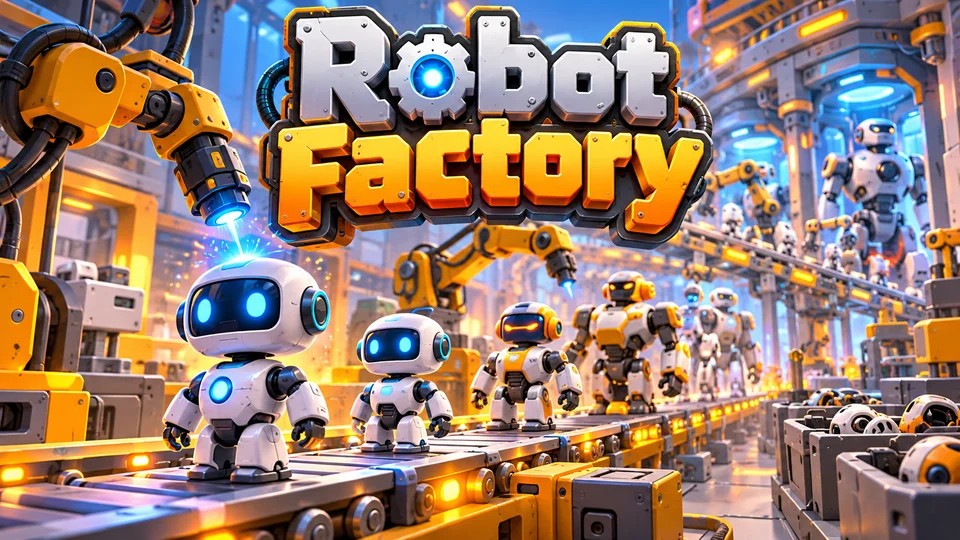
Robot Factory
Place and upgrade machines that manufacture increasingly advanced robots along production lines.
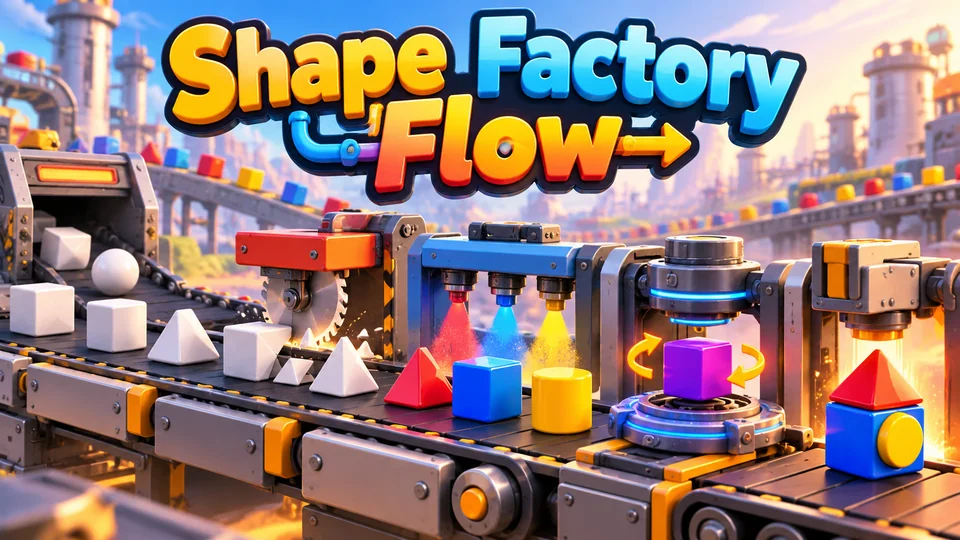
Shape Factory Flow
Build compact production lines that transform raw shapes into target products using cutters, painters, rotators and combiners.
Browse more simulation games with source code, or go back to all the free HTML game code examples.
The complete code
One file, no libraries. Save it as game-of-life.html and open it in any browser. Free to use under the MIT license: copy it, change it, ship it.
<!doctype html>
<!-- SPDX-License-Identifier: MIT -->
<!-- Game of Life: Conway's cellular automaton on an HTML5 canvas, in one file. Free to use, change and ship (MIT license). -->
<html lang="en">
<head>
<meta charset="utf-8">
<meta name="viewport" content="width=device-width, initial-scale=1">
<title>Conway's Game of Life (HTML5 canvas)</title>
<style>
  html, body { margin: 0; height: 100%; background: #0b0e14; color: #e6ecf5; font: 16px system-ui, sans-serif; overflow: hidden; touch-action: none; user-select: none; }
  canvas { display: block; }
</style>
</head>
<body>
<canvas id="game"></canvas>
<script>
// ----- Settings -----
const BORN = [3], SURVIVE = [2, 3];  // Conway's rules (B3/S23): try BORN = [3, 6] for "HighLife"
const WRAP = true;                   // true: the edges wrap around (a torus); false: outside the grid is dead
const SPEEDS = [1, 2, 5, 10, 20, 30, 60];   // generations per second to choose from
const FILL = 0.25;                   // share of cells alive after Random
const COLORS = { bg: "#0b0e14", board: "#10151f", line: "#1a2130", young: "#ffe66d", alive: "#6ef2c2", old: "#3d9be9", text: "#e6ecf5", dim: "#8792a8", button: "#1d2433", on: "#24704f" };
// Famous patterns, drawn with "O" for a live cell. Shape cycles through them.
const PATTERNS = [
  { name: "Glider", rows: [".O.", "..O", "OOO"] },
  { name: "Spaceship", rows: [".O..O", "O....", "O...O", "OOOO."] },
  { name: "Pulsar", rows: ["..OOO...OOO..", ".............", "O....O.O....O", "O....O.O....O", "O....O.O....O", "..OOO...OOO..", ".............",
    "..OOO...OOO..", "O....O.O....O", "O....O.O....O", "O....O.O....O", ".............", "..OOO...OOO.."] },
  { name: "R-pentomino", rows: [".OO", "OO.", ".O."] },
  { name: "Glider gun", rows: ["........................O...........", "......................O.O...........", "............OO......OO............OO",
    "...........O...O....OO............OO", "OO........O.....O...OO..............", "OO........O...O.OO....O.O...........",
    "..........O.....O.......O...........", "...........O...O....................", "............OO......................"] },
];

const canvas = document.getElementById("game");
const ctx = canvas.getContext("2d");
const HUD = 40;                      // height of the top bar
let W = 0, H = 0, cell = 12, cols = 0, rows = 0, gridX = 0, gridY = 0, buttons = [];

// ----- World state: three buffers of 0/1, so we can spot a world that has stopped changing -----
let cells = new Uint8Array(0), next = new Uint8Array(0), prev = new Uint8Array(0);
let age = new Uint16Array(0);        // generations each cell has been alive, for colour
let generation = 0, population = 0, speedIndex = 3, running = false, started = false;
let banner = "", bannerTime = 0, patternIndex = -1, timer = 0;
let quiet = false;                   // true after the world settled once, so Play can keep watching it

// ----- Sizing: fill the window; keep the cells you had when the window changes size -----
function resize() {
  const dpr = window.devicePixelRatio || 1;
  W = window.innerWidth; H = window.innerHeight;
  canvas.style.width = W + "px"; canvas.style.height = H + "px";
  canvas.width = Math.round(W * dpr); canvas.height = Math.round(H * dpr);
  ctx.setTransform(dpr, 0, 0, dpr, 0, 0);
  const perRow = Math.max(1, Math.min(7, Math.floor((W - 8) / 84)));   // toolbar buttons per row
  const barH = Math.ceil(7 / perRow) * 48 + 8;
  const areaH = H - HUD - barH;
  cell = Math.max(8, Math.min(18, Math.floor(Math.min(W - 8, areaH - 8) / 36)));
  const newCols = Math.max(10, Math.floor((W - 8) / cell)), newRows = Math.max(10, Math.floor((areaH - 8) / cell));
  // Copy the old world into the new grid, centred, so a resize or rotation doesn't wipe your drawing.
  const old = cells, oldAge = age, oldCols = cols, oldRows = rows;
  cells = new Uint8Array(newCols * newRows); age = new Uint16Array(newCols * newRows);
  next = new Uint8Array(newCols * newRows); prev = new Uint8Array(newCols * newRows).fill(2);
  const ox = Math.floor((newCols - oldCols) / 2), oy = Math.floor((newRows - oldRows) / 2);
  for (let y = 0; y < oldRows; y++) for (let x = 0; x < oldCols; x++) {
    const nx = x + ox, ny = y + oy;
    if (nx >= 0 && ny >= 0 && nx < newCols && ny < newRows) { cells[ny * newCols + nx] = old[y * oldCols + x]; age[ny * newCols + nx] = oldAge[y * oldCols + x]; }
  }
  cols = newCols; rows = newRows;
  gridX = Math.floor((W - cols * cell) / 2);
  gridY = HUD + Math.floor((areaH - rows * cell) / 2);
  layoutButtons(perRow, H - barH + 4);
  count();
  draw();
}

// ----- The rules -----
function alive(x, y) {
  if (WRAP) { x = (x + cols) % cols; y = (y + rows) % rows; }
  else if (x < 0 || y < 0 || x >= cols || y >= rows) return 0;
  return cells[y * cols + x];
}

// One generation. Every cell looks at its 8 neighbours in the CURRENT grid and writes its new
// state to `next`; only then do the buffers swap, so no cell sees a half-updated world.
function step() {
  for (let y = 0; y < rows; y++) for (let x = 0; x < cols; x++) {
    let n = 0;
    for (let dy = -1; dy <= 1; dy++) for (let dx = -1; dx <= 1; dx++) if (dx || dy) n += alive(x + dx, y + dy);
    const i = y * cols + x;
    next[i] = (cells[i] ? SURVIVE.includes(n) : BORN.includes(n)) ? 1 : 0;
    age[i] = next[i] ? Math.min(age[i] + 1, 999) : 0;
  }
  const still = same(next, cells), blinking = same(next, prev);
  [prev, cells, next] = [cells, next, prev];   // rotate buffers: no copying, no new arrays
  generation++;
  count();
  if (!running || quiet) return;
  const gens = `${generation} generation${generation === 1 ? "" : "s"}`;
  if (population === 0) stop(`Everything died after ${gens}`);
  else if (still || blinking) stop(`Settled after ${gens}`);   // a still life, or a blinker-style 2-step loop
}

function same(a, b) {
  for (let i = 0; i < a.length; i++) if (a[i] !== b[i]) return false;
  return true;
}

function count() { population = 0; for (let i = 0; i < cells.length; i++) population += cells[i]; }

// ----- Actions (buttons and keys) -----
function stop(message) { running = false; quiet = true; banner = message; bannerTime = Infinity; }
function say(message) { banner = message; bannerTime = 2; }
// After any change by the player: forget the history used to spot a settled world.
function edited(fresh) {
  prev.fill(2); quiet = false; count();
  if (fresh) generation = 0;         // a new world (Random, Clear, Shape) counts from zero
  if (bannerTime === Infinity) bannerTime = 0;
}

function start() { started = true; running = true; bannerTime = 0; }
function togglePlay() { if (!started) start(); else { running = !running; if (running) bannerTime = 0; } }
function stepOnce() { started = true; running = false; bannerTime = 0; step(); }
function randomize() {
  for (let i = 0; i < cells.length; i++) { cells[i] = Math.random() < FILL ? 1 : 0; age[i] = cells[i]; }
  edited(true);
}
function clearAll() { cells.fill(0); age.fill(0); running = false; edited(true); }
function changeSpeed(d) { speedIndex = Math.max(0, Math.min(SPEEDS.length - 1, speedIndex + d)); say(`${SPEEDS[speedIndex]} generations per second`); }

// Clear the world and stamp the next famous pattern in the middle (skipping any too big to fit).
function nextPattern() {
  started = true;
  for (let tries = 0; tries < PATTERNS.length; tries++) {
    patternIndex = (patternIndex + 1) % PATTERNS.length;
    const p = PATTERNS[patternIndex], pw = p.rows[0].length, ph = p.rows.length;
    if (pw + 2 > cols || ph + 2 > rows) continue;
    cells.fill(0); age.fill(0);
    const x0 = Math.floor((cols - pw) / 2), y0 = Math.floor((rows - ph) / 2);
    p.rows.forEach((line, y) => { for (let x = 0; x < pw; x++) if (line[x] === "O") { cells[(y0 + y) * cols + x0 + x] = 1; age[(y0 + y) * cols + x0 + x] = 1; } });
    edited(true);
    say(p.name);
    return;
  }
}

// ----- Toolbar -----
const ACTIONS = [
  { label: () => (running ? "Pause" : "Play"), run: togglePlay },
  { label: () => "Step", run: stepOnce },
  { label: () => "Random", run: () => { started = true; randomize(); } },
  { label: () => "Clear", run: () => { started = true; clearAll(); } },
  { label: () => "Shape", run: nextPattern },
  { label: () => "Slower", run: () => changeSpeed(-1) },
  { label: () => "Faster", run: () => changeSpeed(1) },
];

function layoutButtons(perRow, top) {
  const w = (W - 8 - (perRow - 1) * 6) / perRow;
  buttons = ACTIONS.map((a, k) => ({ a, x: 4 + (k % perRow) * (w + 6), y: top + Math.floor(k / perRow) * 48, w, h: 42 }));
}

// ----- Drawing -----
function label(text, x, y, px, weight, align, color = COLORS.text) {
  ctx.font = `${weight} ${px}px system-ui, sans-serif`;
  ctx.textAlign = align;
  ctx.textBaseline = "middle";
  ctx.fillStyle = color;
  ctx.fillText(text, x, y);
}

function draw() {
  ctx.fillStyle = COLORS.bg;
  ctx.fillRect(0, 0, W, H);
  const px = Math.max(13, Math.min(17, W / 26));
  label(`Gen ${generation}`, 8, HUD / 2, px, 700, "left");
  label(`Alive ${population}`, W / 2, HUD / 2, px, 700, "center", COLORS.alive);
  label(`${SPEEDS[speedIndex]}/s ${WRAP ? "· wrap" : ""}`, W - 8, HUD / 2, px, 600, "right", COLORS.dim);

  // The grid: a dark board with faint lines, then every live cell coloured by age.
  ctx.fillStyle = COLORS.board;
  ctx.fillRect(gridX, gridY, cols * cell, rows * cell);
  ctx.strokeStyle = COLORS.line;
  ctx.lineWidth = 1;
  ctx.beginPath();
  for (let x = 0; x <= cols; x++) { ctx.moveTo(gridX + x * cell + 0.5, gridY); ctx.lineTo(gridX + x * cell + 0.5, gridY + rows * cell); }
  for (let y = 0; y <= rows; y++) { ctx.moveTo(gridX, gridY + y * cell + 0.5); ctx.lineTo(gridX + cols * cell, gridY + y * cell + 0.5); }
  ctx.stroke();
  for (let i = 0; i < cells.length; i++) {
    if (!cells[i]) continue;
    ctx.fillStyle = age[i] <= 1 ? COLORS.young : age[i] < 10 ? COLORS.alive : COLORS.old;
    ctx.fillRect(gridX + (i % cols) * cell + 1, gridY + Math.floor(i / cols) * cell + 1, cell - 1, cell - 1);
  }

  for (const b of buttons) {
    ctx.fillStyle = b.a.run === togglePlay && running ? COLORS.on : COLORS.button;
    ctx.fillRect(b.x, b.y, b.w, b.h);
    label(b.a.label(), b.x + b.w / 2, b.y + b.h / 2, Math.max(13, Math.min(16, b.w / 5.5)), 700, "center");
  }

  if (!started) {
    ctx.fillStyle = "rgba(6, 9, 14, 0.8)";
    ctx.fillRect(gridX, gridY, cols * cell, rows * cell);
    const cx = W / 2, cy = gridY + (rows * cell) / 2, small = Math.max(13, Math.min(18, W / 26));
    label("Game of Life", cx, cy - small * 4, Math.min(44, W / 9), 800, "center");
    label("A dead cell with 3 live neighbours is born", cx, cy - small, small, 500, "center");
    label("A live cell with 2 or 3 neighbours survives", cx, cy + small * 0.6, small, 500, "center");
    label("Draw on the grid, or try Shape and Random", cx, cy + small * 2.2, small, 400, "center", COLORS.dim);
    label("Tap or press Space to start", cx, cy + small * 4.2, small, 700, "center", COLORS.young);
  } else if (bannerTime > 0) {
    const px2 = Math.max(14, Math.min(18, W / 24));
    ctx.font = `700 ${px2}px system-ui, sans-serif`;
    const bw = Math.min(W - 16, ctx.measureText(banner).width + 32);
    ctx.fillStyle = "rgba(6, 9, 14, 0.85)";
    ctx.fillRect(W / 2 - bw / 2, gridY + 10, bw, px2 * 2.2);
    label(banner, W / 2, gridY + 10 + px2 * 1.1, px2, 700, "center", COLORS.young);
  }
}

// ----- Main loop: run generations at the chosen speed, draw every frame -----
let last = 0;
function loop(now) {
  const dt = Math.min(0.1, (now - last) / 1000);
  last = now;
  if (running) {
    timer += dt;
    const every = 1 / SPEEDS[speedIndex];
    let steps = 0;
    while (timer >= every && running && steps < 4) { timer -= every; step(); steps++; }
    if (steps === 4) timer = 0;      // the device can't keep up: drop the backlog instead of piling it up
  }
  if (bannerTime !== Infinity) bannerTime -= dt;
  draw();
  requestAnimationFrame(loop);
}

// ----- Input: draw or erase cells with mouse or finger; buttons; keyboard shortcuts -----
let painting = null;                 // { value, x, y } while a drag is drawing (value 1) or erasing (value 0)
function cellAt(e) {
  const x = Math.floor((e.clientX - gridX) / cell), y = Math.floor((e.clientY - gridY) / cell);
  return x >= 0 && y >= 0 && x < cols && y < rows ? { x, y } : null;
}
function paint(x, y, value) { const i = y * cols + x; cells[i] = value; age[i] = value; }

canvas.addEventListener("pointerdown", (e) => {
  const b = buttons.find((b) => e.clientX >= b.x && e.clientX <= b.x + b.w && e.clientY >= b.y && e.clientY <= b.y + b.h);
  if (b) { b.a.run(); return; }
  const c = cellAt(e);
  if (!started) { start(); return; }
  if (!c) return;
  painting = { value: cells[c.y * cols + c.x] ? 0 : 1, x: c.x, y: c.y };   // start on a live cell = erase
  paint(c.x, c.y, painting.value);
  edited();
  canvas.setPointerCapture(e.pointerId);
});
canvas.addEventListener("pointermove", (e) => {
  const c = painting && cellAt(e);
  if (!c) return;
  // Fill every cell between the last point and this one, so fast strokes don't leave gaps.
  const dx = c.x - painting.x, dy = c.y - painting.y, n = Math.max(Math.abs(dx), Math.abs(dy));
  for (let k = 1; k <= n; k++) paint(Math.round(painting.x + (dx * k) / n), Math.round(painting.y + (dy * k) / n), painting.value);
  painting.x = c.x; painting.y = c.y;
  edited();
});
const endPaint = () => { painting = null; };
canvas.addEventListener("pointerup", endPaint);
canvas.addEventListener("pointercancel", endPaint);

window.addEventListener("keydown", (e) => {
  const keys = {
    Space: togglePlay, Enter: stepOnce, ArrowRight: stepOnce, KeyN: stepOnce,
    ArrowUp: () => changeSpeed(1), KeyW: () => changeSpeed(1), Equal: () => changeSpeed(1),
    ArrowDown: () => changeSpeed(-1), KeyS: () => changeSpeed(-1), Minus: () => changeSpeed(-1),
    KeyR: () => { started = true; randomize(); }, KeyC: () => { started = true; clearAll(); }, KeyP: nextPattern,
  };
  if (keys[e.code]) { e.preventDefault(); keys[e.code](); }
});

window.addEventListener("resize", resize);
resize();
randomize();
requestAnimationFrame((t) => { last = t; loop(t); });
</script>
</body>
</html>
Frequently asked questions
Is this Game of Life code free to use?
Yes. The file is MIT-licensed, so you can copy it, change it and use it in personal or commercial projects. Keep the licence line at the top of the file. Conway's rules themselves are mathematics and free for anyone to use.
Why do my gliders come back on the other side?
The grid wraps around (WRAP = true), so the right edge touches the left and the bottom touches the top. Set WRAP to false to make everything outside the grid dead; gliders will then crash into the edges instead.
How many cells can a canvas Game of Life handle?
This simple version takes under a millisecond per generation for about 5,700 cells on our test machine, so a full screen at 60 generations per second is no problem. For hundreds of thousands of cells, draw with putImageData into an image one pixel per cell, or move the rules to a WebGL shader.
How do I save a pattern I drew?
Turn cells into text (for example one string per row with O and ., the same format as PATTERNS) and offer it as a download with a Blob and an <a download> link. To keep it between visits, write that text to localStorage inside try/catch, because sandboxed frames like the player on this page block storage.
How do I put the Game of Life on my website?
Upload game-of-life.html to your web host and link to it, or show it inside a page with an <iframe>. Our guide to embedding an HTML5 game in a website covers WordPress, Wix and Google Sites.
We make and sell HTML5 game source code; links to our games are marked as ours.