Maze Dash is a complete HTML5 canvas maze game: reach the green exit before the clock runs out, grab blue crystals for extra seconds, and every level is a bigger maze that nobody has seen before. The HTML5 maze game source code is a single file with no libraries, so this page doubles as a tutorial on three ideas every grid game uses: generating a maze, searching it, and moving a player cell by cell.
How to run it
- Press Copy code above, or Download .html.
- Paste it into a new file called
maze-game.htmlin any text editor. - Open the file in a browser. No server, install or build step is needed.
To experiment, paste the code into the HTML game code runner, change START_SIZE or MOVE_SPEED, and press Run.
How the HTML5 maze game source code works
The script has seven parts: settings, maze generation, a search that measures the maze, level setup, movement, drawing and input. They run in that order, and each one is short enough to change on its own.
1. Settings you can change
MOVE_SPEED is how many cells the player covers per second. START_SIZE is the number of cells along the short side of the screen on level 1, and each new level adds one. MIN_CELL stops the maze from growing once a cell would be smaller than 22 CSS pixels, which is about the smallest target a thumb can follow on a phone.
const MOVE_SPEED = 8;            // cells per second
const START_SIZE = 7;            // cells along the short side of the screen on level 1
const MIN_CELL = 22;             // smallest cell in CSS pixels: caps the maze size on small screens
const CRYSTAL_TIME = 3;          // seconds added by each time crystal
const HUD = 48;                  // height of the score bar at the top
2. Storing a maze as wall bits
Each cell is one number from 0 to 15. Bit 0 means the top side is closed, bit 1 the right, bit 2 the bottom and bit 3 the left, so a cell with all four walls is 15 (binary 1111). The whole maze is a flat array of cols * rows numbers, and a cell's index is y * cols + x. Checking a wall is a single & operation, which keeps movement and drawing fast even for a 29 by 20 maze.
3. Generating the maze: recursive backtracker
The game builds its mazes with the recursive backtracker, the most common algorithm for this. Start with every wall closed. From the current cell, pick a random neighbour you haven't visited, knock down the wall between the two, and move there. When a cell has no unvisited neighbours, step back along your path until one does. When you're back at the start, every cell has been visited.
function makeMaze(cols, rows) {
  const walls = new Array(cols * rows).fill(15);
  const seen = new Array(cols * rows).fill(false);
  const stack = [0];
  seen[0] = true;
  while (stack.length) {
    const c = stack[stack.length - 1];
    const x = c % cols, y = Math.floor(c / cols);
    const options = [];
    for (let d = 0; d < 4; d++) {
      const nx = x + DX[d], ny = y + DY[d];
      if (nx >= 0 && ny >= 0 && nx < cols && ny < rows && !seen[ny * cols + nx]) options.push(d);
    }
    if (!options.length) { stack.pop(); continue; }
    const d = options[Math.floor(Math.random() * options.length)];
    const next = (y + DY[d]) * cols + x + DX[d];
    walls[c] &= ~(1 << d);                 // open this side...
    walls[next] &= ~(1 << ((d + 2) % 4));  // ...and the matching side of the neighbour
    seen[next] = true;
    stack.push(next);
  }
  return walls;
}
Two details matter. First, the "recursion" uses an explicit stack array instead of a function that calls itself, so a large maze can't overflow the JavaScript call stack. Second, every wall is opened on both sides: the right side of one cell is the left side of its neighbour, and (d + 2) % 4 turns a direction into its opposite. The result is a perfect maze, with exactly one path between any two cells, so the exit is always reachable. Wikipedia's page on maze generation algorithms compares this method with Prim's and Kruskal's, which make mazes with shorter, bushier dead ends.
4. A fair time limit from a breadth-first search
A random maze can have a short path or a long one, so a fixed time limit would be unfair. distances() runs a breadth-first search from the start and records how many steps every cell is from it. startLevel() then walks back from the exit along cells whose distance drops by one, which traces the shortest path, and counts the junctions on it.
  const dist = distances(0);
  let junctions = 0;
  for (let c = exit; c !== 0;) {
    if (openings(c) >= 3) junctions++;
    const d = [0, 1, 2, 3].find((k) => isOpen(c, k) && dist[neighbour(c, k)] === dist[c] - 1);
    c = neighbour(c, d);
  }
  const slack = Math.max(1.4, 2.3 - level * 0.1);        // generous early, tighter later
  levelTime = timeLeft = Math.ceil(dist[exit] / MOVE_SPEED * slack + junctions * 0.5 + 3);
The limit is the time the ideal route takes, multiplied by a slack factor, plus half a second per junction for thinking. Slack starts at 2.2 and shrinks by 0.1 per level until it reaches 1.4, so the difficulty curve comes from two places at once: bigger mazes and less spare time. On a 900 by 675 window, level 1 averages about 15 seconds for a 10 by 7 maze, and level 10 about 35 seconds for 23 by 16. Seconds you don't use become points, which rewards speed without punishing a careful player.
5. The loop: fixed steps, smooth frames
requestAnimationFrame calls loop() once per screen refresh. The loop adds the elapsed time to an accumulator and runs update() in fixed steps of 1/120 of a second, then draws once. The player moves at the same speed on a 60 Hz laptop and a 120 Hz phone, and the cap on dt stops a huge jump after the tab was in the background.
function loop(now) {
  const dt = Math.min(0.25, (now - last) / 1000);
  last = now;
  if (state === "playing") {
    acc += dt;
    while (acc >= STEP) { update(STEP); acc -= STEP; }
  }
  draw();
  requestAnimationFrame(loop);
}
6. Moving through corridors
The player always travels from the centre of one cell to the centre of the next, and progress (0 to 1) says how far along it is. Each time it arrives, chooseMove() decides what happens next. A queued turn wins if that side is open, which lets you press a direction slightly early. A held key keeps going. Otherwise the player follows the corridor round its bends and stops at the next junction, where you have a real choice to make.
function chooseMove(justArrived) {
  let d = -1;
  if (isOpen(at, wish)) { d = wish; wish = -1; }       // a queued turn wins as soon as it is possible
  else if (isOpen(at, held)) d = held;                 // a held key keeps going
  else if (justArrived && running) {
    // In a corridor (exactly one way on, not counting back) follow it round bends; stop at junctions.
    const ways = [0, 1, 2, 3].filter((k) => isOpen(at, k) && k !== (lastDir + 2) % 4);
    if (ways.length === 1) d = ways[0];
  }
  if (d < 0) { running = false; wish = -1; }          // stopped: forget turns that never fitted
  moveDir = d;
}
Because the player moves along grid lines and checks walls before each step, collision detection is just isOpen(). There's no need for rectangle overlap tests, and the player can never clip through a wall at any speed. Reversing is handled separately in steer(): it swaps the two cells and flips progress, so turning back feels instant.
7. Drawing the maze
draw() fills the floor, tints visited cells so you can see where you've been, then draws every wall as one path. Each cell draws only its top and left sides, and the last column and row add the outer edge, so no wall is stroked twice. Rounded line caps hide the joins.
  for (let c = 0; c < cols * rows; c++) {
    const x = ox + (c % cols) * cell, y = oy + Math.floor(c / cols) * cell;
    if (walls[c] & 1) { ctx.moveTo(x, y); ctx.lineTo(x + cell, y); }
    if (walls[c] & 8) { ctx.moveTo(x, y); ctx.lineTo(x, y + cell); }
    if (c % cols === cols - 1 && walls[c] & 2) { ctx.moveTo(x + cell, y); ctx.lineTo(x + cell, y + cell); }
    if (c >= cols * (rows - 1) && walls[c] & 4) { ctx.moveTo(x, y + cell); ctx.lineTo(x + cell, y + cell); }
  }
  ctx.stroke();
8. Crystals, levels and game over
Time crystals go in dead ends, cells with exactly one opening, so collecting one is always a detour. Level 1 has one crystal and later levels have up to three. Reaching the exit shows a short banner, adds level * 100 points plus 10 per second left, and builds the next, larger maze. When the clock hits zero the state becomes over. Restart is locked for half a second so a key press meant for the maze doesn't skip the score screen.
Make it work on phones
The canvas fills the window and is scaled by devicePixelRatio, so walls stay sharp on high-DPI screens. Better still, the maze takes its shape from the screen: on a phone held upright, level 1 is 7 cells wide and 11 tall, and on a landscape monitor it's 10 by 7, so cells stay large in both orientations. touch-action: none in the CSS stops the page from scrolling while you swipe.
Touch uses pointer events, which cover mouse, pen and finger with one code path. A swipe steers as soon as it's 24 pixels long, and you can keep your finger down and swipe again to queue the next turn. A short tap steers toward the tapped spot, which is easier than swiping for many players.
canvas.addEventListener("pointermove", (e) => {
  if (!touch) return;
  const dx = e.clientX - touch.x, dy = e.clientY - touch.y;
  if (Math.hypot(dx, dy) < 24) return;
  steer(dirOf(dx, dy));
  touch = { x: e.clientX, y: e.clientY, swiped: true };   // keep swiping to queue the next turn
});
If you rotate the phone mid-level, resize() re-fits the current maze, and the next level uses the new shape. For more on screen sizes and touch input, read our guide to HTML5 mobile game development.
Ideas to extend it
- Add fog of war: draw only cells within three steps of the player, using the same breadth-first search.
- Add a hunter that walks toward the player one cell per second along the shortest path.
- Remove a few random walls after generation to make loops, which gives the maze more than one route.
- Show the solution for two seconds as a hint, at the cost of 100 points.
- Swap the generator for Prim's algorithm and compare how the mazes feel.
- Add footstep and pickup sounds with the Web Audio API, starting audio only after the first key press or tap.
From prototype to a game you can sell
This file is a solid base for a class project or a jam entry, and the maze code is reusable in any grid game. A maze game people pay for, or one a portal will accept, needs a lot more around the same core:
| This maze file | A production HTML5 game | |
|---|---|---|
| Levels | Random mazes, endless | Designed or verified levels, a campaign, daily puzzles |
| Mechanics | Walk, collect, beat the clock | Several interacting mechanics that change across levels |
| Art and audio | Lines and shapes, no sound | Original art, animation, music and effects |
| Saves and settings | Score lost on reload | Progress, settings and stats saved per player |
| Platforms | Desktop and phone browsers | Portal SDK hooks, ads, app wrappers, six languages |
| Accessibility | Keyboard, touch and tap | Remappable input, gamepad, colour-safe palettes, hints and undo |
| Code and docs | One script | A typed project with tests, data files for tuning and a quick start |
| Licence | MIT | A commercial licence for your product |
Our puzzle games fill that gap. Magnet Maze has you move magnets and flip polarity to steer metal objects to goal zones, with a campaign, a daily challenge and a sandbox. Each game ships as a buildable TypeScript project with its tuning in JSON data files, so you can reskin it and launch rather than rebuild a prototype:
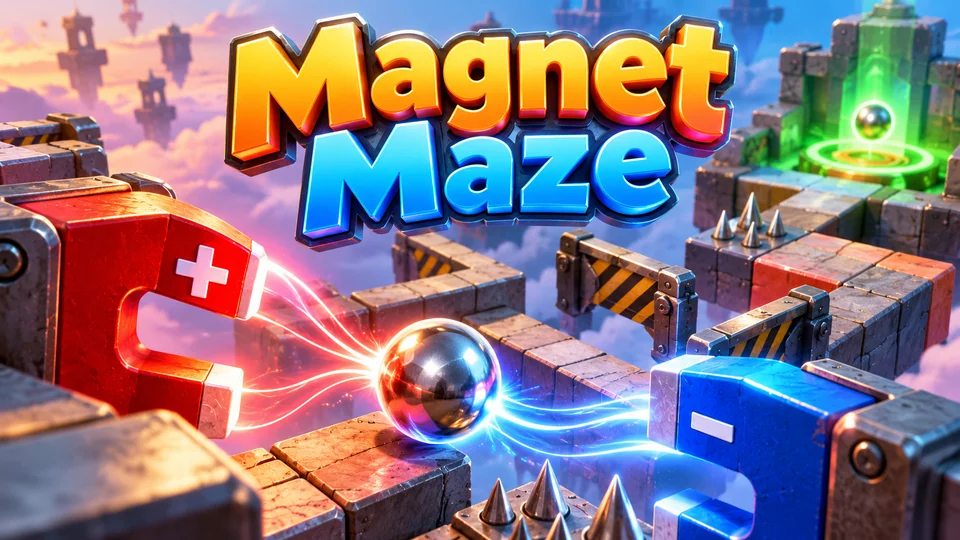
Magnet Maze
Manipulate magnets and polarity to guide metal objects through obstacles to goal zones.
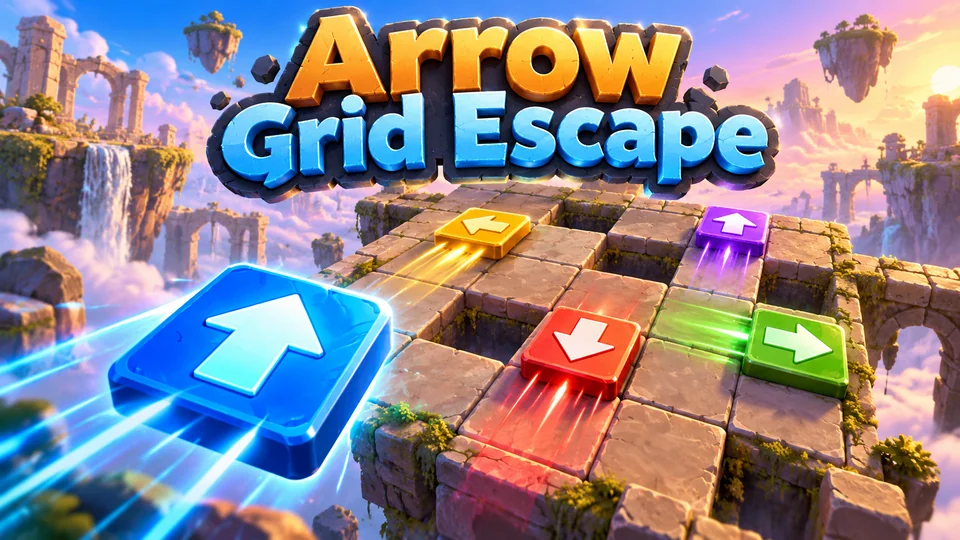
Arrow Grid Escape
Clear a board by launching directional arrow tiles without letting them collide or trap one another.
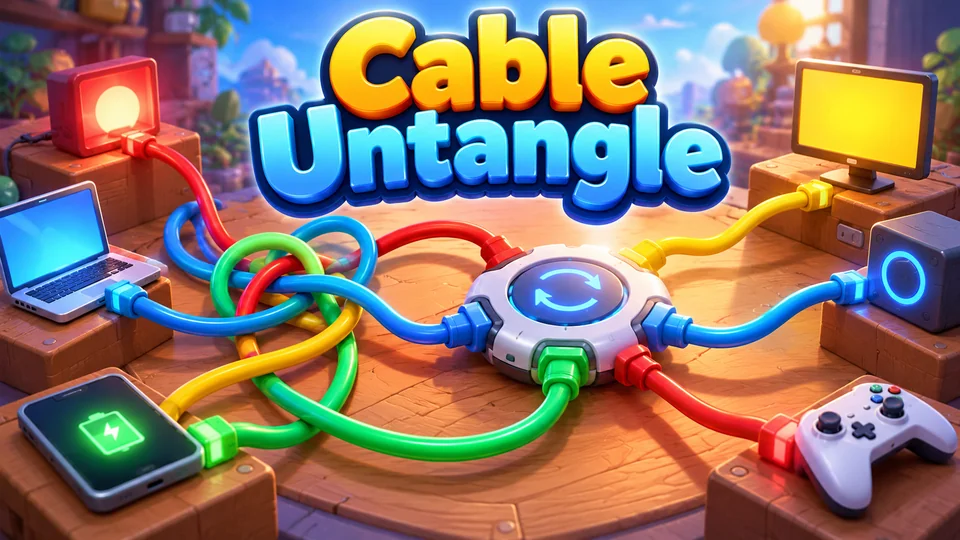
Cable Untangle
Reposition plugs and rotate hubs until cables no longer cross while all devices remain correctly connected.
You can also browse all our puzzle games with source code, or try the Snake tutorial for another grid game built the same way.
The complete code
One file, no libraries. Save it as maze-game.html and open it in any browser. Free to use under the MIT license: copy it, change it, ship it.
<!doctype html>
<!-- SPDX-License-Identifier: MIT -->
<!-- Maze Dash: a maze game in one HTML file. Every level is a new random maze. Free to use, change and ship (MIT license). -->
<html lang="en">
<head>
<meta charset="utf-8">
<meta name="viewport" content="width=device-width, initial-scale=1">
<title>Maze Dash (HTML5 canvas)</title>
<style>
  html, body { margin: 0; height: 100%; background: #0d0b16; color: #f1ecff; font: 16px system-ui, sans-serif; overflow: hidden; touch-action: none; user-select: none; -webkit-user-select: none; }
  canvas { display: block; }
</style>
</head>
<body>
<canvas id="game"></canvas>
<script>
// ----- Settings -----
const MOVE_SPEED = 8;            // cells per second
const START_SIZE = 7;            // cells along the short side of the screen on level 1
const MIN_CELL = 22;             // smallest cell in CSS pixels: caps the maze size on small screens
const CRYSTAL_TIME = 3;          // seconds added by each time crystal
const HUD = 48;                  // height of the score bar at the top
const STEP = 1 / 120;            // fixed simulation step in seconds
const COLORS = { bg: "#0d0b16", floor: "#17142a", trail: "#262046", wall: "#9f8cff", player: "#ffd166", exit: "#4ef0b0", crystal: "#5cc8ff", text: "#f1ecff", warn: "#ff6b6b" };
// Directions: 0 up, 1 right, 2 down, 3 left. A cell's walls are 4 bits: bit d is set when side d is closed.
const DX = [0, 1, 0, -1], DY = [-1, 0, 1, 0];

const canvas = document.getElementById("game");
const ctx = canvas.getContext("2d");
let cell = 20, ox = 0, oy = 0;   // cell size and maze offset in CSS pixels, set by resize()

// ----- Game state -----
let cols, rows, walls, visited, crystals, exit, level, score, best = 0, state, timeLeft, levelTime;
let at, moveDir, progress, lastDir, wish = -1, held = -1, running = false;
let banner = 0, bannerText = "", overAt = 0, pops = [];

// ----- Maze generation: recursive backtracker with an explicit stack -----
// Every cell starts with four walls. Walk to a random unvisited neighbour, knock down the wall
// between, and back up when stuck. The result is a "perfect" maze: every cell is reachable and
// exactly one path joins any two cells, so the exit can always be reached.
function makeMaze(cols, rows) {
  const walls = new Array(cols * rows).fill(15);
  const seen = new Array(cols * rows).fill(false);
  const stack = [0];
  seen[0] = true;
  while (stack.length) {
    const c = stack[stack.length - 1];
    const x = c % cols, y = Math.floor(c / cols);
    const options = [];
    for (let d = 0; d < 4; d++) {
      const nx = x + DX[d], ny = y + DY[d];
      if (nx >= 0 && ny >= 0 && nx < cols && ny < rows && !seen[ny * cols + nx]) options.push(d);
    }
    if (!options.length) { stack.pop(); continue; }
    const d = options[Math.floor(Math.random() * options.length)];
    const next = (y + DY[d]) * cols + x + DX[d];
    walls[c] &= ~(1 << d);                 // open this side...
    walls[next] &= ~(1 << ((d + 2) % 4));  // ...and the matching side of the neighbour
    seen[next] = true;
    stack.push(next);
  }
  return walls;
}

const isOpen = (c, d) => d >= 0 && !(walls[c] & (1 << d));
const neighbour = (c, d) => c + DY[d] * cols + DX[d];
const openings = (c) => [0, 1, 2, 3].filter((d) => isOpen(c, d)).length;

// Breadth-first search: the number of steps from the start to every cell.
function distances(from) {
  const dist = new Array(cols * rows).fill(-1);
  const queue = [from];
  dist[from] = 0;
  for (let i = 0; i < queue.length; i++) {
    const c = queue[i];
    for (let d = 0; d < 4; d++) {
      if (!isOpen(c, d)) continue;
      const n = neighbour(c, d);
      if (dist[n] < 0) { dist[n] = dist[c] + 1; queue.push(n); }
    }
  }
  return dist;
}

// ----- Levels: size from the screen shape, time from the shortest path -----
function startLevel() {
  const w = window.innerWidth - 16, h = window.innerHeight - HUD - 16;
  const short = Math.max(3, Math.min(START_SIZE + level - 1, Math.floor(Math.min(w, h) / MIN_CELL)));
  const long = Math.max(short, Math.min(Math.floor(Math.max(w, h) / MIN_CELL), Math.round(short * Math.max(w, h) / Math.min(w, h))));
  cols = w >= h ? long : short;
  rows = w >= h ? short : long;
  walls = makeMaze(cols, rows);
  exit = cols * rows - 1;
  visited = new Array(cols * rows).fill(false);
  visited[0] = true;

  // Walk the shortest path back from the exit and count its junctions (each one costs a decision).
  const dist = distances(0);
  let junctions = 0;
  for (let c = exit; c !== 0;) {
    if (openings(c) >= 3) junctions++;
    const d = [0, 1, 2, 3].find((k) => isOpen(c, k) && dist[neighbour(c, k)] === dist[c] - 1);
    c = neighbour(c, d);
  }
  const slack = Math.max(1.4, 2.3 - level * 0.1);        // generous early, tighter later
  levelTime = timeLeft = Math.ceil(dist[exit] / MOVE_SPEED * slack + junctions * 0.5 + 3);

  // Time crystals sit in dead ends: grabbing one is a detour that pays back 3 seconds.
  const deadEnds = [];
  for (let c = 1; c < exit; c++) if (openings(c) === 1) deadEnds.push(c);
  crystals = [];
  while (crystals.length < Math.min(3, 1 + Math.floor(level / 2)) && deadEnds.length) {
    crystals.push(deadEnds.splice(Math.floor(Math.random() * deadEnds.length), 1)[0]);
  }

  at = 0; moveDir = -1; progress = 0; lastDir = -1; wish = -1; running = false;
  layout();
}

function reset() {
  level = 1;
  score = 0;
  state = "ready";                 // ready → playing → over
  startLevel();
}

function begin() {
  if (state === "ready") state = "playing";
  else if (state === "over" && performance.now() - overAt > 500) { reset(); state = "playing"; }
}

// ----- Movement: one cell at a time, following corridors -----
function chooseMove(justArrived) {
  let d = -1;
  if (isOpen(at, wish)) { d = wish; wish = -1; }       // a queued turn wins as soon as it is possible
  else if (isOpen(at, held)) d = held;                 // a held key keeps going
  else if (justArrived && running) {
    // In a corridor (exactly one way on, not counting back) follow it round bends; stop at junctions.
    const ways = [0, 1, 2, 3].filter((k) => isOpen(at, k) && k !== (lastDir + 2) % 4);
    if (ways.length === 1) d = ways[0];
  }
  if (d < 0) { running = false; wish = -1; }          // stopped: forget turns that never fitted
  moveDir = d;
}

function steer(d) {
  begin();
  if (state !== "playing" || banner > 0) return;
  running = true;
  // Reversing mid-move is instant: swap ends and flip the progress.
  if (moveDir >= 0 && d === (moveDir + 2) % 4) { at = neighbour(at, moveDir); moveDir = d; progress = 1 - progress; return; }
  wish = d;
}

function arrive() {
  visited[at] = true;
  const i = crystals.indexOf(at);
  if (i >= 0) {
    crystals.splice(i, 1);
    timeLeft += CRYSTAL_TIME;
    score += 25;
    pops.push({ c: at, t: 0.8 });
  }
  if (at === exit) {
    score += level * 100 + Math.ceil(timeLeft) * 10;    // finishing early pays
    bannerText = `Level ${level} clear`;
    banner = 1.3;
    moveDir = -1;
  }
}

// ----- One fixed step of the simulation -----
function update(dt) {
  pops.forEach((p) => (p.t -= dt));
  pops = pops.filter((p) => p.t > 0);
  if (banner > 0) {
    banner -= dt;
    if (banner <= 0) { level++; startLevel(); }
    return;
  }
  timeLeft -= dt;
  if (timeLeft <= 0) {
    timeLeft = 0;
    state = "over";
    overAt = performance.now();
    best = Math.max(best, score);
    return;
  }
  if (moveDir < 0) chooseMove(false);
  if (moveDir >= 0) {
    progress += MOVE_SPEED * dt;
    if (progress >= 1) {
      at = neighbour(at, moveDir);
      lastDir = moveDir;
      moveDir = -1;
      progress = 0;
      arrive();
      if (banner <= 0) chooseMove(true);
    }
  }
}

// ----- Sizing: fill the window, square cells, sharp on high-DPI screens -----
function resize() {
  const dpr = window.devicePixelRatio || 1;
  canvas.style.width = window.innerWidth + "px";
  canvas.style.height = window.innerHeight + "px";
  canvas.width = Math.round(window.innerWidth * dpr);
  canvas.height = Math.round(window.innerHeight * dpr);
  ctx.setTransform(dpr, 0, 0, dpr, 0, 0);   // from here on, draw in CSS pixels
  layout();
  draw();
}

// The largest square cell that fits, with the maze centred under the score bar.
function layout() {
  const W = window.innerWidth, H = window.innerHeight;
  cell = Math.max(4, Math.floor(Math.min((W - 16) / cols, (H - HUD - 16) / rows)));
  ox = Math.floor((W - cols * cell) / 2);
  oy = HUD + Math.floor((H - HUD - rows * cell) / 2);
}

// Centre of a cell in CSS pixels.
const cx = (c) => ox + (c % cols) * cell + cell / 2;
const cy = (c) => oy + Math.floor(c / cols) * cell + cell / 2;

function playerPos() {
  if (moveDir < 0) return { x: cx(at), y: cy(at) };
  return { x: cx(at) + DX[moveDir] * cell * progress, y: cy(at) + DY[moveDir] * cell * progress };
}

function font(size, weight) { ctx.font = `${weight} ${Math.round(size)}px system-ui, sans-serif`; }

// ----- Drawing -----
function draw() {
  const W = window.innerWidth, H = window.innerHeight, now = performance.now() / 1000;
  ctx.fillStyle = COLORS.bg;
  ctx.fillRect(0, 0, W, H);
  ctx.fillStyle = COLORS.floor;
  ctx.fillRect(ox, oy, cols * cell, rows * cell);
  ctx.fillStyle = COLORS.trail;
  visited.forEach((v, c) => { if (v) ctx.fillRect(ox + (c % cols) * cell, oy + Math.floor(c / cols) * cell, cell, cell); });

  // Exit: a pulsing square. Crystals: small diamonds.
  const pulse = 0.75 + 0.2 * Math.sin(now * 5);
  ctx.fillStyle = COLORS.exit;
  ctx.fillRect(cx(exit) - cell * 0.35 * pulse, cy(exit) - cell * 0.35 * pulse, cell * 0.7 * pulse, cell * 0.7 * pulse);
  ctx.fillStyle = COLORS.crystal;
  for (const c of crystals) {
    const r = cell * 0.26;
    ctx.beginPath();
    ctx.moveTo(cx(c), cy(c) - r); ctx.lineTo(cx(c) + r * 0.7, cy(c)); ctx.lineTo(cx(c), cy(c) + r); ctx.lineTo(cx(c) - r * 0.7, cy(c));
    ctx.fill();
  }

  // Walls: every cell draws its top and left sides; the last column and row close the box.
  ctx.strokeStyle = COLORS.wall;
  ctx.lineWidth = Math.max(2, cell * 0.12);
  ctx.lineCap = "round";
  ctx.beginPath();
  for (let c = 0; c < cols * rows; c++) {
    const x = ox + (c % cols) * cell, y = oy + Math.floor(c / cols) * cell;
    if (walls[c] & 1) { ctx.moveTo(x, y); ctx.lineTo(x + cell, y); }
    if (walls[c] & 8) { ctx.moveTo(x, y); ctx.lineTo(x, y + cell); }
    if (c % cols === cols - 1 && walls[c] & 2) { ctx.moveTo(x + cell, y); ctx.lineTo(x + cell, y + cell); }
    if (c >= cols * (rows - 1) && walls[c] & 4) { ctx.moveTo(x, y + cell); ctx.lineTo(x + cell, y + cell); }
  }
  ctx.stroke();

  const p = playerPos();
  ctx.fillStyle = COLORS.player;
  ctx.beginPath();
  ctx.arc(p.x, p.y, cell * 0.3, 0, Math.PI * 2);
  ctx.fill();

  ctx.textAlign = "center";
  ctx.textBaseline = "middle";
  font(Math.max(13, cell * 0.4), 700);
  for (const q of pops) { ctx.fillStyle = `rgba(92, 200, 255, ${q.t / 0.8})`; ctx.fillText(`+${CRYSTAL_TIME}s`, cx(q.c), cy(q.c) - cell * (1.2 - q.t)); }

  // Score bar and time bar.
  font(16, 600);
  ctx.fillStyle = COLORS.text;
  ctx.textAlign = "left";
  ctx.fillText(`Level ${level}`, 12, HUD / 2 - 3);
  ctx.textAlign = "right";
  ctx.fillText(`Score ${score}`, W - 12, HUD / 2 - 3);
  ctx.textAlign = "center";
  ctx.fillStyle = timeLeft < 5 ? COLORS.warn : COLORS.text;
  ctx.fillText(`${Math.ceil(timeLeft)}s`, W / 2, HUD / 2 - 3);
  ctx.fillStyle = "#2a2540";
  ctx.fillRect(0, HUD - 6, W, 4);
  ctx.fillStyle = timeLeft < 5 ? COLORS.warn : COLORS.exit;
  ctx.fillRect(0, HUD - 6, W * Math.min(1, timeLeft / levelTime), 4);

  if (banner > 0) overlay(bannerText, [`Score ${score}`]);
  else if (state === "ready") overlay("Maze Dash", ["Reach the green exit before time runs out", "Blue crystals add 3 seconds", "Arrows / WASD, swipe or tap to move"]);
  else if (state === "over") overlay("Out of time", [`Score ${score} · Best ${best}`, "Tap or press Space to play again"]);
}

function overlay(title, lines) {
  const W = window.innerWidth, H = window.innerHeight, size = Math.min(W, H);
  ctx.fillStyle = "rgba(8, 6, 16, 0.72)";
  ctx.fillRect(0, HUD, W, H - HUD);
  ctx.fillStyle = COLORS.text;
  ctx.textAlign = "center";
  font(Math.max(26, size * 0.08), 800);
  ctx.fillText(title, W / 2, H / 2 - size * 0.08);
  font(Math.max(14, size * 0.032), 500);
  lines.forEach((l, i) => ctx.fillText(l, W / 2, H / 2 + i * Math.max(22, size * 0.05)));
}

// ----- Main loop: fixed steps, smooth frames -----
let last = 0, acc = 0;
function loop(now) {
  const dt = Math.min(0.25, (now - last) / 1000);
  last = now;
  if (state === "playing") {
    acc += dt;
    while (acc >= STEP) { update(STEP); acc -= STEP; }
  }
  draw();
  requestAnimationFrame(loop);
}

// ----- Input: keyboard, swipe and tap -----
const KEYS = { ArrowUp: 0, KeyW: 0, ArrowRight: 1, KeyD: 1, ArrowDown: 2, KeyS: 2, ArrowLeft: 3, KeyA: 3 };
window.addEventListener("keydown", (e) => {
  const d = KEYS[e.code];
  if (d !== undefined) { e.preventDefault(); if (!e.repeat) steer(d); held = d; }
  else if (e.code === "Space" || e.code === "Enter") { e.preventDefault(); begin(); }
});
window.addEventListener("keyup", (e) => { if (KEYS[e.code] === held) held = -1; });

// A swipe steers as soon as it is 24 px long; a short tap steers toward the tapped spot.
let touch = null;
const dirOf = (dx, dy) => (Math.abs(dx) > Math.abs(dy) ? (dx > 0 ? 1 : 3) : (dy > 0 ? 2 : 0));
canvas.addEventListener("pointerdown", (e) => { touch = { x: e.clientX, y: e.clientY, swiped: false }; });
canvas.addEventListener("pointermove", (e) => {
  if (!touch) return;
  const dx = e.clientX - touch.x, dy = e.clientY - touch.y;
  if (Math.hypot(dx, dy) < 24) return;
  steer(dirOf(dx, dy));
  touch = { x: e.clientX, y: e.clientY, swiped: true };   // keep swiping to queue the next turn
});
canvas.addEventListener("pointerup", (e) => {
  if (!touch) return;
  const swiped = touch.swiped;
  touch = null;
  if (swiped) return;
  if (state !== "playing") { begin(); return; }
  const p = playerPos(), dx = e.clientX - p.x, dy = e.clientY - p.y;
  if (Math.hypot(dx, dy) > cell * 0.4) steer(dirOf(dx, dy));
});
canvas.addEventListener("pointercancel", () => { touch = null; });

window.addEventListener("resize", resize);
reset();
resize();
requestAnimationFrame((t) => { last = t; loop(t); });
</script>
</body>
</html>
Frequently asked questions
Is this maze game source code free to use?
Yes. The file is MIT-licensed: you can copy it, change it and use it in personal or commercial projects. Keep the licence line at the top of the file.
Is every maze solvable?
Yes. The recursive backtracker visits every cell and opens exactly one passage into each new cell, so all cells are connected and there's one path from any cell to any other. The time limit is also computed from the real shortest path, so every level can be finished in time.
How do I make the maze bigger or smaller?
Change START_SIZE for the first level and MIN_CELL for the largest maze a screen can hold. A smaller MIN_CELL allows more cells, but anything under about 16 pixels is hard to follow on a phone.
How do I put this maze game on my website?
Upload maze-game.html to your web host and link to it, or show it inside a page with an <iframe>. Our guide to embedding an HTML5 game in a website covers WordPress, Wix and Google Sites.
How do I add sound or keep the best score after a reload?
For sound, create an AudioContext on the first tap and play a short tone in arrive(). For the best score, save best with localStorage.setItem when the game ends and read it in reset(), wrapped in try/catch, because sandboxed frames like the player on this page block storage.
We make and sell HTML5 game source code; links to our games are marked as ours.