The sliding puzzle, often called the 15-puzzle, is a good first project if you want to create a puzzle game in HTML5: one board, one rule, and a clear win condition. This HTML5 puzzle game tutorial walks through a complete version in plain JavaScript, including the one detail most quick versions get wrong, which is making sure every shuffled board can actually be solved. After that, we look at how jigsaw and sudoku puzzles change the same structure.
How to run it
You only need a browser:
- Press Copy code above (or Download .html).
- Paste it into a new file called
puzzle-game.htmlin any text editor. - Double-click the file to open it.
Tap any tile in the same row or column as the gap and it slides, pushing the tiles in between along with it. You can also swipe, or use the arrow keys or WASD to push the tile next to the gap. New (or the N key) deals a fresh puzzle. To experiment, paste the code into the HTML game code runner, set SIZE to 3 or 5 and press Run.
How to create a puzzle game in HTML5: the code
The whole game is one <canvas> and a script of about 220 lines, split into settings, sizing, state, moves, update, drawing and input. Most puzzle games share this shape. The state is a small data structure (here, a flat array of 16 numbers), moves are functions that change it only when a rule allows, and a check after each move decides whether the puzzle is solved.
1. Settings
SIZE sets the board. The classic 15-puzzle is 4×4; 3×3 is the gentler 8-puzzle, and 5×5 (the 24-puzzle) is a real test of patience. SHUFFLE_MOVES scales with the number of cells so bigger boards get scrambled more.
const SIZE = 4;                      // 4 = the classic 15-puzzle; try 3 (8-puzzle) or 5 (24-puzzle)
const SHUFFLE_MOVES = SIZE * SIZE * 12;   // random legal moves used to scramble the solved board
const SLIDE_SPEED = 14;              // cells per second for a sliding tile
const COLORS = { bg: "#0e1726", board: "#1a2942", tile: "#e9edf5", home: "#86e3b5", number: "#14213a", text: "#e9edf5", dim: "#8fa1c0" };
const HUD = 60;                      // room above the board for moves, time and the New button
COLORS holds the whole palette, so a new look is one line of edits.
2. Sizing the board
resize() picks the largest cell that fits both the window width and the height left under the 60-pixel score bar, then sets the canvas buffer to that size times devicePixelRatio. The numbers stay sharp on a phone with a 3× screen, and the rest of the code works in plain CSS pixels.
const dpr = window.devicePixelRatio || 1;
cell = Math.max(40, Math.floor(Math.min((window.innerWidth - 16) / SIZE, (window.innerHeight - HUD - 16) / SIZE)));
const w = cell * SIZE, h = cell * SIZE + HUD;
canvas.style.width = w + "px";
canvas.style.height = h + "px";
canvas.width = Math.round(w * dpr);
canvas.height = Math.round(h * dpr);
ctx.setTransform(dpr, 0, 0, dpr, 0, 0);
3. The board is one array
The board is a flat array, tiles, with one entry per cell, read left to right and top to bottom. The value is the number on the tile in that cell, and 0 marks the gap. A cell's column is i % SIZE and its row is Math.floor(i / SIZE). Checking for a win is a single line: every cell holds the next number, and the last one holds the gap.
let tiles = [], drawn = [];
let state = "ready";                 // ready → play → over
let moves = 0, best = 0, startTime = 0, elapsed = 0, finished = false, endedAt = 0;

const colOf = (i) => i % SIZE, rowOf = (i) => Math.floor(i / SIZE);
const isSolved = () => tiles.every((n, i) => n === (i + 1) % (SIZE * SIZE));
A second array, drawn, stores where each tile is drawn. When a move changes tiles, the drawing positions slide toward the new cells over a few frames, which is all the animation the game needs.
4. A shuffle that is always solvable
This is the part to get right. If you shuffle the 15 numbers randomly, exactly half of the arrangements can never be solved: a single swap of two tiles changes a parity that no sequence of legal slides can change back. The 15 puzzle article on Wikipedia explains the maths.
The simple fix is to never shuffle the numbers at all. shuffle() starts from the solved board and makes a few hundred random legal moves, sliding a random neighbour into the gap each time. Every position you can reach with legal moves, you can also undo with legal moves, so every puzzle it deals is solvable.
function shuffle() {
  solvedBoard();
  let gap = tiles.length - 1, previous = -1;
  for (let k = 0; k < SHUFFLE_MOVES || isSolved(); k++) {
    const options = neighbours(gap).filter((i) => i !== previous);   // never undo the last move
    const pick = options[Math.floor(Math.random() * options.length)];
    tiles[gap] = tiles[pick];
    tiles[pick] = 0;
    previous = gap;
    gap = pick;
  }
  tiles.forEach((n, i) => { if (n) drawn[n] = { x: colOf(i), y: rowOf(i) }; });
}
Two small details help. Skipping the move that would undo the previous one stops the gap from wobbling back and forth, so 192 moves on a 4×4 board give a well-mixed puzzle. And the loop keeps going if it happens to land on the solved board. We checked 500 shuffles in a browser against the parity rule from the article above, and all 500 were solvable and none were already solved.
5. Moves: one tile or a whole row
slide(cell) handles a tap. If the tapped tile is in the gap's row or column, it walks from the gap toward the tile one cell at a time, moving each tile into the gap as it goes. That's how a real sliding puzzle behaves: pushing the far tile of a row moves the whole row. Each tile that moves adds one to the move count, and the clock starts on the first move.
function slide(cell) {
  if (state !== "play" || finished) return;
  const gap = tiles.indexOf(0);
  if (cell === gap || (colOf(cell) !== colOf(gap) && rowOf(cell) !== rowOf(gap))) return;
  const step = colOf(cell) === colOf(gap) ? (cell > gap ? SIZE : -SIZE) : (cell > gap ? 1 : -1);
  if (moves === 0) startTime = performance.now();   // the clock starts with the first move
  for (let i = gap; i !== cell; i += step) {        // walk from the gap toward the tapped tile
    tiles[i] = tiles[i + step];
    tiles[i + step] = 0;
    moves++;                                        // each tile that moves counts as one move
  }
  if (isSolved()) { finished = true; elapsed = (performance.now() - startTime) / 1000; }
}
Keys and swipes go through push(dx, dy), which finds the tile on the far side of the gap and calls slide() on it. Pressing Left moves the tile to the right of the gap leftward, which matches what players expect from a physical puzzle.
6. The update and the win
Each frame, update(dt) slides every drawn tile toward its cell at SLIDE_SPEED cells per second, using the time since the last frame so the speed is the same at 60 Hz and 120 Hz. The clock text updates while the puzzle is unsolved. When a move solves it, the game waits until the last tile has landed before showing the result, so the player sees the finished board.
if (state !== "play") return;
if (moves && !finished) elapsed = (performance.now() - startTime) / 1000;
if (finished && !moving) {          // let the last tile land before showing the result
  state = "over";
  best = best ? Math.min(best, moves) : moves;
  endedAt = performance.now();
}
7. Drawing and feedback
draw() paints the score bar (moves, time and a New button), the board, and each tile as a rounded rectangle with its number. A tile turns green when it sits on its home cell, so players can see their progress and spot which tiles are still out of place.
tiles.forEach((n, i) => {
  if (!n) return;
  const d = drawn[n], x = d.x * cell + inset, y = HUD + d.y * cell + inset;
  box(x, y, cell - inset * 2, cell - inset * 2, cell * 0.12, i === n - 1 ? COLORS.home : COLORS.tile);
  label(String(n), x + cell / 2 - inset, y + cell / 2 - inset, cell * 0.4, 800, "center", COLORS.number);
});
The tile's colour depends on i, the cell it belongs to, while its position comes from drawn[n], so a tile turns green the moment it's moved home, even while it's still sliding. When the game isn't running, a dark overlay shows the start or solved message.
Make it work on phones
The game is touch-first already. Pointer events cover mouse, pen and touch with one set of handlers, and touch-action: none in the CSS stops the page from scrolling while you swipe. A press that moves less than 24 pixels counts as a tap on the tile under the finger; a longer one is a swipe. On a 390-pixel-wide phone the tiles are 93 pixels across, so they're easy to hit.
The board is square and centred with flexbox, so it fits portrait and landscape screens without changes. If you raise SIZE to 5 or 6 on phones, check that the tiles stay at least 44 pixels wide, the size WCAG's target size guidance recommends for touch. For scaling, orientation and performance in general, see our guide to HTML5 mobile game development.
Jigsaw and sudoku: other puzzle games in HTML5
The sliding puzzle teaches the pattern most puzzle games follow: a data model, moves that respect the rules, and a solved check. Two popular variants show how far the same pattern stretches.
Picture sliding puzzle
The easiest upgrade is a picture instead of numbers. Load an image once, then in draw() replace the number with the matching slice of it using the nine-argument form of drawImage: tile n shows the square at column (n - 1) % SIZE and row Math.floor((n - 1) / SIZE) of the picture. The rules don't change at all.
HTML5 jigsaw puzzle game tutorial notes
A jigsaw puzzle drops the grid during play. Each piece stores its home position and its current position in pixels. The model is a list of pieces instead of an array of cells:
- Cutting: draw each piece with
drawImage, clipped to its outline. Straight-edged pieces are just rectangles; the classic knob shapes arePath2Doutlines built from bezier curves, with each shared edge's knob pointing out on one piece and in on its neighbour. - Dragging: on
pointerdown, find the topmost piece under the pointer and move it to the end of the list so it draws on top. Onpointermove, add the pointer's movement to the piece's position. - Snapping: on
pointerup, if the piece is within about 15 pixels of its home position, snap it there and lock it. - Winning: the puzzle is solved when every piece is locked.
Sudoku in HTML5
Sudoku is a grid again: an array of 81 numbers plus a flag for which cells were given. A move types a digit into an empty cell. Checking it means looking at the cell's row, column and 3×3 box, which are Math.floor(i / 9), i % 9 and the box that starts at row 3 * Math.floor(row / 3) and column 3 * Math.floor(col / 3). Generating puzzles is the harder part: fill a complete grid with a backtracking solver, then remove clues one at a time and keep a removal only if the solver still finds exactly one solution. On phones, add a row of 1 to 9 buttons under the grid, because a software keyboard covers half the screen.
Ideas to extend it
- Size picker. Add 3×3, 4×4 and 5×5 buttons to the start screen and pass the size into
shuffle(). - Picture mode. Draw image slices instead of numbers, as described above, and show the full picture when it's solved.
- Star rating. Compare
moveswith a target per size and award one to three stars. - Hint button. For the 3×3 board, a breadth-first search finds the shortest solution in well under a second; show the next move.
- Sound. Play a short click on each slide with the Web Audio API, started after the first tap as browsers require.
- Daily puzzle. Seed the random number generator with today's date so everyone gets the same shuffle.
For more grid games, the 2048 code slides tiles with merging rules, and the maze game builds its levels with a randomized depth-first search.
From prototype to a game you can sell
One sliding puzzle file is a good way to learn and a fine classroom or jam project. A puzzle game that people keep playing, or that a portal will publish, needs much more around the same core:
| This sliding puzzle file | A production puzzle game | |
|---|---|---|
| Content | One random board per game | Hand-built or solver-checked levels with a difficulty curve |
| Feedback | Moves, time, green tiles | Hints, undo, star ratings, tutorials |
| Art and sound | Numbered tiles, no audio | Original art, animation, music and effects |
| Saves | Best score lost on reload | Level progress and settings saved per player |
| Platforms | Desktop and phone browsers | Portal SDK hooks, ads, localisation, app wrappers |
| Quality | Tested by hand and in a sandbox | Unit tests for rules and levels, cross-browser end-to-end tests |
| Licence | MIT, do anything | A commercial licence that covers your use |
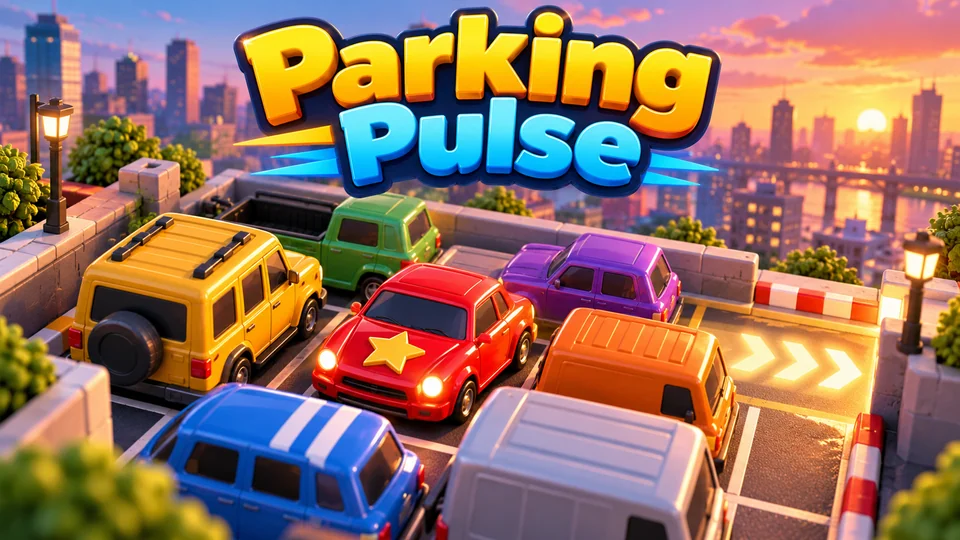
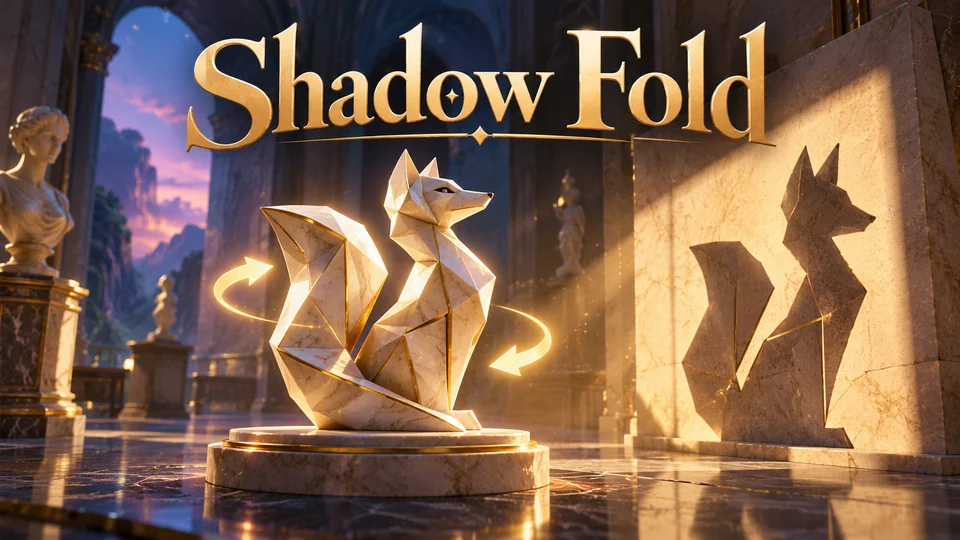
That's the gap our games fill. Each one ships as a buildable TypeScript project with level and tuning data in JSON files and a quick start, so you can reskin it and launch. If you liked sliding tiles, Parking Pulse is our sliding-block traffic puzzle; Liquid Lab and Shadow Fold are two other directions the genre can take:
Parking Pulse
Slide toy vehicles in the right order to free the star car and clear jammed city lots.

Liquid Lab
Pour layered liquids between tubes until each vessel contains a single formula or valid compound.
Shadow Fold
Turn and fold museum sculptures until every cast shadow fits its outline.
You can browse all our HTML5 puzzle games with source code, or go back to the full list of free HTML game code.
The complete code
One file, no libraries. Save it as puzzle-game.html and open it in any browser. Free to use under the MIT license: copy it, change it, ship it.
<!doctype html>
<!-- SPDX-License-Identifier: MIT -->
<!-- Slide 15: a complete sliding-tile puzzle in one HTML file. Free to use, change and ship (MIT license). -->
<html lang="en">
<head>
<meta charset="utf-8">
<meta name="viewport" content="width=device-width, initial-scale=1">
<title>Slide 15: Sliding Puzzle (HTML5 canvas)</title>
<style>
  html, body { margin: 0; height: 100%; background: #0e1726; color: #e9edf5; font: 16px system-ui, sans-serif; overflow: hidden; touch-action: none; user-select: none; }
  body { display: flex; align-items: center; justify-content: center; }
  canvas { display: block; }
</style>
</head>
<body>
<canvas id="game"></canvas>
<script>
// ----- Settings -----
const SIZE = 4;                      // 4 = the classic 15-puzzle; try 3 (8-puzzle) or 5 (24-puzzle)
const SHUFFLE_MOVES = SIZE * SIZE * 12;   // random legal moves used to scramble the solved board
const SLIDE_SPEED = 14;              // cells per second for a sliding tile
const COLORS = { bg: "#0e1726", board: "#1a2942", tile: "#e9edf5", home: "#86e3b5", number: "#14213a", text: "#e9edf5", dim: "#8fa1c0" };

const canvas = document.getElementById("game");
const ctx = canvas.getContext("2d");
const HUD = 60;                      // room above the board for moves, time and the New button
let cell = 80;                       // pixel size of one cell, set by resize()
let newButton = { x: 0, y: 0, w: 0, h: 0 };

// ----- Sizing: the largest square board that fits, sharp on high-DPI screens -----
function resize() {
  const dpr = window.devicePixelRatio || 1;
  cell = Math.max(40, Math.floor(Math.min((window.innerWidth - 16) / SIZE, (window.innerHeight - HUD - 16) / SIZE)));
  const w = cell * SIZE, h = cell * SIZE + HUD;
  canvas.style.width = w + "px";
  canvas.style.height = h + "px";
  canvas.width = Math.round(w * dpr);
  canvas.height = Math.round(h * dpr);
  ctx.setTransform(dpr, 0, 0, dpr, 0, 0);
  draw();
}

// ----- Game state -----
// tiles[cell] is the number on that cell (cell = row * SIZE + col) and 0 is the gap.
// drawn[number] is where that tile is drawn, in cells; it slides toward the tile's real cell.
let tiles = [], drawn = [];
let state = "ready";                 // ready → play → over
let moves = 0, best = 0, startTime = 0, elapsed = 0, finished = false, endedAt = 0;

const colOf = (i) => i % SIZE, rowOf = (i) => Math.floor(i / SIZE);
const isSolved = () => tiles.every((n, i) => n === (i + 1) % (SIZE * SIZE));

function solvedBoard() {
  tiles = [];
  for (let n = 1; n < SIZE * SIZE; n++) tiles.push(n);
  tiles.push(0);
  drawn = [null];                    // the gap (0) is never drawn
  for (let n = 1; n < SIZE * SIZE; n++) drawn.push({ x: colOf(n - 1), y: rowOf(n - 1) });   // tile n lives on cell n - 1
}

// The cells next to cell i (up to four).
function neighbours(i) {
  const out = [];
  if (colOf(i) > 0) out.push(i - 1);
  if (colOf(i) < SIZE - 1) out.push(i + 1);
  if (rowOf(i) > 0) out.push(i - SIZE);
  if (rowOf(i) < SIZE - 1) out.push(i + SIZE);
  return out;
}

// Scramble by making random legal moves from the solved board. Every position reached this way
// can be solved again, which is not true of a random shuffle of the numbers: half of those can't.
function shuffle() {
  solvedBoard();
  let gap = tiles.length - 1, previous = -1;
  for (let k = 0; k < SHUFFLE_MOVES || isSolved(); k++) {
    const options = neighbours(gap).filter((i) => i !== previous);   // never undo the last move
    const pick = options[Math.floor(Math.random() * options.length)];
    tiles[gap] = tiles[pick];
    tiles[pick] = 0;
    previous = gap;
    gap = pick;
  }
  tiles.forEach((n, i) => { if (n) drawn[n] = { x: colOf(i), y: rowOf(i) }; });
}

function begin() {
  if (state === "over" && performance.now() - endedAt < 600) return;   // ignore a stray tap at the end
  shuffle();
  moves = 0; elapsed = 0; finished = false;
  state = "play";
}

// ----- Moves -----
// Tapping any tile in the gap's row or column slides it and every tile between it and the gap.
function slide(cell) {
  if (state !== "play" || finished) return;
  const gap = tiles.indexOf(0);
  if (cell === gap || (colOf(cell) !== colOf(gap) && rowOf(cell) !== rowOf(gap))) return;
  const step = colOf(cell) === colOf(gap) ? (cell > gap ? SIZE : -SIZE) : (cell > gap ? 1 : -1);
  if (moves === 0) startTime = performance.now();   // the clock starts with the first move
  for (let i = gap; i !== cell; i += step) {        // walk from the gap toward the tapped tile
    tiles[i] = tiles[i + step];
    tiles[i + step] = 0;
    moves++;                                        // each tile that moves counts as one move
  }
  if (isSolved()) { finished = true; elapsed = (performance.now() - startTime) / 1000; }
}

// Arrow keys and swipes push a tile into the gap: Left moves the tile to the right of the gap leftward.
function push(dx, dy) {
  const gap = tiles.indexOf(0);
  const c = colOf(gap) - dx, r = rowOf(gap) - dy;
  if (c >= 0 && r >= 0 && c < SIZE && r < SIZE) slide(r * SIZE + c);
}

// ----- Update: slide tiles toward their cells, then check for the win -----
function update(dt) {
  let moving = false;
  tiles.forEach((n, i) => {
    if (!n) return;
    const d = drawn[n], tx = colOf(i), ty = rowOf(i);
    if (d.x === tx && d.y === ty) return;
    moving = true;
    const step = SLIDE_SPEED * dt;
    d.x += Math.sign(tx - d.x) * Math.min(step, Math.abs(tx - d.x));
    d.y += Math.sign(ty - d.y) * Math.min(step, Math.abs(ty - d.y));
  });
  if (state !== "play") return;
  if (moves && !finished) elapsed = (performance.now() - startTime) / 1000;
  if (finished && !moving) {          // let the last tile land before showing the result
    state = "over";
    best = best ? Math.min(best, moves) : moves;
    endedAt = performance.now();
  }
}

// ----- Drawing -----
const clock = (s) => `${Math.floor(s / 60)}:${String(Math.floor(s % 60)).padStart(2, "0")}`;

function label(text, x, y, size, weight, align, color = COLORS.text) {
  ctx.font = `${weight} ${size}px system-ui, sans-serif`;
  ctx.textAlign = align;
  ctx.textBaseline = "middle";
  ctx.fillStyle = color;
  ctx.fillText(text, x, y);
}

function box(x, y, w, h, r, color) {
  ctx.fillStyle = color;
  ctx.beginPath();
  if (ctx.roundRect) ctx.roundRect(x, y, w, h, r); else ctx.rect(x, y, w, h);
  ctx.fill();
}

function draw() {
  const w = cell * SIZE;
  ctx.fillStyle = COLORS.bg;
  ctx.fillRect(0, 0, w, HUD + w);

  // Moves, time and a New button.
  const size = Math.max(14, Math.min(20, w / 20));
  label(`Moves ${moves}`, 4, HUD / 2, size, 700, "left");
  label(clock(elapsed), w / 2, HUD / 2, size, 700, "center", COLORS.dim);
  newButton = { x: w - 76, y: HUD / 2 - 18, w: 72, h: 36 };
  box(newButton.x, newButton.y, newButton.w, newButton.h, 8, "#2b4068");
  label("New", newButton.x + newButton.w / 2, HUD / 2, size * 0.9, 700, "center");

  // The board and tiles. A tile turns green when it sits on its home cell.
  box(0, HUD, w, w, 12, COLORS.board);
  const inset = Math.max(3, cell * 0.04);
  tiles.forEach((n, i) => {
    if (!n) return;
    const d = drawn[n], x = d.x * cell + inset, y = HUD + d.y * cell + inset;
    box(x, y, cell - inset * 2, cell - inset * 2, cell * 0.12, i === n - 1 ? COLORS.home : COLORS.tile);
    label(String(n), x + cell / 2 - inset, y + cell / 2 - inset, cell * 0.4, 800, "center", COLORS.number);
  });

  if (state !== "play") {
    ctx.fillStyle = "rgba(8, 14, 26, 0.86)";
    ctx.fillRect(0, HUD, w, w);
    const cx = w / 2, cy = HUD + w / 2, big = Math.min(cell * 0.55, w / 8), small = Math.max(13, Math.min(18, w / 24));
    if (state === "ready") {
      label("Slide 15", cx, cy - big * 1.4, big, 800, "center");
      label(`Put the tiles back in order, 1 to ${SIZE * SIZE - 1}`, cx, cy, small, 600, "center");
      label("Tap a tile in line with the gap,", cx, cy + small * 1.6, small, 400, "center", COLORS.dim);
      label("or push tiles with the arrow keys", cx, cy + small * 3, small, 400, "center", COLORS.dim);
    } else {
      label("Solved!", cx, cy - big * 1.4, big, 800, "center", COLORS.home);
      label(`${moves} moves in ${clock(elapsed)}`, cx, cy, small, 600, "center");
      label(`Best: ${best} moves`, cx, cy + small * 1.6, small, 400, "center", COLORS.dim);
    }
    label(state === "ready" ? "Tap or press Space to shuffle" : "Tap or press Space for a new puzzle", cx, cy + small * 5, small, 700, "center", "#ffd166");
  }
}

// ----- Main loop -----
let last = 0;
function loop(now) {
  const dt = Math.min(0.05, (now - last) / 1000);
  last = now;
  update(dt);
  draw();
  requestAnimationFrame(loop);
}

// ----- Input: tap or swipe with mouse and touch, arrows or WASD on a keyboard -----
let press = null;
canvas.addEventListener("pointerdown", (e) => {
  const rect = canvas.getBoundingClientRect();
  const x = e.clientX - rect.left, y = e.clientY - rect.top, b = newButton;
  if (x >= b.x && x <= b.x + b.w && y >= b.y && y <= b.y + b.h) { begin(); return; }
  if (state !== "play") { begin(); return; }
  press = { x: e.clientX, y: e.clientY, col: Math.floor(x / cell), row: Math.floor((y - HUD) / cell) };
});
canvas.addEventListener("pointerup", (e) => {
  if (!press) return;
  const dx = e.clientX - press.x, dy = e.clientY - press.y, p = press;
  press = null;
  if (Math.max(Math.abs(dx), Math.abs(dy)) > 24) {          // a swipe pushes a tile that way
    if (Math.abs(dx) > Math.abs(dy)) push(Math.sign(dx), 0); else push(0, Math.sign(dy));
  } else if (p.col >= 0 && p.row >= 0 && p.col < SIZE && p.row < SIZE) {
    slide(p.row * SIZE + p.col);                            // a tap slides the tapped tile
  }
});
canvas.addEventListener("pointercancel", () => { press = null; });

const KEYS = { ArrowUp: [0, -1], KeyW: [0, -1], ArrowDown: [0, 1], KeyS: [0, 1], ArrowLeft: [-1, 0], KeyA: [-1, 0], ArrowRight: [1, 0], KeyD: [1, 0] };
window.addEventListener("keydown", (e) => {
  const d = KEYS[e.code];
  if (d) { e.preventDefault(); if (state === "play") push(d[0], d[1]); }
  else if (e.code === "Space" || e.code === "Enter") { e.preventDefault(); if (state !== "play") begin(); }
  else if (e.code === "KeyN") begin();                     // N: new puzzle at any time
});

window.addEventListener("resize", resize);
solvedBoard();
resize();
requestAnimationFrame((t) => { last = t; loop(t); });
</script>
</body>
</html>
Frequently asked questions
Is this puzzle game code free to use?
Yes. The file is MIT-licensed, so you can copy it, change it and use it in personal or commercial projects. Keep the licence line at the top of the file.
Do I need an HTML5 puzzle game engine?
Not for a puzzle like this one. A grid, a few rules and the canvas 2D API are enough. An engine such as Phaser helps once you add sprite animation, particles, sound, scenes and dozens of levels; our comparison of HTML5 game engines covers the options.
Why can't some 15-puzzles be solved?
Every legal slide keeps a certain parity of the board the same. A random arrangement of the numbers has a 50% chance of having the wrong parity, and no sequence of slides can fix it. Shuffling with legal moves, as this code does, avoids the problem completely.
How do I add sound or save a best score?
For sound, create an AudioContext on the first tap and play a short tone in slide(). For a best score that survives a reload, write best to localStorage when a puzzle is solved and read it at start-up, inside try/catch, because sandboxed frames like the player on this page block storage.
How do I put this puzzle game on my website?
Upload puzzle-game.html to your host and link to it, or show it inside a page with an <iframe>. Our guide to embedding an HTML5 game in a website covers WordPress, Wix and Google Sites.
We make and sell HTML5 game source code; links to our games are marked as ours.