Every board game, from tic-tac-toe to chess, is built from the same three parts: a model of the board, a function that says which moves are legal, and a loop that hands the turn from one player to the next. This HTML5 board game tutorial shows all three in a complete tic-tac-toe game with a computer opponent you can't beat. Then it shows how the same parts scale up to chess, ludo and property-trading games.
How to run it
The game is a single file with no libraries:
- Press Copy code above (or Download .html).
- Paste it into a new file called
board-game.htmlin any text editor. - Double-click the file to open it in your browser.
Pick a mode: an easy computer, an unbeatable one, or two players sharing the screen. Tap a cell to play, or use the arrow keys and Space, or press 1 to 9 to play cells row by row. You can also paste the code into the HTML game code runner and change a setting, like how long the computer "thinks".
How to build a tic-tac-toe game in HTML5
The page is one <canvas> and one script. The script has settings, sizing, state, rules, the computer player, turns, drawing and input. The rules and the computer player don't touch the canvas at all, which is the habit worth copying for any canvas board game: keep the game logic in plain functions over plain data, and let drawing read that data.
1. The board model
The board is an array of 9 strings: "" for an empty cell, or "X" or "O". Cell i is in row Math.floor(i / 3) and column i % 3. A second array tracks how much of each mark has been drawn, for the stroke animation. state says which screen is showing, and turn says whose move it is.
let board = Array(9).fill("");       // "" for empty, or "X" / "O"; cell i is row Math.floor(i / 3), column i % 3
let drawn = Array(9).fill(0);        // how much of each mark has been drawn so far, 0 → 1
let state = "menu";                  // menu → play → over → play (next round) …
let mode = MODES[1], menuIndex = 1, turn = "X", starter = "X";
let wins = { X: 0, O: 0, draw: 0 }, outcome = null, overTime = 0, aiTimer = 0;
2. The rules in one function
Tic-tac-toe has eight winning lines: three rows, three columns and two diagonals. They're listed once in LINES, and result() checks each of them. It returns the winner and the line (so the game can draw a stroke through it), a draw when the board is full, or null when play goes on.
function result(b) {
  for (const line of LINES) {
    const [a, c, d] = line;
    if (b[a] && b[a] === b[c] && b[a] === b[d]) return { mark: b[a], line };
  }
  return b.includes("") ? null : { mark: "draw" };
}
Keeping the rules in a function that takes a board, instead of reading the global one, matters later: the computer player calls result() on hundreds of thousands of imaginary boards.
3. Turns
place(i) is the only function that changes the real board. It refuses taps on taken cells or outside a round, writes the mark, checks the result and either ends the round or passes the turn. The computer's moves go through the same function, so a bug in the AI can't break the rules.
function place(i) {
  if (state !== "play" || board[i]) return;   // only empty cells, only during a round
  board[i] = turn;
  outcome = result(board);
  if (outcome) {
    wins[outcome.mark]++;
    state = "over";
    overTime = 0;
  } else {
    turn = turn === "X" ? "O" : "X";
    aiTimer = AI_DELAY;
  }
}
Players take turns going first: nextRound() flips starter each round. Against the unbeatable computer that's the only fair way to play, since it never loses either way.
4. The unbeatable computer: minimax
Minimax is the classic algorithm for two-player games with no hidden information. It tries every possible move, then every reply, all the way to the end of the game, and scores each finished board: +10 if the computer wins, −10 if it loses, 0 for a draw. On the computer's turn it takes the highest score; on yours it assumes you'll pick the lowest, which is your best reply.
function minimax(b, player, depth) {
  const r = result(b);
  if (r) return r.mark === AI ? 10 - depth : r.mark === HUMAN ? depth - 10 : 0;
  let best = player === AI ? -Infinity : Infinity;
  for (let i = 0; i < 9; i++) {
    if (b[i]) continue;
    b[i] = player;                   // try the move…
    const score = minimax(b, player === AI ? HUMAN : AI, depth + 1);
    b[i] = "";                       // …and take it back
    best = player === AI ? Math.max(best, score) : Math.min(best, score);
  }
  return best;
}
Subtracting depth makes a quick win score higher than a slow one, so the computer finishes the game when it can instead of playing a random winning move that wins later. It also makes a loss that comes later score higher than one that comes sooner, which matters in games where it can lose.
The search is small enough to run in full. When the computer opens a round on an empty board, it explores about 550,000 positions; on our test machine that took under a tenth of a second. We checked the result by playing out every possible sequence of human moves against every move the computer might choose, with either side starting: about 16,700 complete games, and the computer lost none.
5. Choosing between equal moves
Many positions have several moves with the same best score. Always taking the first one makes the computer predictable and boring, so bestMove() collects every top-scoring move and picks one at random.
function bestMove(b) {
  let top = -Infinity, choices = [];
  for (let i = 0; i < 9; i++) {
    if (b[i]) continue;
    b[i] = AI;
    const score = minimax(b, HUMAN, 1);
    b[i] = "";
    if (score > top) { top = score; choices = [i]; } else if (score === top) choices.push(i);
  }
  return choices[Math.floor(Math.random() * choices.length)];   // equal moves: vary the game
}
6. The easy computer
An opponent that can't lose is a good demo but a poor game for most players. easyMove() takes a winning move if it sees one and otherwise plays a random empty cell. It never blocks you. In 2,000 simulated games, a player following three simple habits (win if you can, block if you must, take the centre) beat it 88% of the time.
function easyMove(b) {
  const free = [];
  for (let i = 0; i < 9; i++) if (!b[i]) free.push(i);
  for (const i of free) {
    b[i] = AI;
    const won = result(b)?.mark === AI;
    b[i] = "";
    if (won) return i;
  }
  return free[Math.floor(Math.random() * free.length)];
}
A medium level sits between the two: call bestMove() most of the time and easyMove() the rest.
7. The loop, timing and animation
The requestAnimationFrame loop calls update(dt) with the seconds since the last frame. It grows each mark's drawn value from 0 to 1 over a quarter of a second, counts down the computer's half-second "thinking" delay, and then plays its move. The delay isn't needed for the maths, but without it the computer's mark appears in the same frame as yours and players miss it.
drawMark() uses the drawn value directly: an O is an arc whose end angle grows, and an X is two strokes, the second starting when the first is done. The winning line grows across its three cells the same way, and the end-of-round panel waits 0.8 seconds so you can see how the game finished.
8. Input
A tap first checks the on-screen buttons, then turns the pointer position into a cell number. The same place() call handles taps, the Space key at the keyboard cursor, and the number keys.
const rect = canvas.getBoundingClientRect();
const x = e.clientX - rect.left, y = e.clientY - rect.top;
const hit = buttons.find((b) => x >= b.x && x <= b.x + b.w && y >= b.y && y <= b.y + b.h);
if (hit) { hit.action(); return; }
if (state === "over" && overTime > 0.8) { nextRound(); return; }
if (state !== "play" || aiTurn() || y < HUD) return;
place(Math.min(2, Math.floor((y - HUD) / cell)) * 3 + Math.min(2, Math.floor(x / cell)));
How chess, ludo and other board games are structured
Bigger board games don't need a different architecture, just bigger versions of the same three parts. This file works as an HTML5 board game template: keep the board array, the result() and place() pattern and the turn loop, and swap in new rules.
The board model
Pick the simplest data that describes a position. For grid games, that's a flat array with one entry per square. For track games like ludo, it's a position number per token. Add everything else the rules depend on, such as whose turn it is, scores, or which special moves are still allowed, so that one object fully describes the game. That object is what you save, send over a network or pass to an AI.
Move validation
Write one function that lists the legal moves for the player to move, and one that applies a move to a board. The interface, the AI and any undo feature all use those two functions. When the player taps, highlight the legal targets from the list instead of checking moves after the fact.
Turns and game state
A turn is a small state machine: wait for input (or the AI), apply the move, check for the end of the game, then pass the turn. Games with dice or extra phases add states, such as "roll", "choose a token" and "animate", but the shape stays the same.
Chess in HTML5 canvas
An HTML5 canvas chess game uses a 64-entry array of piece codes, plus the side to move, castling rights, the en passant square and a move counter. The FEN notation describes exactly that state in one line of text, which makes it a good save format. Move generation loops over each piece: knights and kings jump by fixed offsets, while bishops, rooks and queens slide in a direction until they hit a piece or the edge. Pawns need their own code for the double step, diagonal captures, en passant and promotion. A move is legal only if it doesn't leave your own king in check, so the usual approach is to apply each candidate move, test whether the king is attacked, and undo it. The game ends in checkmate or stalemate when the side to move has no legal moves, in or out of check.
Drawing is easier than it looks: fill 64 squares and draw the pieces with the Unicode chess symbols (U+2654 to U+265F) using fillText, so no image files are needed. For the AI, full minimax is far too slow for chess; use minimax with alpha-beta pruning, a depth limit of 3 or 4 moves, and an evaluation that counts material (pawn 1, knight and bishop 3, rook 5, queen 9). If you want HTML5 chess game source code to build on rather than writing move generation yourself, open-source libraries such as chess.js handle legal moves, check and game end; read the licence of any library before shipping it.
Ludo in HTML5
In ludo, store each token as a step count along its own route: −1 in the yard, then 0 upward along the shared track and into its home column. Each colour starts at a different offset on the 52-square track, so the square a token occupies is (start + steps) % 52 while it's on the shared part. That keeps captures simple: two tokens of different colours on the same track square, outside the safe squares, means the one that was there goes back to its yard.
A turn has more states than tic-tac-toe: roll the die, list the tokens that can legally move (a 6 to leave the yard, an exact roll to finish if you use that rule), let the player pick one, animate it square by square, resolve captures, then give an extra roll on a 6 or pass the turn. Ludo rules vary from house to house, so put the variants (extra rolls, safe squares, exact finish) in settings. A computer player can score each legal move with simple priorities, such as capture first, then leave the yard, then advance the token furthest behind, and take the best one.
Property-trading games like Monopoly
If you're looking for Monopoly HTML5 game code, the structure is a loop of 40 spaces stored as data (type, price, rent table, owner), players with cash, a position and a list of properties, and a turn that rolls two dice, moves (position + roll) % 40 and then resolves the space. Monopoly's name and board are trademarks of Hasbro, so build your own theme, names and card text.
Make it work on phones
Phones are handled already. The board is square and sized to the smaller side of the window, so each cell is about 125 pixels wide on a 390-pixel phone, easy to hit with a thumb. Pointer events cover touch and mouse with one handler, and touch-action: none stops a tap from zooming the page. The status line above the board always says whose turn it is, which matters when two players share a phone.
The layout works in portrait and landscape because the board is centred with flexbox and capped at 560 pixels on large screens. For more on screen sizes and touch input, read our guide to HTML5 mobile game development.
Ideas to extend it
- Connect Four. Use a 7×6 board, drop pieces to the lowest empty cell, and check lines of four. Minimax needs a depth limit and alpha-beta pruning at this size.
- Undo. Push each move onto a history array and pop it to take a move back (two moves against the computer).
- Medium difficulty. Play
bestMove()70% of the time andeasyMove()otherwise. - Sound. Play a short tone per move and a chord on a win with the Web Audio API, starting audio after the first tap.
- Online play. Send moves between two browsers over a WebSocket server; our guide to making a multiplayer HTML5 game covers the setup.
- Bigger boards. Try 4×4 with four in a row, or the 9-board "ultimate" variant.
For more grid logic, see the memory game and 2048 code pages, or browse all the free HTML game code examples.
From prototype to a game you can sell
This file teaches the core of every board game, and it's a solid base for a class project or a jam entry. A board game people pay for, or that a portal will publish, needs a lot more:
| This tic-tac-toe file | A production board game | |
|---|---|---|
| Rules | One simple game | Full rules, variants and a rules screen |
| Opponents | Easy and unbeatable AI, local two-player | Several AI levels, online play, matchmaking |
| Art and sound | Canvas strokes, no audio | Original board and piece art, music and effects |
| Saves | Score lost on reload | Games in progress, stats and settings saved |
| Platforms | Desktop and phone browsers | Portal SDK hooks, ads, localisation, app wrappers |
| Quality | Rules checked by script | Unit tests for every rule, cross-browser end-to-end tests |
| Licence | MIT, do anything | A commercial licence that covers your use |
We don't sell a board game yet. If you'd like one in the catalog, suggest it on our roadmap, where others can vote for it, or check the public roadmap to see what's planned. If you need one for your own project, you can request an exclusive game: a small original game built only for you. Sending a brief is free, and you pay only if we accept it.
The closest games we sell today are turn-based strategy games with computer opponents. Hex Kingdoms is played on a hex map against AI kingdoms, and Card Combo Rogue is a turn-based deckbuilder. Both ship as buildable TypeScript projects on Phaser 4.2.1, with tuning in JSON data files:
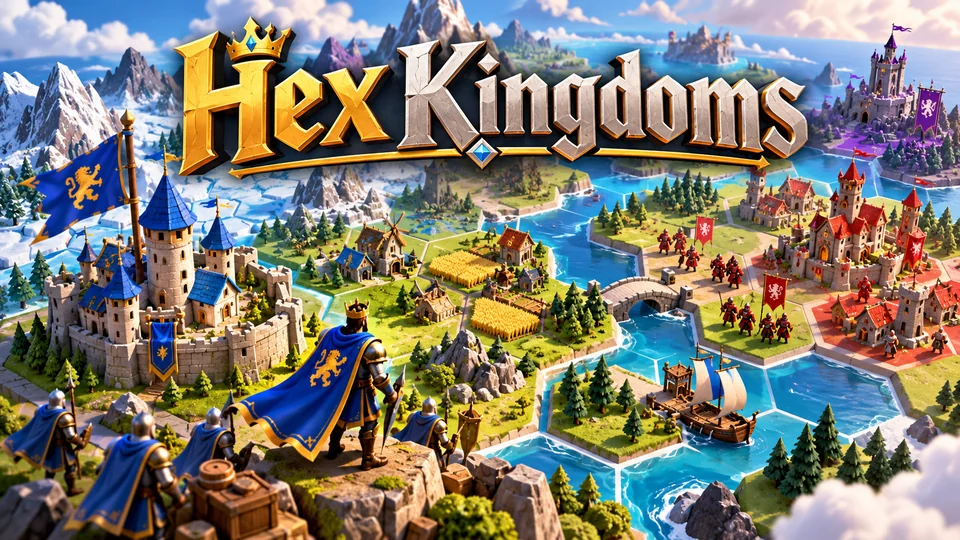
Hex Kingdoms
Expand across a compact hex map, gather resources, capture towns and outmaneuver AI kingdoms.
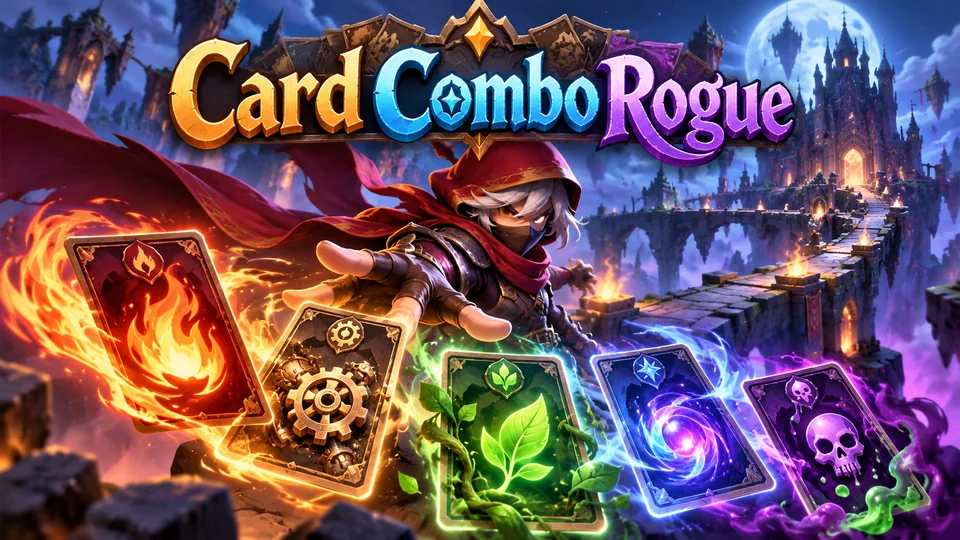
Card Combo Rogue
Build a temporary deck during each run and exploit tag-based synergies across fire, machine, nature, magic and poison cards.
You can see more in our strategy games with source code.
The complete code
One file, no libraries. Save it as board-game.html and open it in any browser. Free to use under the MIT license: copy it, change it, ship it.
<!doctype html>
<!-- SPDX-License-Identifier: MIT -->
<!-- Tic-Tac-Toe: a complete HTML5 board game with an easy and an unbeatable computer player. Free to use, change and ship (MIT license). -->
<html lang="en">
<head>
<meta charset="utf-8">
<meta name="viewport" content="width=device-width, initial-scale=1">
<title>Tic-Tac-Toe (HTML5 canvas board game)</title>
<style>
  html, body { margin: 0; height: 100%; background: #151a2e; color: #eef1ff; font: 16px system-ui, sans-serif; overflow: hidden; touch-action: none; user-select: none; }
  body { display: flex; align-items: center; justify-content: center; }
  canvas { display: block; }
</style>
</head>
<body>
<canvas id="game"></canvas>
<script>
// ----- Settings -----
const AI_DELAY = 0.5;                // seconds the computer "thinks" before it moves
const MARK_TIME = 0.25;              // seconds to draw an X or an O
const COLORS = { bg: "#151a2e", grid: "#3a4670", X: "#ff6b6b", O: "#4ecdc4", text: "#eef1ff", dim: "#9aa5cc", button: "#283461", focus: "#ffd166" };
const HUMAN = "X", AI = "O";         // against the computer you are X and it is O
const MODES = [
  { name: "Easy computer", ai: "easy" },
  { name: "Unbeatable computer", ai: "hard" },
  { name: "Two players", ai: null },
];
// The 8 ways to win: three rows, three columns, two diagonals (cells are numbered 0–8, row by row).
const LINES = [[0, 1, 2], [3, 4, 5], [6, 7, 8], [0, 3, 6], [1, 4, 7], [2, 5, 8], [0, 4, 8], [2, 4, 6]];

const canvas = document.getElementById("game");
const ctx = canvas.getContext("2d");
const HUD = 72;                      // room above the board for the score and whose turn it is
let size = 300, cell = 100;          // board and cell size in CSS pixels, set by resize()

// ----- Sizing: a square board that fits the window, sharp on high-DPI screens -----
function resize() {
  const dpr = window.devicePixelRatio || 1;
  size = Math.max(240, Math.floor(Math.min(window.innerWidth - 16, window.innerHeight - HUD - 16, 560)));
  cell = size / 3;
  canvas.style.width = size + "px";
  canvas.style.height = size + HUD + "px";
  canvas.width = Math.round(size * dpr);
  canvas.height = Math.round((size + HUD) * dpr);
  ctx.setTransform(dpr, 0, 0, dpr, 0, 0);
  draw();
}

// ----- Game state -----
let board = Array(9).fill("");       // "" for empty, or "X" / "O"; cell i is row Math.floor(i / 3), column i % 3
let drawn = Array(9).fill(0);        // how much of each mark has been drawn so far, 0 → 1
let state = "menu";                  // menu → play → over → play (next round) …
let mode = MODES[1], menuIndex = 1, turn = "X", starter = "X";
let wins = { X: 0, O: 0, draw: 0 }, outcome = null, overTime = 0, aiTimer = 0;
let cursor = 4, usingKeys = false, buttons = [];

// The rules in one function: a finished line wins, a full board is a draw, otherwise play on.
function result(b) {
  for (const line of LINES) {
    const [a, c, d] = line;
    if (b[a] && b[a] === b[c] && b[a] === b[d]) return { mark: b[a], line };
  }
  return b.includes("") ? null : { mark: "draw" };
}

// ----- The computer player -----
// Minimax: try every move, then every reply, to the end of the game. The computer (O) picks the
// highest score and assumes you pick the lowest. Using depth prefers fast wins and slow losses.
function minimax(b, player, depth) {
  const r = result(b);
  if (r) return r.mark === AI ? 10 - depth : r.mark === HUMAN ? depth - 10 : 0;
  let best = player === AI ? -Infinity : Infinity;
  for (let i = 0; i < 9; i++) {
    if (b[i]) continue;
    b[i] = player;                   // try the move…
    const score = minimax(b, player === AI ? HUMAN : AI, depth + 1);
    b[i] = "";                       // …and take it back
    best = player === AI ? Math.max(best, score) : Math.min(best, score);
  }
  return best;
}

function bestMove(b) {
  let top = -Infinity, choices = [];
  for (let i = 0; i < 9; i++) {
    if (b[i]) continue;
    b[i] = AI;
    const score = minimax(b, HUMAN, 1);
    b[i] = "";
    if (score > top) { top = score; choices = [i]; } else if (score === top) choices.push(i);
  }
  return choices[Math.floor(Math.random() * choices.length)];   // equal moves: vary the game
}

// Easy: take a win when there is one, otherwise play anywhere. It never blocks you.
function easyMove(b) {
  const free = [];
  for (let i = 0; i < 9; i++) if (!b[i]) free.push(i);
  for (const i of free) {
    b[i] = AI;
    const won = result(b)?.mark === AI;
    b[i] = "";
    if (won) return i;
  }
  return free[Math.floor(Math.random() * free.length)];
}

// ----- Turns -----
function startMatch(m) {
  mode = m;
  wins = { X: 0, O: 0, draw: 0 };
  starter = "O";                     // nextRound() flips this, so X starts the first round
  nextRound();
}

function nextRound() {
  board = Array(9).fill("");
  drawn = Array(9).fill(0);
  outcome = null;
  starter = starter === "X" ? "O" : "X";   // players take turns going first
  turn = starter;
  aiTimer = AI_DELAY;
  state = "play";
}

const aiTurn = () => state === "play" && mode.ai && turn === AI;

function place(i) {
  if (state !== "play" || board[i]) return;   // only empty cells, only during a round
  board[i] = turn;
  outcome = result(board);
  if (outcome) {
    wins[outcome.mark]++;
    state = "over";
    overTime = 0;
  } else {
    turn = turn === "X" ? "O" : "X";
    aiTimer = AI_DELAY;
  }
}

function update(dt) {
  for (let i = 0; i < 9; i++) if (board[i]) drawn[i] = Math.min(1, drawn[i] + dt / MARK_TIME);
  if (state === "over") overTime += dt;
  if (aiTurn()) {
    aiTimer -= dt;
    if (aiTimer <= 0) place(mode.ai === "hard" ? bestMove(board) : easyMove(board));
  }
}

// ----- Drawing -----
function label(text, x, y, px, weight, align, color = COLORS.text) {
  ctx.font = `${weight} ${px}px system-ui, sans-serif`;
  ctx.textAlign = align;
  ctx.textBaseline = "middle";
  ctx.fillStyle = color;
  ctx.fillText(text, x, y);
}

const centre = (i) => ({ x: (i % 3 + 0.5) * cell, y: HUD + (Math.floor(i / 3) + 0.5) * cell });

function drawMark(mark, i, p) {
  const { x, y } = centre(i), r = cell * 0.28;
  ctx.strokeStyle = COLORS[mark];
  ctx.lineWidth = Math.max(5, cell * 0.09);
  ctx.lineCap = "round";
  ctx.beginPath();
  if (mark === "O") ctx.arc(x, y, r, -Math.PI / 2, -Math.PI / 2 + Math.PI * 2 * p);
  else {
    const a = Math.min(1, p * 2), b = Math.max(0, p * 2 - 1);   // first stroke, then the second
    ctx.moveTo(x - r, y - r);
    ctx.lineTo(x - r + 2 * r * a, y - r + 2 * r * a);
    if (b > 0) { ctx.moveTo(x + r, y - r); ctx.lineTo(x + r - 2 * r * b, y - r + 2 * r * b); }
  }
  ctx.stroke();
}

function button(text, y, action, focused) {
  const w = Math.min(size * 0.8, 320), h = Math.max(44, cell * 0.36), x = (size - w) / 2;
  ctx.fillStyle = COLORS.button;
  ctx.beginPath();
  if (ctx.roundRect) ctx.roundRect(x, y, w, h, 10); else ctx.rect(x, y, w, h);
  ctx.fill();
  if (focused) { ctx.strokeStyle = COLORS.focus; ctx.lineWidth = 3; ctx.stroke(); }
  label(text, size / 2, y + h / 2, Math.max(15, Math.min(19, size / 22)), 700, "center");
  buttons.push({ x, y, w, h, action });
  return h;
}

function status() {
  if (state === "menu") return "Pick a mode to start";
  if (state === "over") {
    if (outcome.mark === "draw") return "Draw";
    if (!mode.ai) return `${outcome.mark} wins!`;
    return outcome.mark === HUMAN ? "You win!" : "Computer wins";
  }
  if (aiTurn()) return "Computer is thinking…";
  return mode.ai ? "Your turn (X)" : `${turn} to move`;
}

function draw() {
  buttons = [];
  ctx.fillStyle = COLORS.bg;
  ctx.fillRect(0, 0, size, size + HUD);

  // Score and status.
  const px = Math.max(15, Math.min(20, size / 22));
  const names = mode.ai ? { X: "You", O: "Computer" } : { X: "X", O: "O" };
  label(`${names.X} ${wins.X}`, 6, 22, px, 700, "left", COLORS.X);
  label(`Draws ${wins.draw}`, size / 2, 22, px, 600, "center", COLORS.dim);
  label(`${names.O} ${wins.O}`, size - 6, 22, px, 700, "right", COLORS.O);
  label(status(), size / 2, 54, px, 500, "center", state === "play" ? COLORS[turn] : COLORS.text);

  // The grid: two vertical and two horizontal lines.
  ctx.strokeStyle = COLORS.grid;
  ctx.lineWidth = Math.max(3, cell * 0.04);
  ctx.lineCap = "round";
  ctx.beginPath();
  for (let k = 1; k < 3; k++) {
    ctx.moveTo(k * cell, HUD + cell * 0.12); ctx.lineTo(k * cell, HUD + size - cell * 0.12);
    ctx.moveTo(cell * 0.12, HUD + k * cell); ctx.lineTo(size - cell * 0.12, HUD + k * cell);
  }
  ctx.stroke();

  for (let i = 0; i < 9; i++) if (board[i]) drawMark(board[i], i, drawn[i]);
  if (usingKeys && state === "play" && !aiTurn()) {
    ctx.strokeStyle = COLORS.focus;
    ctx.lineWidth = 3;
    ctx.strokeRect((cursor % 3) * cell + 8, HUD + Math.floor(cursor / 3) * cell + 8, cell - 16, cell - 16);
  }

  // The winning line grows across its three cells.
  if (outcome && outcome.line) {
    const a = centre(outcome.line[0]), b = centre(outcome.line[2]), p = Math.min(1, overTime / 0.3);
    ctx.strokeStyle = COLORS.text;
    ctx.lineWidth = Math.max(5, cell * 0.06);
    ctx.beginPath();
    ctx.moveTo(a.x, a.y);
    ctx.lineTo(a.x + (b.x - a.x) * p, a.y + (b.y - a.y) * p);
    ctx.stroke();
  }

  // Menu and end-of-round panels (the end panel waits a moment so you can see the board).
  if (state === "menu" || (state === "over" && overTime > 0.8)) {
    ctx.fillStyle = "rgba(10, 13, 26, 0.85)";
    ctx.fillRect(0, HUD, size, size);
    const big = Math.min(cell * 0.4, size / 9);
    if (state === "menu") {
      let y = HUD + size * 0.14;
      label("Tic-Tac-Toe", size / 2, y, big, 800, "center");
      y += big * 1.3;
      MODES.forEach((m, k) => { y += button(`${k + 1}. ${m.name}`, y, () => startMatch(m), usingKeys && k === menuIndex) + 12; });
      label("Tap a mode, or press 1, 2 or 3", size / 2, y + 14, Math.max(13, size / 30), 400, "center", COLORS.dim);
    } else {
      // "Next round" sits in the middle, where a player taps without thinking; "Change mode" is below.
      label(status(), size / 2, HUD + size * 0.26, Math.min(big, (size * 1.5) / status().length), 800, "center", outcome.mark === "draw" ? COLORS.text : COLORS[outcome.mark]);
      const h = button("Next round (Space)", HUD + size / 2 - Math.max(44, cell * 0.36) / 2, nextRound, false);
      button("Change mode (M)", HUD + size / 2 + h / 2 + 16, () => { state = "menu"; }, false);
    }
  }
}

// ----- Main loop -----
let last = 0;
function loop(now) {
  const dt = Math.min(0.05, (now - last) / 1000);
  last = now;
  update(dt);
  draw();
  requestAnimationFrame(loop);
}

// ----- Input: tap or click a cell; arrows + Space, or 1–9, on a keyboard -----
canvas.addEventListener("pointerdown", (e) => {
  usingKeys = false;
  const rect = canvas.getBoundingClientRect();
  const x = e.clientX - rect.left, y = e.clientY - rect.top;
  const hit = buttons.find((b) => x >= b.x && x <= b.x + b.w && y >= b.y && y <= b.y + b.h);
  if (hit) { hit.action(); return; }
  if (state === "over" && overTime > 0.8) { nextRound(); return; }
  if (state !== "play" || aiTurn() || y < HUD) return;
  place(Math.min(2, Math.floor((y - HUD) / cell)) * 3 + Math.min(2, Math.floor(x / cell)));
});

const MOVE = { ArrowUp: -3, KeyW: -3, ArrowDown: 3, KeyS: 3, ArrowLeft: -1, KeyA: -1, ArrowRight: 1, KeyD: 1 };
window.addEventListener("keydown", (e) => {
  const digit = /^(Digit|Numpad)([1-9])$/.exec(e.code), go = e.code === "Space" || e.code === "Enter";
  if (MOVE[e.code] !== undefined || go) e.preventDefault();
  usingKeys = true;
  if (state === "menu") {
    if (digit && +digit[2] <= MODES.length) startMatch(MODES[+digit[2] - 1]);
    else if (MOVE[e.code] === -3 || MOVE[e.code] === 3) menuIndex = (menuIndex + Math.sign(MOVE[e.code]) + MODES.length) % MODES.length;
    else if (go) startMatch(MODES[menuIndex]);
  } else if (state === "over") {
    if (e.code === "KeyM" || e.code === "Escape") state = "menu";
    else if (go && overTime > 0.8) nextRound();
  } else if (e.code === "Escape") state = "menu";
  else if (!aiTurn()) {
    const d = MOVE[e.code];
    if (d !== undefined) {
      const col = cursor % 3 + (Math.abs(d) === 1 ? d : 0), row = Math.floor(cursor / 3) + (Math.abs(d) === 3 ? d / 3 : 0);
      if (col >= 0 && col < 3 && row >= 0 && row < 3) cursor = row * 3 + col;
    } else if (go) place(cursor);
    else if (digit) place(+digit[2] - 1);   // 1–9 map to the cells row by row
  }
});

window.addEventListener("resize", resize);
resize();
requestAnimationFrame((t) => { last = t; loop(t); });
</script>
</body>
</html>
Frequently asked questions
Is this tic-tac-toe code free to use commercially?
Yes. The file is MIT-licensed: you can copy it, change it and use it in personal or commercial projects, including games you sell. Keep the licence line at the top of the file.
Is the unbeatable computer really unbeatable?
Yes. Minimax searches every possible continuation, and tic-tac-toe is a draw with perfect play, so the best you can do is draw. We checked every possible game against it, with either side going first, and it never lost.
Do I need an HTML5 board game engine?
Not for a game this size: the canvas 2D API and a few functions are enough. For bigger projects, a 2D engine like Phaser helps with sprites, animation, input and scenes, and boardgame.io is an open-source framework that manages turns, game state and multiplayer for turn-based games. Our guide to HTML5 game engines compares the main options.
Where can I find HTML5 chess or ludo game source code?
Start with open-source projects on GitHub, such as chess.js for chess rules, and check each project's licence before you use it in something you sell. Our list of free and open-source HTML5 games collects more. The section above explains how to write the rules yourself.
How do I put this game on my website?
Upload board-game.html to your web host and link to it, or show it inside a page with an <iframe>. Our guide to embedding an HTML5 game in a website covers WordPress, Wix and Google Sites.
We make and sell HTML5 game source code; links to our games are marked as ours.