Sunset Sprint is a three-lap race against the clock on a winding, hilly road, drawn with nothing but the 2D canvas. It uses the pseudo-3D technique arcade racers relied on before 3D hardware: the road is a list of flat segments, each one projected onto the screen and drawn as a trapezoid. This HTML5 racing game tutorial walks through that projection, the curve trick, the hill clipping, traffic, laps and touch controls, in code you can read in one evening.
How to run it
- Press Copy code above, or Download .html.
- Paste it into a new text file and save it as
racing-game.html. - Open the file in a browser and press Enter, or tap the screen.
To try changes quickly, paste the code into the HTML game code runner. A good first edit is the TRACK array: add a section like [120, -5, 2000] for a long left-hander that climbs a hill.
HTML5 racing game tutorial: how the code works
The script has five jobs: build the road, update the car, project the road onto the screen, draw it, and read input. Everything is measured in world units: a segment is 200 units long, the road is 2,000 units wide and the camera sits 1,000 units above it.
1. The track is a list of segments
A pseudo-3D road is not a 3D model. It's an array of short, straight pieces, and each piece only knows how much the road bends and how high its two ends are. The TRACK table describes the course in sections; this loop turns each section into segments, easing curves in and out and shaping hills with a cosine so the slope changes smoothly.
// ----- Build the road: a list of short segments, each with a curve and a start and end height -----
const segments = [];
for (const [count, curve, rise] of TRACK) {
  const startY = segments.length ? segments[segments.length - 1].y2 : 0;
  for (let i = 0; i < count; i++) {
    const ease = Math.min(1, (i + 1) / (count / 4), (count - i) / (count / 4)); // curves fade in and out
    const y1 = segments.length ? segments[segments.length - 1].y2 : 0;
    const y2 = startY + rise * (1 - Math.cos(Math.PI * (i + 1) / count)) / 2;  // smooth hills
    segments.push({ curve: curve * ease, y1, y2 });
  }
}
const N = segments.length, TRACK_LEN = N * SEG;
const START = Math.floor(PLAYER_Z / SEG); // the chequered line sits under the car at the start
The track has 1,020 segments, so one lap is 204,000 units. Because the height changes in TRACK add up to zero, the end of the lap meets the start and the road loops without a step.
2. Projection: from world to screen
Perspective comes down to one division. A point twice as far away appears half as far from the centre of the screen, so the scale of a point is DEPTH / z, where DEPTH comes from the field of view. The road's half-width goes through the same scale, which is why the road narrows towards the horizon.
// ----- Projection: world point → screen point -----
function project(worldX, worldY, z, camX, camY) {
  const scale = DEPTH / z;
  return { x: W / 2 + scale * (worldX - camX) * W / 2, y: H / 2 - scale * (worldY - camY) * H / 2, w: scale * ROAD * W / 2 };
}
The player's car sits at PLAYER_Z = CAM_HEIGHT * DEPTH in front of the camera. At that distance the road surface projects exactly onto the bottom edge of the screen, so the car can be drawn there as a flat sprite and always looks like it's on the road. The camera follows the car sideways (camX = playerX * ROAD), which is why the road slides under the car when you steer, rather than the car moving.
3. Curves without any geometry
This is the trick that makes an HTML5 canvas racing game feel like it's turning. The segments are never rotated. Instead, while the code projects segments from near to far, it shifts each one sideways by an amount that grows with distance: dx grows by the segment's curve, and x grows by dx. A constant curve therefore produces a sideways offset that grows with the square of the distance, which the eye reads as a bend.
  // Project the road from near to far, accumulating the curve as we go.
  const baseIndex = Math.floor(position / SEG) % N;
  const basePct = (position % SEG) / SEG;
  const pSeg = segments[Math.floor((position + PLAYER_Z) / SEG) % N];
  const pPct = ((position + PLAYER_Z) % SEG) / SEG;
  const camY = pSeg.y1 + (pSeg.y2 - pSeg.y1) * pPct + CAM_HEIGHT;
  const camX = playerX * ROAD;
  let x = 0, dx = -segments[baseIndex].curve * basePct;
  const visible = [];
  for (let n = 0; n < DRAW; n++) {
    const i = (baseIndex + n) % N, seg = segments[i];
    const z1 = i * SEG + (i < baseIndex ? TRACK_LEN : 0) - position;  // segments past the finish wrap round
    const a = project(x, seg.y1, z1, camX, camY), b = project(x + dx, seg.y2, z1 + SEG, camX, camY);
    x += dx; dx += seg.curve;
    if (z1 > 10 && b.y < a.y) visible.push({ i, a, b });
  }
Two details matter. The starting dx is reduced by how far the camera is into the current segment (basePct), so curves slide in smoothly instead of jumping a segment at a time. And the camera height follows the road under the car (camY), which is what makes hills rise and fall in front of you.
4. Drawing far to near
Once every visible segment has screen coordinates, the code draws them from the farthest to the nearest. That's the painter's algorithm: nearer road is painted over farther road, so the top of a hill hides the dip behind it with no clipping maths at all. Each segment is three shapes: a full-width band of grass, a slightly wider trapezoid for the red and white kerb, and the road on top.
  // Draw far to near, so nearer road (and hills) cover whatever is behind them.
  const carsBySeg = new Map();
  for (const c of cars) { const i = Math.floor(c.z / SEG); if (!carsBySeg.has(i)) carsBySeg.set(i, []); carsBySeg.get(i).push(c); }
  for (let k = visible.length - 1; k >= 0; k--) {
    const { i, a, b } = visible[k], light = Math.floor(i / 3) % 2 === 0;
    ctx.fillStyle = light ? "#3f8d3c" : "#377f35";
    ctx.fillRect(0, b.y, W, a.y - b.y + 1);
    quad(a, b, a.w * 1.12, b.w * 1.12, light ? "#f2f2f2" : "#d23b30", 0);
    quad(a, b, a.w, b.w, light ? "#6d6b74" : "#66646d");
Alternating light and dark colours every three segments is what creates the sense of speed: the stripes rush towards you faster as you accelerate. Traffic cars are drawn right after the segment they're on, so a car over the crest of a hill is correctly hidden by the road in front of it. The quad() helper also pushes the far edge of each trapezoid up by one pixel, so anti-aliasing doesn't leave hairline seams between segments.
5. Speed, steering and drift
The car accelerates by itself, so the player only has to steer and brake. Steering is scaled by speed (a parked car doesn't turn), and curves push the car towards the outside with a force that grows with the square of the speed. On the sharpest bend of the track, a curve of 5, the push at top speed uses up about two thirds of your steering, so a late turn-in puts you on the grass unless you brake.
  const pct = speed / MAX_SPEED;
  const seg = segments[Math.floor((position + PLAYER_Z) / SEG) % N];
  playerX += steer * STEER * pct * dt;              // steering works better the faster you go
  playerX -= seg.curve * DRIFT * pct * pct * dt;    // curves push you to the outside
  playerX = Math.max(-1.8, Math.min(1.8, playerX));

  // The car accelerates by itself; the player only steers and brakes.
  speed += (braking ? -BRAKE : ACCEL) * dt;
  if (Math.abs(playerX) > 1 && speed > GRASS_MAX) speed -= MAX_SPEED * 1.5 * dt; // grass slows you down
  speed = Math.max(0, Math.min(MAX_SPEED, speed));
playerX runs from -1 to 1 across the road. Past either edge you're on the grass, which caps your speed at a quarter of the maximum. All of it is multiplied by dt, the seconds since the last frame, so the car handles the same at 60 Hz and 120 Hz.
6. Traffic and collisions
Twenty-two cars drive round the track in three lanes at 35 to 60% of your top speed. A collision only needs two numbers: how far ahead the car is along the track, and whether the two cars overlap sideways.
  // Traffic: hitting a slower car from behind drops you to half its speed.
  const pz = (position + PLAYER_Z) % TRACK_LEN;
  for (const c of cars) {
    const gap = (c.z - pz + TRACK_LEN) % TRACK_LEN;          // how far ahead the car is
    const overlap = Math.abs(playerX - c.x) < CAR_W;
    if (overlap && speed > c.speed && gap < 80 + (speed - c.speed) * dt) { speed = c.speed * 0.5; bump = 0.4; }
    else if (overlap && TRACK_LEN - gap < 80 && c.speed > speed) c.z = (pz - 80 + TRACK_LEN) % TRACK_LEN; // a car behind waits
  }
The check adds the distance you'll close this frame, (speed - c.speed) * dt, to the 80-unit contact range. Without it, a slow frame could carry you straight through a car. The modulo keeps the gap correct when a car is just past the finish line and you're just before it.
7. Laps and timing
Laps come from the total distance driven, not from the position on the track. Position wraps back to zero every lap, but distance only grows, so a lap is complete exactly when distance / TRACK_LEN passes the next whole number. Nothing can count the same lap twice, even if you crawl back and forth over the line.
  // Laps are counted from the total distance driven, so nothing can count a lap twice.
  const lapsBefore = Math.floor(distance / TRACK_LEN);
  distance += speed * dt;
  position = distance % TRACK_LEN;
  raceTime += dt; lapTime += dt;
  if (Math.floor(distance / TRACK_LEN) > lapsBefore) {
    lapTimes.push(lapTime);
    bestLap = bestLap ? Math.min(bestLap, lapTime) : lapTime;
    lapTime = 0;
    if (lapTimes.length === LAPS) {
      state = "finished"; endedAt = performance.now();
      best = best ? Math.min(best, raceTime) : raceTime;
    }
  }
The main loop caps dt at 0.05 seconds. If the tab was hidden, requestAnimationFrame stops, and the first frame back would otherwise move the car hundreds of segments in one step. A simple bot that steers round traffic finishes the three laps in about 64 seconds, which gives you a target to beat.
Make it work on phones
Racing on a touch screen needs controls that don't hide the road. This game uses the two halves of the screen: hold the left side to steer left, the right side to steer right, and both at once to brake. Pointer events give every finger its own pointerId, so a Map of active pointers handles two thumbs, and the same code covers a held mouse button.
  // Input: keys, or touch/mouse on the left or right half. Both halves at once = brake.
  let pl = false, pr = false;
  for (const px of pointers.values()) { if (px < W / 2) pl = true; else pr = true; }
  const braking = keys.brake || (pl && pr);
  const steer = (keys.right || (pr && !pl) ? 1 : 0) - (keys.left || (pl && !pr) ? 1 : 0);
  steerNow = steer;
Auto-acceleration is what makes this work with two thumbs; a separate gas pedal would need a third. The canvas fills the screen in portrait or landscape, and the car scales with the window. Landscape gives a wider view of the road, so a production version might suggest rotating the phone. Our guide to HTML5 mobile game development covers orientation and touch layouts in more depth.
Ideas to extend it
- Add rival cars that race you for position instead of just being in the way, with their own steering towards a racing line.
- Put scenery beside the road (trees, signs, billboards) using the same per-segment drawing as the traffic cars.
- Add a nitro button that raises
MAX_SPEEDfor two seconds and recharges over each lap. - Replace laps with checkpoints that add time, for an endless arcade mode.
- Record the best lap as a list of positions per frame and draw it as a ghost car.
- Add engine sound with the Web Audio API: an oscillator whose frequency follows
speed, started on the first tap.
From prototype to a game you can sell
Pseudo-3D is a great way to learn how a car game works, and it runs anywhere. A racing game people pay for usually needs real 3D, physics and a lot of content:
| This racing file | A production racing game | |
|---|---|---|
| Rendering | Pseudo-3D trapezoids on a 2D canvas | Real 3D with lighting, models and effects |
| Handling | One steering and drift formula | Grip, drift, surfaces and physics tuned per car |
| Content | One track, three laps | Several tracks or stages, modes, unlockable cars |
| Opponents | Traffic in fixed lanes | AI rivals, ghosts of your best run |
| Saves | Best time lost on reload | Times, unlocks and settings saved |
| Platforms | Desktop and phone browsers | Portal SDK hooks, ads, localisation, gamepad |
| Licence | MIT | A commercial licence for your product |
Our racing games are built with Three.js and ship as TypeScript projects with tuning in data files. Drift District is an arcade drifting game with time attack and ghosts, and it uses the Rapier physics engine. Tiny Rally races toy cars over gravel, mud, snow, sand and tarmac. Traffic Thread is an endless highway game where near misses fill your boost.
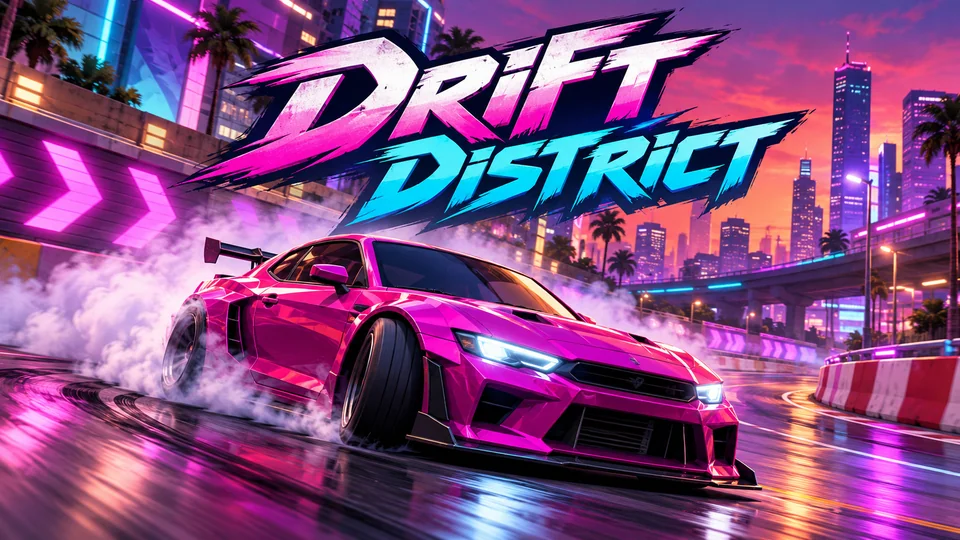
Drift District
Drift compact urban circuits, chain slides and earn reputation through style and speed.
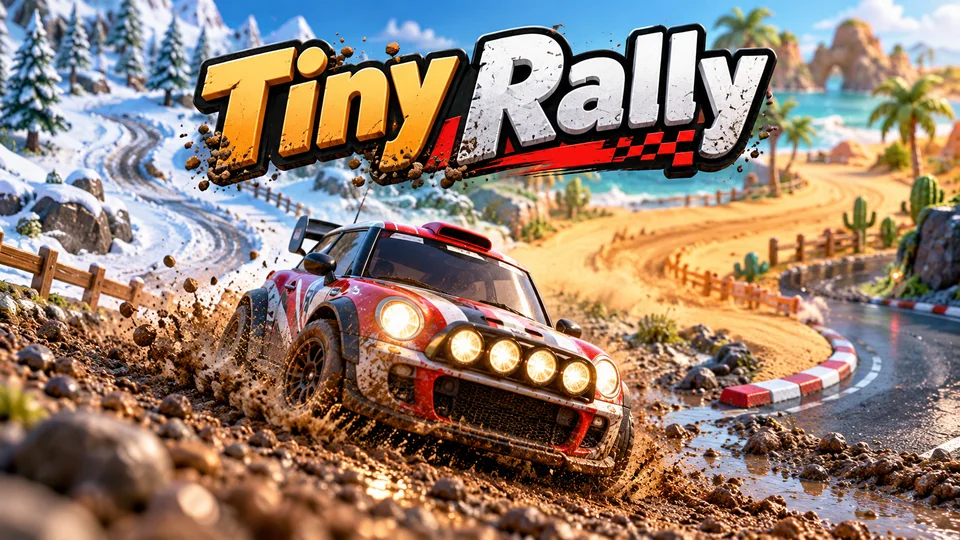
Tiny Rally
Race short miniature rally stages where gravel, mud, snow, sand and tarmac each change how your toy car grips, slides and lands.
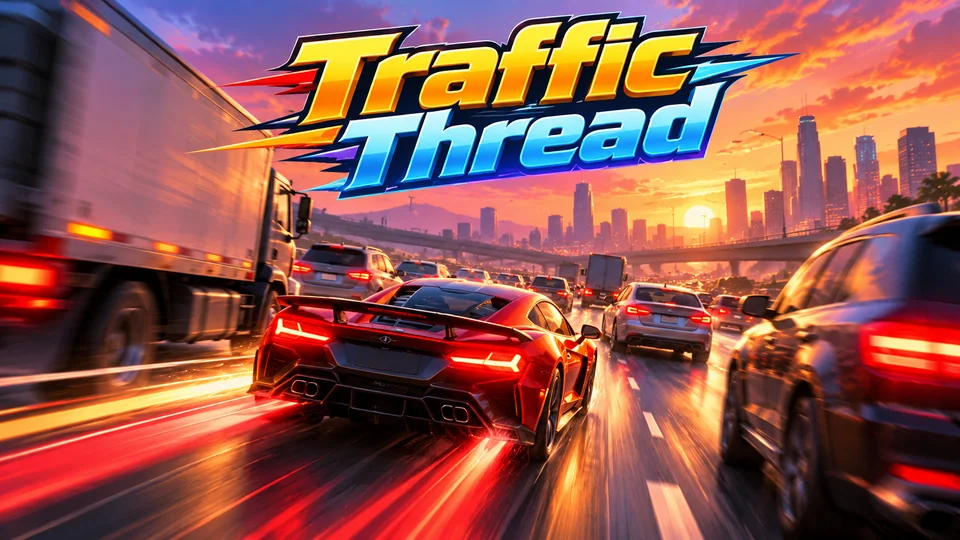
Traffic Thread
Weave through dense highway traffic; near misses fill boost and multiply score.
See all of them on the racing games page. For the move from canvas to a 3D engine, read our guide to 3D HTML5 games, and for more free projects browse the HTML game code collection, including the space shooter.
The complete code
One file, no libraries. Save it as racing-game.html and open it in any browser. Free to use under the MIT license: copy it, change it, ship it.
<!doctype html>
<!-- SPDX-License-Identifier: MIT -->
<!-- Sunset Sprint: a pseudo-3D car racing game in one HTML file. Free to use, change and ship (MIT license). -->
<html lang="en">
<head>
<meta charset="utf-8">
<meta name="viewport" content="width=device-width, initial-scale=1">
<title>Sunset Sprint (HTML5 car racing game)</title>
<style>
  html, body { margin: 0; height: 100%; background: #1d1430; color: #fff; font: 16px system-ui, sans-serif; overflow: hidden; touch-action: none; user-select: none; -webkit-user-select: none; }
  canvas { display: block; }
</style>
</head>
<body>
<canvas id="game"></canvas>
<script>
// ----- Settings -----
const SEG = 200;                     // length of one road segment, in world units
const ROAD = 1000;                   // half the road width
const LANES = 3;
const CAM_HEIGHT = 1000;             // camera height above the road
const DEPTH = 1 / Math.tan((100 / 2) * Math.PI / 180); // 100° field of view
const PLAYER_Z = CAM_HEIGHT * DEPTH; // distance from the camera to the car (puts it at the bottom of the screen)
const DRAW = 180;                    // segments drawn ahead
const MAX_SPEED = SEG * 50;          // top speed: 50 segments a second
const ACCEL = MAX_SPEED / 4;         // 0 to top speed in about 4 seconds
const BRAKE = MAX_SPEED;             // braking is four times stronger
const GRASS_MAX = MAX_SPEED / 4;     // top speed on the grass
const STEER = 2.2;                   // road half-widths per second at full speed
const DRIFT = 0.3;                   // how hard curves push the car outwards
const CAR_W = 0.36;                  // car width as a fraction of the road half-width
const LAPS = 3, TRAFFIC = 22;
// The track: [segments, curve (+ right, - left), height change]. Height changes must add up to 0.
const TRACK = [
  [60, 0, 0], [80, 2, 0], [60, 0, 1200], [90, -4, 0], [60, 0, -1200], [100, 3, 1600], [60, 0, 0],
  [80, -3, -1600], [50, 0, 0], [80, 5, 0], [60, 0, 800], [90, -2, -800], [80, 4, 0], [70, 0, 0],
];

const canvas = document.getElementById("game");
const ctx = canvas.getContext("2d");
let W = 0, H = 0;

function resize() {
  const dpr = window.devicePixelRatio || 1;
  W = window.innerWidth; H = window.innerHeight;
  canvas.style.width = W + "px"; canvas.style.height = H + "px";
  canvas.width = Math.round(W * dpr); canvas.height = Math.round(H * dpr);
  ctx.setTransform(dpr, 0, 0, dpr, 0, 0);
}

// ----- Build the road: a list of short segments, each with a curve and a start and end height -----
const segments = [];
for (const [count, curve, rise] of TRACK) {
  const startY = segments.length ? segments[segments.length - 1].y2 : 0;
  for (let i = 0; i < count; i++) {
    const ease = Math.min(1, (i + 1) / (count / 4), (count - i) / (count / 4)); // curves fade in and out
    const y1 = segments.length ? segments[segments.length - 1].y2 : 0;
    const y2 = startY + rise * (1 - Math.cos(Math.PI * (i + 1) / count)) / 2;  // smooth hills
    segments.push({ curve: curve * ease, y1, y2 });
  }
}
const N = segments.length, TRACK_LEN = N * SEG;
const START = Math.floor(PLAYER_Z / SEG); // the chequered line sits under the car at the start

// ----- Game state -----
let state = "ready";                 // ready → countdown → racing → finished
let position, distance, speed, playerX, cars, raceTime, lapTime, lapTimes, countdown, bump, endedAt = 0;
let best = 0, bestLap = 0, hills = 0, last = 0;
const keys = {}, pointers = new Map();
let touchUsed = false, steerNow = 0;

function reset() {
  position = 0; distance = 0; speed = 0; playerX = 0; bump = 0;
  raceTime = 0; lapTime = 0; lapTimes = []; countdown = 3;
  // Traffic: spread along the track, never close to the start line.
  const colors = ["#3fa7ff", "#ffd23f", "#9b5de5", "#f15bb5", "#00c49a", "#ff8c42"];
  cars = [];
  for (let i = 0; i < TRAFFIC; i++) {
    cars.push({
      z: (30 + (i + Math.random() * 0.5) * (N - 110) / TRAFFIC) * SEG,
      x: (Math.floor(Math.random() * LANES) - 1) * (2 / LANES),   // lane centres: -2/3, 0, 2/3
      speed: MAX_SPEED * (0.35 + Math.random() * 0.25),
      color: colors[i % colors.length],
    });
  }
}

function start() {
  if (state === "ready" || (state === "finished" && performance.now() - endedAt > 1000)) { reset(); state = "countdown"; }
}

// ----- Update: speed, steering, curves, traffic and laps -----
function update(dt) {
  if (state === "countdown") { countdown -= dt; if (countdown <= 0) state = "racing"; return; }
  for (const c of cars) c.z = (c.z + c.speed * dt) % TRACK_LEN;
  if (state !== "racing") return;

  // Input: keys, or touch/mouse on the left or right half. Both halves at once = brake.
  let pl = false, pr = false;
  for (const px of pointers.values()) { if (px < W / 2) pl = true; else pr = true; }
  const braking = keys.brake || (pl && pr);
  const steer = (keys.right || (pr && !pl) ? 1 : 0) - (keys.left || (pl && !pr) ? 1 : 0);
  steerNow = steer;

  const pct = speed / MAX_SPEED;
  const seg = segments[Math.floor((position + PLAYER_Z) / SEG) % N];
  playerX += steer * STEER * pct * dt;              // steering works better the faster you go
  playerX -= seg.curve * DRIFT * pct * pct * dt;    // curves push you to the outside
  playerX = Math.max(-1.8, Math.min(1.8, playerX));

  // The car accelerates by itself; the player only steers and brakes.
  speed += (braking ? -BRAKE : ACCEL) * dt;
  if (Math.abs(playerX) > 1 && speed > GRASS_MAX) speed -= MAX_SPEED * 1.5 * dt; // grass slows you down
  speed = Math.max(0, Math.min(MAX_SPEED, speed));

  // Traffic: hitting a slower car from behind drops you to half its speed.
  const pz = (position + PLAYER_Z) % TRACK_LEN;
  for (const c of cars) {
    const gap = (c.z - pz + TRACK_LEN) % TRACK_LEN;          // how far ahead the car is
    const overlap = Math.abs(playerX - c.x) < CAR_W;
    if (overlap && speed > c.speed && gap < 80 + (speed - c.speed) * dt) { speed = c.speed * 0.5; bump = 0.4; }
    else if (overlap && TRACK_LEN - gap < 80 && c.speed > speed) c.z = (pz - 80 + TRACK_LEN) % TRACK_LEN; // a car behind waits
  }

  // Laps are counted from the total distance driven, so nothing can count a lap twice.
  const lapsBefore = Math.floor(distance / TRACK_LEN);
  distance += speed * dt;
  position = distance % TRACK_LEN;
  raceTime += dt; lapTime += dt;
  if (Math.floor(distance / TRACK_LEN) > lapsBefore) {
    lapTimes.push(lapTime);
    bestLap = bestLap ? Math.min(bestLap, lapTime) : lapTime;
    lapTime = 0;
    if (lapTimes.length === LAPS) {
      state = "finished"; endedAt = performance.now();
      best = best ? Math.min(best, raceTime) : raceTime;
    }
  }
  hills -= seg.curve * pct * dt * 0.06;            // the scenery slides the opposite way on curves
  bump = Math.max(0, bump - dt);
}

// ----- Projection: world point → screen point -----
function project(worldX, worldY, z, camX, camY) {
  const scale = DEPTH / z;
  return { x: W / 2 + scale * (worldX - camX) * W / 2, y: H / 2 - scale * (worldY - camY) * H / 2, w: scale * ROAD * W / 2 };
}

// A trapezoid from a near edge (a) to a far edge (b). `overlap` pushes the far edge up a pixel
// so neighbouring segments overlap and no hairline seams show between them.
function quad(a, b, wa, wb, color, overlap = 1) {
  ctx.fillStyle = color;
  ctx.beginPath();
  ctx.moveTo(a.x - wa, a.y); ctx.lineTo(a.x + wa, a.y);
  ctx.lineTo(b.x + wb, b.y - overlap); ctx.lineTo(b.x - wb, b.y - overlap);
  ctx.fill();
}

// A car seen from behind; used for the player and for traffic.
function drawCar(x, y, w, color, tilt) {
  const h = w * 0.55;
  ctx.save(); ctx.translate(x, y); ctx.rotate(tilt);
  ctx.fillStyle = "#111";
  ctx.fillRect(-w * 0.48, -h * 0.3, w * 0.18, h * 0.3); ctx.fillRect(w * 0.3, -h * 0.3, w * 0.18, h * 0.3);
  ctx.fillStyle = color;
  ctx.fillRect(-w / 2, -h * 0.78, w, h * 0.55);
  ctx.fillRect(-w * 0.34, -h, w * 0.68, h * 0.3);
  ctx.fillStyle = "rgba(25, 30, 60, 0.85)"; ctx.fillRect(-w * 0.27, -h * 0.94, w * 0.54, h * 0.2);
  ctx.fillStyle = "#ff3b30";
  ctx.fillRect(-w * 0.46, -h * 0.66, w * 0.14, h * 0.12); ctx.fillRect(w * 0.32, -h * 0.66, w * 0.14, h * 0.12);
  ctx.restore();
}

function drawHills(offset, height, color, freq) {
  ctx.fillStyle = color;
  ctx.beginPath(); ctx.moveTo(0, H);
  for (let x = 0; x <= W + 10; x += 10) {
    const t = x / W * freq + offset;
    ctx.lineTo(x, H / 2 - height * (0.55 + 0.3 * Math.sin(t) + 0.15 * Math.sin(t * 2.7)));
  }
  ctx.lineTo(W, H); ctx.fill();
}

function draw() {
  // Sky, sun and two layers of hills that scroll at different speeds (parallax).
  const sky = ctx.createLinearGradient(0, 0, 0, H / 2);
  sky.addColorStop(0, "#2b1b55"); sky.addColorStop(1, "#ff8a5c");
  ctx.fillStyle = sky; ctx.fillRect(0, 0, W, H);
  ctx.fillStyle = "#ffd36b"; ctx.beginPath(); ctx.arc(W * 0.5, H / 2 - H * 0.04, Math.min(W, H) * 0.1, 0, Math.PI * 2); ctx.fill();
  drawHills(hills * 0.5, H * 0.12, "#6a3b6e", 4);
  drawHills(hills, H * 0.07, "#3d2a4f", 7);

  // Project the road from near to far, accumulating the curve as we go.
  const baseIndex = Math.floor(position / SEG) % N;
  const basePct = (position % SEG) / SEG;
  const pSeg = segments[Math.floor((position + PLAYER_Z) / SEG) % N];
  const pPct = ((position + PLAYER_Z) % SEG) / SEG;
  const camY = pSeg.y1 + (pSeg.y2 - pSeg.y1) * pPct + CAM_HEIGHT;
  const camX = playerX * ROAD;
  let x = 0, dx = -segments[baseIndex].curve * basePct;
  const visible = [];
  for (let n = 0; n < DRAW; n++) {
    const i = (baseIndex + n) % N, seg = segments[i];
    const z1 = i * SEG + (i < baseIndex ? TRACK_LEN : 0) - position;  // segments past the finish wrap round
    const a = project(x, seg.y1, z1, camX, camY), b = project(x + dx, seg.y2, z1 + SEG, camX, camY);
    x += dx; dx += seg.curve;
    if (z1 > 10 && b.y < a.y) visible.push({ i, a, b });
  }

  // Draw far to near, so nearer road (and hills) cover whatever is behind them.
  const carsBySeg = new Map();
  for (const c of cars) { const i = Math.floor(c.z / SEG); if (!carsBySeg.has(i)) carsBySeg.set(i, []); carsBySeg.get(i).push(c); }
  for (let k = visible.length - 1; k >= 0; k--) {
    const { i, a, b } = visible[k], light = Math.floor(i / 3) % 2 === 0;
    ctx.fillStyle = light ? "#3f8d3c" : "#377f35";
    ctx.fillRect(0, b.y, W, a.y - b.y + 1);
    quad(a, b, a.w * 1.12, b.w * 1.12, light ? "#f2f2f2" : "#d23b30", 0);
    quad(a, b, a.w, b.w, light ? "#6d6b74" : "#66646d");
    const finish = i === START || i === START + 1;
    if (finish) for (let col = 0; col < 8; col++) {           // chequered start/finish line
      const off = -0.875 + col * 0.25;
      quad({ x: a.x + off * a.w, y: a.y }, { x: b.x + off * b.w, y: b.y }, a.w * 0.125, b.w * 0.125, (col + i) % 2 ? "#fafafa" : "#222");
    }
    else if (light) for (let l = 1; l < LANES; l++) {
      const off = -1 + (2 * l) / LANES;
      quad({ x: a.x + off * a.w, y: a.y }, { x: b.x + off * b.w, y: b.y }, a.w * 0.02, b.w * 0.02, "#f5f0e0");
    }
    for (const c of carsBySeg.get(i) || []) {
      const t = (c.z % SEG) / SEG, w = a.w + (b.w - a.w) * t;
      if (w > 3) drawCar(a.x + (b.x - a.x) * t + c.x * w, a.y + (b.y - a.y) * t, CAR_W * w, c.color, 0);
    }
  }

  // The player's car: always at the bottom centre; the world moves around it.
  const carW = Math.min(W * 0.2, H * 0.3);
  const shake = bump > 0 ? (Math.random() - 0.5) * 6 : Math.abs(playerX) > 1 ? (Math.random() - 0.5) * 3 * (speed / MAX_SPEED) : 0;
  drawCar(W / 2 + shake, H - 10 + Math.sin(raceTime * 40) * (speed / MAX_SPEED), carW, "#e63946", state === "racing" ? steerNow * 0.04 : 0);

  drawHud();
}

// 83.4 seconds → "1:23.4"
const time = (s) => { const t = Math.floor(s * 10); return `${Math.floor(t / 600)}:${String(Math.floor(t / 10) % 60).padStart(2, "0")}.${t % 10}`; };

function label(str, x, y, size, align = "center", color = "#fff") {
  ctx.font = `700 ${size}px system-ui, sans-serif`;
  ctx.textAlign = align; ctx.textBaseline = "middle";
  ctx.lineWidth = 4; ctx.strokeStyle = "rgba(0, 0, 0, 0.55)"; ctx.strokeText(str, x, y);
  ctx.fillStyle = color; ctx.fillText(str, x, y);
}

function drawHud() {
  const s = Math.min(1, W / 480);
  label(`Lap ${Math.min(LAPS, lapTimes.length + 1)}/${LAPS}`, 14, 24, 20 * s, "left");
  label(time(raceTime), W / 2, 24, 24 * s);
  label(`${Math.round((speed / MAX_SPEED) * 240)} km/h`, W - 14, 24, 20 * s, "right");
  if (bestLap) label(`Best lap ${time(bestLap)}`, W / 2, 52, 14 * s, "center", "#ffe0a8");

  if (touchUsed && state === "racing") {                     // touch hints
    ctx.globalAlpha = 0.25;
    label("◀", W * 0.12, H - 60, 44); label("▶", W * 0.88, H - 60, 44);
    ctx.globalAlpha = 1;
  }
  if (state === "countdown") label(String(Math.ceil(countdown)), W / 2, H * 0.35, 72 * s, "center", "#ffd36b");
  if (state === "racing" && raceTime < 0.7) label("GO!", W / 2, H * 0.35, 72 * s, "center", "#ffd36b");
  if (state === "ready" || state === "finished") {
    ctx.fillStyle = "rgba(20, 10, 35, 0.72)"; ctx.fillRect(0, 0, W, H);
    const cy = H * 0.42;
    if (state === "ready") {
      label("Sunset Sprint", W / 2, cy - 70 * s, 44 * s, "center", "#ffd36b");
      label(`${LAPS} laps against the clock. Weave through traffic.`, W / 2, cy - 20 * s, 17 * s);
      label("Keys: ← → steer, ↓ or Space brake", W / 2, cy + 14 * s, 16 * s);
      label("Touch: hold left or right side, both to brake", W / 2, cy + 40 * s, 16 * s);
      label("Tap or press Enter to start", W / 2, cy + 90 * s, 18 * s, "center", "#ffd36b");
    } else {
      label("Finish!", W / 2, cy - 70 * s, 44 * s, "center", "#ffd36b");
      label(`Time ${time(raceTime)}   Best ${time(best)}`, W / 2, cy - 18 * s, 20 * s);
      label(`Laps ${lapTimes.map(time).join("  ")}`, W / 2, cy + 16 * s, 16 * s);
      label("Tap or press Enter to race again", W / 2, cy + 80 * s, 18 * s, "center", "#ffd36b");
    }
  }
}

// ----- Main loop -----
function loop(now) {
  const dt = Math.min(0.05, (now - last) / 1000);   // cap: a background tab must not teleport the car
  last = now;
  update(dt);
  draw();
  requestAnimationFrame(loop);
}

// ----- Input -----
const KEYMAP = { ArrowLeft: "left", KeyA: "left", ArrowRight: "right", KeyD: "right", ArrowDown: "brake", KeyS: "brake", Space: "brake" };
window.addEventListener("keydown", (e) => {
  if (KEYMAP[e.code] || e.code === "Enter" || e.code === "ArrowUp") e.preventDefault();
  if (e.code === "Enter" || e.code === "Space") start();
  if (KEYMAP[e.code]) keys[KEYMAP[e.code]] = true;
});
window.addEventListener("keyup", (e) => { if (KEYMAP[e.code]) keys[KEYMAP[e.code]] = false; });
window.addEventListener("blur", () => { for (const k in keys) keys[k] = false; pointers.clear(); });

canvas.addEventListener("pointerdown", (e) => {
  touchUsed = e.pointerType === "touch";
  pointers.set(e.pointerId, e.clientX);
  start();
});
canvas.addEventListener("pointermove", (e) => { if (pointers.has(e.pointerId)) pointers.set(e.pointerId, e.clientX); });
const lift = (e) => pointers.delete(e.pointerId);
canvas.addEventListener("pointerup", lift);
canvas.addEventListener("pointercancel", lift);

window.addEventListener("resize", resize);
reset();
resize();
requestAnimationFrame((t) => { last = t; loop(t); });
</script>
</body>
</html>
Frequently asked questions
Can I use this racing game code in a commercial project?
Yes. The file is MIT-licensed: you can modify it, reskin it and sell a game built on it. Keep the licence line at the top of the file.
How do I make an HTML5 racing game in real 3D?
Use a 3D library such as Three.js for the rendering and a physics engine for the car, or a full engine like Babylon.js or PlayCanvas. The game rules from this file (laps from distance, timing, collisions as gaps along the track) carry over unchanged. Our game physics guide explains when you need a physics engine.
Do I need a game engine for an HTML5 car game?
Not for this one. Pseudo-3D needs only the canvas 2D API and some arithmetic, and the whole game is one file with no libraries. An engine starts to pay off when you add sprites, sound, scenes, menus and real physics.
How do I put this racing game on my website?
Upload the HTML file to your host and link to it, or embed it with an <iframe>. Our guide to embedding an HTML5 game in a website covers WordPress, Wix and Google Sites.
How do I keep the best lap time after a reload?
Save best and bestLap with localStorage.setItem when a race finishes and read them back in reset(). Wrap both calls in try/catch, because sandboxed frames like the player on this page block storage.
We make and sell HTML5 game source code; links to our games are marked as ours.