What are HTML5 games? They are games built from the same open technologies as any website, so they run inside a browser tab instead of being installed. A player opens a link and the game starts, on an iPhone, an Android tablet, a Chromebook or a Windows laptop. Most of the casual games you play on portals, in the Facebook app or on YouTube today work this way, and so do many multiplayer ".io" games.
This guide explains what an HTML5 game is, how one works under the hood, how it differs from Flash and native apps, where you can use one and whether HTML5 is a good choice for making games in 2026. It's written by a studio that builds and sells them, so you'll also see how our own 50 games are put together.
What is an HTML5 game?
An HTML5 game is a game that runs on the web platform: the set of standards every modern browser implements. "HTML5" is a loose label. Strictly, HTML is only the markup that describes a page, and there hasn't been a numbered "HTML5" for years: the HTML Living Standard is maintained by the WHATWG, and the W3C agreed in 2019 to work from that single version instead of publishing its own (W3C–WHATWG memorandum).
When people say "HTML5 game", they mean a game that:
- runs in a browser with no plugin (unlike Flash or Unity's old Web Player);
- is written in JavaScript, or a language that compiles to it or to WebAssembly;
- draws with the canvas, WebGL or WebGPU APIs;
- plays sound with the Web Audio API;
- reads input from pointer, touch, keyboard and gamepad events;
- loads over HTTP like any web page, so it can be hosted on any static web server.
So "what is HTML5 game" and "what is an HTML5 game" have the same answer: a browser game made with web standards. The HTML part is usually tiny, often one page holding a single <canvas> element. The game itself is JavaScript.
What are HTML5 games like?
They range from a one-file Snake game of a couple of hundred lines to full 3D games. A few examples from our own catalog show the spread:
| Game | Type | Built with | Initial download |
|---|---|---|---|
| Liquid Lab | 2D water-sort puzzle | Phaser 4.2.1 | 520 KB |
| Hex Kingdoms | Turn-based strategy with AI opponents | Phaser 4.2.1 | 590 KB |
| Drift District | 3D arcade drifting with physics | Three.js r186 + Rapier | 325 KB |
| Cozy Farm | Farming simulation | Phaser 4.2.1 | 750 KB |
Those sizes are the first download before play starts. Compare that with a native mobile game, where the store download is usually many megabytes before the first screen. Small payloads are why HTML5 games suit instant play: on portals, in social apps and in ads.
What they feel like depends on the developer, not the technology. A well-built HTML5 game runs at a steady frame rate, scales to any screen, saves your progress and responds to touch as quickly as an app. A poorly built one stutters on phones and loses saves on reload. If you want to judge for yourself, our list of the best HTML5 games collects good examples.
How do HTML5 games work?
Every HTML5 game follows the same cycle, whatever engine it uses:
- The browser loads a page. Usually
index.html, which contains a<canvas>and a<script>tag. - The script downloads the game. A bundled JavaScript file plus assets: images (often packed into texture atlases), audio, fonts and data files such as levels.
- A loop starts. The game asks the browser to call it before each screen refresh with
requestAnimationFrame, typically 60 or 120 times a second. - Each frame, the game updates and draws. It moves objects by the time elapsed since the last frame, checks collisions and rules, then redraws the scene.
- Input arrives as events. Taps, clicks, key presses and gamepad buttons change the game state between frames.
- Sound plays through Web Audio, after the player's first tap or key press, because browsers block audio that starts on its own (MDN autoplay guide).
- Progress is saved in the browser with Web Storage or IndexedDB, so it survives a reload.
Here is the heart of it: a complete game loop that moves a square around a canvas. A real game adds input, rules and art, but the shape stays the same.
const canvas = document.querySelector("canvas");
const ctx = canvas.getContext("2d");
const box = { x: 50, y: 50, vx: 180, vy: 120 }; // speed in pixels per second
let last = performance.now();

function update(dt) {
  box.x += box.vx * dt;
  box.y += box.vy * dt;
  if (box.x < 0 || box.x > canvas.width - 16) box.vx *= -1;
  if (box.y < 0 || box.y > canvas.height - 16) box.vy *= -1;
}

function draw() {
  ctx.clearRect(0, 0, canvas.width, canvas.height);
  ctx.fillRect(box.x, box.y, 16, 16);
}

function frame(now) {
  const dt = Math.min(0.1, (now - last) / 1000); // seconds since the last frame
  last = now;
  update(dt);
  draw();
  requestAnimationFrame(frame);
}
requestAnimationFrame(frame);
Moving by speed * dt instead of a fixed step per frame is what makes the game run at the same speed on a 60 Hz laptop and a 120 Hz phone. Our free HTML game code pages walk through complete games built on exactly this loop.
The technology inside an HTML5 game
| Job | Web technology | What it does |
|---|---|---|
| Page and loading | HTML, CSS | Holds the canvas, the loading screen and sometimes menus |
| Game logic | JavaScript, often written as TypeScript | Rules, state, AI, physics, UI |
| 2D drawing | Canvas 2D API | Shapes, images and text on a bitmap |
| GPU drawing | WebGL and WebGPU | Thousands of sprites, shaders, 3D scenes |
| Sound | Web Audio API | Mixing, effects, positional sound |
| Input | Pointer events, keyboard events, Gamepad API | Touch, mouse, pen, keys and controllers |
| Saves | Web Storage, IndexedDB | Progress and settings on the player's device |
| Offline play | Service workers | Cache the game so it starts without a connection |
| Multiplayer | WebSockets, WebRTC | Real-time messages to a server or other players |
| Heavy code | WebAssembly | Runs compiled C, C++, C# or Rust at near-native speed |
Canvas, WebGL and WebGPU
The canvas element is a rectangle of pixels the game draws into. There are three ways to draw:
- Canvas 2D is the simplest:
fillRect,drawImage,fillText. It's enough for puzzle, card and arcade games with modest object counts. - WebGL gives direct access to the graphics card. 2D engines such as Phaser and PixiJS use it to draw thousands of sprites a frame, and 3D libraries such as Three.js and Babylon.js are built on it. WebGL 2 is available in all current major browsers.
- WebGPU is the newer GPU API, closer to Vulkan, Metal and Direct3D 12, with compute shaders for physics, particles and AI on the GPU. As of October 2026 it ships in Chrome and Edge (desktop since version 113, Android 12+ since 121), Safari 26 on macOS, iOS and iPadOS, and Firefox on Windows and Apple Silicon Macs, with Linux still partial (web.dev). Engines keep WebGL as a fallback.
Our guide to canvas vs SVG vs DOM covers when a game doesn't need a canvas at all, and 3D HTML5 games covers WebGL and WebGPU in depth.
Web Audio
The Web Audio API mixes many sounds with low latency, applies volume, filters and stereo panning, and loops music without gaps. The one rule that catches every beginner: audio can't start until the player interacts with the page. Games show a "tap to start" screen or start the audio context on the first input, which is why so many HTML5 games open with a play button.
Are HTML5 games made in TypeScript?
Many are. Browsers only run JavaScript (and WebAssembly), but TypeScript compiles to plain JavaScript in the build step, and it catches whole classes of bugs before the game ships. Engines support it directly: Phaser's official templates include a TypeScript version, Excalibur is written in TypeScript, and Kaplay describes itself as a JavaScript/TypeScript game library. All 50 of our games are written in TypeScript and built with Vite. Small games and tutorials are often plain JavaScript because there's no build step at all.
Where WebAssembly fits
WebAssembly lets code written in other languages run in the browser. That's how desktop engines reach the web: Unity's web build target and Godot's web export compile the engine to WebAssembly and draw with WebGL. The trade-off is size: an engine compiled to WebAssembly usually means a much larger first download than a JavaScript engine, which matters for portals and instant play. Our guide to Unity, Unreal and HTML5 compares the options.
Are HTML5 games CPU-based or GPU-based?
Both. Game logic, physics, AI and the JavaScript engine itself run on the CPU, mostly on the browser's main thread (heavy work can move to Web Workers). Drawing runs on the GPU when the game uses WebGL or WebGPU, and browsers also accelerate Canvas 2D with the GPU on most devices. In practice, a 2D HTML5 game on a mid-range phone is more often limited by CPU work (too many objects, garbage collection pauses) or by memory than by the graphics card. If a game runs badly, check that hardware acceleration is turned on in the browser; our guide to playing HTML5 games shows where.
Can you make games with HTML5?
Yes. Everything a game needs (drawing, sound, input, saving, networking, offline play) is built into the browser, and engines like Phaser, PixiJS, Three.js, Babylon.js and PlayCanvas package it into a full toolkit. Commercial games, portal hits, educational games and multiplayer games are all made this way. You can start with nothing more than a text editor and a browser.
Is it possible to make a game in HTML5 only?
Not with HTML alone. HTML describes what's on a page; it has no way to run a loop, react to a key press or keep score. You can build a tiny choose-your-own-adventure with only links between pages, but any real game needs JavaScript. The good news is that the HTML part stays small and the JavaScript can live in the same file: a one-file game with a <canvas>, a few lines of CSS and a script is a complete HTML5 game you can open by double-clicking it.
Which is easier for making games: JavaScript or HTML5?
It isn't a choice between the two. HTML5 games are made with JavaScript: HTML provides the page, JavaScript provides the game. What you can choose is how much help you get:
| Approach | Good for | What you write |
|---|---|---|
| Plain JavaScript and canvas | Learning, game jams, small games | Everything, including the loop and collisions |
| A framework (Phaser, PixiJS, Kaplay, Three.js) | Most commercial 2D and 3D web games | Game logic; the engine handles drawing, input, sound and loading |
| A visual tool (Construct, GDevelop) | Designers, rapid prototypes | Event sheets or blocks, with optional scripting |
| A desktop engine with web export (Unity, Godot) | Teams already using that engine | C#, GDScript or C++, exported to WebAssembly |
If you're learning, start with plain JavaScript and canvas for one or two small games so you understand the loop, then move to an engine. Our guide to HTML5 game engines compares the frameworks.
How are games made in HTML5?
A typical production workflow looks like this:
- Pick an engine that fits the game: Phaser for 2D, Three.js or Babylon.js for 3D.
- Set up a project with a bundler such as Vite, TypeScript and a test runner.
- Build the core loop first as a rough prototype, then add content, menus, saves and settings.
- Make it responsive: scale to any screen and both orientations, support touch and keyboard.
- Optimise: compress images and audio, pack sprites into atlases, keep the first download small.
- Test in Chrome, Firefox and Safari, on desktop and on phones.
- Build and deploy the output folder to any static host, a portal or an app wrapper.
That's how we build our games, and how you can program a game in HTML5 yourself. The step-by-step version is in how to make an HTML5 game.
What is HTML5 game development?
It's the craft of making games for the web platform: designing for instant play and small downloads, writing the game in JavaScript or TypeScript, and shipping one build that works across browsers, screen sizes and input methods. It also covers the business side: licensing games to portals, adding ads or in-game purchases, and wrapping games as apps. If you'd rather have a studio build a game for you, see our HTML5 game development page.
HTML5 games vs Flash and native games
For about fifteen years, browser games meant Flash. Flash games ran inside a plugin that browsers have now removed: Adobe ended support for Flash Player on December 31, 2020 and blocked Flash content from running from January 12, 2021 (Adobe). HTML5 games replaced them because they run on the browser itself, including on phones, where Flash never ran on iPhone at all.
| HTML5 game | Flash game | Native app game | |
|---|---|---|---|
| Runs in | Any modern browser | A browser plugin, now discontinued | iOS, Android, PC or console only |
| Install | None, open a link | Plugin required | Store download |
| Phones | Yes | No | Yes |
| Updates | Instant, on the next load | Instant | Through store review |
| Performance ceiling | High for 2D and stylised 3D | Moderate | Highest |
| Distribution | Links, portals, social apps, app wrappers | Portals (historically) | App stores |
| Source format | JavaScript or TypeScript | ActionScript | Swift, Kotlin, C#, C++ |
Old Flash games don't run as HTML5 games automatically: they have to be rewritten or run through an emulator such as Ruffle. Our Flash to HTML5 guide explains the options.
Against native apps, HTML5 trades some performance and device access for reach and frictionless play. A native game can use every core and the full GPU of a phone; an HTML5 game reaches anyone with a link, with no store, no install and no update prompts.
Where can you use HTML5 games?
Anywhere a modern browser or a web view runs:
- Your own website: host the files on any static host or embed the game with an
<iframe>. See hosting HTML5 games and HTML5 games for websites. - Game portals, which license or host games and earn from ads. Our publisher licensing page covers that model.
- Facebook and YouTube: Meta's Instant Games and YouTube Playables are both HTML5 games running inside those apps.
- App stores, by wrapping the game in a native shell. See turning an HTML5 game into an Android app.
- Classrooms and training, where a link that works on school Chromebooks beats an install.
- Browser-equipped devices such as smart TVs and some consoles, with mixed results because of limited browsers and remote-control input.
Do HTML5 games work on all browsers?
They work on all current major browsers: Chrome, Edge, Firefox, Safari and Samsung Internet, on desktop and mobile. They don't work on Internet Explorer or very old phones, and features differ at the edges: element fullscreen isn't available to web pages on iPhone Safari, WebGPU isn't everywhere yet, and every browser requires a tap before sound. A well-made game checks for features and falls back, for example from WebGPU to WebGL. We run our games' end-to-end tests on desktop Chromium, Firefox and WebKit plus emulated Pixel 7 and iPhone 15 profiles for exactly this reason.
Are Facebook games HTML5?
Today, yes. Meta describes Instant Games as "lightweight, HTML5-based games" that run in the Facebook app on iOS and Android and on the web (Meta for Developers). They're built with the same engines as any web game and talk to Facebook through the FBInstant SDK. The older generation of Facebook games was largely Flash, and Meta now lists its legacy web games products as archived.
Are io games HTML5 games?
Almost always. The ".io" genre (large real-time multiplayer arenas you join from a link) grew up in the browser: the client draws with canvas or WebGL and exchanges positions with a game server many times a second over WebSockets. Many io games also ship app versions, but the browser game is HTML5. The networking side is the hard part; our guide to multiplayer HTML5 games covers it.
Is HTML5 good for game development?
For most 2D games and a lot of 3D ones, yes. Here's an honest summary from building 50 of them:
| Strengths | Limits |
|---|---|
| One build runs on phones, tablets and computers | Lower performance ceiling than native for big 3D scenes |
| Instant play from a link, no install | iPhone Safari has no element fullscreen; audio needs a tap |
| Small downloads (ours are 300–750 KB to start) | Memory is tight on low-end phones |
| Updates go live on the next load | Code ships to the player, so it can be read (it can be protected, not hidden) |
| Easy to distribute: links, portals, social apps, app stores | Monetisation depends on portals, ads or app wrappers |
| Huge ecosystem of open-source engines and tools | Browser differences mean testing on several engines |
Where HTML5 is the wrong choice: large open-world 3D games, games that need console-level performance, or projects that rely on platform features a browser doesn't expose. Where it shines: puzzle, arcade, casual, idle, strategy, simulation and stylised 3D games that should reach the widest audience with the least friction.
Is HTML5 ready for games?
It has been for years. WebGL, Web Audio, the Gamepad API, pointer events and IndexedDB are all in every major browser, and WebGPU joined them in 2025. The remaining rough edges are specific and known (audio unlock, iPhone fullscreen, storage that browsers may clear), and good engines handle them for you. For mobile specifics, see HTML5 mobile game development.
Is the future of games HTML5?
Part of it. Native engines will keep consoles, PC blockbusters and the most demanding mobile games. But the web keeps gaining ground for everything that benefits from instant play:
- Better graphics: WebGPU brings modern GPU features, including compute shaders, to every major browser engine.
- More languages: WebAssembly lets studios bring C++, C# and Rust code to the browser.
- New places to play: platforms such as YouTube Playables use a web SDK "that enables HTML5 games to integrate with the YouTube environment" (YouTube Playables SDK), and Meta's Instant Games keep HTML5 games inside the Facebook app.
- Installable web apps: a progressive web app can be added to a home screen and played offline, without a store (MDN).
The likely future is not "HTML5 replaces native" but "every casual and mid-core game also needs a web version", because a link is the cheapest way to get a new player into a game.
How our games use HTML5
The advice above comes from building and shipping real games. Our catalog has 50 original single-player HTML5 games:
- Engines: 41 games on Phaser 4.2.1 (2D) and 9 on Three.js 0.186.1 (3D). One racing game, Drift District, also uses the Rapier physics engine compiled to WebAssembly.
- Language and tools: TypeScript, Vite and pnpm, with Vitest unit tests and Playwright end-to-end tests. Gameplay tuning lives in JSON data files.
- Input: every game supports touch, mouse, keyboard and gamepad.
- Size: the initial download is 300–750 KB per game, with a median of about 560 KB.
- Saves and languages: progress saves locally, and most games ship in six languages, including Arabic with a right-to-left layout.
- Hosting: they're static builds, so they need no backend, and they accept URL parameters such as
langandmuteso a host can set language or sound.

Liquid Lab
Pour layered liquids between tubes until each vessel contains a single formula or valid compound.

Drift District
Drift compact urban circuits, chain slides and earn reputation through style and speed.
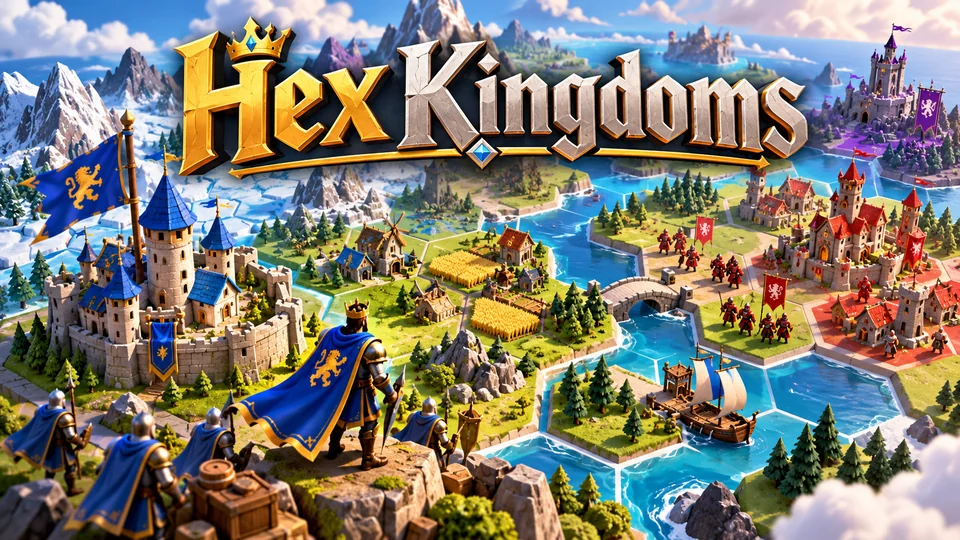
Hex Kingdoms
Expand across a compact hex map, gather resources, capture towns and outmaneuver AI kingdoms.
You can play each one in the browser on its product page, and each comes with its full source code. Browse the full catalog or go back to the home page for licences and the store FAQ.
Where to go next
- New to the topic: how to make an HTML5 game, then the free HTML game code to copy and run.
- Choosing tools: the best HTML5 game engines.
- Looking for code to study: free and open-source HTML5 games.
- Playing, not making: how to play HTML5 games on any device, including offline.
- More guides for every stage are in Learn HTML5 game development.
Frequently asked questions
What is the difference between an HTML game and an HTML5 game?
People use the two terms for the same thing: a game that runs in the browser. "HTML5" became the popular name because the canvas, audio and storage features that made plugin-free games possible arrived with the HTML5 wave of standards. The game logic is JavaScript either way.
Do I need to install anything to play an HTML5 game?
No. A current browser is enough. Some HTML5 games can be installed as web apps or downloaded through a store wrapper for offline play, but that's optional.
Can HTML5 games work offline?
Yes, if the developer builds them to. A service worker can cache the game's files so it starts without a connection, and progress is stored on the device. Games that need a server, such as multiplayer games, still need a connection to play online.
Are HTML5 games safe?
They run inside the browser's sandbox, with no more access to your device than any web page. They can't read your files or install software. The usual web cautions apply: play on sites you trust and be careful with ads that ask you to download something.
Can I make money with HTML5 games?
Yes: through ads, portal licensing, sponsorships, in-game purchases, app-store versions or selling games to other businesses. Our guide to making money with HTML5 games compares the models.
Can you make a 3D game with HTML5?
Yes. WebGL and WebGPU give web games full GPU access, and libraries such as Three.js, Babylon.js and PlayCanvas handle scenes, lighting, models and physics. Nine of our 50 games are 3D games built on Three.js.
Which HTML5 game engine should a beginner use?
Phaser is the most common choice for 2D because of its documentation and examples; Three.js is the usual start for 3D. If you'd like to learn the basics without any engine, start with a one-file canvas game from our free HTML game code.
We make and sell HTML5 game source code; links to our games are marked as ours.